

Kinetix Actions & Confirmation Modals
Kinetix Actions are a fluent PHP builder for interactive buttons and links. The same Action class powers notification buttons, table record actions, and table toolbar actions. This guide focuses on building actions and gating destructive ones behind a confirmation modal.
For notification-specific action behaviour (
markAsRead(),markAsUnread(),close()), see the main README.
1. Building an Action
use Happones\Kinetix\Actions\Action;

Action::make('edit')
    ->label('Edit')
    ->icon('edit')
    ->color('primary')
    ->url(fn ($record) => route('users.edit', $record));
Core API
| Method | Description |
|---|---|
::make(string $name) | Create an action |
->label(string) | Button text |
->icon(string, string $position = 'before') | Lucide icon name — see Icons for the shipped set and how to register your own |
->url(string|Closure, bool $newTab = false) | Navigate on click; closure receives the record |
->route(string $name, array $params = [], string $method = 'get') | Point at a named route — the intuitive CRUD wiring (see below) |
->inertiaVisit(string $url, array $options = []) | SPA visit via router.visit() (supports method) |
->dispatch(string $event, array $data = []) | Fire a kinetix:{event} browser event |
->submits(string $formId) | Submit the <form> with that id — a footer Save for the form in the page body (see Saving the body's form) |
->button() / ->link() | Render style |
->iconButton(bool = true) | Compact icon-only button — no visible label, no outline (the shadcn row-action style). The label is kept for aria-label/tooltip, so always set ->icon() too. If the icon name cannot be resolved the button falls back to showing its label rather than rendering empty — see Icons. |
->color(string) | primary · secondary · success · warning · info · danger · gray |
->icon(?string, $position = 'before') | Lucide icon name; pass null to remove it |
->size(string) | xs · sm · md · lg |
Colors map to shadcn tokens (themeable, dark-mode aware), so you can reproduce the "classic" admin palette per action when you want it. These are the colors you can opt into with ->color() — they are not the prebuilt defaults (ViewAction/EditAction are neutral gray unless you pass ->color(); see §8):
| Color | Token | Looks like | Classic use |
|---|---|---|---|
primary | primary | brand/solid | Create (the prebuilt default) |
info | info | blue | View/Show |
warning | warning | amber/yellow | Edit |
success | success | green | Create |
danger | destructive | red | Delete (the prebuilt default) |
gray / secondary | outline / secondary | neutral | View/Edit (the prebuilt default) |
ViewAction::make()->color('info'),      // opt-in blue (gray by default)
EditAction::make()->color('warning'),   // opt-in amber (gray by default)
CreateAction::make()->color('success'), // opt-in green (primary by default)
// DeleteAction is danger (red) by default
shadcn guidance: by default Kinetix keeps secondary actions neutral (
outline/ghost) and onlydeletered — distinguishing actions by icon, which is the idiomatic shadcn approach. Reach for the colored palette above only if you specifically want the classic colored-button look; it stays token-based either way.
->route() — named-route wiring (recommended for CRUD)
Instead of hand-writing a ->url(fn ($r) => route(...)) closure, point an action at a named route. Kinetix resolves it by convention and — crucially — auto-hides the action when the route isn't registered (Route::has), so you never ship a button that leads nowhere:
use Happones\Kinetix\Actions\{ViewAction, EditAction, DeleteAction, CreateAction};

$table
    ->recordActions([
        ViewAction::make()->route('posts.show'),                       // → /posts/{post}
        EditAction::make()->route('posts.edit'),                       // → /posts/{post}/edit
        DeleteAction::make()->route('posts.destroy', method: 'delete'),// Inertia DELETE
    ])
    ->toolbarActions([
        CreateAction::make()->route('posts.create'),                   // → /posts/create
]);- Per-record vs static is detected automatically: a route with a record parameter (e.g.
posts.edit→/posts/{post}) is resolved per row from the record; a route without one (e.g.posts.create) resolves once for a toolbar button. - The
{current_team}segment is auto-filled, exactly like->url(). $method'get'navigates; any other verb performs an->inertiaVisit()with that method (for destroy/restore endpoints).- If the route isn't registered, the action is dropped from the payload — no dead button.
This is what kinetix:make-resource writes into the generated resource's table(), so all actions live in one place and only appear once you register the routes (Route::resource(...)).
2. Confirmation Modals
Add requiresConfirmation() to any action. The action only runs after the user confirms in a modal — ideal for destructive operations like deletes.
Action::make('delete')
    ->label('Delete')
    ->icon('trash')
    ->color('danger')
    ->requiresConfirmation()
    ->modalHeading('Delete user?')
    ->modalDescription('This permanently removes the account and cannot be undone.')
    ->modalSubmitActionLabel('Delete')
    ->modalCancelActionLabel('Keep')
    ->inertiaVisit(fn ($record) => route('users.destroy', $record), ['method' => 'delete']);
Shorthand
Pass the heading straight to requiresConfirmation():
Action::make('archive')
    ->requiresConfirmation('Archive this record?')
    ->color('warning')
    ->inertiaVisit(fn ($r) => route('records.archive', $r), ['method' => 'post']);
Confirmation API
| Method | Description | Default |
|---|---|---|
->requiresConfirmation(bool|string $condition = true) | Enable the modal; a string also sets the heading | false |
->modalHeading(string) | Modal title | t('kinetix.confirm_heading') → "Are you sure?" |
->modalDescription(string) | Body text | — |
->modalIcon(string) | Lucide icon shown in the modal | alert-triangle |
->modalSubmitActionLabel(string) | Confirm button label | t('kinetix.confirm') → "Confirm" |
->modalCancelActionLabel(string) | Cancel button label | t('kinetix.cancel') → "Cancel" |
The confirm button inherits the action's ->color(), so a danger action gets a red confirm button automatically.
3. Behaviour & Lifecycle
When requiresConfirmation() is set, clicking the action button opens KinetixConfirmModal.vue instead of running immediately. The action runs only on confirm.
->inertiaVisit() vs ->request()
| Method | Use when | Behaviour |
|---|---|---|
->inertiaVisit($url, ['method' => 'post']) | The route returns an Inertia response (redirect()/back()/Inertia::render) | router.visit() — full Inertia visit (updates page props). |
->request($url, ['method' => 'post', 'toast' => '…']) | The route returns JSON and you just want a background call + a toast (no navigation) | Plain fetch() XHR (with the XSRF token); shows the toast on success. No Inertia involvement. |
Avoiding Inertia's "invalid response" modal: an
->inertiaVisit()to an endpoint that returns JSON (instead of an Inertia redirect/render) makes Inertia pop its error modal. For fire-and-forget endpoints (queue a job, then notify), use->request()so no Inertia visit happens. This is exactly whatExportActionuses — click → background POST → "Export queued" toast → a download notification arrives when the job finishes.
4. Using Actions in Tables
Register actions on a Table and they are serialized with each record (record actions) or once for the toolbar:
use Happones\Kinetix\Tables\Table;
use Happones\Kinetix\Actions\Action;

Table::make(User::query())
    ->recordActions([
        Action::make('edit')->icon('edit')->url(fn ($u) => route('users.edit', $u)),
        Action::make('delete')
            ->icon('trash')->color('danger')
            ->requiresConfirmation('Delete this user?')
            ->inertiaVisit(fn ($u) => route('users.destroy', $u), ['method' => 'delete']),
    ])
    ->toolbarActions([
        Action::make('create')->label('New user')->icon('plus')->url(route('users.create')),
    ]);
KinetixTable.vue handles the full execution flow (dispatch / Inertia visit / new tab / navigation) and the confirmation gate — no extra frontend wiring is needed.
5. The Confirmation Modal Component
KinetixConfirmModal.vue is a self-contained, reusable dialog you can drive directly:
<script setup lang="ts">
import { ref } from 'vue';
import KinetixConfirmModal from '@/components/kinetix/KinetixConfirmModal.vue';

const open = ref(false);
const onConfirm = () => { /* ... */ };
</script>

<template>
    <button @click="open = true">Delete</button>

    <KinetixConfirmModal
        v-model:open="open"
        color="danger"
        heading="Delete item?"
        description="This cannot be undone."
        @confirm="onConfirm"
    />
</template>| Prop | Type | Description |
|---|---|---|
open | boolean | Visibility (use v-model:open) |
heading | string? | Title (falls back to the i18n default) |
description | string? | Body text |
icon | string? | Lucide icon name |
color | string? | Themes the confirm button + icon (danger default) |
submitLabel / cancelLabel | string? | Button labels (fall back to i18n) |
Events: confirm, cancel, update:open.
The modal is rendered through <Teleport to="body">, closes on overlay click or Escape, and removes its keydown listener when closed or unmounted — so it leaves no lingering global handlers.
6. Page Action Bars
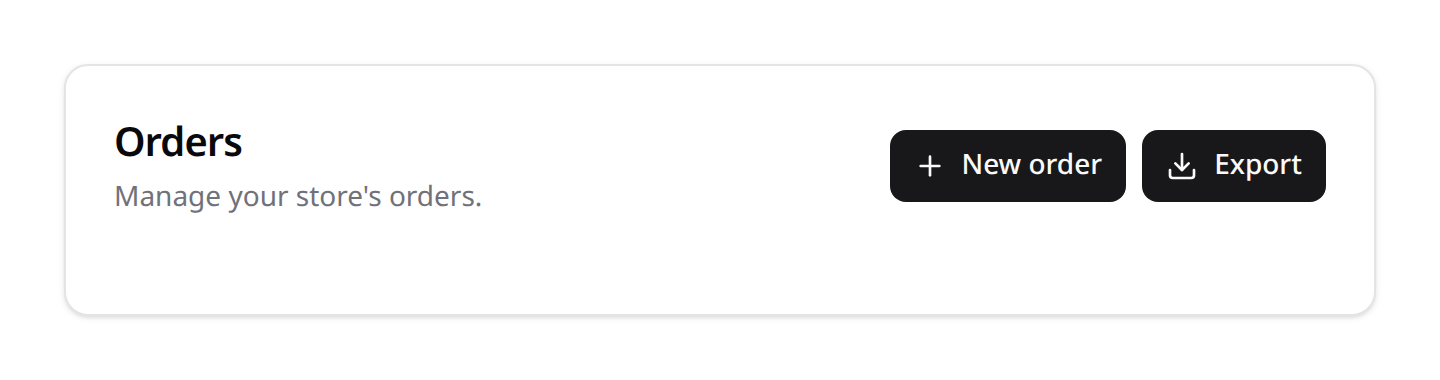
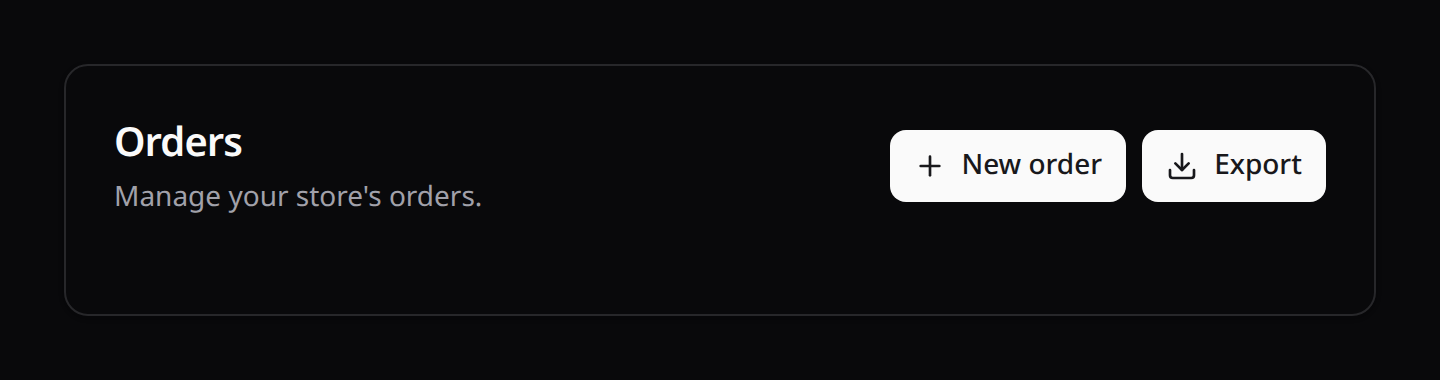
A page gets two action bars, and neither knows anything about what the page renders between them — that independence is the point. Put a table, a form, or a component entirely of your own in the middle:
<KinetixPageHeader heading="Inventory" :actions="headerActions" />

<MyCustomThing />          <!-- anything at all -->

<KinetixPageFooter :actions="footerActions" />
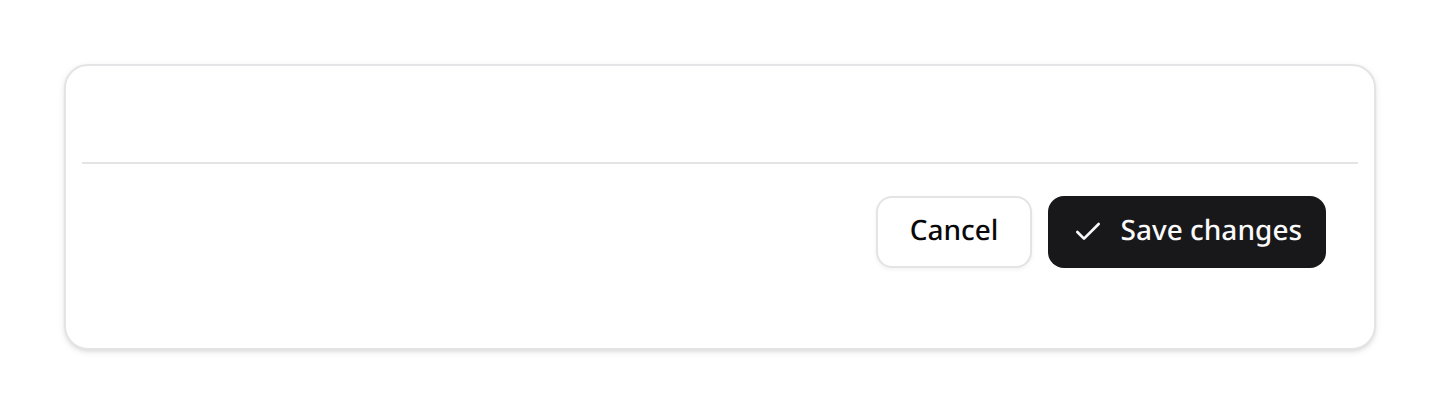
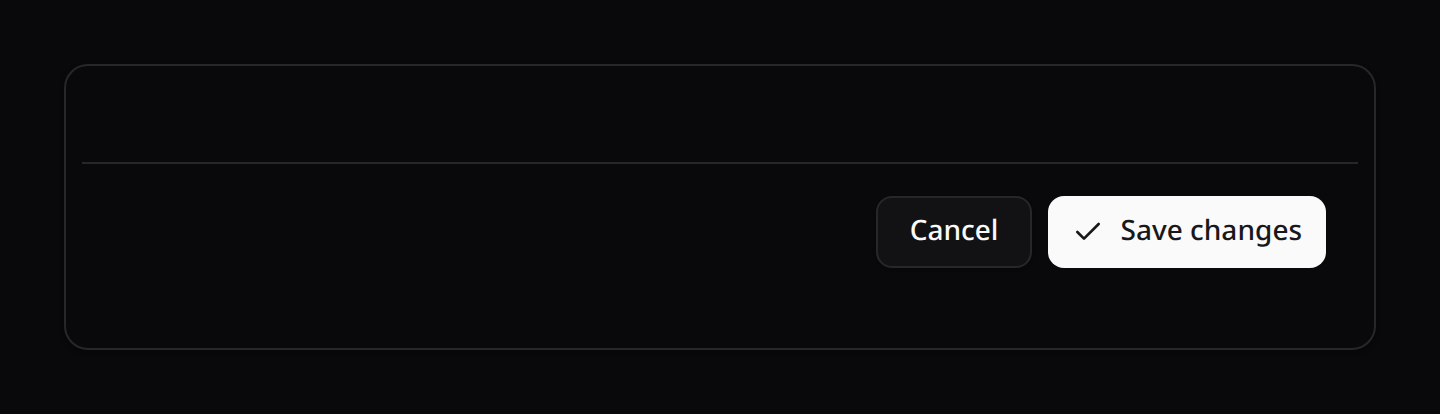
KinetixPageHeader.vue renders a page-level header with a title, optional description, and a right-aligned row of actions — the standard place for "Create", "Edit", "Delete", or custom page actions. KinetixPageFooter.vue is its counterpart for the end of the page ("Save", "Cancel", "Archive"). Both reuse the same action execution and confirmation flow as tables.
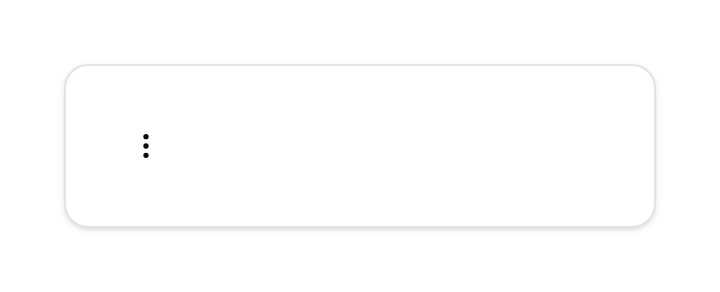
Grouped actions render as a dropdown menu (KinetixActionDropdown). Its trigger follows shadcn: with no group label it's a borderless ghost ⋮ icon button (the row-action style); set a label to get an outlined, labelled trigger instead.

Backend
Build the actions in PHP and pass them as an array:
use Happones\Kinetix\Actions\Action;

return inertia('Users/Edit', [
    'user' => $user,
    'headerActions' => [
        Action::make('view')
            ->label('View')->icon('eye')->color('gray')
            ->url(route('users.show', $user)),

        Action::make('delete')
            ->label('Delete')->icon('trash')->color('danger')
            ->requiresConfirmation('Delete this user?')
            ->inertiaVisit(route('users.destroy', $user), ['method' => 'delete']),
    ],
]);
Frontend
<script setup lang="ts">
import KinetixPageHeader from '@/components/kinetix/KinetixPageHeader.vue';
import type { KinetixAction } from '@/types/kinetix';

defineProps<{ headerActions: KinetixAction[] }>();
</script>

<template>
    <KinetixPageHeader
        heading="Edit user"
        description="Update the account details below."
        :actions="headerActions"
    >
        <!-- Optional extra controls via the default slot -->
    </KinetixPageHeader>
</template>| Prop | Type | Description |
|---|---|---|
heading | string? | Page title |
description | string? | Sub-heading text |
actions | KinetixAction[] | Serialized actions rendered as buttons/links |
Slots: before-actions (left of the action row) and the default slot (right of it). Actions with requiresConfirmation() open the shared confirmation modal automatically.
Footer actions: KinetixPageFooter
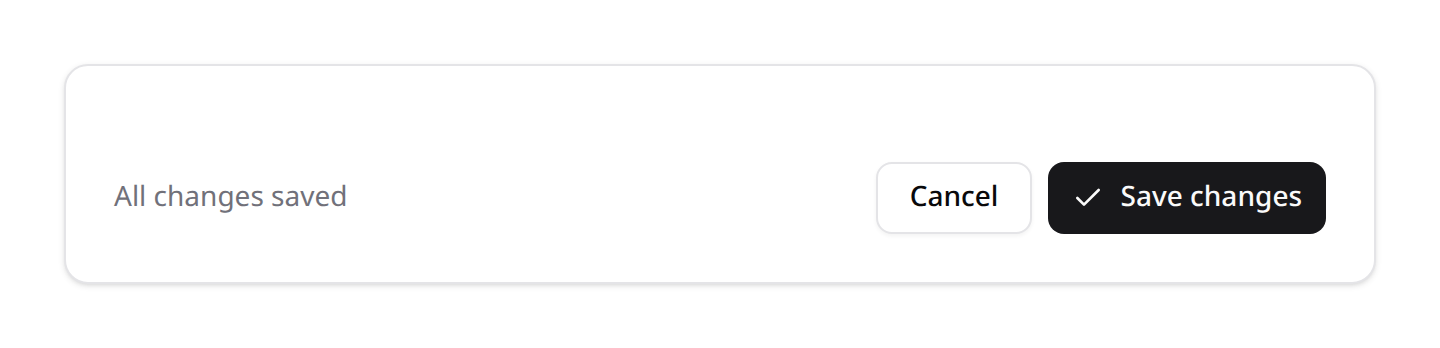
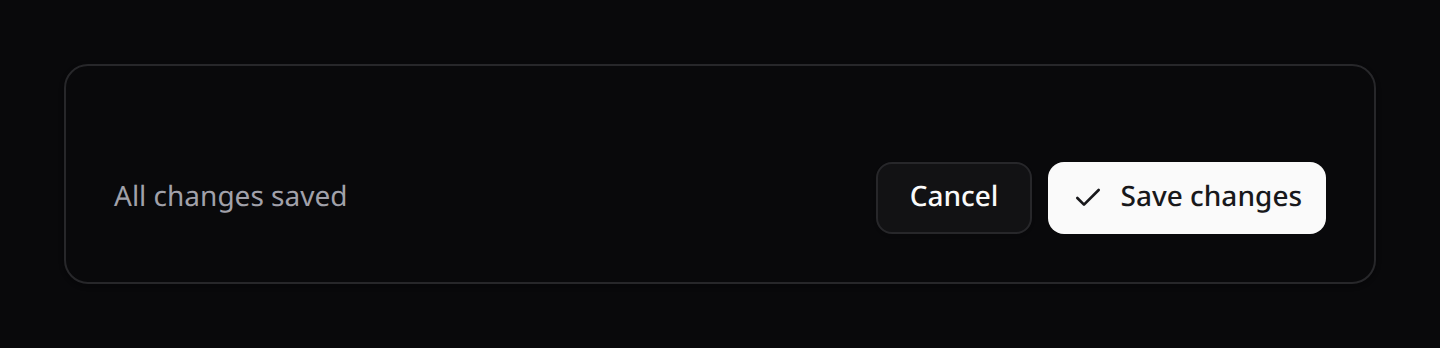
Same contract, bottom of the page:
return inertia('Inventory/Adjust', [
    'item' => $item,
    'footerActions' => [
        Action::make('cancel')
            ->label(__('inventory.cancel'))->color('gray')
            ->url(route('inventory.index')),

        Action::make('post')
            ->label(__('inventory.post'))->icon('check')
            ->requiresConfirmation(__('inventory.post_confirm'))
            ->inertiaVisit(route('inventory.post', $item), ['method' => 'post']),
    ],
]);<KinetixPageFooter :actions="footerActions" sticky>
<template #before-actions>Last saved 2 minutes ago</template>
</KinetixPageFooter>| Prop | Type | Description |
|---|---|---|
actions | KinetixAction[] | Serialized actions |
sticky | boolean? | Pin the bar to the bottom of the scroll container (default false) |
shortcuts | boolean? | Bind the actions' ->shortcut() keys (default false — see below) |
Slots: before-actions (left of the row — a save state, a hint, a validation summary) and the default slot (right of it).
The action row is flex-col-reverse below sm, which puts the last action — the primary one, by convention — on top where the thumb is, and full width. From sm up it is a right-aligned row. Same rule as the dialog shells' footers, so a footer looks the same on a page and in a modal.
sticky is position: sticky, not fixed
The pinned bar stays part of the layout, so it never covers the last of your content the way a fixed bar does — no bottom padding to remember. Use it for a long page where "Save" should stay reachable without scrolling to the end.
Saving the body's form
A footer Save usually belongs to a form in the page body. ->submits('form-id') submits that form: its values, its validation, its errors under each field and its pending state stay the form's own. Give <KinetixForm> the id, and hide-submit so it doesn't render a second button:
Action::make('save')->label(__('Save'))->icon('check')->submits('adjust-stock'),<KinetixForm id="adjust-stock" :form="form" hide-submit @submit="save" />
<KinetixPageFooter :actions="footerActions" sticky />A confirmation (->requiresConfirmation()) runs first, as for any action.
shortcuts defaults to off in the footer
A footer usually repeats actions the header already bound, and two handlers on one chord is a bug. Turn it on only for actions that live only in the footer.
Declaring both bars at once
When a page's whole chrome is header + footer actions, Happones\Kinetix\Pages\Page declares it in one object and <KinetixPageShell> renders it — see Custom Pages. Passing KinetixAction[] to the two bars by hand, as above, stays fully supported.
One implementation behind both: KinetixActionBar
Both bars render their actions through KinetixActionBar.vue, so a grouped dropdown, a requiresConfirmation() modal, a declared shortcut and a pending spinner behave identically top and bottom. Use it directly when you need an action row somewhere neither bar fits:
<KinetixActionBar :actions="actions" :shortcuts="false" stack />| Prop | Type | Description |
|---|---|---|
actions | KinetixAction[] | Serialized actions |
shortcuts | boolean? | Bind declared shortcut keys (default true) |
stack | boolean? | Full-width stacked below sm, right-aligned row above (default false — the header's inline, wrapping row) |
Slots: before and after.
Header actions that open a form in a modal
A header action carries no form of its own — when a "New …" button should open a modal form on the same page, give the action ->dispatch() and let the page host the modal. Pass flat to the form so its Sections don't render as a card inside the modal panel:
Action::make('new-event')->label('New event')->icon('plus')->dispatch('event-create');<script setup lang="ts">
onMounted(() => window.addEventListener('kinetix:event-create', open));
onUnmounted(() => window.removeEventListener('kinetix:event-create', open));
</script>
<template>
<KinetixPageHeader heading="Schedule" :actions="headerActions" />
<KinetixModal :open="isOpen" title="New event" scroll-body @update:open="isOpen = $event">
<KinetixForm :form="eventForm" flat @submit="submit" />
</KinetixModal>
</template>The controller persists and flashes a toast (KinetixFlash::success(__('kinetix.record_created')), then return back()). Full worked examples live in the Kanban and Calendar guides.
->modal('create'|'edit'|'view'|'delete')is a different mechanism: it opens the table-hosted record modals and therefore only works on actions rendered inside a table that opted in viaTable::recordModals()— see Simple resources. In a page header it is a no-op.
Shared execution composable
KinetixTable.vue and KinetixActionBar.vue (and therefore both page bars) consume @/composables/useKinetixActions:
executeAction(action)— runs an action (dispatch / Inertia visit / new tab / navigation).useActionConfirmation()— returns{ pendingAction, isConfirmOpen, processing, processingAction, requestAction, confirm, cancel }to gate actions behind the modal.
Wire any new action-rendering component through this composable so behaviour stays consistent.
Pending state & double-click protection (automatic)
Every action click is gated twice:
- Logic:
useActionConfirmation()ignores clicks while an action is in flight (processing), and awaitshttpRequest/inertiaVisitactions — so a double click on Export/Import can never queue two jobs, and confirmation modals stay open (disabled) until the request resolves. - UI: action buttons render through
<KinetixButton>— the shared base button. Whileprocessingis true every sibling action button disables, and the clicked one (matched viaprocessingAction, the in-flight action's name) swaps its icon for a spinner.
KinetixButton props: variant, size, type (default button), loading (disables + spinner, sets aria-busy), disabled. Slots: icon (replaced by the spinner while loading) and the default label slot. The kinetix:make-resource create/edit pages submit through it too (:loading="saving"), so scaffolded forms behave exactly like action buttons. Use it for any custom button that fires a request:
<KinetixButton :loading="saving" type="submit">Save</KinetixButton>7. Action Groups (Dropdowns)
ActionGroup collapses several actions into a single dropdown trigger — useful for keeping record rows and toolbars compact.
Where ActionGroups work:
recordActions,toolbarActions/headerActions, andfooterActionsrender groups as dropdowns.bulkActionsdo not — the bulk bar renders flat buttons and a dropdown wouldn't forward the selectedids. So you can put an Export (or any) action inside a group in the toolbar/header/footer (it acts on the whole/filtered table), but for export-selected use a flatbulkActionsentry (see Tables → Bulk Actions). The same ExportActioncan be both: inside a toolbar group and a flat bulk action.
use Happones\Kinetix\Actions\Action;
use Happones\Kinetix\Actions\ActionGroup;

ActionGroup::make([
    Action::make('edit')->label('Edit')->icon('edit')->url(fn ($r) => route('users.edit', $r)),
    Action::make('view')->label('View')->icon('eye')->url(fn ($r) => route('users.show', $r)),
    Action::make('delete')->label('Delete')->icon('trash')->color('danger')
        ->requiresConfirmation('Delete this user?')
        ->inertiaVisit(fn ($r) => route('users.destroy', $r), ['method' => 'delete']),
])
    ->label('Actions')      // optional — omit for an icon-only trigger
->icon('ellipsis-vertical');| Method | Description | Default |
|---|---|---|
::make(array $actions) | Actions shown in the menu | — |
->actions(array) | Replace the action list | — |
->label(string) | Trigger label (omit for icon-only) | — |
->icon(string) | Trigger icon | ellipsis-vertical |
->color(string) / ->size(string) | Trigger styling | gray / sm |
Groups serialize to an ActionData with type: 'group' and a nested actions array, so they can be dropped straight into a table's recordActions() / toolbarActions() or a page header's actions alongside regular actions:
Table::make(User::query())->recordActions([
    Action::make('edit')->icon('edit')->url(fn ($u) => route('users.edit', $u)),
    ActionGroup::make([
        Action::make('archive')->icon('archive')->requiresConfirmation('Archive?')
            ->inertiaVisit(fn ($u) => route('users.archive', $u), ['method' => 'post']),
        Action::make('delete')->icon('trash')->color('danger')->requiresConfirmation('Delete?')
            ->inertiaVisit(fn ($u) => route('users.destroy', $u), ['method' => 'delete']),
    ]),
]);
KinetixActionDropdown.vue renders the menu. It closes on outside click or Escape and removes those listeners on close/unmount (leak-safe), and routes each item through the shared confirmation flow.
8. Prebuilt CRUD actions
Convenience subclasses with sensible defaults (label, icon, color) and a default policy ability. Each is a normal Action, so every method above still applies.
use Happones\Kinetix\Actions\CreateAction;
use Happones\Kinetix\Actions\EditAction;
use Happones\Kinetix\Actions\ViewAction;
use Happones\Kinetix\Actions\DeleteAction;

Table::make(Post::query())
    ->recordActions([
        ViewAction::make()->url(fn ($post) => route('posts.show', $post)),
        EditAction::make()->url(fn ($post) => route('posts.edit', $post)),
        DeleteAction::make()->inertiaVisit(fn ($post) => route('posts.destroy', $post), ['method' => 'delete']),
    ])
    ->toolbarActions([
        CreateAction::make()->url(route('posts.create'))->authorize('create', Post::class),
]);| Action | Defaults | Default policy ability |
|---|---|---|
ViewAction | label View, icon eye, color gray | view (per record) |
EditAction | label Edit, icon edit, color gray | update (per record) |
DeleteAction | label Delete, icon trash, color danger, requiresConfirmation() | delete (per record) |
CreateAction | label Create, icon plus, color primary | none — pass ->authorize('create', Model::class) |
RestoreAction | label Restore, icon rotate-ccw, color gray; only visible on trashed rows | restore (per record) |
ForceDeleteAction | label Delete permanently, icon trash-2, color danger, requiresConfirmation(); only on trashed rows | forceDelete (per record) |
ExportAction | label Export, icon download, color gray | none — wire with ->exporter(MyExporter::class) |
ImportAction | label Import, icon upload, color gray | none — wire with ->importer(MyImporter::class) |
Only CreateAction (primary), DeleteAction and ForceDeleteAction (danger) ship colored by default — every other prebuilt action is neutral gray, distinguished by its icon. Add ->color(...) to opt into the classic colored palette (see §1).
RestoreAction / ForceDeleteAction are for SoftDeletes models and auto-hide on non-trashed records (via a visible() check on $record->trashed()). Pair them with a TrashedFilter (Tables → Filters).
Labels come from the kinetix i18n namespace and respect the active locale.
Data actions: ExportAction & ImportAction
use Happones\Kinetix\Actions\ExportAction;
use Happones\Kinetix\Actions\ImportAction;

$table->toolbarActions([
    ExportAction::make()->exporter(UsersExporter::class),
    ImportAction::make()->importer(UsersImporter::class),
]);| Action | Defaults | Behaviour |
|---|---|---|
ExportAction | label Export, icon download, color gray | ->exporter(MyExporter::class) wires a background ->request() POST to route('kinetix.exports.start') (the exporter travels as a signed token). The JSON response shows the kinetix.export_started toast — no Inertia visit — and the user gets a download notification when the queued job finishes. In toolbarActions/headerActions it exports the exporter's query; in bulkActions it exports only the selected rows. |
ImportAction | label Import, icon upload, color gray | ->importer(MyImporter::class) dispatches the kinetix:open-importer browser event (carrying the importer's signed token), opening the import preview modal. Mount <KinetixImportModal> once in your layout for it to render. |
File actions: DownloadAction & PreviewAction
use Happones\Kinetix\Actions\DownloadAction;
use Happones\Kinetix\Actions\PreviewAction;

$table->recordActions([
    PreviewAction::make()->url(fn ($doc) => route('docs.show', $doc)),         // image/pdf detected from the URL
    PreviewAction::make()->preview('pdf')->url(fn ($doc) => $doc->pdf_url),     // force a type
    DownloadAction::make()->url(fn ($doc) => route('docs.download', $doc)),     // direct download
]);| Action | Defaults | Behaviour |
|---|---|---|
PreviewAction | label Preview, icon eye, color gray | Opens url in the file-preview lightbox (zoomable image / embedded PDF, with a download button). ->preview('image'|'pdf'|'auto') sets the type. |
DownloadAction | label Download, icon download, color gray | Forces a browser download of url (synthetic <a download> click). |
Both are plain Actions, so ->color(), ->icon(), ->label(), ->authorize(), ->visible() all apply. The underlying flags are Action::download() and Action::preview($type).
Mount the lightbox once. For
PreviewAction(andImageColumn::preview()) to render, add<KinetixFilePreview />once in your app layout — it listens for thekinetix:previewwindow event, like the notification components.
9. Form Actions (server-side modal forms)
A FormAction opens a modal hosting an arbitrary Form and runs a server-side handler once the submitted values have been validated and dehydrated — the form-first sibling of a BulkAction. Use it whenever a table action needs to collect input before it runs (a refund amount, a rejection reason, a reschedule date) instead of only confirming.
A plain Action modal path is declarative (requiresConfirmation only confirms); collecting input otherwise means hand-wiring a controller and re-implementing scope + policy there. A FormAction moves the behaviour into a class with a form() declaration and a handle() method, and Kinetix guarantees the record is in-scope and allowed and the values are validated before handle() runs.
use Happones\Kinetix\Actions\FormAction;
use Happones\Kinetix\Forms\Form;
use Happones\Kinetix\Forms\Components\TextInput;
use Happones\Kinetix\Forms\Components\Textarea;
use Illuminate\Database\Eloquent\Model;

class Refund extends FormAction
{
    protected function form(Form $form, ?Model $record = null): Form
    {
        return $form->schema([
            TextInput::make('amount')->numeric()->required(),
            Textarea::make('reason')->required(),
        ]);
    }

    public function handle(array $data, ?Model $record): void
    {
        $record?->refund($data['amount'], $data['reason']);
    }
}
Register it like any other table action — as a record action (the modal acts on the row that opened it; handle() receives that record) or a toolbar action (no row; handle() receives null):
$table
    // name defaults to 'refund' (kebab of the class short name)
    ->recordActions([Refund::make()->label('Refund')->icon('undo')])
    ->toolbarActions([BulkImport::make()->label('Import batch')]);
A FormAction may also live inside an ActionGroup dropdown in recordActions/toolbarActions — the table seals it just the same.
How it stays secure
FormAction follows the exact signed-descriptor pattern of BulkAction and the record-modal endpoints — the client never names a class, a record or a validation rule:
- Allowlist — the table seals a signed map of the
FormActions this user can see (TableData::formActionDescriptor), record and toolbar actions apart, so neither can be invoked as the other. The browser only sends that descriptor, the action name, therecordId(record actions only) and the form values. - Scoping — a record action must send a
recordId. It is resolved through the table's own query/scope, so a record outside the table the user was looking at is refused (404), and it has to be one of the rows the action rendered on: whatever hid it there (authorize(), avisible()closure, its group) blocks a hand-made request too. A toolbar action sends no id and runs record-less. - Authorization —
->authorize('ability')is checked again on the server: against the record, or against the model class for a toolbar action (Gate::allows('import', Post::class)). Without one, a record is checked against the table'swriteAbility(), orupdatewhen the model has a policy. An ability given an explicit subject (->authorize('import', Post::class)) says nothing about the record, so a record is checked against that write ability as well. - Validation — the same form class is rebuilt server-side and the submitted values are validated and dehydrated against its rules. A failure redirects back so the errors surface in the modal's
KinetixForm; the handler never runs. - Transaction — the trusted state is handed to
handle($data, $record)inside aDB::transaction, so a throwing handler leaves nothing half-applied.
The endpoint builds its instance from the class and gives it back the configuration the table's instance had: every property your subclass declares that a setter chained on the table changed (CreateInvoice::make()->currency('EUR')). form() and handle() see the action as you configured it.
- Scalars, arrays, enums and value objects travel as they are.
- Models travel as their identifier and are fetched again on the endpoint, as in a queued job, so they come back as they are now.
- A model that isn't saved has no identifier to travel as: Kinetix throws when the table renders. Save it first, or pass its attributes.
- A closure set by a setter can't travel. Kinetix throws when the table renders, naming the property, instead of the endpoint silently running without it. Compute that inside the class instead. A closure the class builds itself (in its constructor, alone or inside an array) is rebuilt by the endpoint's own instance, so it needs nothing.
- A property the action fills in for itself while rendering (a memoized form, a cache) can stay behind: mark it
#[Unsealed](Happones\Kinetix\Actions\Unsealed) and the endpoint's instance keeps its fresh value.
The base action's own settings (label, icon, modal chrome) are only for the button and don't travel.
A FormAction in footerActions() or emptyStateActions() runs record-less, like a toolbar one. The same action may sit in several of those places; two differently configured copies under one name throw, since the endpoint finds the action by name.
A record action's form isn't part of each row: the modal fetches it for its row when it opens (a brief skeleton shows), through the same checks as a submission. A page of rows no longer builds — and queries options for — one form per row. A toolbar action, a single instance, still ships its form.
The modal reuses the existing modalHeading / modalDescription / modalSubmitActionLabel / modalCancelActionLabel chrome, and the schema is serialized into the action's payload so the frontend mounts KinetixForm directly — no extra round-trip to open it.
| Hook / method | Purpose |
|---|---|
protected form(Form $form, ?Model $record): Form | Declare the modal's schema. The optional $record lets a record action tailor defaults to its row. |
abstract handle(array $data, ?Model $record): void | Run with the validated, dehydrated state and the resolved record (null for a toolbar action). |
FormAction::make(?string $name = null) | Create it; name defaults to the kebab of the class short name. |
isFormAction(): bool | true — marks it for the signed kinetix.tables.form-action endpoint. |
Submitting to your own route (RouteFormAction)
When your app already has the controller, the FormRequest, the policy and the events for a change, the modal can submit to that route instead of a Kinetix handler:
use Happones\Kinetix\Actions\RouteFormAction;

$table
    ->recordActions([
        RouteFormAction::make('edit')
            ->modalForm(PostForm::class)                                   // or UpdatePostRequest::class
            ->submitTo(fn (Post $post) => route('posts.update', $post), 'put')
            ->authorize('update')
            ->precognitive(),                                              // optional live validation
    ])
    ->toolbarActions([
        RouteFormAction::make('create')
            ->modalForm(StorePostRequest::class)
            ->submitTo(route('posts.store')),
]);modalForm()takes a Form class, or the FormRequest your route validates with. A FormRequest's rules then decide the fields (fields from a FormRequest). On a row, the form is filled from the record.submitTo($url, $method)is where the values go: a URL, or a closure building it for the row.post,put,patchordelete. The values are sent top-level, the way your FormRequest reads them, as an Inertia visit. A form with files is sent as aPOSTwith_method, which multipart needs.- Your route does the rest. Its FormRequest validates; the errors show in the modal. Your controller saves, your events fire; its redirect closes the modal and reloads the table. Kinetix never runs the submission, and its own form endpoint refuses to.
- Opening the form goes through the same signed checks as any form action: the record resolved through the table's scope, a row the action rendered on, and the action's ability (else the table's
writeAbility(), orupdatewhen the model has a policy). Add->authorize('update')to also hide the button where the policy says no. precognitive()validates each field as the user fills it, against the same route, with Laravel Precognition: your FormRequest's rules run for the fields being edited, without reaching the controller. Add Laravel'sHandlePrecognitiveRequestsmiddleware to the route.
Delete needs no form: Action::make('delete')->route('posts.destroy', method: 'delete')->requiresConfirmation().
10. Authorization & visibility
Actions are authorized on the server. An action that fails its check is omitted from the serialized payload entirely — the frontend never receives it (so it can't be revealed by tampering with the client). This is the recommended approach over sending every action plus a "can" flag to Vue.
// Laravel policy ability — checked against the row record via Gate::allows($ability, $record):
EditAction::make()->authorize('update');

// Explicit subject (e.g. a create action with no record):
CreateAction::make()->authorize('create', Post::class);

// Any custom logic:
Action::make('publish')->authorize(fn ($record) => auth()->user()->isEditor());

// Manual visibility (also evaluated server-side):
Action::make('archive')->visible(fn ($record) => ! $record->archived);
Action::make('legacy')->hidden();| Method | Behaviour |
|---|---|
->authorize(string $ability, mixed $subject = null) | Gate::allows($ability, $subject ?? $record) (Laravel policies) |
->authorize(Closure $cb) | $cb($record) returns a boolean |
->authorize(bool) | Static gate |
->visible(bool|Closure) / ->hidden(bool|Closure) | Manual show/hide |
Table automatically drops unauthorized record/toolbar actions (and per row). ActionGroup drops unauthorized children, and supports ->authorize()/->visible() on the group itself.
Toolbar and footer actions never get a record, so the table decides them right away, with no record, inside groups too:
- a
visible()/hidden()orauthorize()closure runs with none, and one typed for a record (fn (Post $record)) hides the action; ->authorize('ability')without a subject is checked against the table's model class (Gate::allows('import', Post::class)). An ability that needs an instance — a policy'supdate(User $user, Post $post)or aGate::define()closure typed for aPost— denies rather than failing.
A server-side action's button therefore shows exactly when its endpoint would run it. For page headers or other manual contexts, serialize a set with Action::toArrayMany([...], $record) — it returns only the actions the current user may perform:
return inertia('Posts/Edit', [
    'headerActions' => \Happones\Kinetix\Actions\Action::toArrayMany([
        EditAction::make()->url(route('posts.edit', $post)),
        DeleteAction::make()->inertiaVisit(route('posts.destroy', $post), ['method' => 'delete']),
    ], $post),
]);
Team-aware URL resolution. When
Action::toData()resolves a closure URL, it first detects the current team — from thecurrent_team/teamroute parameter, or (whenkinetix.teamsis enabled) the authenticated user'scurrentTeam— and populatesURL::defaults()withcurrent_team/teamparams (plus:slugand:idvariants) before invoking the closure. Sofn ($record) => route('team.posts.edit', $record)resolves with the active team's parameters filled in automatically, without threading the team through every closure.
11. Localization
Default modal labels come from the kinetix translation namespace (confirm, cancel, confirm_heading), shipped in English, Spanish, French, and Portuguese.