

Team Switcher
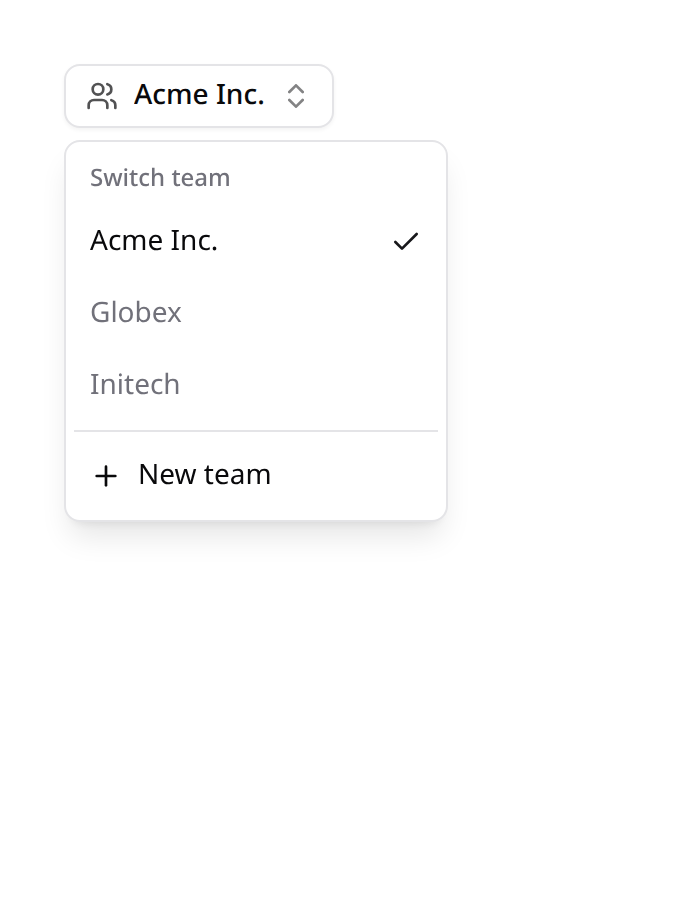
A header dropdown to switch the active team. The official Laravel starter kit has no teams concept, so this is a complete Kinetix feature — but Kinetix does not own your Team model. It resolves the user's teams by convention and shares them (each with a ready-made switch URL) via the kinetix_teams Inertia prop; the component just visits that URL. So it works with whatever switch route your app already has.
Installation
Enable it and point the config at the relations/routes your app uses:
'team_switcher' => [
    'enabled' => env('KINETIX_TEAM_SWITCHER_ENABLED', false),

    // Relations on the user model.
    'teams_relation'   => 'teams',        // → the user's teams
    'current_relation' => 'currentTeam',  // → the active team

    // Team display label attribute.
    'name_attribute' => 'name',

    // Route to switch teams (receives the team's route key — slug when the
    // model defines getRouteKeyName()). The starter-kit convention is below.
    'switch_route' => env('KINETIX_TEAM_SWITCH_ROUTE', 'teams.switch'),

    // Optional "New team" route.
    'create_route' => env('KINETIX_TEAM_CREATE_ROUTE'),
],
Kinetix reads auth()->user()->teams and ->currentTeam, builds a switch URL per team with route('teams.switch', $team->getRouteKey()), and shares the lot. You provide the switch route and the logic that sets the current team — Kinetix never touches your team pivot or tenancy.
The switch route can take any verb: the switcher visits it with the one it declares (the starter kit's teams.switch is a POST), shared as kinetix_teams.switchMethod.
Already have a switch route?
If your app (or your template) defines teams.switch — e.g. a controller calling $user->switchTeam($team) — you're done: set switch_route to its name and the switcher visits it.
The component
<script setup lang="ts">
import KinetixTeamSwitcher from '@/components/kinetix/KinetixTeamSwitcher.vue';
</script>

<template>
    <KinetixTeamSwitcher />
</template>
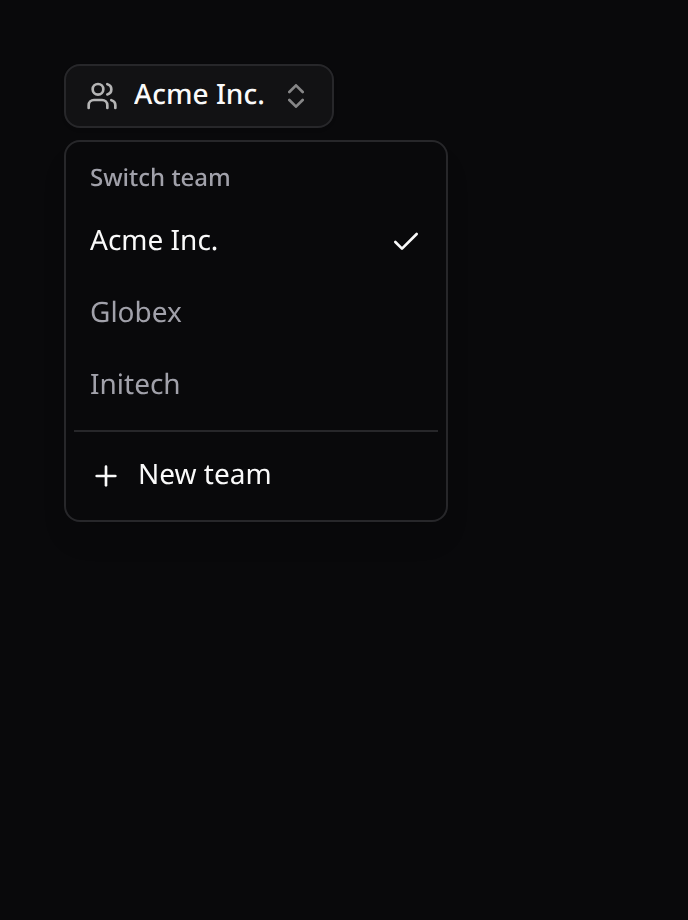
It shows the current team with its mark — a logo, or its initials — and the dropdown lists every team the same way (the active one checked), plus a New team entry when create_route is set. Selecting a team visits its switch URL; the already-active team is a no-op.
variant dresses the trigger for where it sits, so it replaces a starter kit's own switcher without a wrapper:
<!-- In the sidebar: a full-width row; collapsed to icons, only the mark. -->
<KinetixTeamSwitcher variant="sidebar" keep-page side="right" />

<!-- In a header: a compact item. -->
<KinetixTeamSwitcher variant="header" keep-page align="end" />
button (the default) is an outlined header button.


useKinetixTeams() exposes { teams, current, createUrl, labels, switchTeam } for a custom UI; <KinetixTeamAvatar :team="team" /> draws a team's mark and <KinetixTeamIndicator :team="team" /> its indicator on their own.
A team's logo and color indicator
Telling teams apart by name alone gets hard past a few. Each row can show the team's logo on the left and, on the right, an indicator: a small dot in the color of the team's type — an industry, a plan, an environment. Both are turned on in config/kinetix.php:
'team_switcher' => [
    // …
    'logo' => [
        'enabled'   => true,
        'attribute' => 'logo_path',   // a URL, or a path on `disk`
        'disk'      => 'public',
        'resolver'  => null,          // or [TeamLogos::class, 'for'] → URL|null
        'default'   => 'building-2',  // no logo: a Lucide icon, or an image URL/path
    ],
    'indicator' => [
        'enabled'   => true,
        'attribute' => 'industry',    // an enum with getColor(), or a value…
        'colors'    => [              // …this map turns into a color
            'retail'     => '#16a34a',
            'healthcare' => 'info',   // a status name follows the theme
        ],
        'resolver'  => null,          // or [TeamColors::class, 'for'] → color|null
    ],
],
The logo: a team without one shows
default— a Lucide icon name, or an image (a URL, a root path, or a path with an image extension ondisk) — and, with no default either, its initials. A logo that fails to load falls back the same way.The indicator's color is any CSS color (
#hex,oklch(),var(--x)) or one of Kinetix's status names (primary,success,warning,danger,info,gray), which follow light and dark mode. Anything else is ignored. When the sidebar collapses to icons, the dot moves to the logo's corner.An icon instead of the dot, in the same color:
php'indicator' => [ // … 'icon' => 'sparkles', // for every team 'icons' => ['retail' => 'store'], // per type, winning over `icon` 'enum_icons' => true, // the enum's own getIcon() 'icon_resolver' => [TeamIcons::class, 'for'], // wins over all of them ],Icons are names from Kinetix's icon set; register any other once with
registerIcons()(see Icons).A resolver is a callable array (
[Class::class, 'method']) receiving the team; it wins over the attribute. Closures in config breakconfig:cache.
Your app's words
A "team" may be an account, a store, a workspace. Name it in labels — translation keys or plain strings:
'labels' => [
    'switch' => 'Switch account',
    'select' => 'Choose an account',
    'create' => 'New account',
],
The #create slot receives it as label, so your own create item says the same.
Where creating a team lands
Kinetix doesn't own your create action, but it can decide where it lands. Set redirect_after_create to a route name (given the team's route key) or a callable array receiving the team and returning a URL, and read it in your action:
use Happones\Kinetix\Support\KinetixTeams;

$team = $createTeam->handle($request->user(), $request->validated('name'));

return redirect(KinetixTeams::redirectAfterCreate($team, route('teams.edit', $team)));
Unset, your own default (the second argument) applies.
Staying on the page, your trigger, your "New team"
<KinetixTeamSwitcher keep-page side="right">
    <!-- Your own trigger, e.g. a sidebar menu button. -->
    <template #trigger="{ current }">
        <SidebarMenuButton>{{ current?.name }}</SidebarMenuButton>
    </template>

    <!-- Your own "New team" item, e.g. one that opens your modal. -->
    <template #create>
        <CreateTeamModal>
            <DropdownMenuItem @select.prevent>New team</DropdownMenuItem>
        </CreateTeamModal>
    </template>
</KinetixTeamSwitcher>| Prop / slot | What it does |
|---|---|
keep-page | After switching, reopen the current page for the new team: /acme/products/7 becomes /beta/products/7. A page outside the team segment is left to your switch route. |
variant | button (default), sidebar or header — the trigger for where it sits |
side / align | Where the menu opens (bottom / start by default) |
#trigger="{ current }" | Replaces the button; it becomes the menu's trigger |
#create="{ label }" | Replaces the "New team" item, which otherwise visits create_route; label is your labels.create |
Each team in kinetix_teams carries its key (its route key, as it appears in URLs), and useKinetixTeams().switchTeam(team, { keepPage: true }) does the same from your own component.
Building team-aware links
The same composable is how you link between your own pages in a multitenant app — teamUrl() prefixes a path with the active team's segment:
<script setup lang="ts">
import { Link } from '@inertiajs/vue3';
import { useKinetixTeams } from '@/composables/useKinetixTeams';

const { teamUrl, currentTeamKey } = useKinetixTeams();
</script>

<template>
    <Link :href="teamUrl('/projects')">Projects</Link>
    <!-- /acme/projects -->
</template>
teamUrl(path) | The path prefixed with the active team segment; unchanged when teams are off, and never double-prefixed |
currentTeamKey | The raw segment ('acme'), or null when teams are off |
Two reasons to prefer it over hand-built strings:
- The segment is the team's route key (
getRouteKey()— a slug or uuid when the model defines one), not theidyou get fromcurrent. Interpolatingcurrent.idproduces URLs that 404 as soon as teams are slug-routed. - It is driven by the server's resolution of the current request, so a link rendered on
/beta/...points atbetaeven when the user's storedcurrentTeamis something else.
Unlike the switcher, linking only needs kinetix.teams — team_switcher.enabled is not required.
Teams on subdomains
By default the team rides in the path (/acme/projects). To serve each team on its own subdomain (acme.example.com/projects), set the apex domain:
// config/kinetix.php
'tenancy' => [
    'domain' => env('KINETIX_TENANCY_DOMAIN'), // 'example.com'
],
With teams on, every team-scoped Kinetix route then registers on {current_team}.{domain} (the billing routes on {team}.{domain}) instead of under a {current_team}/ prefix. The parameter keeps its name, so route(), KinetixTeams::currentRouteKey() and the permission team middleware work the same in both modes. Register your own team routes the same way — KinetixTeams::routes($middleware) returns a group bound to the team's host in this mode and a plain one otherwise, and KinetixTeams::routePrefix() drops the team segment from the prefix.
On the client, kinetix_config.route_prefix loses its team segment (the endpoints are called on the team's own host), kinetix_config.team_in_host is true, and teamUrl() returns paths unchanged. Switching to a team on another host loads it outright: an Inertia visit is an XHR and cannot follow a redirect to another origin.
The session has to be shared across the subdomains: set SESSION_DOMAIN to .example.com. Leave the domain null locally to keep /acme/... paths, where there is no wildcard DNS.
Shared prop
kinetix_teams is shared on every Inertia response:
{
  enabled: boolean,
  teams: { id, name, url: string | null, current: boolean }[],
  current: { id, name } | null,
  createUrl: string | null,
}
url is null when the configured switch route doesn't exist, so the switcher degrades gracefully. The payload is empty (enabled: false) for guests or when the feature is off.