

Presence / Online Indicators
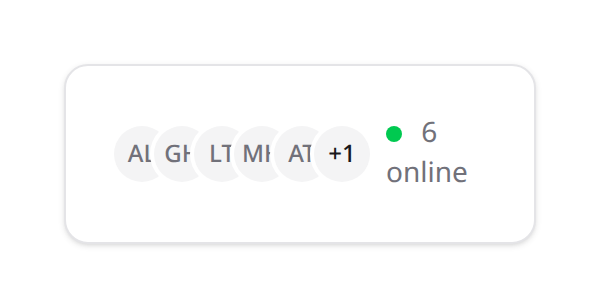
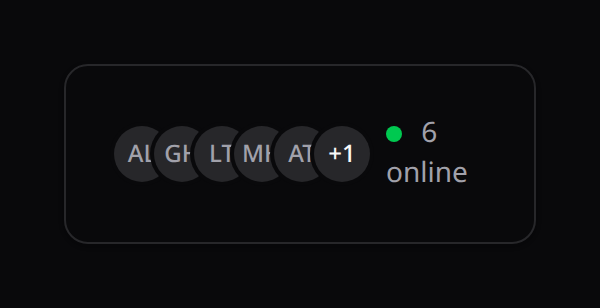
Show who's online in real time over a Reverb (or Pusher) presence channel. Kinetix registers the channel authorization and shares the (team-resolved) channel name; drop <KinetixOnlineUsers /> for a live avatar facepile, or use useKinetixPresence() for a green "online" dot anywhere.
Requirements
Presence rides on broadcasting, so you need Reverb/Echo wired up:
php artisan kinetix:install --broadcasting # adds @laravel/echo-vue + configureEchoMake sure your Echo client is configured (the starter kit / installer sets up configureEcho({...})). See Notifications for the broadcasting setup Kinetix shares via kinetix_config.broadcasting.
Installation
'presence' => [
    'enabled' => env('KINETIX_PRESENCE_ENABLED', true),

    // Channel base name. Suffixed with the active team id when `kinetix.teams`
    // is on, so each team gets its own presence room.
    'channel' => env('KINETIX_PRESENCE_CHANNEL', 'kinetix-presence'),

    // User attributes broadcast to other members on the channel.
    'name_attribute'   => 'name',
    'avatar_attribute' => 'avatar_url',
],
Kinetix registers the presence channel authorization for you (returning each member's id / name / avatar) — you don't add anything to routes/channels.php. The (team-resolved) channel name is shared on every Inertia response as kinetix_presence.
The component
<script setup lang="ts">
import KinetixOnlineUsers from '@/components/kinetix/KinetixOnlineUsers.vue';
</script>

<template>
    <KinetixOnlineUsers :max="5" />
</template>
A live facepile: up to max avatars (image, or initials fallback), a "+N" overflow, and a "{n} online" count with a green dot. Props:
| Prop | Type | Default | Notes |
|---|---|---|---|
max | number | 5 | Avatars shown before collapsing into "+N" |
showCount | boolean | true | Show the "{n} online" label |
channel | string | — | Override the presence channel (defaults to the shared one) |
It renders nothing until presence is enabled (no shared channel).
The composable
For a custom UI — e.g. a green dot next to a user's name:
<script setup lang="ts">
import { useKinetixPresence } from '@/composables/useKinetixPresence';

const { users, count, isOnline } = useKinetixPresence();
</script>

<template>
    <span :class="isOnline(user.id) ? 'bg-green-500' : 'bg-gray-300'" />
</template>
useKinetixPresence(channel?) joins the presence channel and returns:
users— the online members ({ id, name, avatar }[]).count— how many are online.isOnline(id)— whether a given user id is present.channel— the resolved channel name (ornull).
It tracks Echo's here / joining / leaving events and leaves the channel on unmount.
Shared prop
kinetix_presence is shared on every Inertia response:
{ enabled: boolean, channel: string | null }channel is the team-resolved name (e.g. kinetix-presence.7); null when the feature is off.