

Onboarding
Kinetix Onboarding helps new users reach value fast with three composable pieces:
- a first-run checklist (backend-driven, per-user/team progress),
- a reusable empty-state block for "no data yet" screens, and
- a lightweight, dependency-free product tour.
Installation
The checklist persists progress, so publish and run its migration:
php artisan vendor:publish --tag=kinetix-onboarding-migrations
php artisan migrate'onboarding' => [
'enabled' => env('KINETIX_ONBOARDING_ENABLED', true),
// Track progress per team instead of per user.
'teams' => env('KINETIX_ONBOARDING_TEAMS', false),
],The empty-state and tour components are frontend-only and need no migration or config.
1. The checklist
Declaring steps
Declare steps in a service provider's boot(). A step can auto-complete from app state via completedUsing, or be a manual step the user ticks off:
use Happones\Kinetix\Onboarding\KinetixOnboarding;

KinetixOnboarding::step('verify-email', 'Verify your email')
    ->description('Confirm your address to unlock everything.')
    ->cta('Resend email', '/email/verify')
    ->icon('mail')
    ->completedUsing(fn ($user) => $user->hasVerifiedEmail());

KinetixOnboarding::step('invite-team', 'Invite a teammate')
    ->description('Collaboration is better together.')
    ->cta('Invite', '/team/members')
    ->icon('user');

KinetixOnboarding::step('read-docs', 'Read the quickstart'); // manual, no CTA- A step with
completedUsingis auto-detected — its completion is computed live on every read and is never stored. - A step without
completedUsingis manual — the checklist shows a "Mark as done" button, and the completion is persisted.
Request-dependent CTA URLs (teams, tenants)
Steps register in boot() — before any request exists — so a URL that depends on request state (the current team, a tenant prefix) can't be built as a plain string there. Pass a Closure instead; it receives the authenticated user and is resolved on every read:
KinetixOnboarding::step('invite-team', 'Invite a teammate')
    ->cta('Invite', fn ($user) => route('teams.members', $user->currentTeam));
Mounting the checklist
<script setup lang="ts">
import KinetixOnboardingChecklist from "@/components/kinetix/KinetixOnboardingChecklist.vue";
</script>

<template>
  <KinetixOnboardingChecklist />
</template>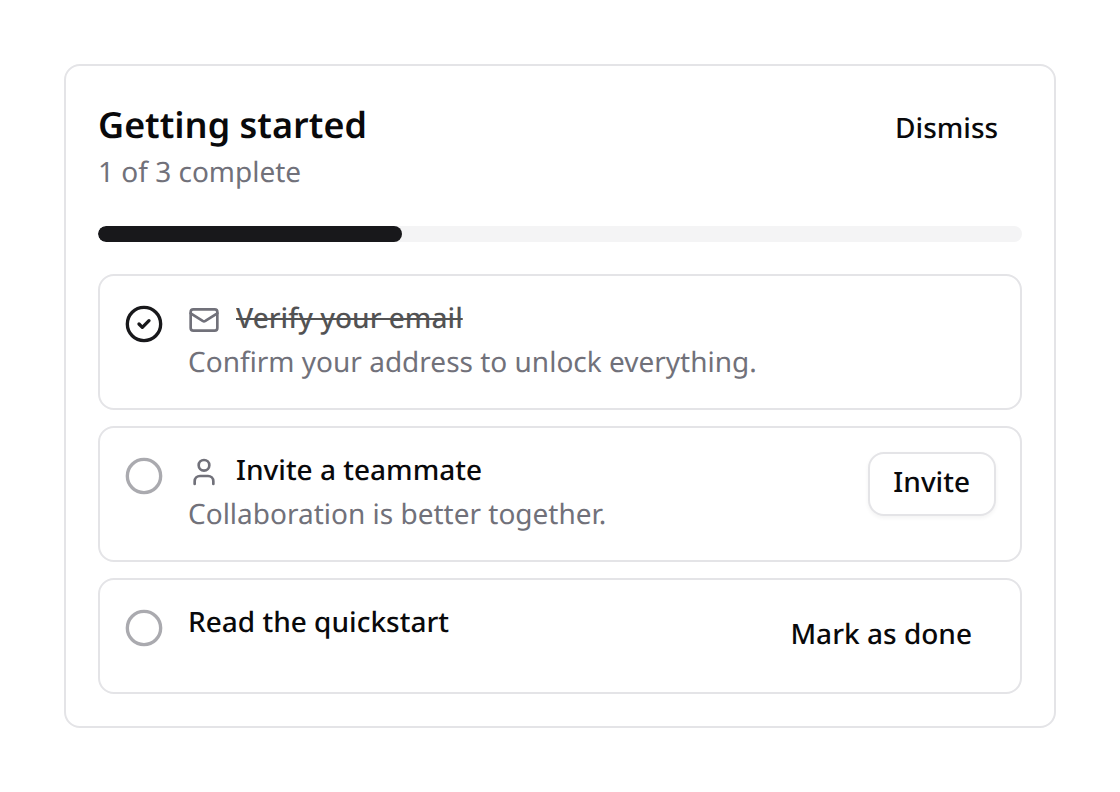
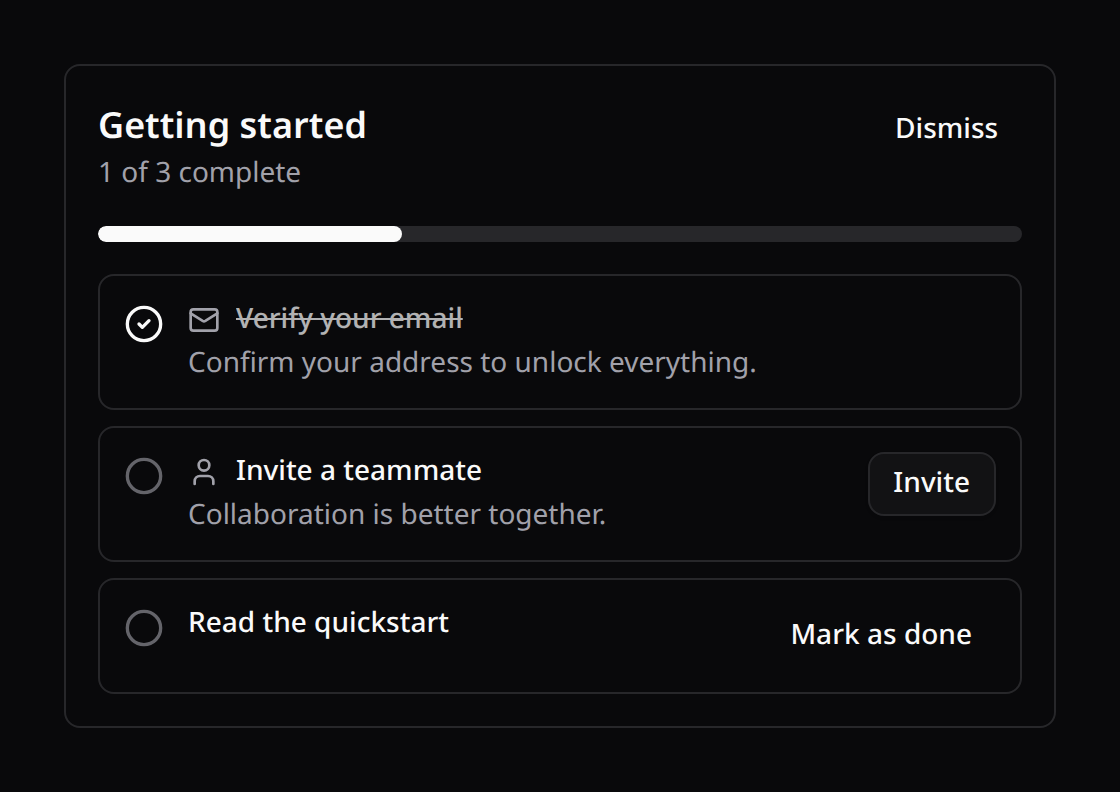
It renders a progress bar, each step with its icon/description/CTA, a "Mark as done" button for manual steps, and a Dismiss control. It hides itself once dismissed and (by default) once every step is complete — pass :hide-when-complete="false" to keep it visible.
useKinetixOnboarding() exposes state, load, complete(step), dismiss() for a custom UI.
The sidebar variant
A dashboard card is the right home for the checklist on day one — and the wrong one on day three, when the user lands somewhere else and never sees it again. variant="sidebar" renders the same checklist as a condensed block sized for the starter kit's navigation rail, so the remaining steps travel with the user across every page:
<KinetixOnboardingChecklist variant="sidebar" />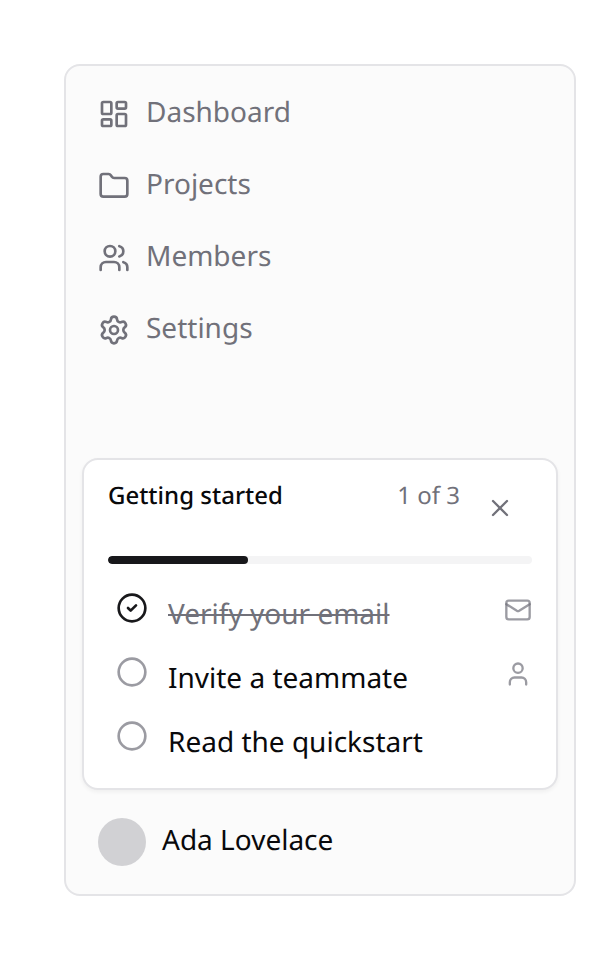
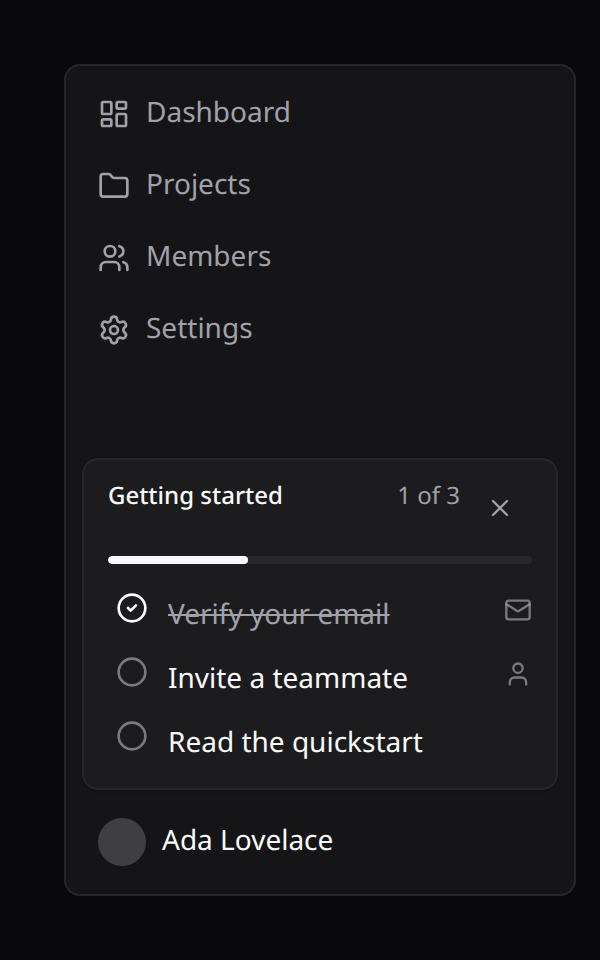
It is the same component and the same state — one set of steps, one dismissal, one progress row in the database. Only the presentation changes:
card (default) | sidebar | |
|---|---|---|
| Progress | Heading + 1 of 3 complete + 8px bar | 1 of 3 counter + hairline bar |
| Step descriptions | Shown | Dropped (no room on a rail) |
| Step CTA | An outline button per row | The row itself is the link |
| Mark as done | A Mark as done button | The leading circle |
| Dismiss | A Dismiss button | An × in the header |
| Collapsed rail | — | Hides itself |
Because the row is the link, each row keeps both affordances without nesting one control inside another: the circle on the left ticks a manual step off, and clicking anywhere else follows that step's CTA. Completed rows are struck through and inert.
Mounting it in the starter kit's sidebar
Drop it into AppSidebar.vue — the footer, just above the user menu, is the spot that survives every page:
<script setup lang="ts">
import KinetixOnboardingChecklist from "@/components/kinetix/KinetixOnboardingChecklist.vue";
import { Sidebar, SidebarContent, SidebarFooter } from "@/components/ui/sidebar";
import NavUser from "@/components/NavUser.vue";
</script>

<template>
  <Sidebar collapsible="icon" variant="inset">
    <SidebarContent>
      <!-- your nav groups -->
    </SidebarContent>

    <SidebarFooter>
      <KinetixOnboardingChecklist variant="sidebar" />
      <NavUser />
    </SidebarFooter>
  </Sidebar>
</template>
Nothing else to wire:
- It disappears with the rail. The block carries shadcn's own
group-data-[collapsible=icon]:hidden, so a rail collapsed to icons drops it instead of squeezing it. Outside a sidebar that class simply never matches, so the variant is equally usable in any narrow column. - It disappears when it is done. Same rule as the card: hidden once dismissed, and once every step is complete unless you pass
:hide-when-complete="false". - It inherits your theme. Tokens only, light and dark.
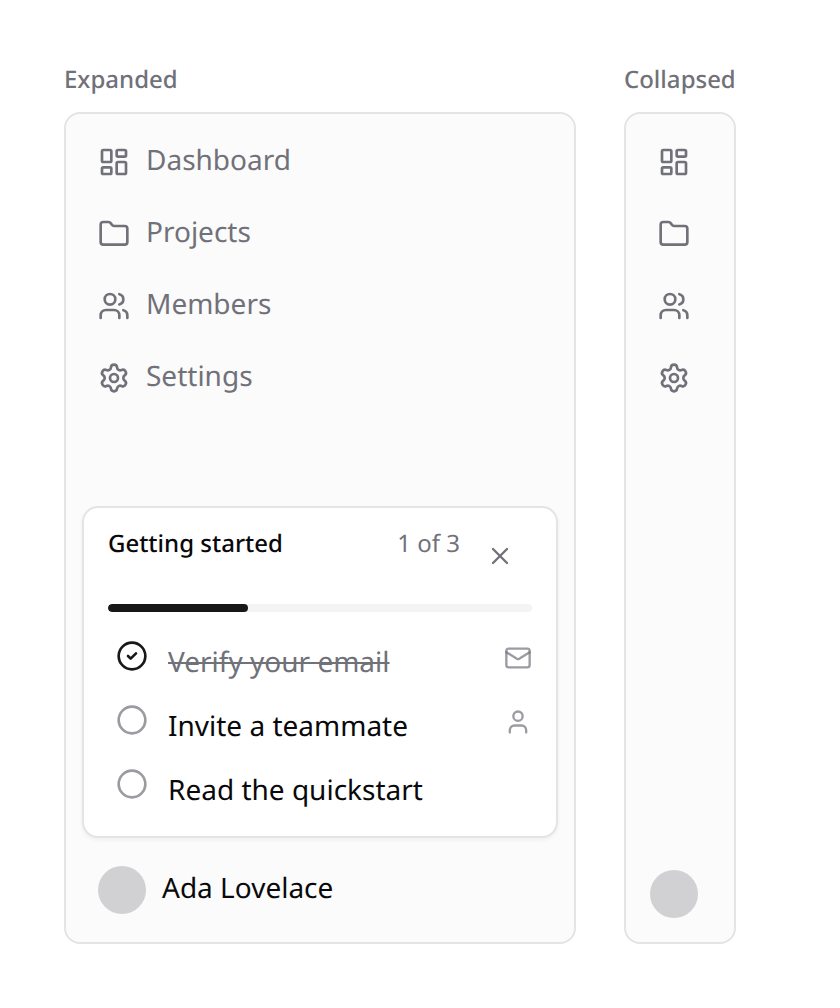
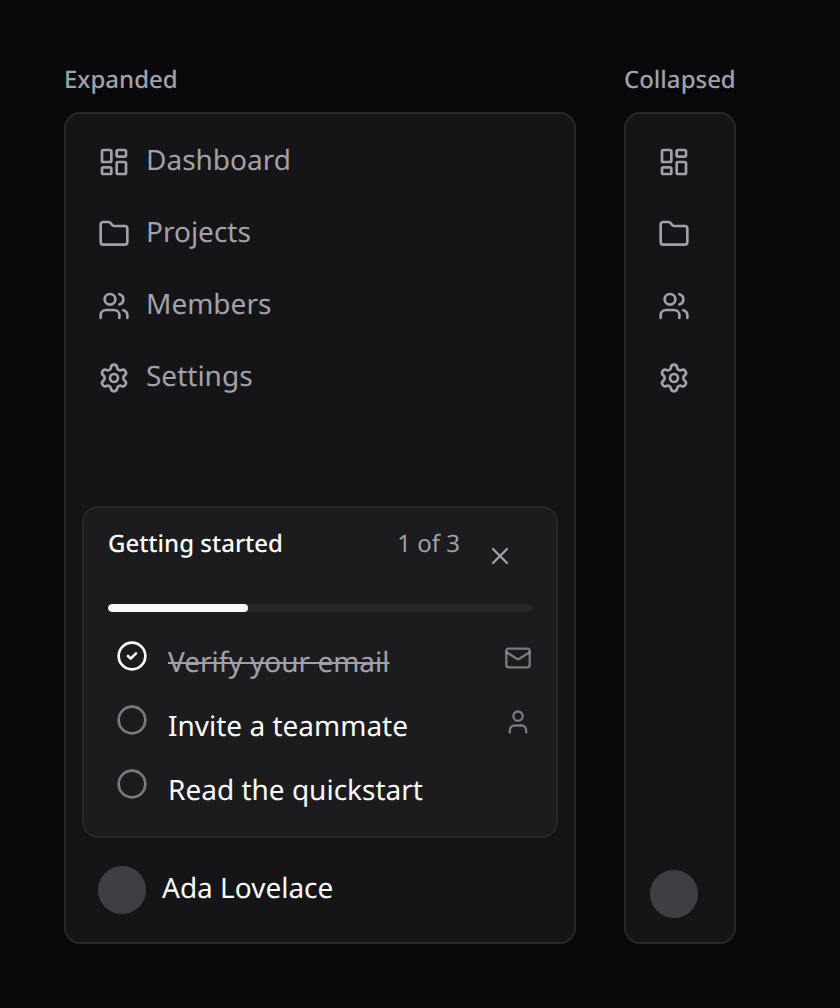
Keep it short. A rail has no scroll budget of its own — six steps is about the ceiling before the block starts pushing your navigation around. Long checklists belong in the
cardvariant on a dedicated page.
What it costs to mount
The checklist used to fetch on mount. On a dashboard card that's one request per page load; in the sidebar it's worse, because the block lives in the layout and is therefore mounted on every page — a round-trip per navigation for a list that changes a handful of times in an account's lifetime.
Kinetix ships the checklist state on every Inertia response as kinetix_onboarding, so the component renders straight from the page payload — no request, and no pop-in after the first paint:
'onboarding' => [
    'share' => env('KINETIX_ONBOARDING_SHARE', true),
],
The trade is one progress-row read plus your completedUsing callbacks per Inertia response. Keep those callbacks cheap — they now run on every request, not only where the checklist is mounted. A $user->hasVerifiedEmail() is free; a count() over a big table is not, so cache it or move it behind a column you already load.
Turn share off and the payload is null; the component falls back to fetching for itself, exactly as before. Either way useKinetixOnboarding() is the same API — load() simply becomes a no-op when the payload is there (pass load(true) to force a refetch). Ticking a step off or dismissing writes through the endpoints as always, and the returned state wins over the payload until the next Inertia response refreshes it.
Reading the checklist no longer creates a
kinetix_onboardingrow — the row is written the first time the user actually completes a manual step or dismisses the checklist.
2. Empty states
Drop KinetixEmptyState wherever a list or section has no data yet:
<KinetixEmptyState
  icon="user"
  :title="$t('No members yet')"
  :description="$t('Invite a teammate to get started.')"
>
  <button :class="buttonVariants({ size: 'sm' })">Invite</button>
</KinetixEmptyState>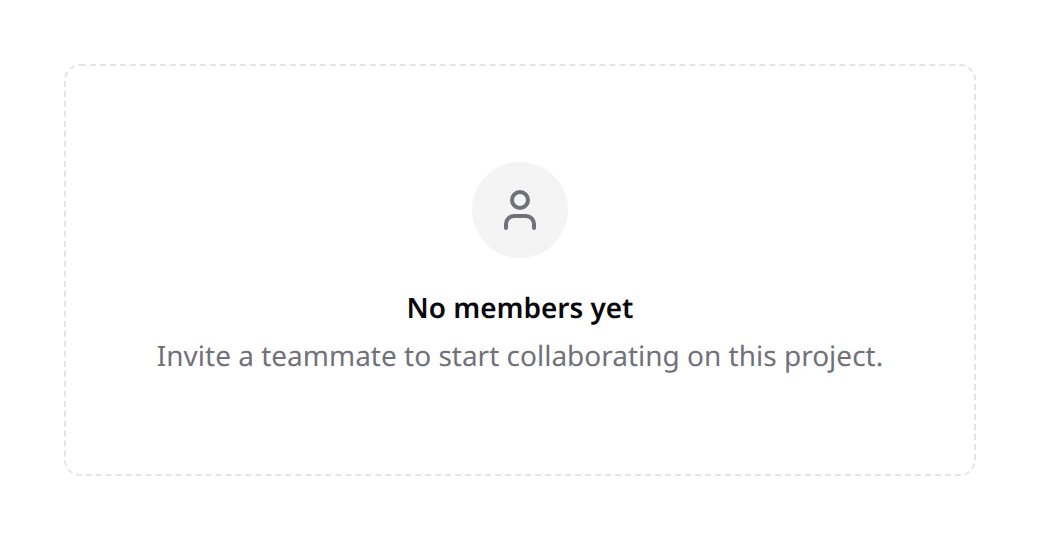
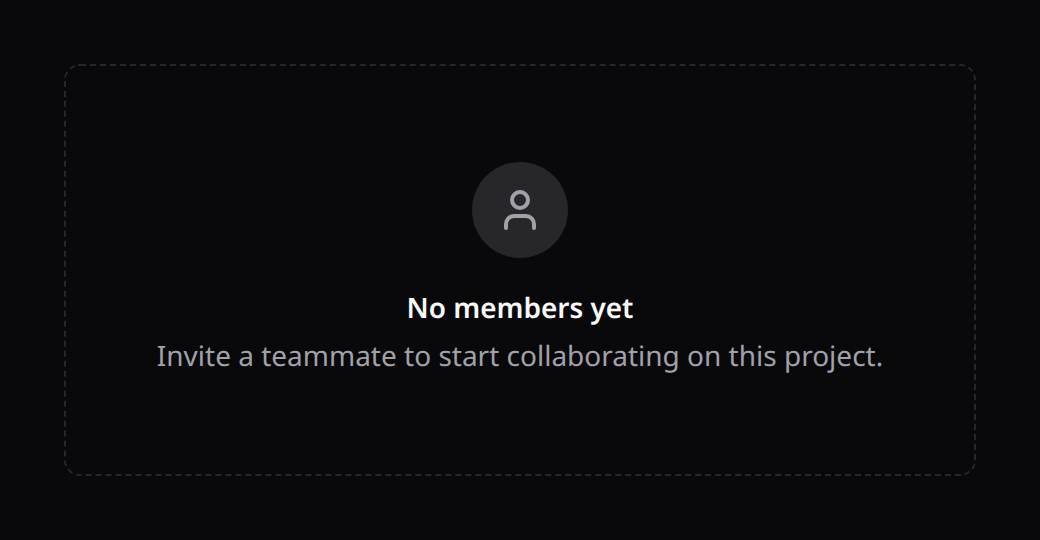
The default slot holds the call-to-action(s). icon is any Kinetix icon name.
3. Product tour
Prefer the Product Tours module for anything beyond a single hand-mounted tour: backend-declared per-module tours with permission filtering, page auto-matching, driver.js rendering (spotlight overlay, auto-scroll, collision-aware popovers) and a
local/databaseseen-state driver. The composable below stays for the lightweight, dependency-free case.
A dependency-free guided tour that spotlights elements by CSS selector. Tag the targets, then mount <KinetixTour>:
<script setup lang="ts">
import KinetixTour from "@/components/kinetix/KinetixTour.vue";

const steps = [
  { target: "[data-tour=create]", title: "Create records", description: "Start here." },
  { target: "[data-tour=filters]", title: "Filter & search", description: "Narrow the list." },
];
</script>

<template>
  <button data-tour="create">New</button>
  <!-- ... -->
  <KinetixTour id="records-intro" :steps="steps" />
</template>
It auto-starts once per id (remembered in localStorage) and offers next / back / skip. Set :auto="false" and call the exposed start() from a "Show me around" button; reset() clears the seen flag so it can replay.
All strings are localized (onboarding_* / tour_*, en/es/fr/pt).
Endpoints
The checklist registers self-service routes (team-aware prefix when kinetix.teams is on):
| Method | Route | Name |
|---|---|---|
GET | {prefix}/onboarding | kinetix.onboarding.index |
POST | {prefix}/onboarding/complete | kinetix.onboarding.complete |
POST | {prefix}/onboarding/dismiss | kinetix.onboarding.dismiss |
Each user reads and updates only their own progress.