

Kanban
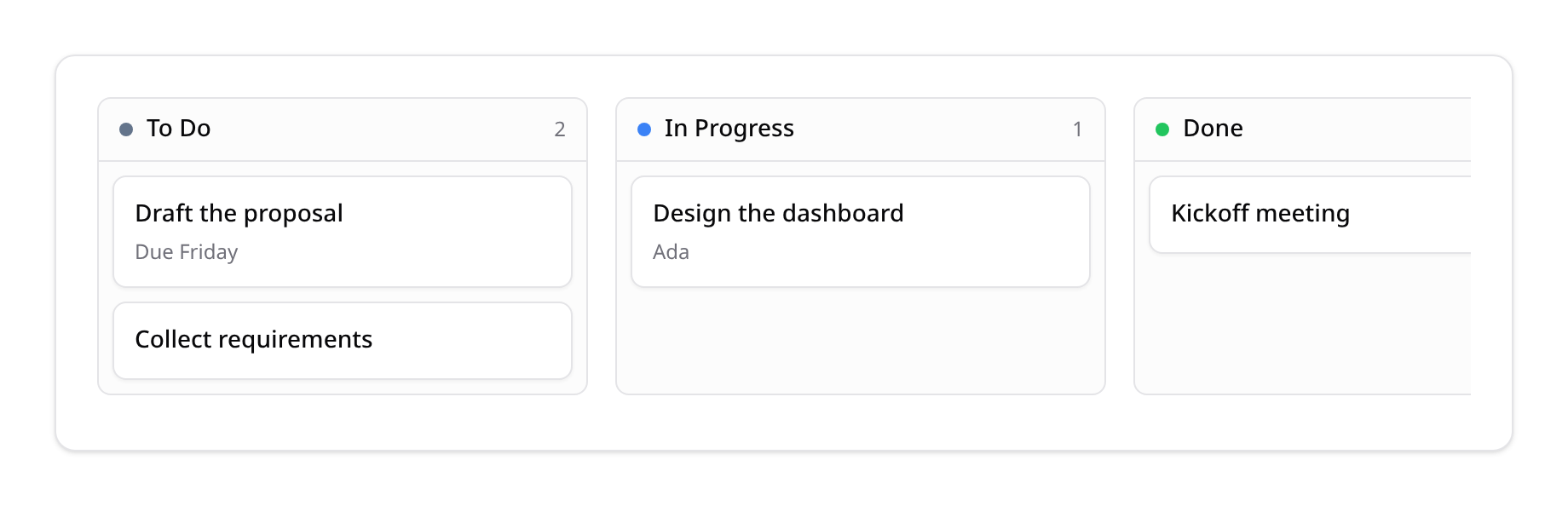
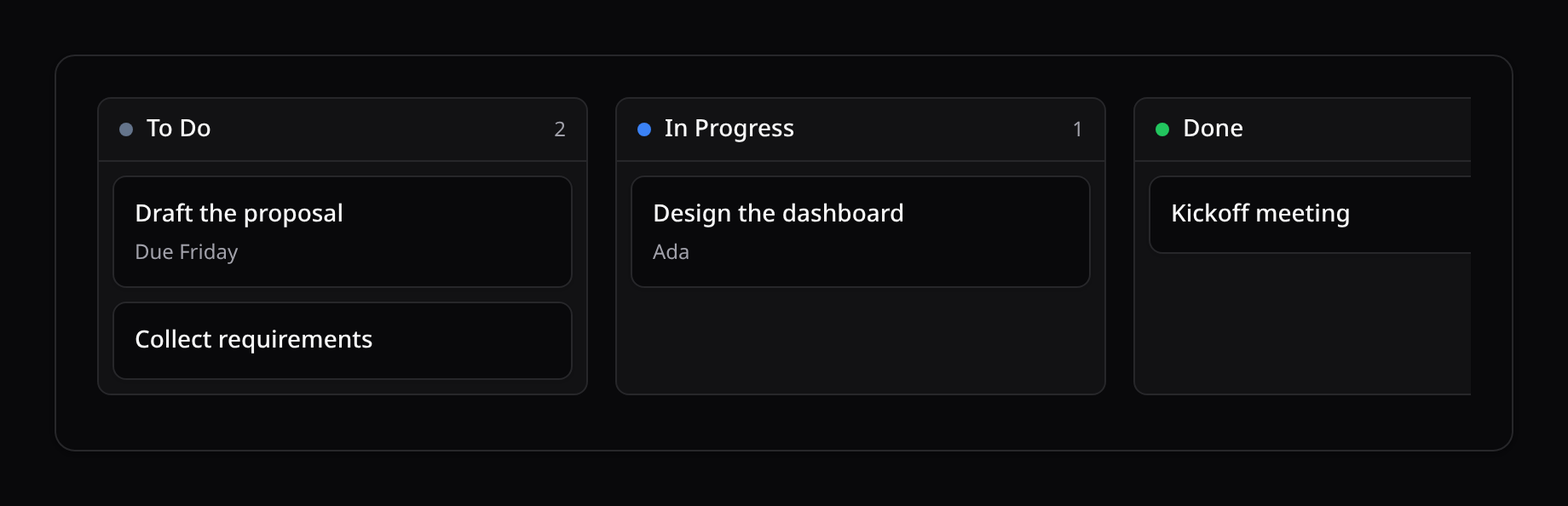
Kinetix Kanban turns any Eloquent model into a drag-and-drop board: records are grouped into columns by a status attribute, and dragging a card to another column persists the new status. It's a server-driven builder like Tables — the move is guarded by a signed descriptor, so only the status column and the declared statuses can be written.
Dense columns virtualize automatically
When a column holds more than ~40 cards, that column windows its card list via @tanstack/vue-virtual (only visible cards render); the column stays the drop target, so drag-and-drop is unaffected. Smaller columns render in full. @tanstack/vue-virtual is a required peer (installed by php artisan kinetix:install) — the board imports it at build time.
Defining a board
use Happones\Kinetix\Kanban\Kanban;

$board = Kanban::make(Task::query())
    ->statusColumn('status')
    ->statuses([
        'todo'  => 'To Do',
        'doing' => ['label' => 'In Progress', 'color' => '#3b82f6'],
        'done'  => ['label' => 'Done', 'color' => '#22c55e'],
    ])
    ->cardTitle('title')
    ->cardDescription(fn (Task $t) => $t->assignee?->name)
    ->query(fn ($q) => $q->where('archived', false))   // optional base scope
    ->heading('Tasks');

return Inertia::render('Tasks/Board', ['board' => $board->toData()]);statusColumn— the DB column holding the status (defaultstatus).statuses— column key → label, or['label' => …, 'color' => …].cardTitle/cardDescription— an attribute name or a closure.query— modify the base query (filters, eager loads).moveScope/authorizeMove— guard who can move which records (see below).reorderable— let cards be ordered within their column (see below).
Ordering cards within a column
By default a card dropped on another column lands at its end, and the order inside a column is whatever the query returns. Call reorderable() to keep a manual order in an integer column (sort_order by default):
Kanban::make(Task::query())
    ->statuses([...])
->reorderable(); // or ->reorderable('position')- Cards are shown in that order, then by key. It wins over any order the board's query ships.
- A card drops at the slot under the pointer, with a dashed ghost previewing exactly where it will land. Dragging within its own column reorders it. Touch drags pick the slot under the finger.
- The up/down arrow keys move a focused card one place earlier or later in its column. The new place is announced ("Moved to position 2 of 5").
- The move sends the destination column's new order. The status and the order are saved in one transaction, through the model so observers fire, and with the same write check (
authorizeMove, or the policy'supdate) for every card whose position changes. A refused order also leaves the card's status untouched. - The cards trade the positions they already hold, so cards the board doesn't show (another project's, behind
->query()) keep theirs. A card dropped in from another column brings no position of this one: it takes a free one between its new neighbours (a drop between 10 and 30 lands on 20), else the one after the column's last, so the cards around it don't move. A tap that leaves the order as it was saves nothing. - A column with no positions yet (all
0,nulls, repeats) is numbered1..nonce in the order it was shown, within the board'smoveScope(). SetmoveScope()to the board's boundary so that numbering never reaches past it.
Enum status columns
A statusColumn cast to a PHP enum works out of the box — grouping stringifies the cast value (BackedEnum → its backing value, UnitEnum → the case name), and a move assigns the plain status string back, which Eloquent re-casts:
enum DealPhase: string
{
    case Lead = 'lead';
    case Won  = 'won';
}

// Deal: protected $casts = ['phase' => DealPhase::class];

Kanban::make(Deal::query())
    ->statusColumn('phase')
    ->statuses(['lead' => 'Lead', 'won' => 'Won']);   // keys = backing values
Rendering
<script setup lang="ts">
import KinetixKanban from '@/components/kinetix/KinetixKanban.vue';

defineProps<{ board: object }>();
</script>

<template>
    <KinetixKanban :kanban="board" />
</template>
Cards are draggable (native HTML5 drag-and-drop — no extra dependency). While a card is in flight its source dims, the hovered column highlights as the drop target and shows a dashed ghost placeholder previewing where the card will land (labelled with the card's title), and cards FLIP-animate into place on landing (animations respect prefers-reduced-motion). Dropping a card into another column moves it optimistically and POSTs the change; if the request fails the card snaps back and a toast is shown. The board reloads after a successful move so server-side ordering/derived data stays in sync.
Touch devices get the same drag without HTML5 DnD (which never fires on touch): long-press a card (~250ms) to lift it into a floating clone that tracks the finger; the hovered column highlights, the board auto-scrolls horizontally near its edges, and releasing over a column drops the card. Moving before the long-press activates simply scrolls, so the board never hijacks the scroll gesture.
Card clicks
<KinetixKanban> emits card-click (card, columnKey) when a card is clicked or activated with Enter — wire it to open the record:
<KinetixKanban
    :kanban="board"
    @card-click="(card) => router.visit(route('tasks.edit', card.id))"
/>
Or open an in-page modal instead of navigating — see Adding & editing cards below.
Adding & editing cards
The board itself only moves cards — creating and editing records is regular page wiring, and both patterns compose with what you already know:
In-page modal (recommended for boards)
Keep the user on the board: a header action dispatches a browser event, the page opens a KinetixModal hosting a KinetixForm, and the controller persists + flashes a toast. Pass flat to the form — the modal is already the surface, so Sections render as divided groups instead of nesting a card inside the modal:
// Controller
use Happones\Kinetix\Actions\Action;

return Inertia::render('Tasks/Board', [
    'board'         => $board->toData(),
    'headerActions' => Action::toArrayMany([
        Action::make('new-task')->label('New task')->icon('plus')
            ->dispatch('task-create'),
    ]),
    'taskForm'      => TaskForm::render(),   // a Form subclass, or Form::make(new Task)->schema([...])->fill()->toArray()
]);<script setup lang="ts">
import { router } from '@inertiajs/vue3';
import { onMounted, onUnmounted, ref } from 'vue';
const props = defineProps<{ board: object; headerActions: object[]; taskForm: object }>();
const createOpen = ref(false);
const openCreate = () => (createOpen.value = true);
onMounted(() => window.addEventListener('kinetix:task-create', openCreate));
onUnmounted(() => window.removeEventListener('kinetix:task-create', openCreate));
const submit = (values: Record<string, unknown>) =>
router.post(route('tasks.store'), values, {
onSuccess: () => (createOpen.value = false),
});
</script>
<template>
<KinetixPageHeader heading="Tasks" :actions="headerActions" />
<KinetixKanban :kanban="board" @card-click="(card) => …" />
<KinetixModal :open="createOpen" title="New task" scroll-body @update:open="createOpen = $event">
<!-- flat: the modal is the surface — no card-in-modal. -->
<KinetixForm :form="taskForm" flat @submit="submit" />
</KinetixModal>
</template>use Happones\Kinetix\Flash\KinetixFlash;
// Store/update/destroy follow the standard toast contract:
public function store(Request $request)
{
$data = $request->validate([...]);
Task::create($data + ['status' => 'todo']);
KinetixFlash::success(__('kinetix.record_created'));
return back();
}back() re-renders the board page (the new card appears) and <KinetixToaster> picks up the flash. Use __('kinetix.record_updated') / __('kinetix.record_deleted') for the other verbs, and ['type' => 'error', 'message' => …] for failures.
Dedicated pages
If tasks deserve full pages, wire card-click to router.visit(route('tasks.edit', card.id)) and add a header action with ->url(route('tasks.create')) — the page controllers then flash KinetixFlash::success(…) and redirect, exactly like resource scaffold pages.
How the move is secured
toData() bakes a signed descriptor (Crypt::encrypt) of the model, status column, allowed statuses, move scope and move ability into the payload — the same mechanism as editable table cells. The kanban-move endpoint decrypts it and only writes the declared status column to one of the declared statuses, so a client can't tamper with the target column or push an arbitrary value.
| Method | Route | Name |
|---|---|---|
POST | {prefix}/tables/kanban-move | kinetix.tables.kanban-move |
The endpoint takes { model, recordId, status } and is always available (guarded by the descriptor); no migration or config flag is needed.
Record-level authorization (multi-tenant)
The descriptor proves the board is legitimate — it does not by itself prove the record belongs to the requesting user. Two layers close that (use at least one in a multi-tenant app):
1. Policy check (automatic). When the model has a registered policy, every move is authorized against it — by default the update ability, or whichever ability you name:
Kanban::make(Deal::query())->authorizeMove('moveCard'); // checks DealPolicy::moveCard($user, $deal)A denied policy returns 403 and the card snaps back. With no policy registered, no ability is checked (matching the rest of Kinetix's opt-in-enforcement modules).
2. Move scope (baked constraints). moveScope() takes column => value constraints evaluated now (in the request, where the tenant is known), sealed into the encrypted descriptor and enforced on the endpoint's record lookup — a record outside them is a 404, so users can't move other tenants' records by guessing ids:
Kanban::make(Deal::query())
    ->query(fn ($q) => $q->where('team_id', $teamId))
    ->moveScope(['team_id' => $teamId]);   // same constraint, enforced on move
Accessibility
The board is fully keyboard-operable — no pointer required:
- Every card is focusable (
Tab); left/right arrow keys move the focused card to the previous/next column, and Enter activates it (card-click). On areorderable()board, up/down arrow keys move it within its column. Each move is announced through the shared live region and focus follows the card to its new place. - Cards expose
aria-roledescription("draggable card") and point theiraria-describedbyat a screen-reader-only instructions element, so assistive-tech users learn the arrow-key affordance on focus. - Columns are labelled groups (
role="group", name + card count), and failed moves surface both as a toast and through its polite live region.