

Confidential Fields
Field-level encryption for sensitive Eloquent attributes (national IDs, card numbers, anything you'd otherwise mask): encrypted at rest, masked on read (••••6789) by default, and revealed for a short window once the current user confirms their password — a session-scoped "unlock," not a permanent setting. Add one cast to a model's casts() and it works everywhere the attribute is read: Tables, Infolists, Blade, API Resources, even php artisan tinker.
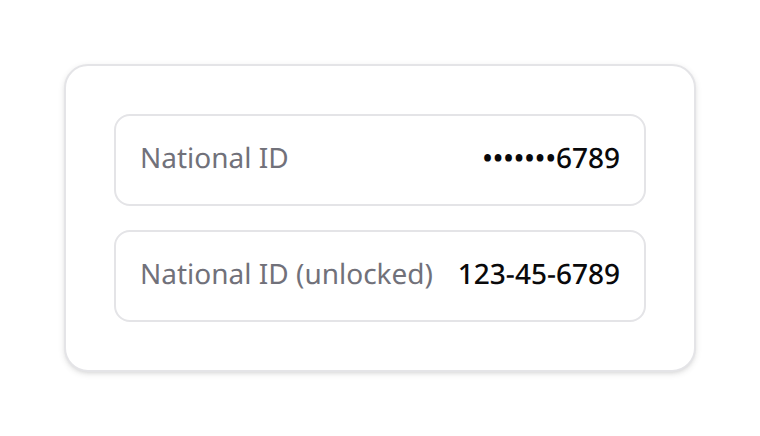
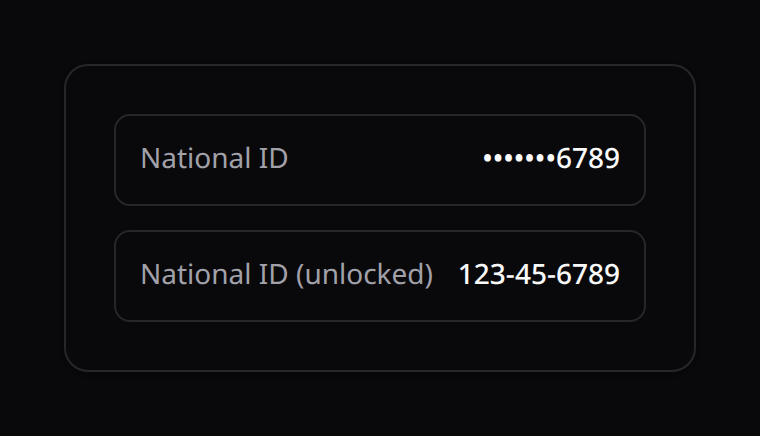
Where the protection actually lives
Masking is enforced inside the Eloquent cast itself, not in any UI component. A ->confidential() flag on a TextColumn/TextEntry only adds a padlock icon — remove it and the value is still masked, because the cast doesn't know or care which UI is reading it. One enforcement point protects every surface automatically.
Installation
'confidential' => [
    'enabled' => env('KINETIX_CONFIDENTIAL_ENABLED', false),

    // 'local' (zero-dependency, wraps keys via the app's own APP_KEY) or a
    // class implementing Happones\Kinetix\Confidential\KeyManagers\KeyManager.
    'key_manager' => env('KINETIX_CONFIDENTIAL_KEY_MANAGER', 'local'),

    'reveal_ttl_minutes' => env('KINETIX_CONFIDENTIAL_REVEAL_TTL', 5),
    'require_password'   => env('KINETIX_CONFIDENTIAL_REQUIRE_PASSWORD', true),
    'mask_visible'        => env('KINETIX_CONFIDENTIAL_MASK_VISIBLE', 4),
    'key_cache_ttl_minutes' => env('KINETIX_CONFIDENTIAL_KEY_CACHE_TTL', 10),
],
Publish and run the migration (creates kinetix_confidential_keys, the keyring — not your data):
php artisan vendor:publish --tag=kinetix-confidential-migrations
php artisan migrate
Generate the first encryption key — required once before anything can be encrypted:
php artisan kinetix:confidential:rotate-keyRunning it again rotates: the previous key is retired (kept, so historical data stays decryptable) and a fresh key becomes current for new writes.
1. Add the cast to a model
use Happones\Kinetix\Confidential\Casts\ConfidentialCast;
use Happones\Kinetix\Confidential\Concerns\HasConfidentialAttributes;

class Customer extends Model
{
    use HasConfidentialAttributes;

    protected function casts(): array
    {
        return [
            'national_id' => ConfidentialCast::class,
            'card_number' => ConfidentialCast::class.':4,head', // show first 4 instead of last 4
        ];
    }
}
That's it — $customer->national_id now returns ••••••6789 unless the current session has unlocked confidential fields, in which case it returns the real value. No migration is needed on Customer's own table beyond making sure the column is TEXT/LONGTEXT (the encrypted envelope is larger than plaintext).
HasConfidentialAttributes is a thin trait — it doesn't touch casts() for you (this codebase never composes casts() via traits). It adds one static helper, Customer::confidentialColumns(), useful for your own audit tooling.
Colon arguments: ConfidentialCast::class.':<visible>,<head|tail>' — how many real characters to show, and from which end. Omit them to use the config default (mask_visible, tail).
Adopting an already-populated column
If the column already has real plaintext data before you add the cast, migrate it in place:
php artisan kinetix:confidential:encrypt-existing "App\\Models\\Customer" --column=national_idOld rows read fine even before running this (a stored value that isn't valid encrypted-envelope JSON is treated as legacy plaintext and just gets masked as-is) — the command is what actually encrypts it at rest.
2. Mount the unlock widget
<script setup lang="ts">
import KinetixConfidentialUnlock from '@/components/kinetix/KinetixConfidentialUnlock.vue';
</script>

<template>
    <KinetixConfidentialUnlock />
</template>
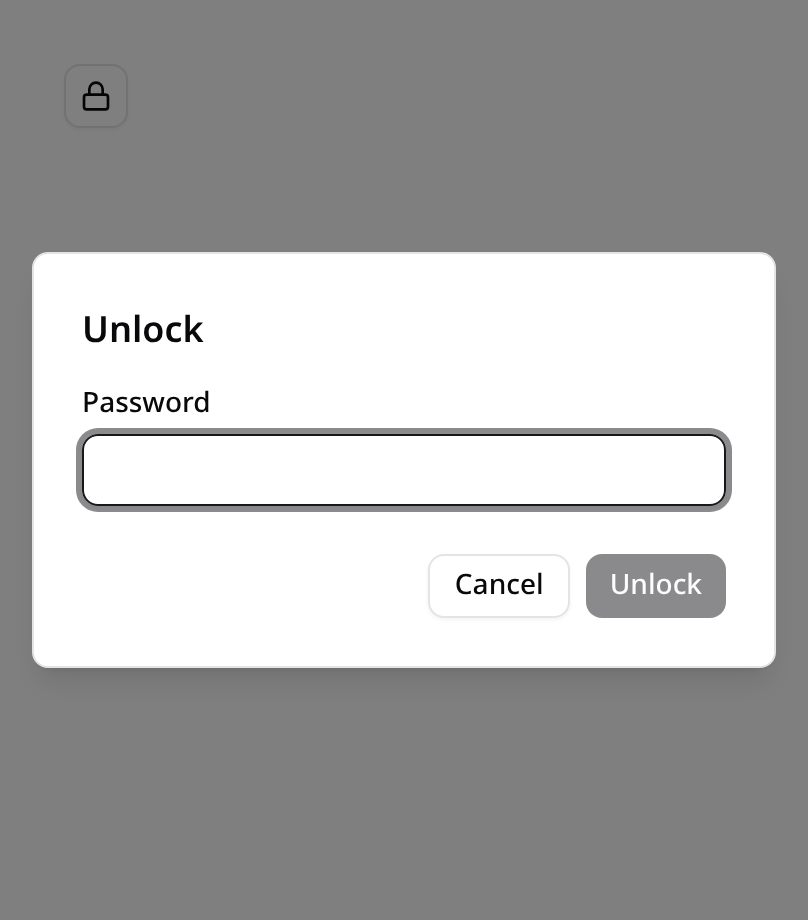
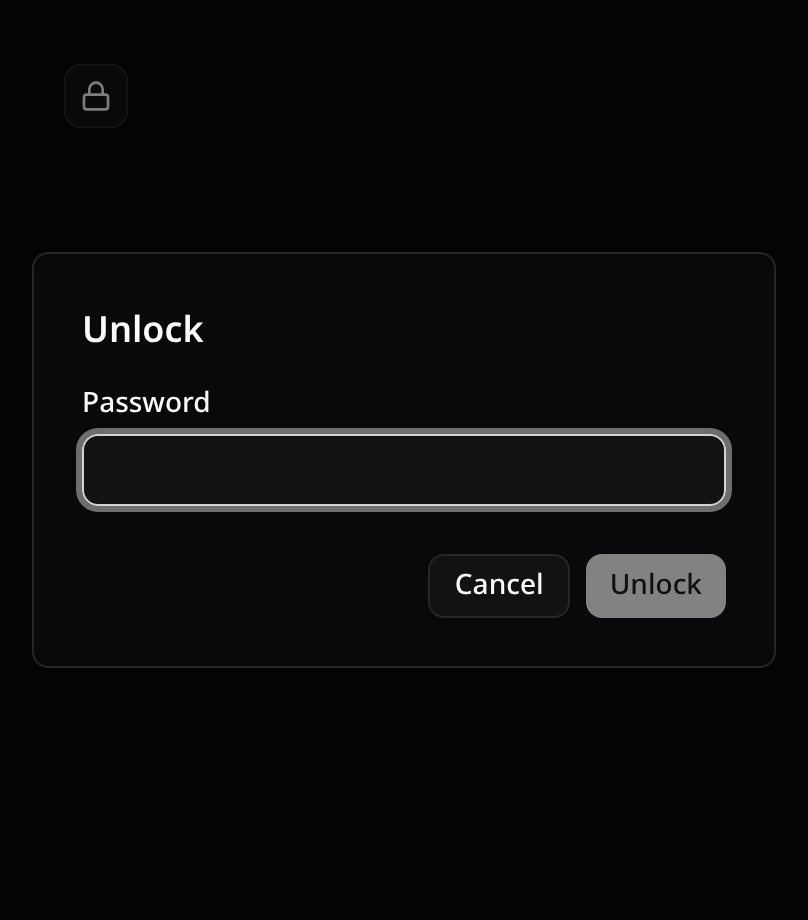
Zero props — mount once in your header/layout. It shows a padlock button; clicking it prompts for the current password (require_password, on by default) and opens the reveal window for reveal_ttl_minutes. While unlocked it shows a live countdown and a "Lock now" action. A masked Table/Infolist cell built with ->confidential() shows its own small padlock that opens the same dialog.
3. Performance — why one key, not one per row
A naive "one Data Encryption Key (DEK) per row" design would mean a KMS-backed key manager gets called once per confidential value on every row of every list view — a real bottleneck (and, for a cloud KMS, a real cost/rate-limit problem) at any scale. Instead:
- There's one "current" DEK at a time, generated by
kinetix:confidential:rotate-keyand stored (wrapped, never in plaintext) inkinetix_confidential_keys. - The unwrapped key is cached for
key_cache_ttl_minutes— so a KMS round trip happens at most once per cache window, process-wide, no matter how many rows/fields render in between. - Every encrypted value still gets its own random IV, and embeds which
key_idencrypted it — so rotating keys never breaks decrypting older data. - Per-value work beyond that is a single
aes-256-gcmencrypt/decrypt call — sub-millisecond, negligible at any realistic row count.
4. Using a real KMS instead of the local driver
Kinetix ships one concrete driver, LocalKeyManager (wraps the DEK with your app's own APP_KEY, zero network calls, zero extra dependencies). For AWS KMS, GCP KMS, HashiCorp Vault Transit, etc., implement the two-method interface yourself and point config at your class — Kinetix doesn't bundle any cloud SDK:
use Happones\Kinetix\Confidential\KeyManagers\KeyManager;

class AwsKmsKeyManager implements KeyManager
{
    public function generateDataKey(): array
    {
        $result = app('aws')->createClient('kms')->generateDataKey([
            'KeyId'   => config('services.kms.key_id'),
            'KeySpec' => 'AES_256',
        ]);

        return [
            'plaintext' => $result['Plaintext'],
            'wrapped'   => base64_encode($result['CiphertextBlob']),
        ];
    }

    public function unwrap(string $wrapped): string
    {
        $result = app('aws')->createClient('kms')->decrypt([
            'CiphertextBlob' => base64_decode($wrapped),
        ]);

        return $result['Plaintext'];
    }
}// config/kinetix.php
'key_manager' => \App\Services\AwsKmsKeyManager::class,5. Limitations
- Not searchable/sortable. Ciphertext is unique per row even for identical plaintext (a fresh random IV every time), so don't mark a confidential
TextColumn->searchable()/->sortable()— the DB can't meaningfully compare encrypted bytes. A blind-index/HMAC companion column is the standard way to add search later; not built here. - String attributes only.
ConfidentialCasttargets text columns. - Masking doesn't preserve separators.
123-45-6789masks to•••••••6789, not•••-••-6789— a v1 simplification. - Queued jobs are always masked. A background job (e.g. a Reports Center export) has no active HTTP session, so
Confidential::isUnlocked()isfalsethere by construction — bulk exports of confidential columns are masked by default. For a genuinely authorized backend export, wrap the read inConfidential::revealed(fn () => ...)from your own, synchronous, re-authenticated code path — never ambiently in a queue worker. - One global keyring in v1 — not per-team. Kinetix already has first-class team scoping elsewhere (
kinetix.activity,kinetix.settings); a per-team keyring is a natural future extension, not built now.