

Roles & Permissions
Kinetix provides a feature-scoped roles and permissions system built on top of the popular spatie/laravel-permission package.
Enforcement of authorization still flows natively through Laravel's standard Gate (which Kinetix resources and actions consume by default). This module adds a centralized permission registry, database synchronization, a super-admin bypass, and automatic tenant/team bridging.
Read this first — where the endpoints live
Kinetix registers its own endpoints and the published components call them themselves. With teams on they live under:
{current_team}/{kinetix.route_prefix}/permissions/... → e.g. /acme/_kinetix/permissions/rolesSo: do not write your own controller under {current_team}/roles (or any other path) expecting <KinetixRoleManager> / <KinetixRoleMatrix> to hit it — it never will. You only register the Inertia page route; the data flows through the built-in endpoints. To see exactly what the frontend talks to:
php artisan kinetix:routes            # every Kinetix endpoint, resolved URI + middleware
php artisan kinetix:routes permissions   # filter
Requirements
To use this feature, you must have spatie/laravel-permission version 6 or superior installed and migrated:
composer require spatie/laravel-permission
php artisan vendor:publish --provider="Spatie\Permission\PermissionServiceProvider"
php artisan migrate
Then add spatie's HasRoles trait to your User model — every hasRole(), assignRole() and Gate check below depends on it:
use Spatie\Permission\Traits\HasRoles;

class User extends Authenticatable
{
    use HasRoles;
}
With teams enabled,
HasRolesand Jetstream-styleHasTeamsboth declareteams()— see §4 trait collision.
Permissions come from code, roles come from the database
There is deliberately no roles key in the config: permissions/features are declared in code (§1) and synced to the DB (§2), while roles only exist as database rows — created by the seeder (§6), the role-management UI, or tinker. If you're scanning the config block below looking for where to list your roles: that place doesn't exist.
Configuration
Enable permissions in your config/kinetix.php file:
'permissions' => [
    // Enable the permissions registry & super-admin gate checks (opt-in)
    'enabled'          => env('KINETIX_PERMISSIONS_ENABLED', false),

    // Multi-tenant/team support: true/false wins, null (default) inherits
    // the global `kinetix.teams` switch (one flag for the whole suite).
    'teams'            => env('KINETIX_PERMISSIONS_TEAMS'),

    // Users with this role will bypass all Gate authorization checks
    'super_admin_role' => env('KINETIX_SUPER_ADMIN_ROLE', 'super-admin'),

    // Roles that can never be created, renamed, edited or deleted through
    // the role-management UI. Defaults to [super_admin_role].
    'protected_roles'  => null,

    // Grant a team's OWNER every ability (see §3). true | [Class, 'method'] |
    // invokable class-string | null (off)
    'owner_bypass'     => env('KINETIX_PERMISSIONS_OWNER_BYPASS'),

    // The guard permissions are registered under
    'guard'            => env('KINETIX_PERMISSIONS_GUARD', 'web'),

    // Directory (+ namespace) auto-scanned for `Resource` subclasses whose
    // CRUD abilities register automatically. Null disables discovery.
    'discover_path'      => app_path('Kinetix/Resources'),
    'discover_namespace' => 'App\\Kinetix\\Resources',
],
1. Declaring Permissions
You can register permissions in two ways: automatically via Kinetix Resources or explicitly via the KinetixPermissions facade.
A. Resource Permissions (Automatic CRUD)
To associate permissions with a Kinetix Resource, implement the permissionFeature method on your Resource class:
namespace App\Kinetix\Resources;

use Happones\Kinetix\Resources\Resource;

class PostResource extends Resource
{
    public static function permissionFeature(): ?string
    {
        return 'posts';
    }
}
By default, defining a feature name auto-registers the 5 standard CRUD abilities:
posts.viewAny(View list)posts.view(View details)posts.create(Create)posts.update(Update)posts.delete(Delete)
Registered ≠ enforced
Declaring permissionFeature(): 'posts' puts these five abilities in the catalog (grantable to roles, visible in the matrix, checkable with can()), but it does not protect your Post routes or controllers by itself. Nothing intercepts a request just because an ability with a matching name exists. You still enforce on the server — middleware, policy, or an explicit Gate check — see Enforcing on the server.
How Resources Are Registered (Auto-Discovery)
Resources placed in app/Kinetix/Resources are auto-discovered — you do not list them anywhere. Kinetix scans that directory and derives permissions from each Resource's permissionFeature(); a Resource that returns null (the default) is skipped, so discovery never over-grants. This is controlled by config/kinetix.php:
'permissions' => [
    // Set to null to disable discovery and register resources manually.
    'discover_path'      => app_path('Kinetix/Resources'),
    'discover_namespace' => 'App\\Kinetix\\Resources',
],
To register a Resource that lives outside the discovered directory (or when you disable discovery), register it explicitly from a service provider:
use Happones\Kinetix\Permissions\KinetixPermissions;

KinetixPermissions::resource(\App\Other\PostResource::class);

// Or point discovery at an additional directory:
KinetixPermissions::discoverResources(
    in: app_path('Domain/Resources'),
    for: 'App\\Domain\\Resources',
);
Manual and discovered registrations merge without duplicates.
Customizing Resource Abilities
If a resource requires custom abilities on top of CRUD, override the registerPermissions method:
use Happones\Kinetix\Permissions\PermissionRegistry;

public static function registerPermissions(PermissionRegistry $registry): void
{
    $registry->feature('posts')
        ->crud()
        ->softDeletes() // Adds posts.restore & posts.forceDelete
        ->ability('publish', 'Publish posts'); // Adds posts.publish
}
B. Explicit Feature Permissions
For features, modules, or settings that don't belong to a Resource, register them in App\Providers\KinetixServiceProvider — kinetix:install scaffolds it and registers it in bootstrap/providers.php by default (see Installation) — using the KinetixPermissions facade:
namespace App\Providers;

use Happones\Kinetix\Permissions\KinetixPermissions;
use Illuminate\Support\ServiceProvider;

class KinetixServiceProvider extends ServiceProvider
{
    public function boot(): void
    {
        KinetixPermissions::feature('billing')
            ->label('Billing & Subscriptions')
            ->abilities([
                'manage' => 'Manage subscription plans',
                'view-invoices' => 'View invoices',
            ]);
    }
}
C. Mapping real-world permission shapes
Most catalogs mix three shapes. Each is one line to declare, and the role editor renders each the right way — canonical abilities as fixed matrix columns, everything else inside its module's row:
// 1. Classic CRUD module → the matrix columns (View list / View / Create / Edit / Delete).
KinetixPermissions::feature('products')->crud();

// 2. Access-only module (dashboards, report sections — no per-record CRUD):
//    a single `reports.access` ability, rendered as the matrix's FIRST column.
KinetixPermissions::feature('reports')->access();

// 3. Custom abilities INSIDE a module (field-level or action-level):
//    never a column — they render with their full label in the module's
//    expandable row (the `n/m` chip next to the module name).
KinetixPermissions::feature('employees')->group('perms.hr')->crud()
    ->ability('viewSalary', 'perms.view_salary')
    ->ability('export', 'perms.export_payroll');
The header vocabulary is FIXED (access + the CRUD lifecycle): no matter how many modules or custom abilities you declare, columns never multiply. ->group('HR') optionally clusters modules into titled sections in both role UIs.
Labels in the reader's language
Features are declared while the app boots, before a request's locale is known, so labels are translated when they are shown, not when declared. Pass a label, a group or an ability's label as a translation key ('perms.hr') or as a plain string your JSON lang file translates ('Billing' → lang/es.json) — not __('…'), which would be resolved once, in the boot locale. A string with no translation reads as written. Kinetix's own modules (roles, members, settings, activity log, users, webhooks) and the crud() / access() / softDeletes() presets are translated in every shipped locale.
Enforcing a field-level permission (->can())
Declaring employees.viewSalary gates nothing by itself — attach it to the schema components that expose the field. ->can() is evaluated server-side at serialization: a denied field is stripped from the form schema, its validation rules, the submitted state (a smuggled value never reaches the model), the infolist, and the table's columns and row payloads — the salary never leaves the server:
// Form (create/edit)
TextInput::make('salary')->can('employees.viewSalary'),

// Infolist (show)
TextEntry::make('salary')->can('employees.viewSalary'),

// Table (index — header, cells, sorting and inline edits all gated)
TextColumn::make('salary')->can('employees.viewSalary'),
->can()differs from->authorize():authorize()evaluates a record-bound policy ability (and defers when no record is available yet), whilecan()checks a permission key against the authenticated user with no subject and never defers. For field-level permissions, usecan().
1.5 Enforcing on the server
Everything in §1 builds the catalog; enforcement is a separate, explicit step. All Kinetix checks flow through Laravel's Gate (spatie registers every permission there), so any standard mechanism works:
Route middleware — the shortest path for whole pages/endpoints:
// Laravel's can middleware (works for any registered ability):
Route::get('posts', [PostController::class, 'index'])
    ->middleware('can:posts.viewAny');

// Or spatie's dedicated middleware (register the aliases per spatie's docs):
Route::put('posts/{post}', [PostController::class, 'update'])
    ->middleware('permission:posts.update');
Route::get('admin', AdminController::class)
    ->middleware('role:admin');
Policies — for per-record decisions; Kinetix Resources call them through their abilities, and Gate::authorize() works anywhere:
public function update(Request $request, Post $post): RedirectResponse
{
    Gate::authorize('posts.update'); // or $this->authorize('update', $post)
    // …
}
Inside Kinetix schemas — actions take ->authorize('posts.update') (see Actions §9), form fields/columns take ->can('posts.update') (stripped server-side, see §1.C), and tables/stat cards accept ->can() too (Tables).
Model policies MUST delegate to the matrix
With the permissions module enabled, every model policy should delegate its abilities to $user->can('{feature}.{ability}') instead of returning static booleans. The role matrix only has effect where a policy consults it — a policy method hard-coding return true; silently ignores every permission an admin toggles, which surfaces as "permissions don't work". The standard pattern:
class PostPolicy
{
    public function viewAny(User $user): bool
    {
        return $user->can('posts.viewAny');
    }

    public function update(User $user, Post $post): bool
    {
        // Tenancy boundary first, capability second. The explicit owner
        // clause keeps the policy correct even with owner_bypass off.
        return $user->belongsToTeam($post->team)
            && ($user->ownsTeam($post->team) || $user->can('posts.update'));
    }
}
Two responsibilities, deliberately split: the policy owns the tenancy boundary (belongsToTeam — a permission never encodes which team a record belongs to), and the matrix owns the capability (can('posts.update')). This same policy then governs the resource's pages, its tables, the record modals, and any relation manager over the model — no separate permissions exist anywhere.
owner_bypassand policies. Withowner_bypasson, the team owner passes$user->can('{feature}.{ability}')for every REGISTERED ability (Kinetix'sGate::beforeis scoped to registry keys on purpose) — but model policies still run, so the bypass can never cross the tenancy boundary into another team's records. Keep the explicit$user->ownsTeam(...)clause anyway: it keeps the policy correct when the bypass is off, and documents intent.
kinetix:doctor audits this: it flags synced features whose policy still returns static trues, and registered features whose model has no policy at all (where the matrix silently enforces nothing).
Keep plans and flags OUT of the policy. A policy runs per record, while a plan is a per-tenant answer — putting one inside multiplies a constant cost by N rows, and a
boolcan't produce an upgrade CTA. For a feature gated by more than one layer, declare an entitlement and leave the policy to tenancy + capability.
Policies must compare foreign keys, not load relations.
$post->team_id === $user->current_team_id, not$post->team. A table serializes its record actions per row, so a relation load inside a policy is one query per row per action.
Frontend checks are UX, not security.
<KinetixCan>/v-can(§5) only hide markup. A hidden button's endpoint is still reachable withcurl— every mutation needs one of the server-side mechanisms above.
Teams caveat: with team scoping active, all of these evaluate against the CURRENT team context set by the
kinetix.permissions.teammiddleware (§4). A route outside that middleware group checks global assignments only.
2. Syncing Permissions
To write the registered permissions into the database, run the sync command:
php artisan kinetix:permissions:syncPruning Obsolete Permissions
If you remove features or abilities from your codebase, you can automatically delete their records from the database using the --prune option:
php artisan kinetix:permissions:sync --pruneRun it on every deploy — and in your tests
The permission catalog lives in code (your service provider), but enforcement reads the database. If the permissions table is stale or empty, roles appear to "create fine" but carry no permissions — a confusing failure mode. Make the sync part of both lifecycles:
Deploy — after migrations:
php artisan migrate --force
php artisan kinetix:permissions:sync
Tests — permissions start empty on a fresh test database, so sync before each test that touches roles (Pest example):
beforeEach(function () {
    $this->artisan('kinetix:permissions:sync');
});
or in a PHPUnit setUp():
protected function setUp(): void
{
    parent::setUp();

    $this->artisan('kinetix:permissions:sync');
}
3. Gate bypasses (super admin & team owners)
Super admin role
When permissions.enabled is true, Kinetix automatically registers a Gate::before callback:
Gate::before(function ($user, string $ability) {
    if (method_exists($user, 'hasRole') && $user->hasRole('super-admin')) {
        return true;
    }
});
This bypasses all gate checks for any user carrying the super-admin role (or whichever role name is configured under 'super_admin_role').
Frontend parity. A super-admin holds the role, not the individual permissions — so a naive
can()would returnfalsefor everything and hide UI the server actually authorizes. Kinetix ships anisSuperAdminflag on thekinetix_permissionsInertia prop, anduseKinetixCan().can()/<KinetixCan>honor it: a super-admin sees every gated element, mirroring the server bypass.
Platform super-admin with teams
When spatie team scoping is active (see §4), hasRole() becomes team-scoped — a super-admin assigned inside team A would lose the bypass inside team B. Kinetix handles this: the Gate::before also honors a teamless assignment (role attached with team NULL), so a platform-wide super-admin is one assigned with no team context:
app(\Spatie\Permission\PermissionRegistrar::class)->setPermissionsTeamId(null);
$user->assignRole('super-admin');   // global — bypasses gates inside every team
A super-admin assigned inside a team keeps the bypass only in that team. Teamless assignments require the hybrid teams migration below (spatie's stock teams migration puts the team key in the pivot's primary key, which cannot be NULL).
Team owners
In a teams app, "the owner can do everything" is the most common rule — and it is not a role: ownership lives in your own team schema (teams.user_id, a pivot flag, …), never in model_has_roles. So no role assignment grants it and no permission sync creates it. It needs its own bypass, which Kinetix turns into one config line:
// config/kinetix.php → permissions
'owner_bypass' => true,   // uses the host's $user->ownsTeam($team)
With true, Kinetix resolves the team the request is scoped to (the {current_team} segment via SetPermissionsTeam, falling back to the user's currentTeam) and calls the host's ownsTeam() — the starter-kit / Jetstream HasTeams convention. Need a different rule? Pass a callback receiving the user and the resolved team — as a callable array or an invokable class-string, not a closure:
'owner_bypass' => [\App\Kinetix\OwnerBypass::class, 'check'],   // check($user, $team): bool
'owner_bypass' => \App\Kinetix\OwnerBypass::class,              // __invoke($user, $team): bool
A closure here makes the app undeployable
A Closure in a config file breaks php artisan config:cache:
Your configuration files could not be serialized because the value at
"kinetix.permissions.owner_bypass" is non-serializable.
Both serializable forms above are resolved through the container (an instance method gets a container-resolved instance, so constructor injection works). The same applies to Membership's attach_member, detach_member and assignable_roles.
The verdict is memoized per user × team (Gate::before fires on every check), and it is picked up by the frontend automatically: the kinetix_permissions prop includes registered abilities the Gate grants dynamically, so an owner's UI matches what the server authorizes without them holding a single permission row.
A naive owner Gate::before is a cross-tenant hole
This is the trap to know about if you write the bypass yourself:
// ❌ grants EVERY ability, including model policies
Gate::before(fn ($user) => $user->ownsTeam(currentTeam()) ? true : null);
Gate::before runs ahead of all authorization, policies included. So Gate::authorize('update', $postFromAnotherTeam) also returns true, and the owner of team A can edit team B's records — the tenancy boundary is gone.
Kinetix's owner_bypass only grants abilities registered in the PermissionRegistry (posts.update, reports.access, …). Policy abilities (update, delete with a record) fall through and your policy still decides. If you roll your own, scope it the same way:
Gate::before(function ($user, string $ability) {
    if (! app(\Happones\Kinetix\Permissions\PermissionRegistry::class)->has($ability)) {
        return null;   // let policies run
    }

    return $user->ownsTeam(currentTeam()) ? true : null;
});
3.1 What each bypass actually bypasses
The two bypasses are not stronger and weaker versions of the same thing — they answer different questions and cross different boundaries. The table below is the whole contract, and every cell is pinned by a test (tests/Feature/BypassPrecedenceTest.php).
| Super admin | Team owner (owner_bypass) | |
|---|---|---|
Registered ability (posts.update) | ✅ granted | ✅ granted |
| Ability outside the Kinetix registry | ✅ granted | ❌ untouched |
Model policy (update with a record) | ✅ short-circuited | ❌ policy still runs |
| Crosses the tenancy boundary | ✅ yes, by design | ❌ never |
Plan capability (planAllows, kinetix.plan) | ❌ no effect | ❌ no effect |
Plan usage limit (EnforcesPlanLimits) | ❌ still blocked | ❌ still blocked |
| Feature flag | ❌ no effect | ❌ no effect |
Entitlement — ->permission() layer | ✅ granted | ✅ granted |
Entitlement — ->plan() / ->limit() / ->flag() layers | ❌ no effect | ❌ no effect |
| Needs a resolvable team | ❌ no | ✅ yes — grants nothing without one |
Three consequences worth stating outright:
A super-admin is a platform role, not a big permission. Its Gate::before is blanket: it returns true for every ability, including your model policies, so it crosses the tenancy boundary and can edit any tenant's records. That is the point of the role — and the reason to hand it out sparingly and to prefer owner_bypass for "this person runs their own team".
Nobody bypasses billing. A plan is a commercial boundary, not an authorization one, so none of the plan helpers consult the Gate. A super-admin on the free plan gets the free plan's capabilities, and EnforcesPlanLimits blocks them at the cap like anyone else. If you want staff to be exempt, model it as a plan (a staff plan with everything on) or a feature flag — not as a role. Feature flags are likewise a rollout switch, not a permission: no role turns one on.
The owner bypass needs to know which team. Ownership is a question about a specific team, so with no {current_team} segment and no currentTeam there is nothing to answer and the bypass grants nothing. It fails closed.
Impersonation re-evaluates everything
Impersonation replaces the authenticated user outright (auth()->login($target)), so every bypass above is re-evaluated for the target. An admin does not carry their super-admin into the session they are inspecting — which is exactly what makes "log in as user" safe to hand to support. See Impersonation for the guard that stops the reverse (impersonating into more privilege than you hold).
4. Multi-Tenant (Teams) Support
If your application scopes roles and permissions per team, all four steps are required — a common pitfall is enabling only the Kinetix flag:
- Enable the
teamssetting inconfig/kinetix.php:php'permissions' => [ 'teams' => true, ], - Enable spatie's own team scoping in
config/permission.php— without this, the team id Kinetix sets is silently ignored and everyhasRole()/can()stays global (Kinetix logs a warning at boot when it detects this mismatch):php// config/permission.php 'teams' => true, - Make the permission tables teams-ready with Kinetix's hybrid migration (nullable
team_idoutside the primary key, so roles can be global or team-scoped — spatie's own stub forces every assignment into a team):bashphp artisan vendor:publish --tag=kinetix-permission-team-migrations php artisan migrateAlready ran spatie's stock
add_teams_fieldsmigration? Convert manually: maketeam_idnullable onmodel_has_roles/model_has_permissions, drop the composite primary key and replace it with a unique index that includesteam_id. The Kinetix migration skips tables that already have the column. - Apply the
kinetix.permissions.teammiddleware. Kinetix applies it to its own routes automatically — forhasRole()/can()to have team context inside your routes, append it to yourwebgroup inbootstrap/app.php:php->withMiddleware(function (Middleware $middleware) { $middleware->web(append: [ 'kinetix.permissions.team', // or the FQCN: \Happones\Kinetix\Permissions\Middleware\SetPermissionsTeam::class ]); })
This ensures roles and permissions are resolved only within the context of the active team.
Trait collision with the starter-kit's HasTeams
spatie/laravel-permission v8 (the Laravel 13 line) ships a teams() method on HasRoles. So does the starter-kit's HasTeams trait. When your User uses both, PHP aborts at boot with a fatal trait-method collision:
Symfony\Component\ErrorHandler\Error\FatalError
Trait method App\Concerns\HasTeams::teams has not been applied as
App\Models\User::teams, because of collision with
Spatie\Permission\Traits\HasRoles::teams
The two teams() mean different things:
| Trait | What teams() returns |
|---|---|
HasTeams (starter kit) | The user's team memberships — belongsToMany(Team, 'team_members'). Much of HasTeams calls $this->teams() (belongsToTeam, personalTeam, toUserTeams, fallbackTeam, …), and so does your app/Inertia. |
HasRoles (spatie v8) | A convenience relation: the teams the user has roles on (morphToMany over model_has_roles). Spatie never calls it internally — team scoping runs off getPermissionsTeamId() in the PermissionRegistrar, not this relation. |
So the starter-kit teams() must win. Resolve it in the User model with PHP's trait conflict resolution — insteadof alone is enough:
use App\Concerns\HasTeams;
use Spatie\Permission\Traits\HasRoles;

class User extends Authenticatable
{
    use HasRoles, HasTeams {
        HasTeams::teams insteadof HasRoles;   // keep the starter-kit relation as User::teams()
    }

    // ...
}
If you also want spatie's relation, keep it under an alias (optional — most apps never need it):
use HasRoles, HasTeams {
    HasTeams::teams insteadof HasRoles;
    HasRoles::teams as roleTeams;             // → teams the user has roles on
}
This is safe with Kinetix: team-scoped permissions are bridged through the user's currentTeam and the PermissionRegistrar (the kinetix.permissions.team middleware, SetPermissionsTeam) — not through $user->teams(). Discarding or aliasing spatie's teams() does not affect how roles or permissions resolve per team.
insteadofnames the trait method to keep; the other is excluded.asis only needed if you want the excluded method to stay callable under a new name — it does not by itself resolve the collision.
URL-driven team context
SetPermissionsTeam resolves the active team from the {current_team} route segment (translated to a primary key through the user's teams relation — which doubles as a membership check: a segment the user doesn't belong to 404s), falling back to the user's currentTeam when the route carries no segment. The permission context always matches the team whose data the request serves.
Team-scoped vs global roles
Under the hybrid teams schema a role's team_id is nullable:
| Created by | Visible in | Modifiable by | |
|---|---|---|---|
Team role (team_id set) | The role-management UI inside a team (the current team id is stamped automatically) | Its own team only | That team's roles.manage holders |
Global role (team_id NULL) | Seeders / console (no team context) — e.g. KinetixRolesSeeder's presets — or a super-admin checking Global role (all teams) in the role editor's create form | Every team (marked with a Global badge in the UI) | Super-admin only — editing one would change privileges in every team |
The management endpoints are fully tenant-isolated: another team's roles never appear in the listing, and updating/deleting them by id is a 404 (their existence is not leaked). Creating — or renaming to — a name that already exists in scope (same team or global) is a validation error, never a silent takeover of that role's permissions. A role's team can't change after creation — the global toggle only exists on create, and only for super-admins (anyone else sending global: true gets a 403).
Member counts (usersCount) shown on the role cards are scoped the same way: the current team's assignments plus global ones — a global role never leaks how many users hold it in other teams.
The classic accident: a seeder that ran without team context
Role::create(['name' => 'admin']) from a seeder or tinker has no team id, so it lands as a global role: visible in every team and editable by super-admins only — not by the team admins who are supposed to own it. Because this is invisible in the UI (just a Global badge), kinetix:permissions:sync lists them for you whenever team scoping is on:
$ php artisan kinetix:permissions:sync

Global (teamless) roles found: admin, editor, viewer
  Team scoping is on, so these are visible in EVERY team and editable by a
  super-admin only. ...
Only the protected roles (permissions.protected_roles, default: the super-admin role) are exempt — those should be global. To seed a role into a team, pin the team id first:
app(\Spatie\Permission\PermissionRegistrar::class)->setPermissionsTeamId($team->id);
Role::findOrCreate('admin', 'web');
5. Frontend Authorization (Vue / Inertia)
Kinetix automatically shares the authenticated user's resolved permissions and roles via the kinetix_permissions Inertia prop — you do not need to edit your HandleInertiaRequests. Gate your UI with the shipped helpers, using the same {feature}.{ability} keys the backend enforces. All checks are reactive (they update when Inertia replaces the page props, e.g. after a role change).
Never redefine the kinetix_* props
Whatever HandleInertiaRequests::share() returns is merged over what the package shared, so a kinetix_permissions key of your own wins silently: every component keeps reading the prop, it just reads your shape, and can() starts returning false everywhere with nothing in the logs.
// app/Http/Middleware/HandleInertiaRequests.php
public function share(Request $request): array
{
    return [
        ...parent::share($request),

        // ❌ kills Kinetix's permission gating (and the same applies to every
        //    other kinetix_* prop: kinetix_config, kinetix_teams, …)
        'kinetix_permissions' => [...],

        // ✅ your data goes under your own key
        'acme' => ['flags' => $request->user()?->flags],
    ];
}
Kinetix detects this: in local, a request whose response no longer carries the package's own prop logs Kinetix: the Inertia prop \kinetix_permissions` was replaced by the application …`. Nothing runs in production.
5.1 useKinetixCan composable
<script setup lang="ts">
import { useKinetixCan } from '@/composables/useKinetixCan'

const { can, canAny, canAll, hasRole } = useKinetixCan()
</script>

<template>
  <button v-if="can('posts.create')">Create Post</button>
  <nav v-if="canAny(['posts.viewAny', 'users.viewAny'])">…</nav>
  <AdminPanel v-if="hasRole('admin')" />
</template>
5.2 <KinetixCan> component
Best when you want a fallback (#denied) or role checks:
<KinetixCan permission="posts.update">
  <EditButton />
  <template #denied><span class="text-muted-foreground">Read only</span></template>
</KinetixCan>

<!-- any-of by default; pass `require-all` for all-of -->
<KinetixCan :permission="['posts.create', 'posts.update']" require-all>…</KinetixCan>

<KinetixCan role="admin">…</KinetixCan>
5.3 v-can directive
Register the plugin once in your entry file, then use v-can for lightweight show/hide (an element with a failing check is hidden):
import { KinetixPermissions } from '@/plugins/kinetixPermissions'

createInertiaApp({
  // ...
  setup({ el, App, props, plugin }) {
    createApp({ render: () => h(App, props) })
      .use(plugin)
      .use(KinetixPermissions)
      .mount(el)
  },
})<button v-can="'posts.create'">Create</button>
<a v-can="['posts.update', 'posts.view']">Edit</a> <!-- any-of -->Prefer
<KinetixCan>when you need a fallback slot or role checks;v-canis a minimaldisplaytoggle.
6. Role Management UI
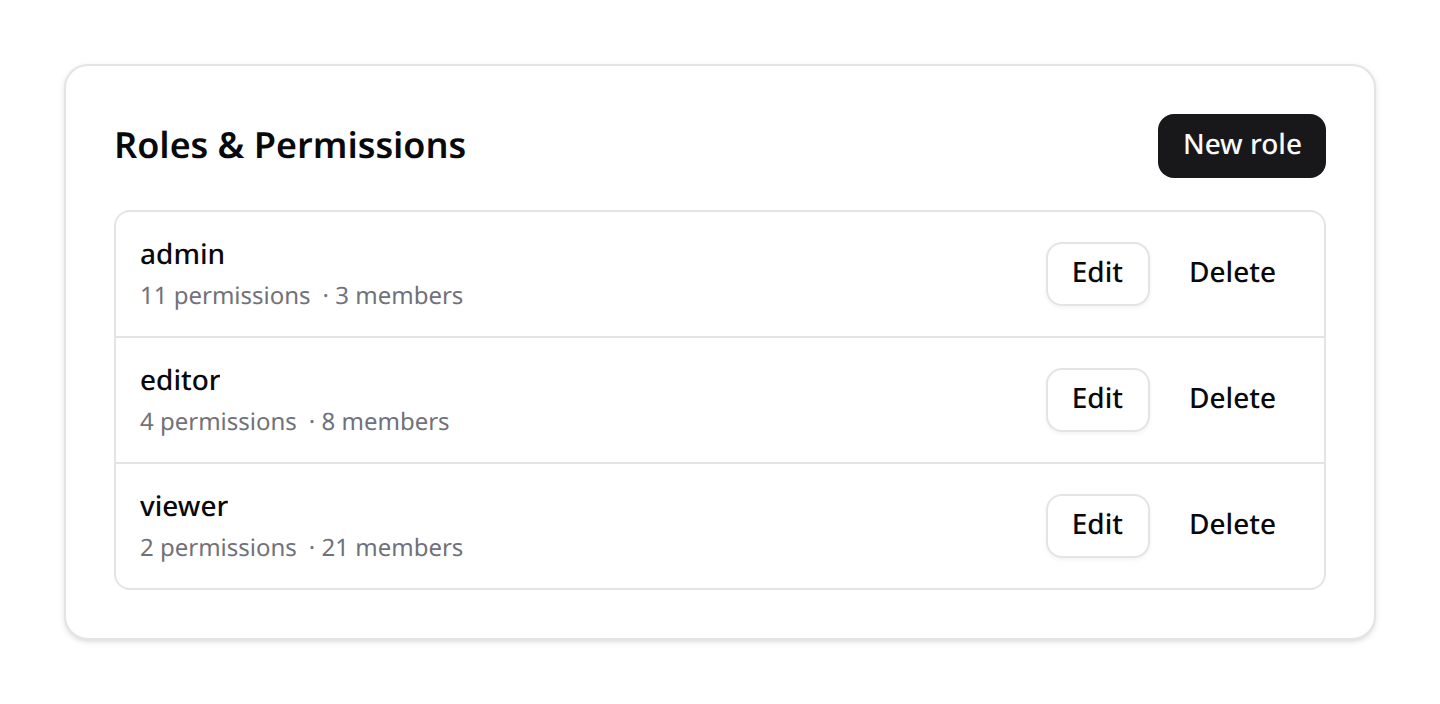
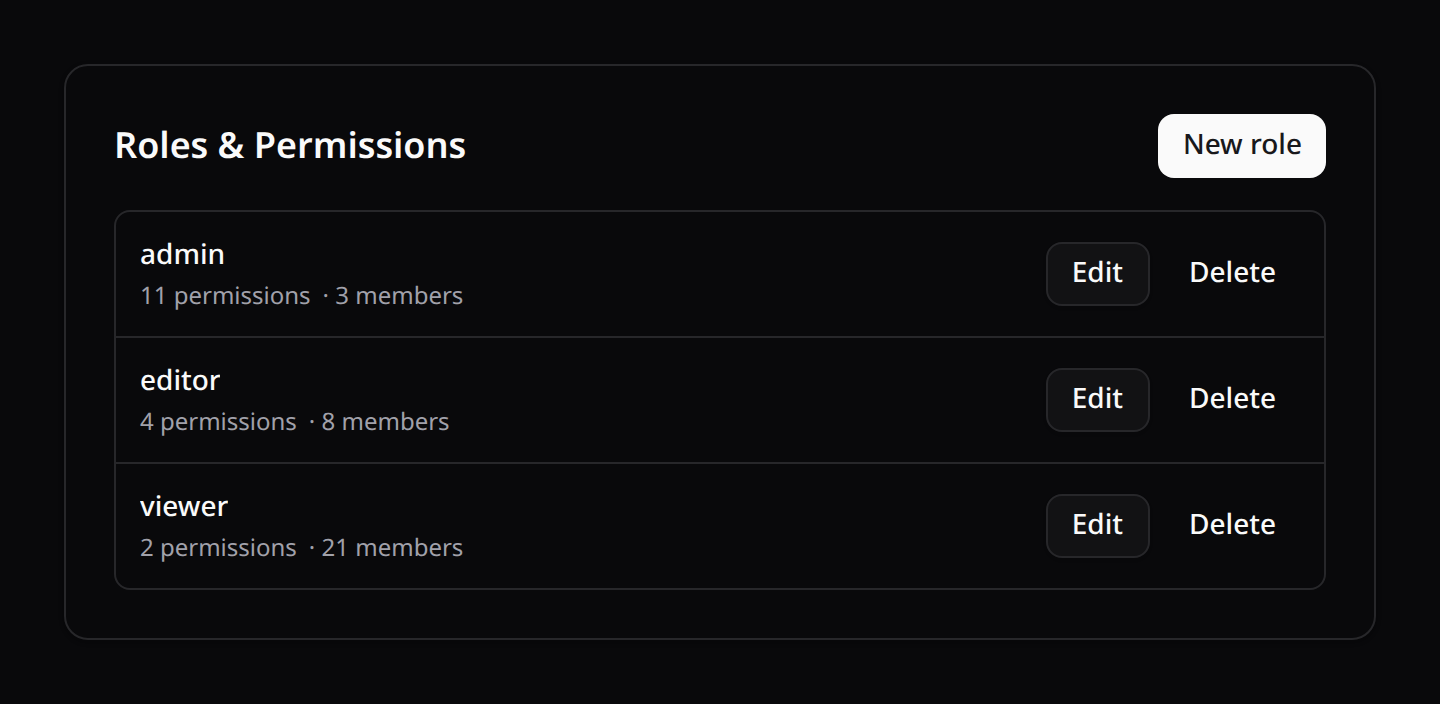
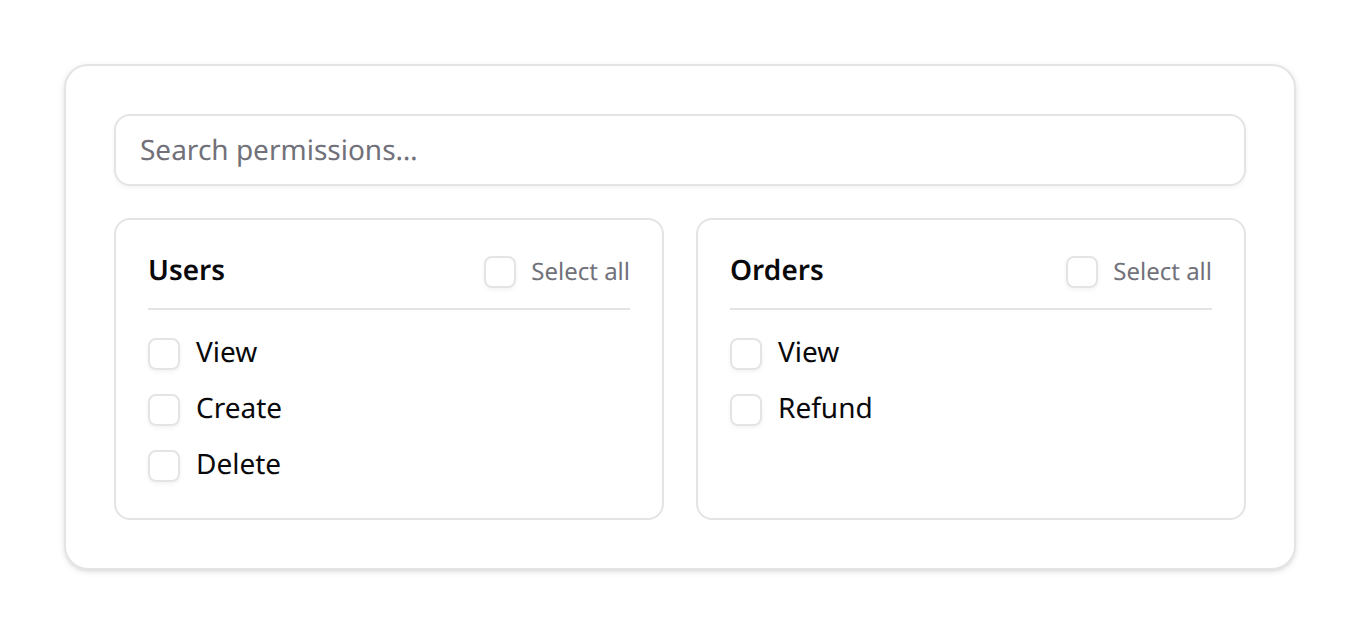
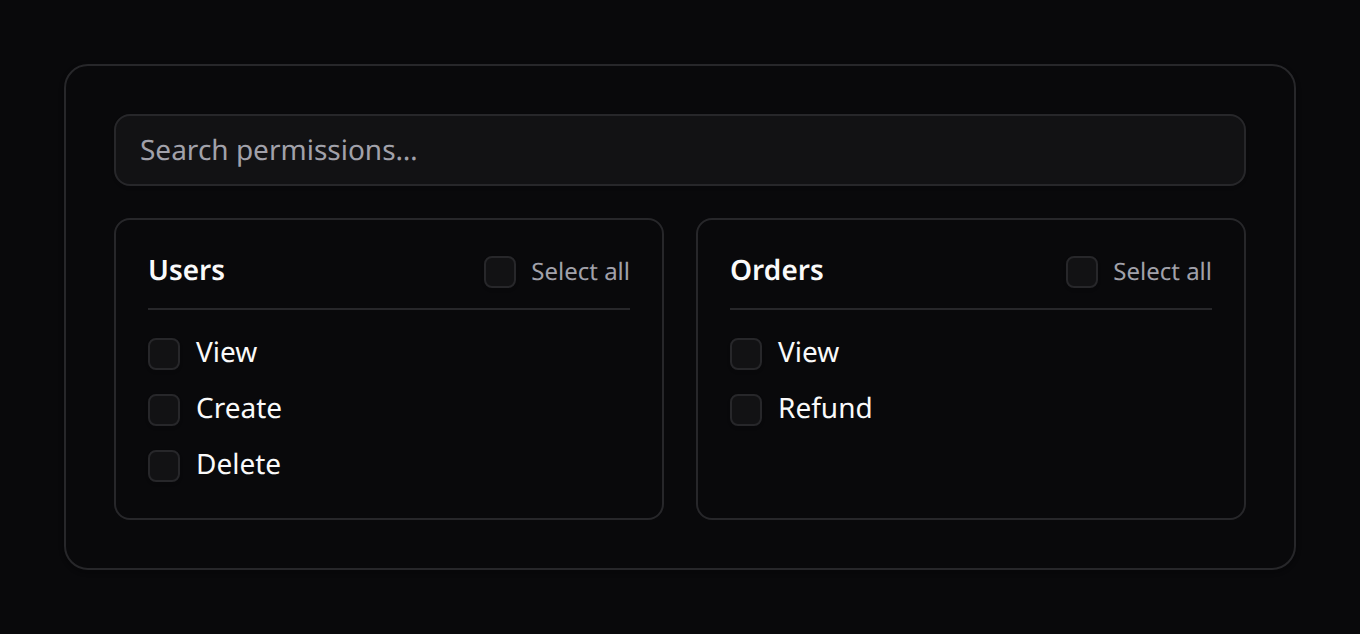
Drop in <KinetixRoleManager> to let admins create roles and assign permissions — grouped by feature, with search and per-feature select-all. Gate it behind the built-in roles.manage ability:
<script setup lang="ts">
// Components are NOT globally registered — import from the published path:
import KinetixCan from '@/components/kinetix/KinetixCan.vue';
import KinetixRoleManager from '@/components/kinetix/KinetixRoleManager.vue';
</script>

<KinetixCan permission="roles.manage">
  <KinetixRoleManager />
</KinetixCan>
The three drop-ins below (KinetixRoleManager, KinetixRoleMatrix, KinetixRolesOverview) take no props — they load the catalog and roles from the built-in endpoints themselves (via the useKinetixRoleEditor composable: load-on-mount, save/delete with toasts and refetch). For a fully custom flow, <KinetixPermissionMatrix> is the reusable picker — it does need props: features (fetch GET {prefix}/permissions/features yourself) and a v-model of permission keys.
KinetixRoleMatrix — the module × ability grid
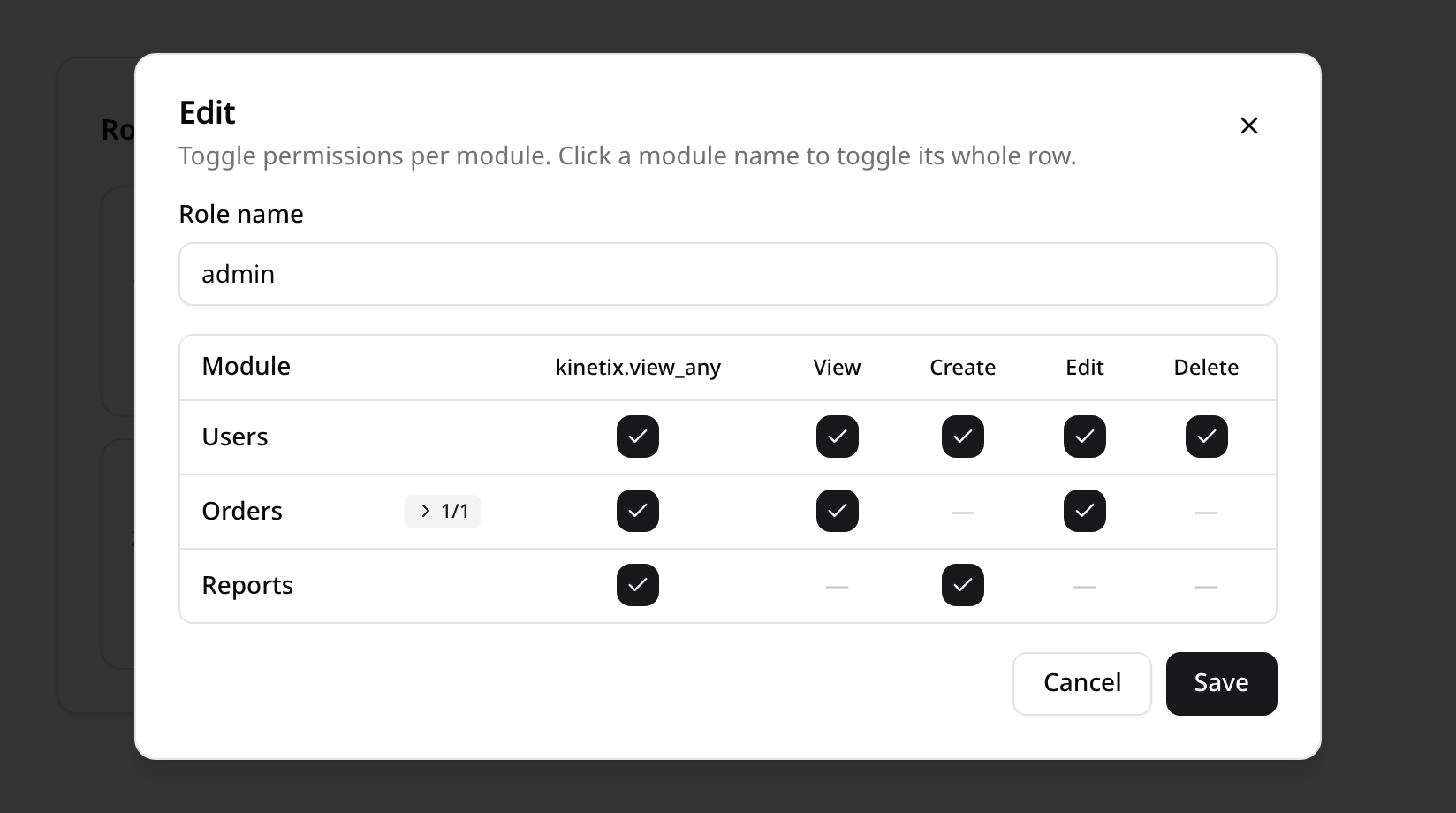
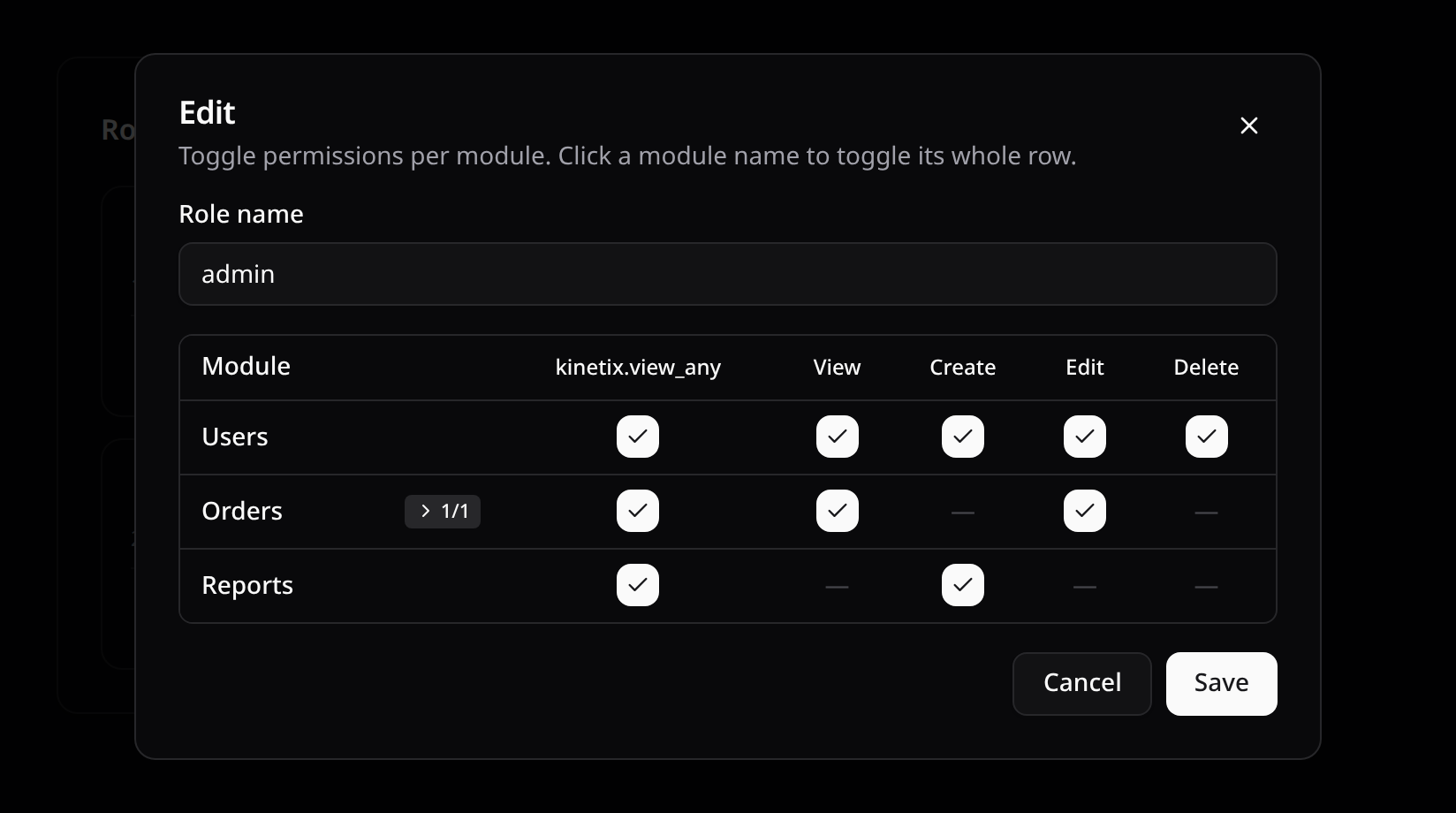
Prefer a compact, spreadsheet-style editor? <KinetixRoleMatrix> shows role cards (with live member counts) and edits each role in a modal whose table has one row per feature and one column per canonical ability (access, then viewAny → forceDelete) — the header vocabulary is fixed and never grows. An em-dash marks abilities a feature doesn't declare; custom abilities render inside their module's expandable row (the n/m chip) with their full labels; Feature::group() clusters modules into titled sections. Clicking a module name toggles its whole row (customs included), and the header row and module column stay sticky while the catalog scrolls. Same endpoints, gating and team rules as KinetixRoleManager:
<KinetixCan permission="roles.manage">
  <KinetixRoleMatrix />
</KinetixCan>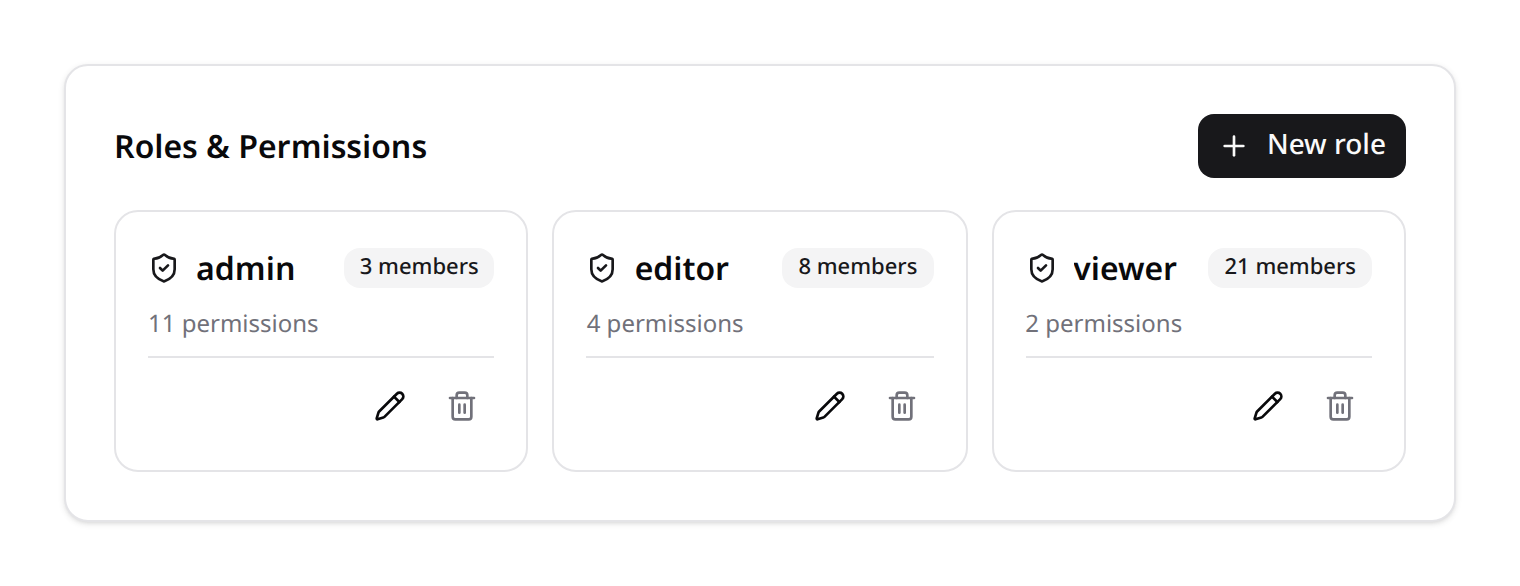
KinetixRolesOverview — audit everything at a glance
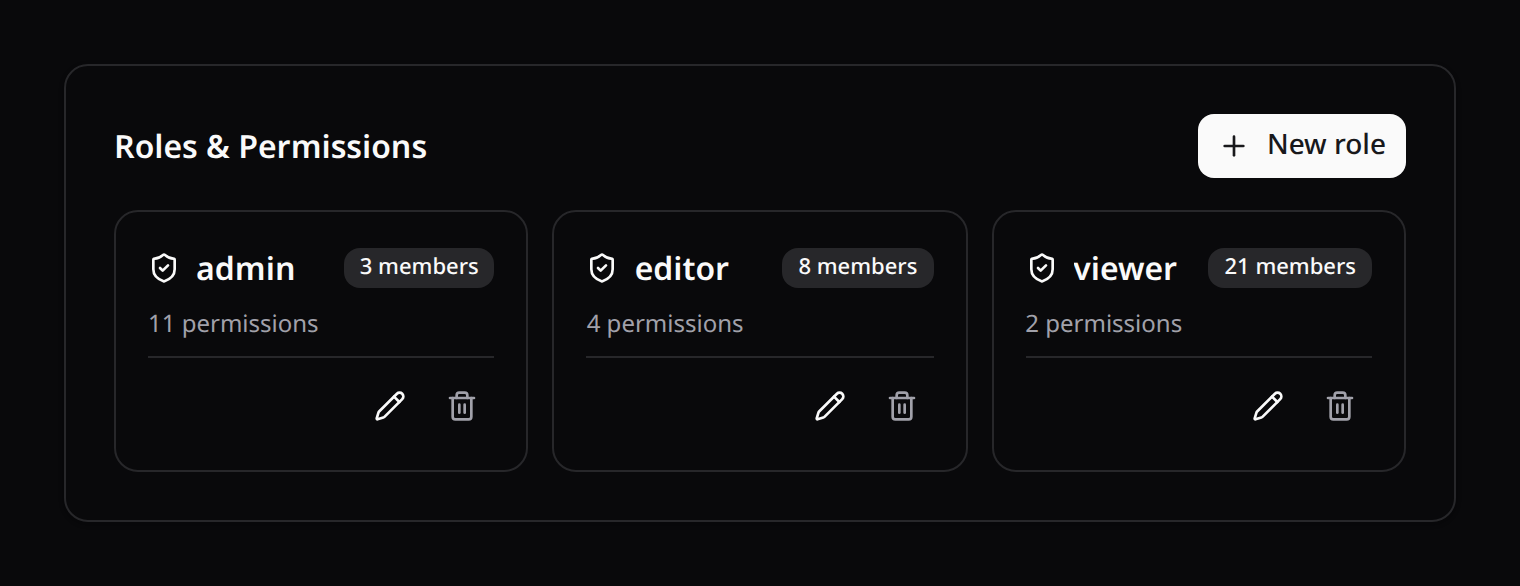
Want to see who can do what without opening each role? <KinetixRolesOverview> pairs the role cards (member counts + the modules each role touches) with a read-only permission matrix: one row per module, one column per role. Each cell shows a check (every ability granted), a granted/total badge (partial) or an em-dash (none) — with sticky header row and module column for large catalogs. The Create button, a card's pencil, or a role's column header open the same editor modal KinetixRoleMatrix uses:
<KinetixCan permission="roles.manage">
  <KinetixRolesOverview />
</KinetixCan>
Ready-made page (kinetix:make-roles-page)
Scaffold a full page with those features already wired:
php artisan kinetix:make-roles-page # --force to overwriteIt writes resources/js/pages/Kinetix/Roles/Index.vue (the overview behind roles.manage, with a denied fallback) — register just its route; there is no controller because the component talks to Kinetix's own endpoints:
Route::get('roles', fn () => inertia('Kinetix/Roles/Index'))->name('roles.index');

// Teams on? Nest it under the {current_team} segment like your other routes:
Route::prefix('{current_team}')->group(function () {
    Route::get('roles', fn () => inertia('Kinetix/Roles/Index'))->name('roles.index');
});
It talks to the built-in endpoints registered under your Kinetix route prefix, all gated by roles.manage (super-admin bypasses). {prefix} below is {current_team}/_kinetix with teams on, _kinetix without — never a path of your own (php artisan kinetix:routes prints the resolved URIs):
| Method | Endpoint | Description |
|---|---|---|
GET | {prefix}/permissions/features | Permission catalog grouped by feature |
GET | {prefix}/permissions/roles | List roles with their permissions + usersCount |
POST | {prefix}/permissions/roles | Create a role |
PUT | {prefix}/permissions/roles/{role} | Rename / sync a role's permissions |
DELETE | {prefix}/permissions/roles/{role} | Delete a role |
Guardrails against privilege escalation
roles.manage lets a user administer roles, but the endpoints stop a manager from escalating past their own level (all three checks are bypassed for a super-admin):
- Allowlist — submitted permission keys are validated against the registry (
allPermissions()), so an unknown or arbitrary key is rejected (422) before it can reachsyncPermissions(). - Grant only what you hold — in both directions — a manager can only add or remove permissions they themselves have; touching one they lack is refused (
403). The guard evaluates the delta against the role's current permissions, so a limited manager can neither escalate a role nor strip a more privileged role's abilities (a rename with no permission changes stays allowed). The seededadminrole (all permissions) and any super-admin can manage anything. - Protected roles & self-lockout — the roles in
permissions.protected_roles(default: just the super-admin role) can't be created, renamed to, edited or deleted here; and any edit/delete that would revoke the actor's ownroles.manageis rolled back (403). - Roles in use can't be deleted — deleting a role that still has members (counted in the current team + global assignments) is a
422; the delete dialog shows the member count and the warning before you even try. Reassign the members first.
// config/kinetix.php → permissions
// null protects just the super_admin_role; or list explicit names:
'protected_roles' => ['super-admin', 'owner'],
Behavior change (v0.104.0)
Previously any roles.manage holder could grant any registered permission. The "grant only what you hold" guard now restricts that. Give your role administrators the seeded admin role (or super-admin) so they can manage the full catalog.
Need a custom flow? Compose KinetixPermissionMatrix (the feature-grouped grid, v-model of permission keys) with useKinetixRoles (the CRUD composable).
Seeding starter roles
KinetixRolesSeeder layers a classic RBAC preset on top of the registry — super-admin (bypasses every gate), admin (all permissions), editor (everything except delete/forceDelete) and viewer (read-only):
php artisan kinetix:permissions:sync   # materialize permissions first
php artisan db:seed --class="Happones\\Kinetix\\Permissions\\KinetixRolesSeeder"
Run from the console (no team context), these presets are global roles — visible in every team, super-admin-only to modify (§4).
Bootstrap your first admin
Nothing assigns a role automatically, and the role UI itself is gated by roles.manage — so without this step you're locked out of your own roles page. Assign the first admin once, from tinker or a seeder:
// Teams OFF (or for a GLOBAL, all-teams super-admin):
User::where('email', 'you@example.com')->first()->assignRole('super-admin');

// Teams ON and you want it scoped to one team instead:
app(\Spatie\Permission\PermissionRegistrar::class)->setPermissionsTeamId($teamId);
User::where('email', 'you@example.com')->first()->assignRole('admin');
With teams active,
assignRole()stamps whatever team id the registrar currently holds — from a console command that'snull(= global). That's exactly right for a platform super-admin; for anything else, set the team id first as shown.
7. Production: caching & deploys
Edits apply immediately. spatie caches the permission catalog (permissions + their role attachments); every mutation the role-management UI performs — syncPermissions(), renames, deletes — flushes that cache automatically, so a change made in production is enforced on the very next request. No manual permission:cache-reset is needed after using the UI.
What to get right for that to hold at scale:
Use a shared cache store on multi-server setups. spatie's cache lives in
config/permission.php → cache.store(your default store unless overridden). With per-server stores (file,array) a role edited on one node stays stale on the others until the TTL (default 24h) expires — point it at Redis or Memcached instead.The registry is code, not state. Feature declarations run at boot from your service provider, so
config:cache/route:cache/ Octane are all safe; nothing about the catalog is read from the database at request time except spatie's (cached) permission rows.Deploy checklist: run
php artisan kinetix:permissions:sync(idempotent — one query to diff, inserts only what's new, flushes spatie's cache once at the end) whenever a deploy adds or removes registry declarations; add--pruneif you want obsolete keys removed.Per-request cost. Kinetix's own layer adds no queries beyond spatie's: the
kinetix_permissionsprop is computed once per request from the user's (request-cached) relations.Dynamic grants (
permissions.dynamic_grants). The prop also has to include abilities the Gate grants without a stored row — a team owner's, above all — or the SPA would hide features the server authorizes. How it discovers them is configurable, because asking the Gate about every registered ability is quadratic in disguise: spatie'sGate::beforescans the user's permission collection for each one, and an ability that isn't synced yet costs a thrown exception on top (≈40ms per page load on a 280-key catalog).Mode Discovers Cost on a 280-key catalog auto(default)the owner bypass (one verdict — it grants every registered ability or none) + abilities defined with Gate::define()~0.4ms sweepadditionally every ability, by asking the Gate ~41ms offstored rows only ~0.2ms autocovers every dynamic grant documented on this page. Choosesweeponly if your app registers its ownGate::beforeover registry keys — which §3 advises against anyway, since a hand-written blanket bypass also short-circuits model policies. The failure mode of guessing wrong is safe (the UI hides something the server would allow, never the reverse).Super-admins skip all of this: they hold the role, and
useKinetixCanshort-circuits on theisSuperAdminflag.Octane / long-running workers. The super-admin and owner checks memoize per user object via a
WeakMap, so they never leak across requests; if a worker mutates a user's role or ownership mid-process, callSuperAdmin::flush()/TeamOwner::flush().
Related docs
- Installation → Which modules scope data per team — the tri-state
teamsinheritance and why a team-prefixed URL is not data isolation by itself. - Membership — inviting people with a role; its
assignable_rolesallow-list intersects with the roles managed here (useAssignableRolesso global + team roles stay in sync between both UIs). - Entitlements — composing this matrix with plan capabilities, usage limits and feature flags under one declared name, with a denial that says which layer refused.
- Resources —
permissionFeature()/registerPermissions(). - Actions §9 —
->authorize()on actions; Tables —->can()on columns and stat cards; Forms — field-level->can(). php artisan kinetix:doctor— flags the common misconfigurations on this page (missing spatie teams flag, empty allow-lists, teams-flag mismatches).