

Developer Tokens
Kinetix Developer Tokens gives your users a self-service dashboard to mint, scope and revoke personal access tokens for your API. It is a thin, opinionated layer on top of Laravel Sanctum: you declare the scopes (abilities) a token may be granted, and Kinetix renders the UI, validates the chosen scopes, and reveals the plaintext token exactly once.
Each authenticated user manages only their own tokens — there is no admin ability, since tokens are personal credentials.
Installation
Developer Tokens requires laravel/sanctum:
composer require laravel/sanctum
php artisan vendor:publish --provider="Laravel\Sanctum\SanctumServiceProvider"
php artisan migrate
Add Sanctum's HasApiTokens trait to your authenticatable model:
use Laravel\Sanctum\HasApiTokens;

class User extends Authenticatable
{
    use HasApiTokens;
}
Then enable the feature:
'tokens' => [
    'enabled' => env('KINETIX_TOKENS_ENABLED', true),

    // The abilities a token may be granted (key => label). Leave empty to
    // issue full-access ('*') tokens with no scope picker.
    'scopes'  => [
        'posts.read'  => 'Read posts',
        'posts.write' => 'Write posts',
    ],
    // The scopes the create form starts with ticked (keys outside
    // `scopes` are ignored).
    'default_scopes' => ['posts.read'],
],
1. Declaring scopes
Scopes are the abilities a token can carry — exactly Sanctum's token abilities. Declare them in config (above) or, dynamically, from a service provider:
use Happones\Kinetix\Tokens\KinetixTokens;

// Provider boot()
KinetixTokens::scopes([
    'posts.read'  => 'Read posts',
    'posts.write' => 'Write posts',
    'billing.read' => 'Read billing',
]);
When a scope catalog is declared, a token must be granted at least one of the declared scopes, and any ability outside the catalog is rejected (422). When the catalog is empty, tokens are issued with full access (*) and no scope picker is shown.
Name the scopes a new token should start with — typically the read-only ones — with default_scopes or at runtime:
KinetixTokens::defaultScopes(['posts.read', 'billing.read']);The create form opens with those ticked; the person can still untick them.
2. The dashboard component
Mount the drop-in manager wherever your users manage their credentials (for example an "API" settings tab):
<script setup lang="ts">
import KinetixTokenManager from "@/components/kinetix/KinetixTokenManager.vue";
</script>

<template>
  <KinetixTokenManager />
</template>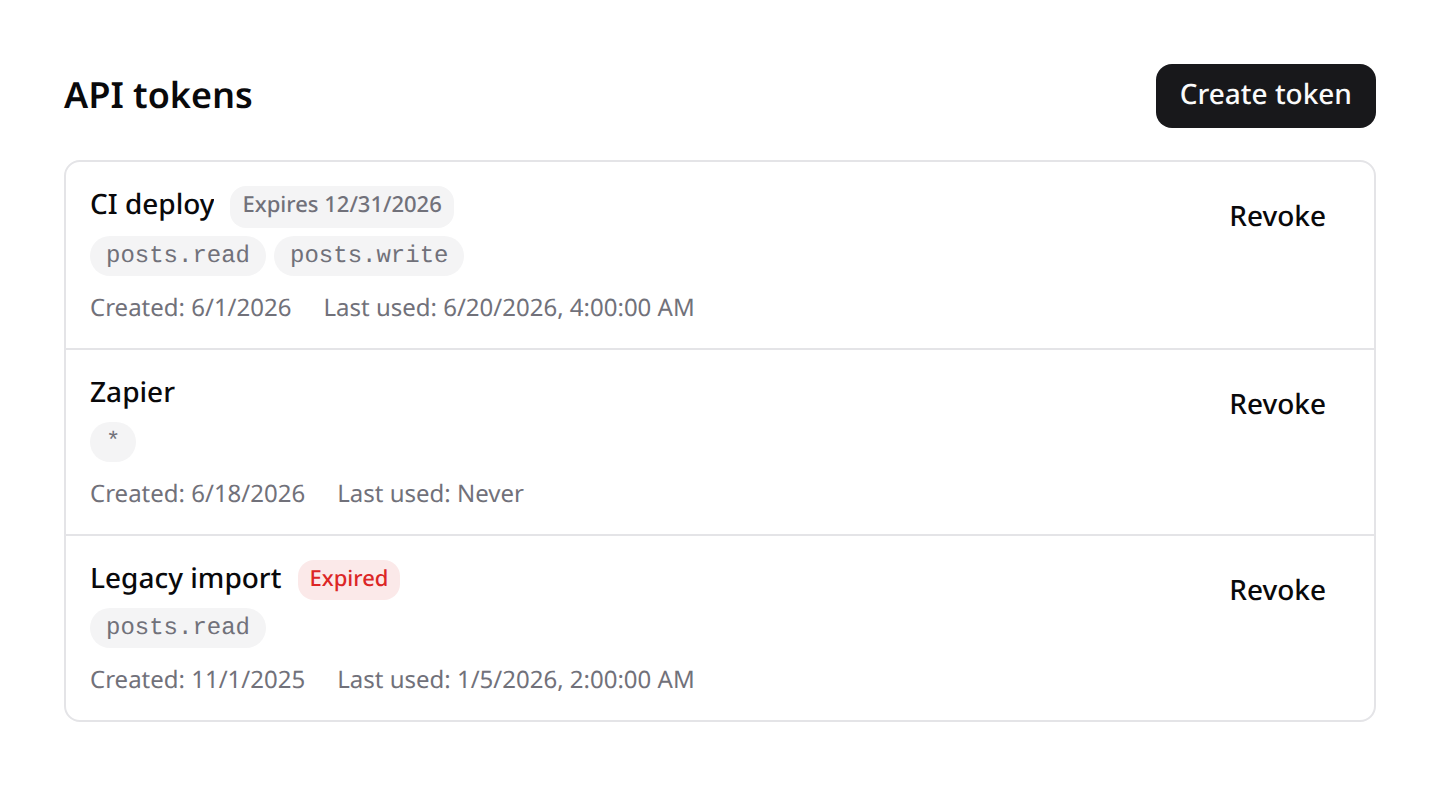
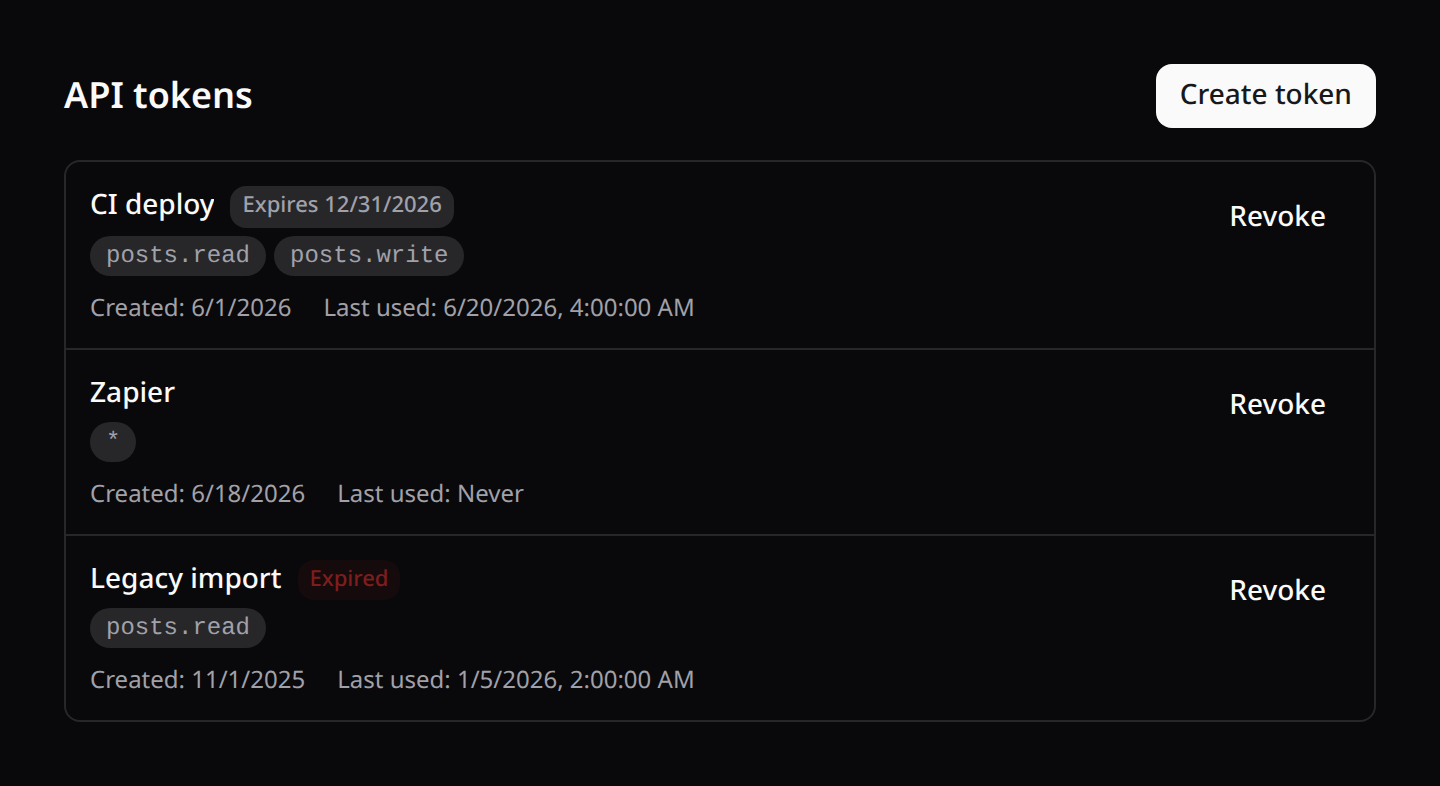
It lists the user's tokens (name, scopes, created, last-used, expiry — stacking cleanly on mobile), provides a create form with a scope picker, reveals the plaintext token once in a copy-able banner, and revokes tokens. All strings are localized (token_* keys, en/es/fr/pt).
Expiration
The create form includes an optional expiration date (shadcn calendar). The token is persisted with Sanctum's native expires_at — the guard rejects it automatically past that date (end of the chosen day) — and the list badges each token with its expiry (red Expired once past). Leave it empty for a non-expiring token. Server-side, expires_at must be a future date (422 otherwise).
3. Enforcing scopes on your API
Kinetix only issues the tokens — guarding your API routes is standard Sanctum. Protect routes with the auth:sanctum guard and check abilities with the abilities / ability middleware:
Route::middleware(['auth:sanctum', 'ability:posts.write'])
    ->post('/api/posts', [PostController::class, 'store']);
Or check inline:
if ($request->user()->tokenCan('posts.write')) {
    // ...
}
Auditing what each token calls
Compose the kinetix.api-log middleware into the same group to log every request — method, path, status, duration and the token id/name — and inspect them with <KinetixIntegrationLogs only="api" />:
Route::middleware(['auth:sanctum', 'kinetix.api-log'])
    ->prefix('api/v1')
    ->group(function () { /* … */ });
See Integration Logs for configuration (opt-in bodies, redaction, retention).
4. The endpoints
The feature registers self-service routes under your Kinetix prefix (team-aware when kinetix.teams is on):
| Method | Route | Name |
|---|---|---|
GET | {prefix}/tokens | kinetix.tokens.index |
POST | {prefix}/tokens | kinetix.tokens.store |
DELETE | {prefix}/tokens/{token} | kinetix.tokens.destroy |
index returns the caller's tokens (never the plaintext value) plus the scope catalog. store creates a token and returns plainTextToken once. destroy revokes one of the caller's own tokens.