

Kinetix Billing (Cashier + Stripe)
An optional billing/pricing module that wraps Laravel Cashier behind Kinetix classes and Vue components. Drop a pricing table, payment-method manager, subscription status, and invoices list into any project by calling the components and classes — no bespoke billing code required.
Billing is off by default and Cashier is a suggested dependency. Nothing here loads until you enable it.
1. Installation
# 1. Cashier (the billing engine)
composer require laravel/cashier

# 2. Publish Cashier's migrations (customize if needed before running)
php artisan vendor:publish --tag="cashier-migrations"
php artisan migrate

# 3. The Kinetix `plans` table
php artisan vendor:publish --tag=kinetix-billing-migrations
php artisan migrate

# 4. Scaffold the billing page (+ optional example plans)
php artisan kinetix:make-billing --seeder
Install @stripe/stripe-js on the frontend for secure card processing:
npm install @stripe/stripe-jsMake sure Stripe.js is available on the billing page (the module will automatically detect the npm package or a global script tag if loaded via <script src="https://js.stripe.com/v3/"></script>).
2. Prepare the billable model
Add Cashier's Billable trait and Kinetix's HasPlan trait to whatever model owns the subscription (a User, Team, Organization, …):
use Laravel\Cashier\Billable;
use Happones\Kinetix\Billing\Concerns\HasPlan;

class User extends Authenticatable
{
    use Billable;
    use HasPlan;
}
If the billable is not the authenticated user (e.g. the user's current team), point the resolver at it in config/kinetix.php:
'billing' => [
    'resolve_billable' => fn ($user) => $user->currentTeam,
],
Team Billing Setup
If you want to bill Teams (or any model other than the default User), follow these additional steps:
Cashier Migrations: In the Cashier migrations published during installation, change all foreign key references from
users(oruser_id) toteams(orteam_id) to attach cashier tables to the Team model instead of Users.Register Customer Model: Inside the
bootmethod of yourAppServiceProvider, register theTeammodel as Cashier's customer model:phpuse Laravel\Cashier\Cashier; use App\Models\Team; public function boot(): void { Cashier::useCustomerModel(Team::class); }Configure Kinetix Billing: In your
.envfile, enable team-scoped billing and configure the billable model:envKINETIX_BILLING_TEAMS=true KINETIX_BILLING_BILLABLE="App\Models\Team"When
KINETIX_BILLING_TEAMS(orkinetix.billing.teamsconfig key) istrue:- Billing routes are automatically prefixed with
{team}/billinginstead ofbilling. BillingManager::resolve()will automatically extract the current team from the{team}route parameter (or fall back to the user'scurrentTeamrelation).- Make sure to update the URLs in your client-side page (
Billing/Index.vue) to prepend/${currentTeam.id}(or similar) to match these routes.
- Billing routes are automatically prefixed with
Team-scoped frontend routing with
useKinetixTeam: Kinetix ships auseKinetixTeamcomposable that resolves the current team from Inertia page props and builds team-prefixed URLs:tsimport { useKinetixTeam } from '@/composables/useKinetixTeam'; const { currentTeam, teamUrl } = useKinetixTeam(); const billing = useKinetixBilling({ subscribe: teamUrl((team) => route('billing.subscribe', { team })).value, cancel: teamUrl((team) => route('billing.cancel', { team })).value, resume: teamUrl((team) => route('billing.resume', { team })).value, addPaymentMethod: teamUrl((team) => route('billing.payment-methods.add', { team })).value, removePaymentMethod: (id: string) => teamUrl((team) => route('billing.payment-methods.remove', { team, id })).value, downloadInvoice: (id: string) => teamUrl((team) => route('billing.invoices.download', { team, id })).value, });Requires the
currentTeamprop to be shared viaHandleInertiaRequests::share():php'currentTeam' => fn () => $request->user()?->currentTeam,
Subdomain-based Tenancy
If you serve each team on its own subdomain (acme.example.com/billing), set the column name used to match the tenant from the request host:
KINETIX_TENANCY_SUBDOMAIN=subdomainWhen set:
- Billing routes are registered without a
{team}prefix — the team is already in the hostname. BillingManager::resolve()extracts the subdomain and queries the billable model where the configured column matches it (e.g.Team::where('subdomain', 'acme')->first()).- If no team matches the subdomain, it falls back to the authenticated user (user-scoped billing).
- The frontend URLs stay the same as the non-team defaults (no
teamUrlneeded).
KINETIX_TENANCY_SUBDOMAINis a global Kinetix config. It affects all features that resolve the current team, not only billing.
Trial Period Setup
Kinetix Billing supports two types of trial modes:
A. Subscription Trials (Card Upfront)
The user enters their credit card to start a subscription, but is not charged until the trial period expires.
- Configure Trial Days: In your
plansdatabase table or seeder, set thetrial_dayscolumn (e.g.14or30) for the corresponding plan. - Ensure
KINETIX_BILLING_TRIAL_GENERIC(orkinetix.billing.trial_genericconfig key) is set tofalse(default). - When the user subscribes, Cashier creates the subscription in Stripe with the specified trial days.
B. Generic Trials (No Card Upfront)
Users get trial access immediately upon registration without providing their payment details. Once the trial expires, they are prompted to subscribe with a card.
- Add the
trial_plancolumn: Add atrial_plan(nullable string) column to your billable model's table (e.g.users,teams):phpSchema::table('users', function (Blueprint $table) { $table->string('trial_plan')->nullable(); });This column stores which plan the user is currently trialing during the generic trial period. - Add the
trial_taken_atcolumn: Add atrial_taken_at(nullable timestamp) column to prevent users from taking more than one trial:phpOnce a user starts or is assigned a generic trial,Schema::table('users', function (Blueprint $table) { $table->timestamp('trial_taken_at')->nullable(); });trial_taken_atis set to the current timestamp. Future subscription attempts via the billing page will require a payment method — the user cannot take a second free trial. - Configure Kinetix Billing: In your
.envfile, enable generic trials:envKINETIX_BILLING_TRIAL_GENERIC=true - Set
trial_dayson your plans: In yourplanstable or seeder, addtrial_daysto the plans users can trial (e.g.14or30). - Assign Trial on Registration: In your registration controller, set the
trial_ends_at,trial_planandtrial_taken_atcolumns on the user (or team) model:php$user = User::create([ 'name' => $data['name'], 'email' => $data['email'], 'password' => Hash::make($data['password']), 'trial_ends_at' => now()->addDays(14), 'trial_plan' => 'pro', 'trial_taken_at' => now(), ]); - When
KINETIX_BILLING_TRIAL_GENERICistrue:- Subscribing to a plan that has
trial_dayssets up a generic trial on the billable model (trial_ends_at+trial_plan+trial_taken_at) without creating a Stripe subscription — no payment method is required. - While the generic trial is active,
HasPlan::currentPlan()returns the trial plan; once expired, it falls back to the Stripe subscription. BillingManager::subscriptionData()includes thetrialPlankey with the current trial plan slug (ornull).- Plans without
trial_dayscreate normal Stripe subscriptions as usual (payment method required). - One trial per user: Once
trial_taken_atis set, the user cannot start another generic trial. Any subsequent subscription attempt will require a payment method and go directly to a paid subscription.
- Subscribing to a plan that has
3. Configuration
config/kinetix.php → billing:
| Key | Default | Purpose |
|---|---|---|
enabled | false | Master switch for the module |
teams | false | Enable Team-scoped billing routes and automatic resolution |
trial_generic | false | Enable generic trials (no card upfront) and skip Stripe trials |
billable | App\Models\User | Documented billable class |
plan_model | Happones\Kinetix\Billing\Plan | Swap for your own Plan subclass |
subscription | default | Cashier subscription "type" |
currency / currency_symbol | USD / $ | UI formatting |
product | Subscription | Label on downloaded invoices |
view | Billing/Index | Inertia page the controller renders |
resolve_billable | null | Closure to resolve a non-user billable |
auto_routes | false | Auto-register the bundled routes |
route_prefix / route_name | billing / billing. | Route group prefix + name |
middleware | ['web', 'auth'] | Route group middleware |
4. Plans
Happones\Kinetix\Billing\Plan is a ready Eloquent model on the plans table. features is a nested JSON structure resolved by dot-path (usage limits + capability flags).
use Happones\Kinetix\Billing\Plan;

Plan::create([
    'name'                    => 'Pro',
    'monthly_price'           => 29,
    'yearly_price'            => 290,
    'stripe_monthly_price_id' => 'price_...',
    'stripe_yearly_price_id'  => 'price_...',
    'is_free'                 => false,
    'trial_days'              => 14,
    'features' => [
        'usage'        => ['projects' => null], // null = unlimited
        'capabilities' => ['api' => true, 'sso' => false],
    ],
    'highlighted_features' => ['Unlimited projects', 'API access'],
    'is_featured' => true,
]);
The slug is generated from the name automatically. Feature-gating helpers:
| Method | Behaviour |
|---|---|
featureValue('usage.projects') | Raw value at the dot-path |
canUseFeature('capabilities.api') | bool as-is · array → non-empty · else truthy |
hasReachedLimit('usage.projects', $count) | null limit = unlimited |
remainingLimit('usage.projects', $count) | Units left (floored at 0); null = unlimited |
priceFor('monthly'|'yearly') | Float price for the cycle |
stripePriceId('monthly'|'yearly') | Stripe price id for the cycle |
isFree() | true when is_free column is true or monthly_price <= 0 |
Feature gating from the billable
$user->currentPlan();                             // ?Plan (from the active subscription's price)
$user->onPlan('pro');                              // bool
$user->canUseFeature('capabilities.api');          // bool
$user->planFeature('usage.projects', 0);           // raw value or default
$user->hasReachedPlanLimit('usage.projects', 5);   // bool
$user->remainingPlanLimit('usage.projects', 5);    // ?int — units left; null = unlimited
The namespaced sugar reads the same structure without spelling the prefixes (features: { capabilities: {...}, usage: {...} } — the convention the usage meters already read):
$user->planAllows('api');                  // canUseFeature('capabilities.api')
$user->planLimit('projects');              // ?int — null = unlimited
$user->isWithinPlanLimit('projects', 5);   // !hasReachedPlanLimit('usage.projects', 5)
With no resolvable plan, capabilities are denied (fail closed) while limits stay unlimited (fail open) — gating features is opt-in per plan; blocking creation never is.
Only a subscription the billable really holds grants its plan — Cashier's valid(): active, on trial or in its grace period. When Stripe wants the first payment confirmed (3-D Secure), Cashier has already saved the subscription as incomplete with the new price; it grants nothing until the payment is confirmed, so a payer who leaves the confirmation page keeps the plan they had. Subscribing again cancels that abandoned incomplete subscription first.
A new subscription is created with Cashier's allowPaymentFailures(): Stripe charges the card right away, off-session, so a card the billing page already authenticated (3-D Secure on its SetupIntent) is not asked again, and the subscription comes back active with its invoice paid. Only a charge Stripe still wants confirmed goes to Cashier's confirmation page. Back on the billing page, an incomplete subscription is read from Stripe (refreshIncompleteSubscription()), so a payment confirmed there shows without waiting for the customer.subscription.updated webhook — which you should still configure, since it is what keeps every other status change in sync.
The plan catalog
Every helper above funnels through currentPlan(), and currentPlan() is resolved once per billable per request from an in-memory catalog of the plans table. Gating a dozen things on a page — a toolbar of plan-locked buttons, ten plan-gated feature flags, a page of entitlements — costs one plans query, not a dozen.
'billing' => [
    // The catalog is loaded at most once per request no matter what.
    // A ttl adds a persistent layer on top: zero queries across requests.
    'cache' => [
        'store' => env('KINETIX_BILLING_CACHE_STORE'),   // null = default store
        'ttl'   => env('KINETIX_BILLING_CACHE_TTL'),     // null = per-request only
    ],
],
What to get right:
- Writes through the model invalidate it automatically —
$plan->save(),$plan->delete()and bulkPlan::query()->update([...])all flush the catalog, so a price or feature edit applies immediately. - Raw
DB::table('plans')writes do not. They bypass Eloquent entirely. That is the reason to leavettlnull if something outside the model writes your plans — with no ttl the catalog is re-read once per request anyway. - Use a shared store on multi-server setups. With a ttl set and a per-server store (
file,array), a plan edited on one node stays stale on the others until it expires. Point it at Redis or Memcached. - Long-running processes. Kinetix drops the request memo at the start of every request (Octane) and every queued job. A worker that changes a subscription mid-process and re-asks should call
$billable->forgetCurrentPlan().
Gate routes on a capability
Two middleware, one per style:
// Dot-path, plain 403 when denied:
Route::post('/api/tokens', ...)->middleware('plan.feature:capabilities.api');

// Capability name, UPSELL-aware: a denied web request redirects to
// `kinetix.billing.upgrade_url` (e.g. '/billing') with a flash message;
// JSON requests (and a missing upgrade URL) get the 403.
Route::post('/api/tokens', ...)->middleware('kinetix.plan:api');KINETIX_BILLING_UPGRADE_URL=/billingEnforce usage limits on creation (EnforcesPlanLimits)
Add the trait to a model and creating past the plan's limit throws a PlanLimitExceededException (renders as a 403 with a translated message):
class Project extends Model
{
    use \Happones\Kinetix\Billing\Concerns\EnforcesPlanLimits;
}- The
usage.*key defaults to the plural snake-cased model name (Project→usage.projects); overrideplanLimitKey(). - The billable resolves exactly like every other billing surface (
kinetix.billing.billable/resolve_billable/ team context); overrideplanLimitBillable(). - The count defaults to this model narrowed by the billable's conventional foreign key (
team_id/user_id) whenever the creating record carries it; overrideplanLimitQuery()for custom ownership shapes. - Bulk inserts: the plan itself is resolved once per request (see The plan catalog), but the
COUNTruns per record. For a large import, check once up front withhasReachedPlanLimit()and insert withModel::insert()(which fires nocreatingevents) instead. - Unlimited plans skip the COUNT entirely, and a billing-less environment (no billable, no
HasPlan) skips the check — the model keeps working. $model->enforcePlanLimit()runs the same check manually (e.g. before rendering a "new record" form), and the exception carrieslimitKey+limitfor custom handling around bulk operations.
For checks the trait can't express (cross-model counts, monthly quotas), hasReachedPlanLimit() + abort_if in the controller remains the manual escape hatch.
Gate the UI by plan (frontend)
When kinetix.billing.enabled is on, Kinetix shares the billable's current plan (slug/name + the features JSON) as the kinetix_billing Inertia prop — so menus, buttons and CTAs gate on the same dot-paths the server enforces, with no controller wiring. useKinetixPlan() mirrors every backend helper:
<script setup lang="ts">
import { useKinetixPlan } from '@/composables/useKinetixPlan';

const { plan, onPlan, allows, canUseFeature, featureValue, hasReachedLimit, remaining, upgradeUrl } =
    useKinetixPlan();

allows('api');                               // sugar for canUseFeature('capabilities.api')
canUseFeature('capabilities.api');           // show the API menu item?
hasReachedLimit('usage.products', count);    // disable "Add product"?
remaining('usage.products', count);          // "3 left on your plan" (null = unlimited)
featureValue('usage.products');              // raw value
onPlan('pro');                               // plan check
upgradeUrl.value;                            // kinetix.billing.upgrade_url
</script>
Or declaratively with <KinetixPlanFeature> — the billing twin of <KinetixCan>, with a capability mode and a usage-limit mode:
<!-- Capability: show a menu item only when the plan grants it -->
<KinetixPlanFeature feature="capabilities.api">
  <SidebarItem href="/api-tokens">API tokens</SidebarItem>
  <template #denied>
    <UpgradeBadge>Pro</UpgradeBadge>
  </template>
</KinetixPlanFeature>

<!-- Usage limit: CTA while under the limit, upgrade hint at the limit.
     `remaining` is exposed to both slots (null = unlimited). -->
<KinetixPlanFeature limit="usage.products" :count="products.length">
  <template #default="{ remaining }">
    <Button @click="createProduct">Add product</Button>
    <span v-if="remaining !== null" class="text-xs text-muted-foreground">
      {{ remaining }} left on your plan
    </span>
  </template>
  <template #denied>
    <Button as="a" href="/billing">Upgrade to add more products</Button>
  </template>
</KinetixPlanFeature>
For a whole locked MODULE (a page section the plan doesn't include), <KinetixPlanGate> is <KinetixPlanFeature> with a built-in denied state — a lock card with an Upgrade CTA pointing at kinetix.billing.upgrade_url:
<!-- Locked module: lock card + "Upgrade plan" CTA when denied -->
<KinetixPlanGate feature="capabilities.api">
  <ApiTokensPanel />
</KinetixPlanGate>

<!-- Same for usage limits; #locked replaces the card entirely -->
<KinetixPlanGate limit="usage.projects" :count="projects.length">
  <NewProjectForm />
  <template #locked><MyCustomUpsell /></template>
</KinetixPlanGate>
Use <KinetixPlanFeature> when the denied state should render nothing (menu items, buttons); <KinetixPlanGate> when it should sell the upgrade.
The padlock: <KinetixPlanLock>
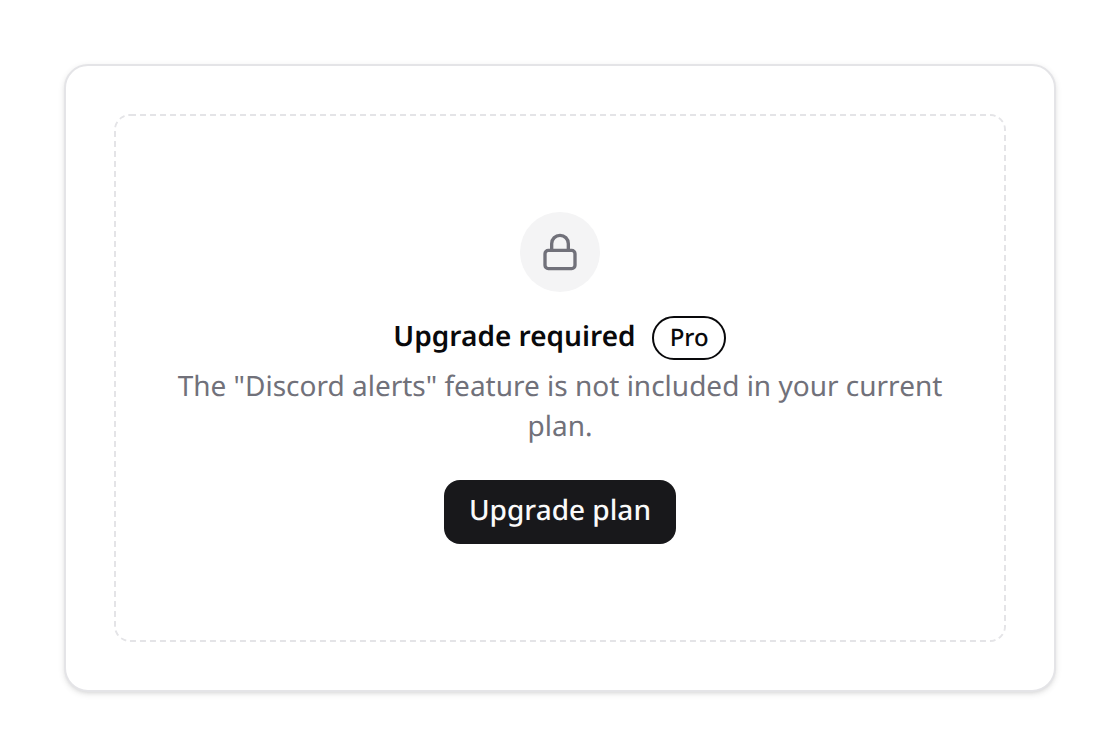
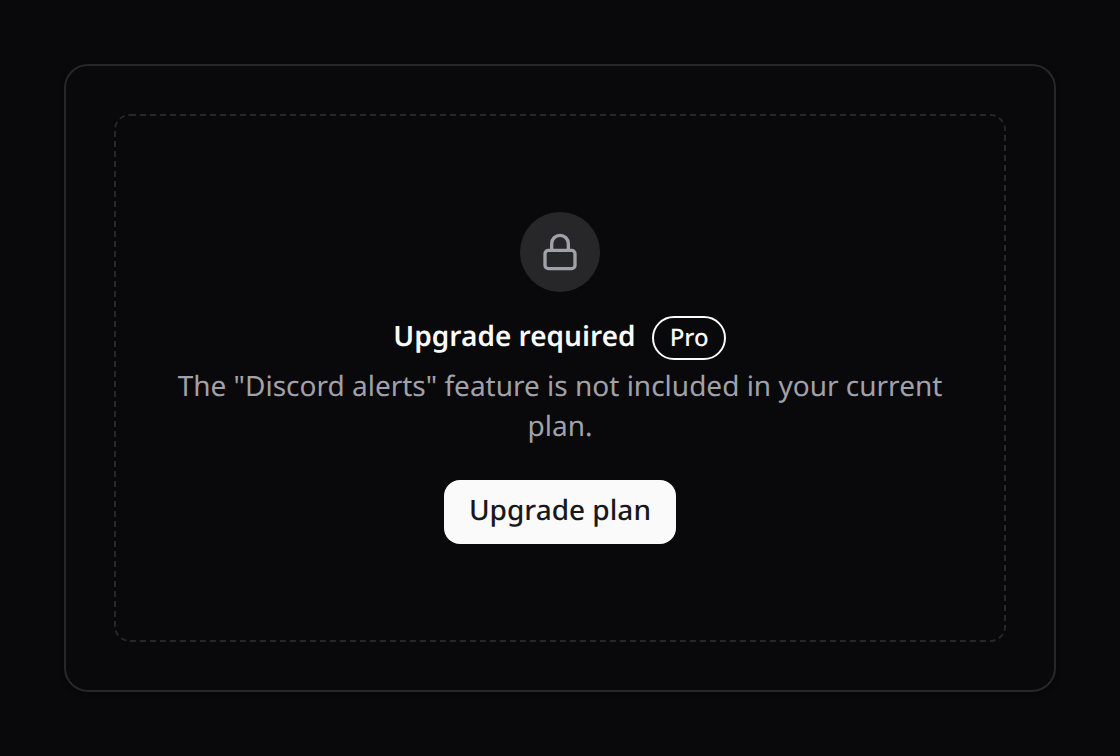
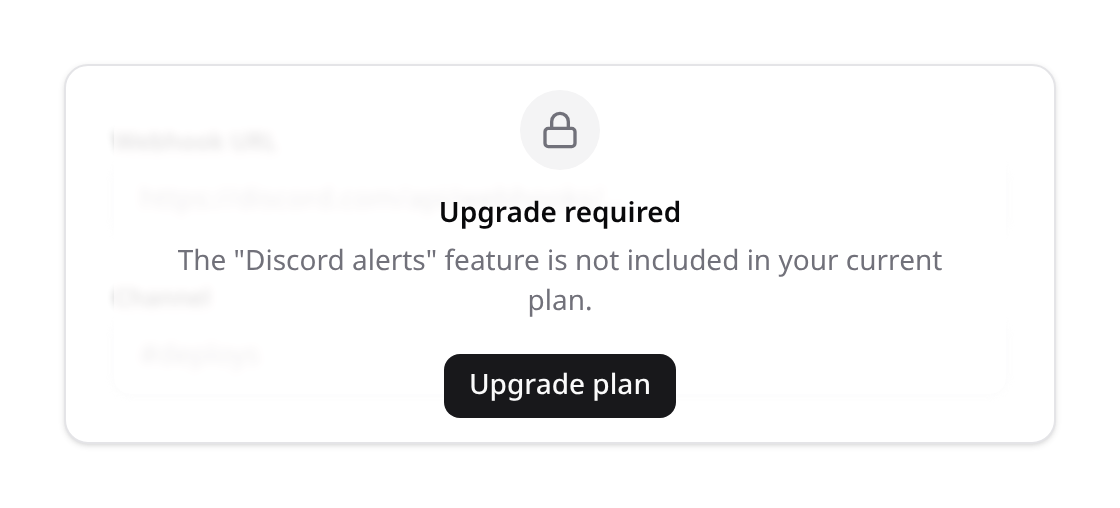
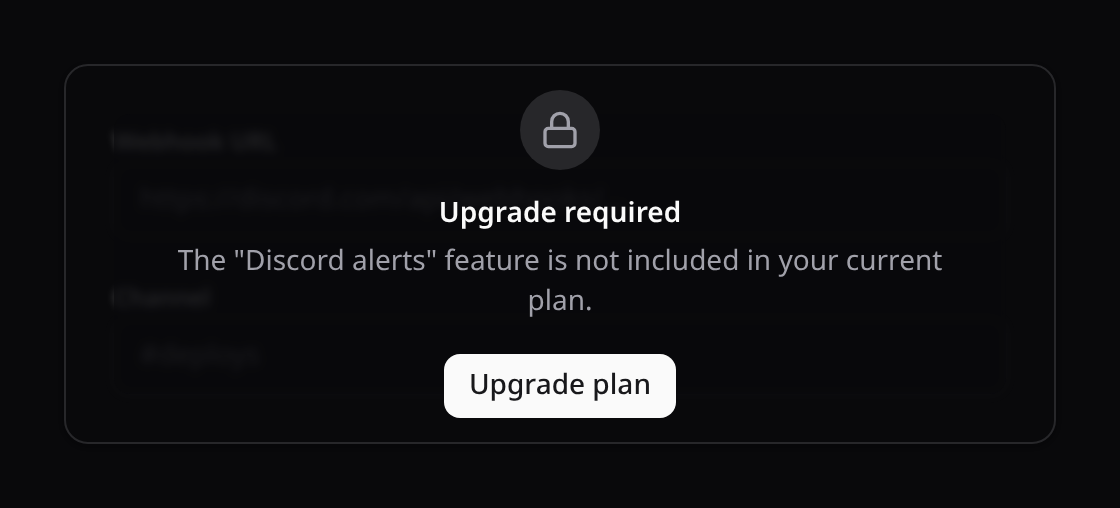
<KinetixPlanGate> is one presentation of a locked feature. <KinetixPlanLock> is the whole set — same gating props (feature / limit + count), four ways to show the lock, chosen with variant:
| Variant | What it renders | Use it for |
|---|---|---|
card (default) | Dashed lock card replacing the content | A whole locked module or page section |
overlay | The content stays visible but blurred, dimmed and inert, under a centred lock | Panels/dashboards — "here's what you're missing" |
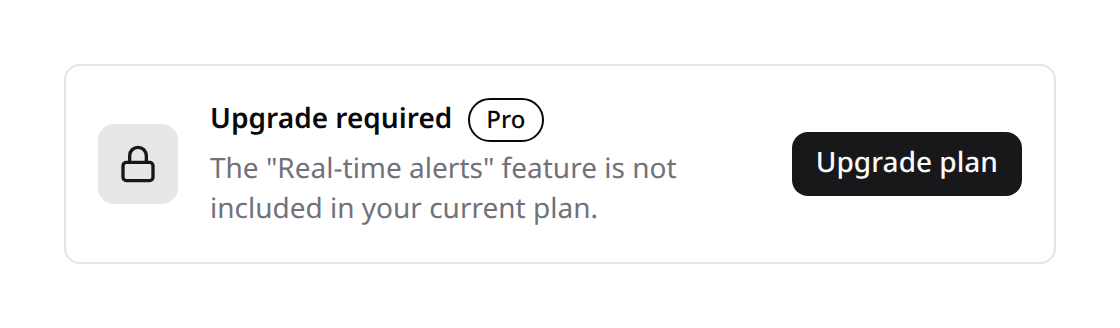
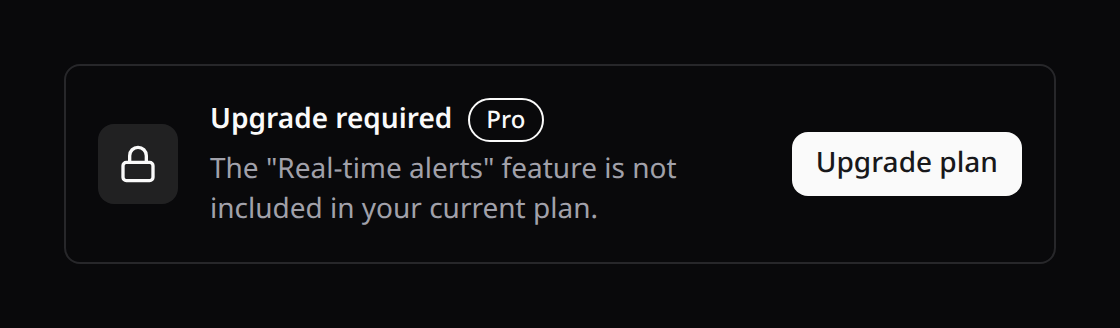
banner | A row-shaped upsell strip (icon, title + plan pill, copy, CTA) | Above content the plan only partly unlocks |
badge | The content dimmed with a padlock appended; any click opens the upgrade dialog | Sidebar items, tab triggers, menu entries |


<!-- Locked module (same as KinetixPlanGate, now with an upgrade dialog) -->
<KinetixPlanLock feature="capabilities.api">
  <ApiTokensPanel />
</KinetixPlanLock>

<!-- Locked panel: the settings stay visible behind the padlock -->
<KinetixPlanLock variant="overlay" feature="alerts.discord" feature-name="Discord alerts">
  <DiscordSettings />
</KinetixPlanLock>

<!-- Locked sidebar item: dimmed, padlocked, click sells the upgrade -->
<KinetixPlanLock variant="badge" feature="capabilities.api">
  <SidebarLink href="/api-tokens">API tokens</SidebarLink>
</KinetixPlanLock>

<!-- Standalone upsell: no feature/limit prop = always locked -->
<KinetixPlanLock variant="banner" feature-name="Real-time alerts" badge-label="Pro" />
Copy and behaviour are props, all optional:
| Prop | Default | Purpose |
|---|---|---|
featureName | null | Human name woven into the default body copy and the dialog |
title / description / ctaLabel | translated kinetix.plan_* keys | Override any string |
badgeLabel | kinetix.billing.lock.badge_label | Plan pill next to the title (e.g. Pro) |
modal | kinetix.billing.lock.modal (true) | CTA opens <KinetixUpgradeModal>; false links straight to the upgrade URL |
blur | kinetix.billing.lock.blur (true) | overlay: blur the content behind the lock |
upgradeUrl | kinetix.billing.upgrade_url | Per-instance CTA target |
variant | kinetix.billing.lock.variant (card) | Presentation |
App-wide defaults live in config, so a single decision ("locks are overlays and say Pro") applies everywhere and per-instance props still win:
'lock' => [
    'variant'     => env('KINETIX_BILLING_LOCK_VARIANT', 'card'),
    'modal'       => env('KINETIX_BILLING_LOCK_MODAL', true),
    'blur'        => env('KINETIX_BILLING_LOCK_BLUR', true),
    'badge_label' => env('KINETIX_BILLING_LOCK_BADGE_LABEL'),
],
The #locked slot replaces the lock UI entirely and receives remaining plus an open() callback for the upgrade dialog:
<KinetixPlanLock limit="usage.projects" :count="projects.length">
  <NewProjectForm />
  <template #locked="{ remaining, open }">
    <button type="button" @click="open">You've used every project on this plan</button>
  </template>
</KinetixPlanLock>
<KinetixUpgradeModal> is also usable on its own when the app wants the same upsell dialog from its own code — v-model:open plus an optional feature-name. Without an upgrade URL configured, neither the lock CTA nor the dialog's CTA renders, so a lock never ships a dead-end button.
A lock with no feature/limit prop is an unconditional upsell (handy for banners); with them it fails closed like every plan check — no plan, or billing off, means locked.
Hide it or padlock it — your call
Kinetix never decides how a plan-locked feature looks to the user. Both behaviours are first-class, on the same dot-paths, and you pick per surface:
<!-- HIDE: the item simply isn't there for plans that don't include it -->
<KinetixPlanFeature feature="capabilities.discord">
  <SidebarLink href="/alerts/discord">Discord alerts</SidebarLink>
</KinetixPlanFeature>

<!-- PADLOCK: the item stays visible, dimmed, and sells the upgrade on click -->
<KinetixPlanLock variant="badge" feature="capabilities.discord">
  <SidebarLink href="/alerts/discord">Discord alerts</SidebarLink>
</KinetixPlanLock>
The same choice applies to pages and panels: render nothing (<KinetixPlanFeature> with no #denied slot), replace the section with a lock card (variant="card"), or leave it visible behind an overlay (variant="overlay"). Nothing here is mandatory — an app that never wants padlocks simply never imports <KinetixPlanLock>, and the backend enforcement is unchanged either way.
Hiding is not protection. Whichever presentation you choose, the route and the write path must still be gated server-side (
kinetix.plan:middleware,HasPlan,EnforcesPlanLimits) — a hidden link is still a reachable URL.
Display gating only. The shared plan lets the SPA hide/disable UI, but the server must still enforce every feature and limit on the write path (
plan.feature/kinetix.plan:middleware,EnforcesPlanLimits,hasReachedPlanLimit()checks) — page props are user-visible data, never authorization.
5. Metered usage
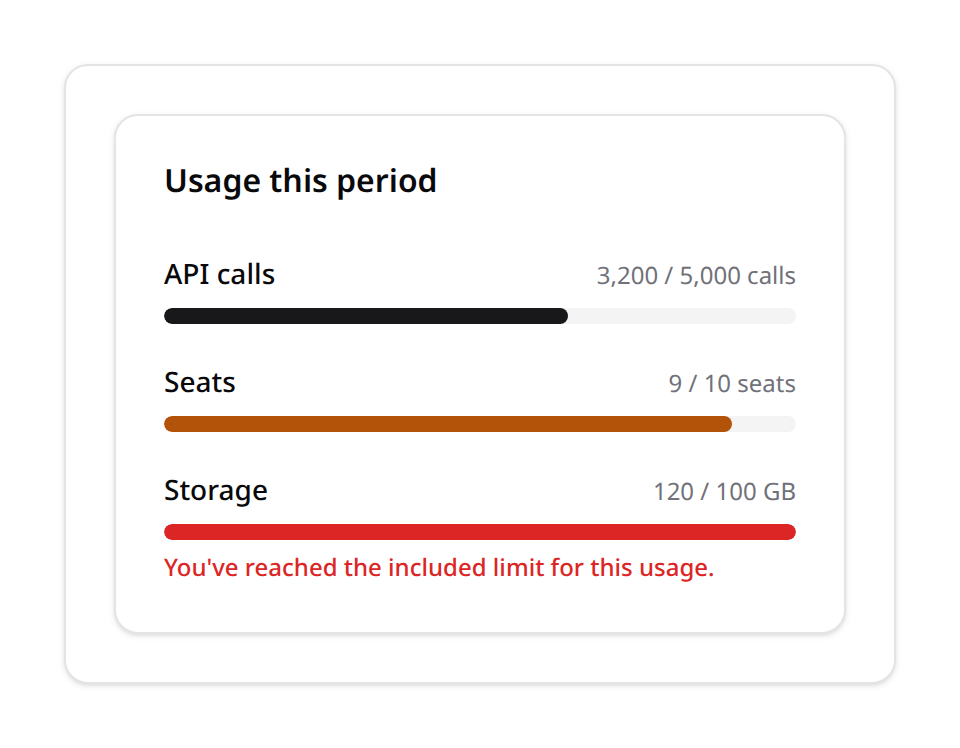
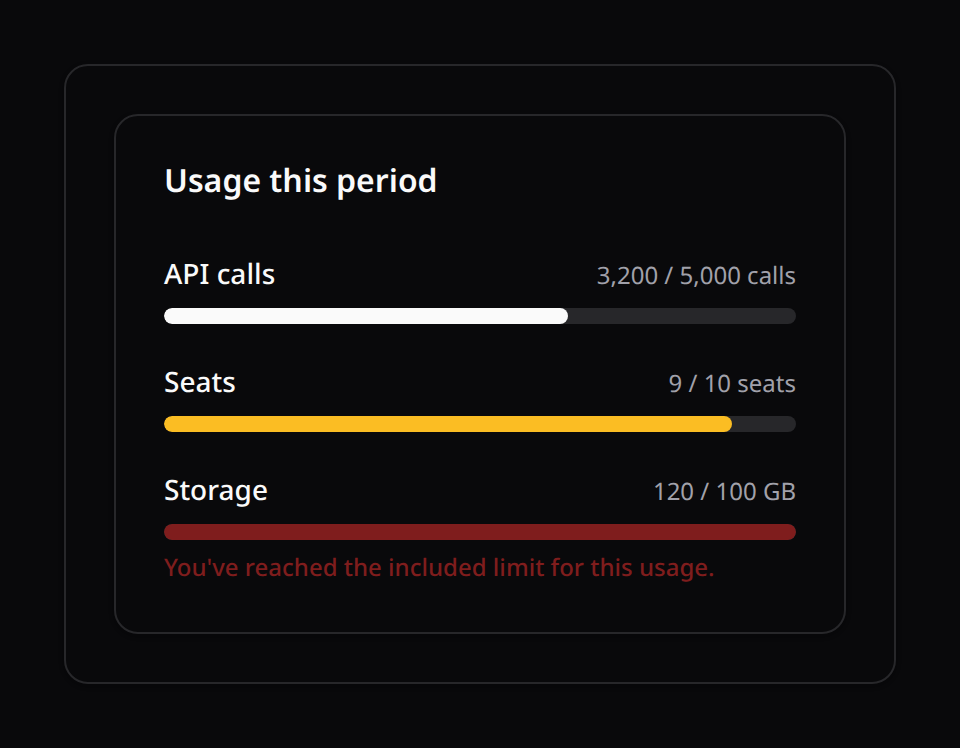
For metered dimensions (API calls, AI messages, storage, …) you usually want a progress bar showing how much of the plan's included allowance has been used — and a way to actually track and enforce that consumption.
Tracking usage & credits (HasMeteredUsage)
Add the trait to the billable (next to HasPlan) and publish the tables (--tag=kinetix-billing-migrations) to get a real consumption backend — counters per metric key that reset each calendar month, plus top-up credits that extend the plan's allowance:
use Happones\Kinetix\Billing\Concerns\HasMeteredUsage;

class Team extends Model // + Billable, HasPlan
{
    use HasMeteredUsage;
}$team->consume('ai_messages'); // record 1 unit — throws (403) past allowance + credits
$team->consume('ai_messages', 5); // record 5 units atomically
$team->canConsume('ai_messages', 5); // graceful pre-check
$team->currentUsage('ai_messages'); // units consumed this month
$team->remainingUsage('ai_messages'); // allowance − used + credits (null = unlimited)
$team->addCredits('ai_messages', 1000); // top-up after a one-off purchase
$team->creditsFor('ai_messages'); // remaining credit balance- The allowance is the plan's
features.usage.{key}(§4); no value = unlimited, and unlimited keys never block or touch credits. - Accounting: the allowance is spent first; only the excess draws credits down. Everything runs in one transaction with row locks, so concurrent consumers can't double-spend. A failed
consume()(UsageLimitExceededException, 403 — carrieskeyandremaining) records nothing. - Credits persist across months; the monthly counter resets by calendar month (
usagePeriodKey()— override for lifetime counters or a billing-cycle anchor). - The trait ships a default
meteredUsage(), so<KinetixUsageMeters>renders one meter per planusage.*key with the REAL tracked numbers — zero extra wiring. With credits on a key, the meter's limit becomesallowance + creditsso the purchased headroom shows.
Custom metrics (meteredUsage() by hand)
When a dimension isn't tracked through consume() (seats = a COUNT, storage = a SUM), override meteredUsage() yourself — it's just a method on the billable:
use Happones\Kinetix\Billing\Plan;
use Happones\Kinetix\Billing\UsageMetric;

class Team extends Model // + Billable, HasPlan
{
    /** @return array<int, UsageMetric> */
    public function meteredUsage(?Plan $plan): array
    {
        return [
            UsageMetric::make('api_calls')
                ->label('API calls')
                ->used($this->apiCallsThisPeriod())
                ->unit('calls'),

            UsageMetric::make('seats')
                ->label('Seats')
                ->used($this->members()->count())
                ->limit(10), // explicit — skips the plan lookup below
        ];
    }
}
Implementing
Happones\Kinetix\Billing\Contracts\ProvidesUsageMetricsis optional (hybrid detection, like Kinetix's other contracts) — any billable exposing ameteredUsage(?Plan $plan): arraymethod is picked up the same way.The limit comes from
UsageMetric::limit()when set; otherwise it falls back to the current plan'sfeatures.usage.{key}(soTeamandPlanstay the single source of truth for allowances — see §4).nullon either side means unlimited.The color defaults to threshold-based (
primaryunder 80%,warning80–99%,dangerat/over the limit) — fully overridable per metric:phpUsageMetric::make('storage')->used($gb)->unit('GB') ->color(fn (float $percent, bool $overLimit) => $overLimit ? 'danger' : 'info');
BillingManager::usage(): array<UsageMetricData> resolves the metrics against the billable's current plan, and BillingController::index() already passes it as the usage prop — mount <KinetixUsageMeters :metrics="usage" /> (§8) to display it; it renders nothing when the array is empty, so it's safe to always include even for apps with no metered pricing.
To actually bill for the usage, report it to Stripe (Cashier's SubscriptionItem::reportUsage()) — typically from a scheduled command or right after the unit of work happens:
BillingManager::for($team)->reportUsage(1, $meteredPriceId);6. Routes
Either flip auto_routes + enabled to true, or register explicitly in a routes file:
\Happones\Kinetix\Billing\BillingRoutes::register();Registers (under the configured prefix/name): index, subscribe, payment-methods.add, payment-methods.remove, invoices.download, cancel, resume, all backed by BillingController → BillingManager.
7. BillingManager
The controller is thin; all Cashier orchestration lives in Happones\Kinetix\Billing\BillingManager. Use it directly anywhere:
use Happones\Kinetix\Billing\BillingManager;

$manager = BillingManager::for($user);          // or BillingManager::resolve()
$manager->plans();                               // Collection<PlanData>
$manager->subscribe('pro', $paymentMethod, 'monthly');
$manager->cancel();
$manager->resume();
$manager->paymentMethods();                      // camelCase arrays for the UI
$manager->invoices();
$manager->subscriptionData();
$manager->usage();                               // array<UsageMetricData> — see §5
$manager->reportUsage(1, $meteredPriceId);        // report to Stripe
subscribe() is smart: a free plan cancels the current subscription (downgrade); when trial_generic is enabled and the plan has trial_days, it sets a generic trial on the billable without creating a Stripe subscription; otherwise a paid plan swaps an existing subscription (resuming first if on a grace period) or creates a new one (requires a payment method).
Full method reference
In addition to the methods above, BillingManager exposes:
| Method | Returns | Purpose |
|---|---|---|
billable() | Model | The resolved billable model instance. |
hasStripeCustomer() | bool | Whether the billable is a real Stripe customer — an empty stripe_id counts as none (see below). |
ensureStripeCustomer() | void | Create the billable as a Stripe customer if it isn't one yet (called automatically before issuing intents/adding cards). |
setupIntent() | mixed | Create a Stripe SetupIntent for collecting a card (ensures the customer first). |
defaultPaymentMethodId() | ?string | Id of the billable's default payment method, or null. |
addPaymentMethod(string $paymentMethod) | void | Attach a payment method; sets it as default if none exists yet. |
removePaymentMethod(string $id) | void | Detach the payment method with the given id. |
downloadInvoice(string $invoiceId) | mixed | Streamed PDF download response for the invoice (vendor/product set from config). |
usage() | array<UsageMetricData> | Metered usage metrics resolved against the current plan (empty unless the billable reports usage — see §5). |
reportUsage(int $quantity = 1, ?string $priceId = null) | void | Report metered usage to Stripe via Cashier's SubscriptionItem::reportUsage(). No-op without an active subscription. |
Empty strings are not ids
Everywhere Kinetix reads a Stripe identifier it treats blank as absent, not as a value — '' is what a form default, a CSV import or a fill() leaves in a column, and passing it on produces an opaque Stripe API error far from the cause:
- A blank
stripe_idis not a customer:ensureStripeCustomer()creates one. It also clears the blank id first, because Cashier's ownhasStripeId()is a plain null check, socreateAsStripeCustomer()would otherwise throwCustomerAlreadyCreatedand leave the billable permanently stuck. - A blank
payment_methodmeans "none given" —subscribe()takes the no-card path (trial or default card) instead of sending''to Stripe;addPaymentMethod('')fails immediately with a clear message. - A blank Stripe price on a plan means the plan has no price for that cycle (
stripePriceId()returnsnull), sosubscribe()reports exactly that. - A blank subscription price never matches a plan. This one matters beyond ergonomics: plans whose price columns were seeded as
''would all match a blank subscription price and silently grant the wrong plan's features.
8. Vue components
All components are token-only (shadcn semantic tokens) and take labels via props, so they theme and translate cleanly. Import from your published path (@/components/kinetix/...).
| Component | Purpose |
|---|---|
KinetixPricingTable | Responsive grid of plan cards + optional monthly/yearly toggle |
KinetixPlanCard | Single plan: price, highlighted features, capability rows via featureLabels |
KinetixPaymentMethods | Saved cards + add-card via Stripe Elements |
KinetixSubscriptionStatus | Status badge + cancel/resume |
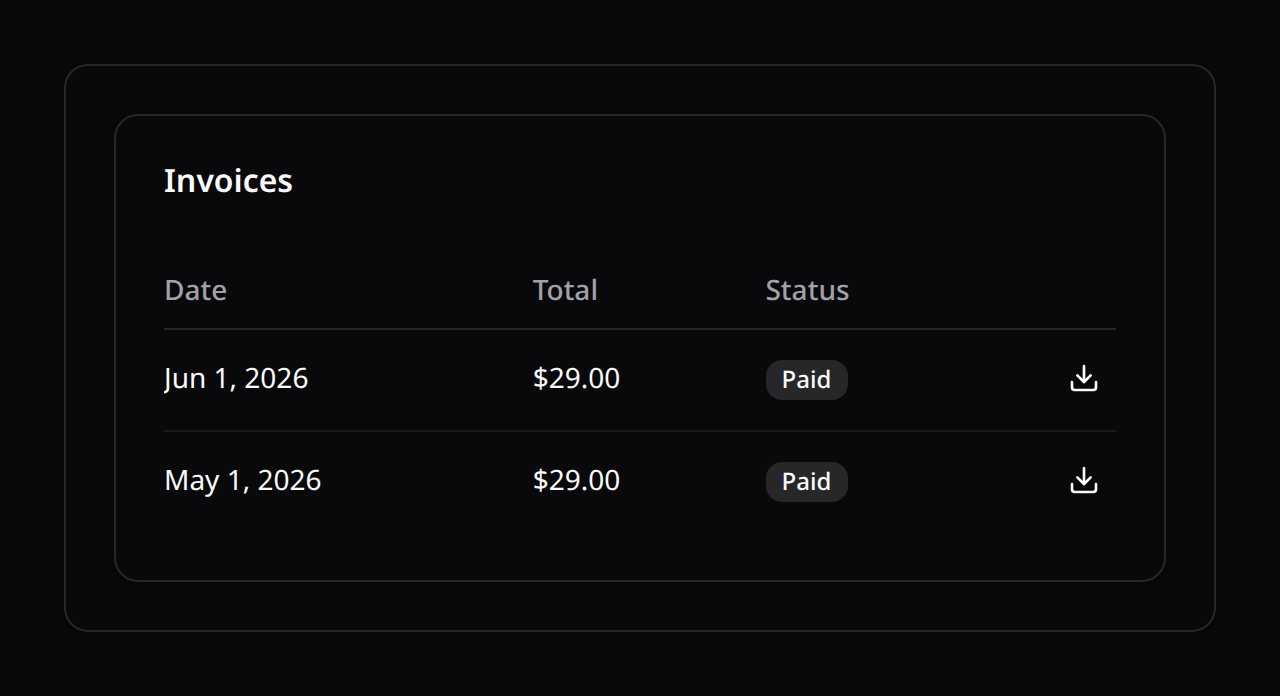
KinetixInvoicesTable | Invoice list with per-row download |
KinetixUsageMeters | Metered-usage progress bars (renders nothing when there's nothing to show) |
KinetixPlanLock | Plan-locked feature UI: card / overlay / banner / badge padlock + upgrade CTA |
KinetixUpgradeModal | The upsell dialog the locks open (also usable standalone) |
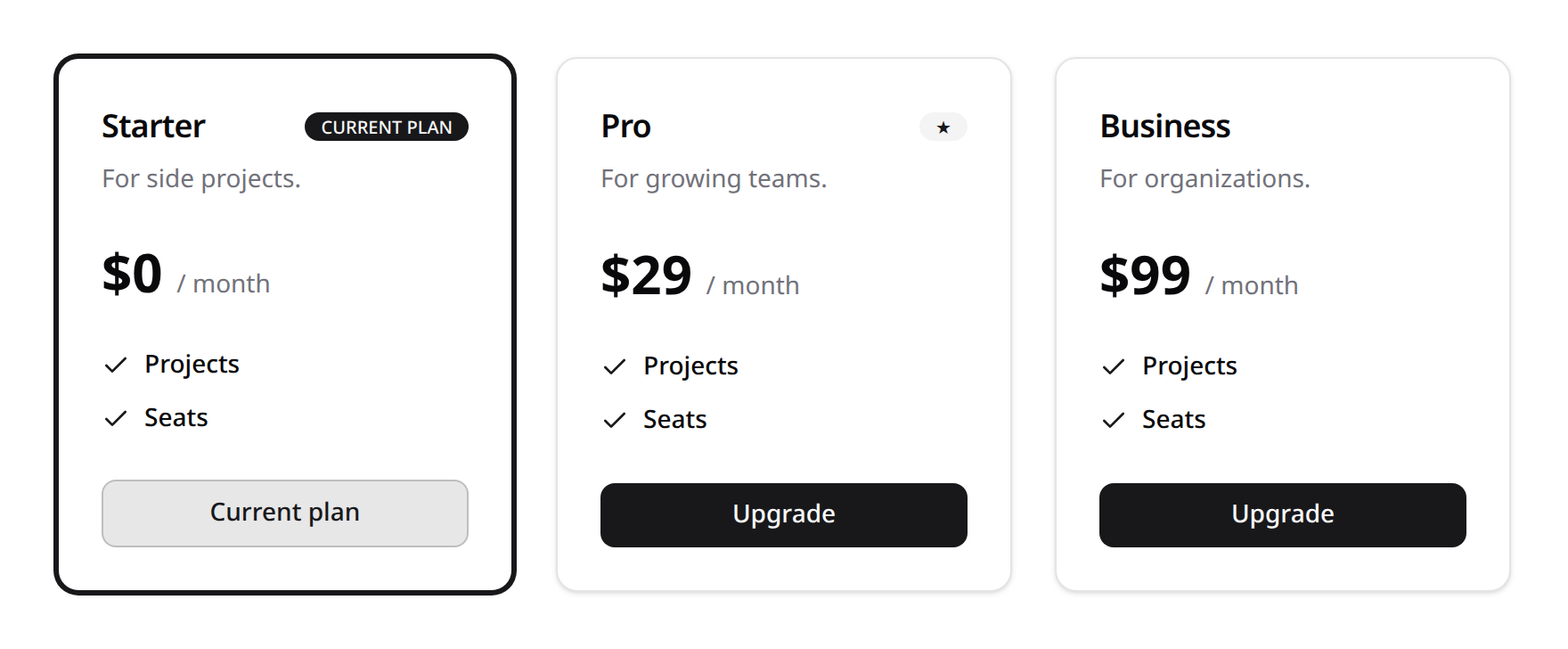
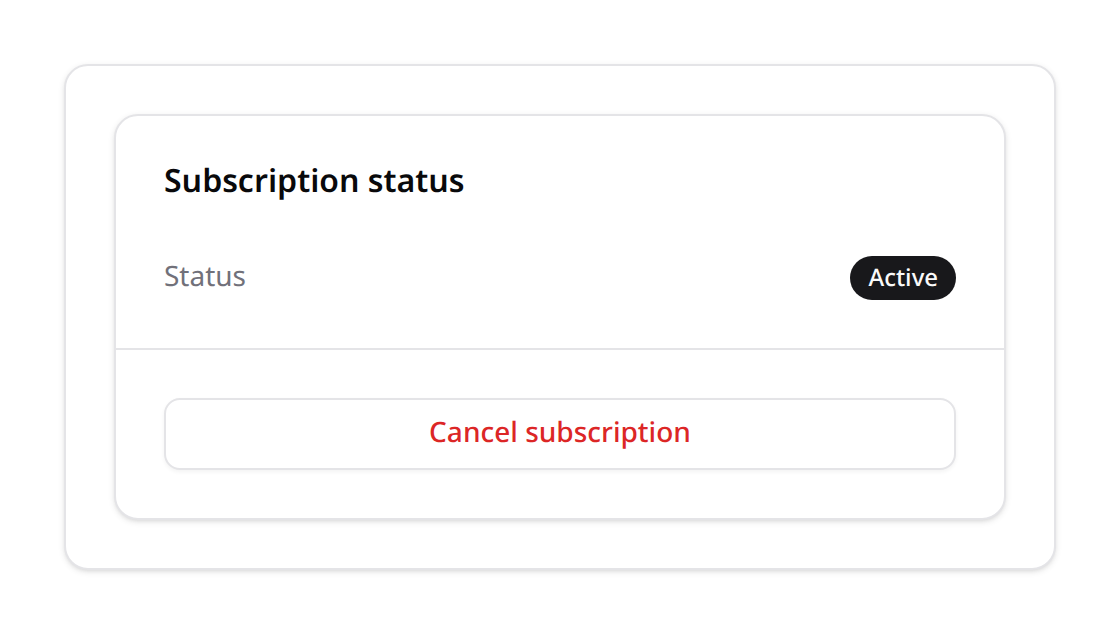
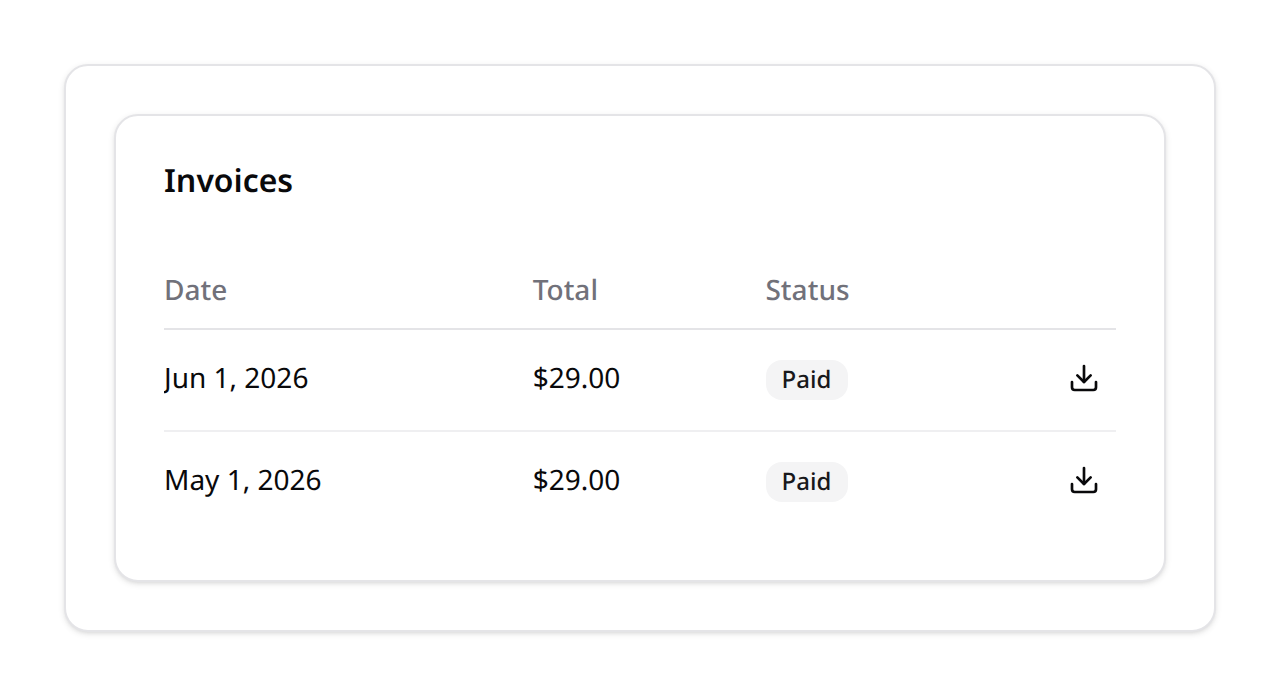
The useKinetixBilling(endpoints) composable centralises the Inertia visits (subscribe/cancel/resume/addPaymentMethod/removePaymentMethod) and exposes a shared processing flag. The scaffolded Billing/Index.vue wires it all together — start there.
Stripe Elements theming (dark/light)
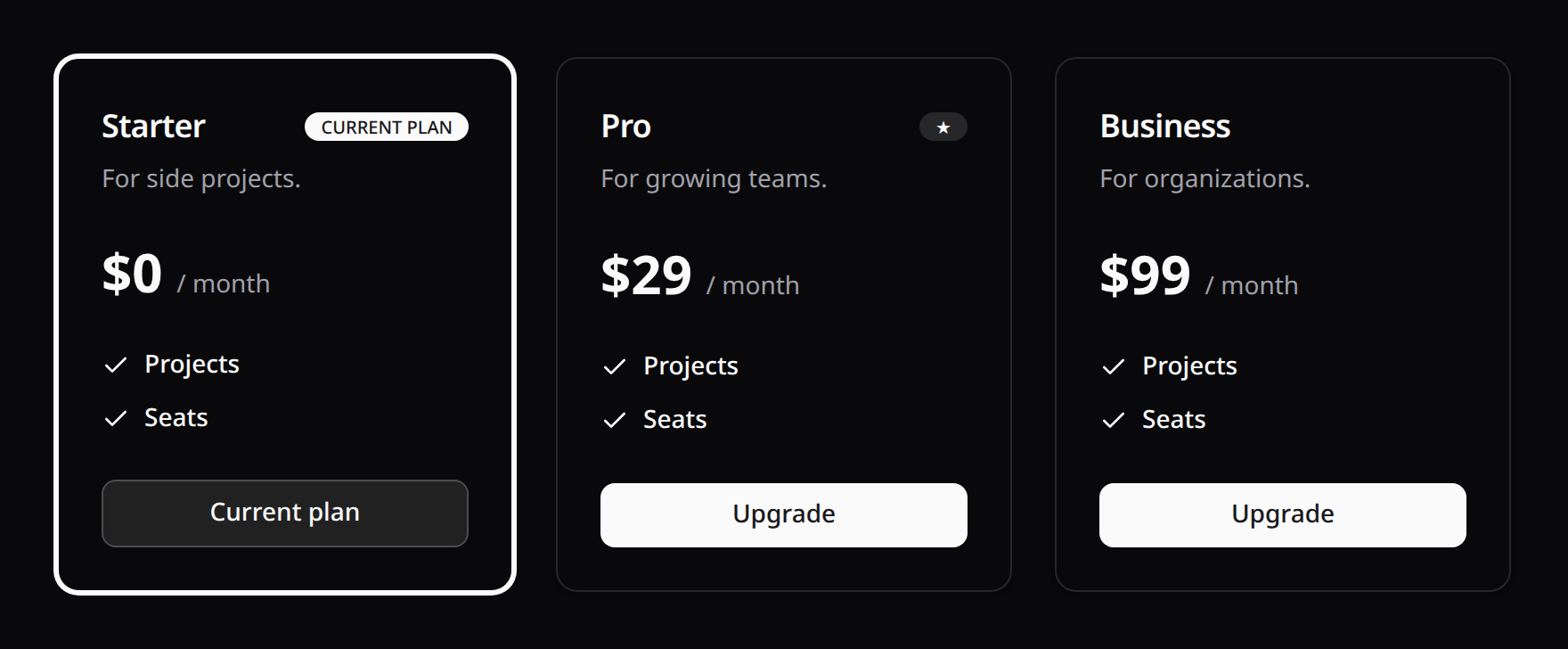
KinetixPaymentMethods mounts the Stripe card field through useKinetixStripe, which reads your live shadcn tokens and resolves them to concrete rgb() colors (the Stripe iframe can't inherit CSS). It also watches <html> for theme changes and restyles the field on the fly, so the card input matches both light and dark mode automatically. Stripe.js is loaded from the global script tag if present, else lazily from @stripe/stripe-js.
9. The kinetix:make-billing command
php artisan kinetix:make-billing            # scaffold resources/js/pages/Billing/Index.vue
php artisan kinetix:make-billing --seeder   # also scaffold database/seeders/PlanSeeder.php
The generated page is a complete, working example wiring every component — customise the featureLabels map and route URLs to taste.