

Announcements
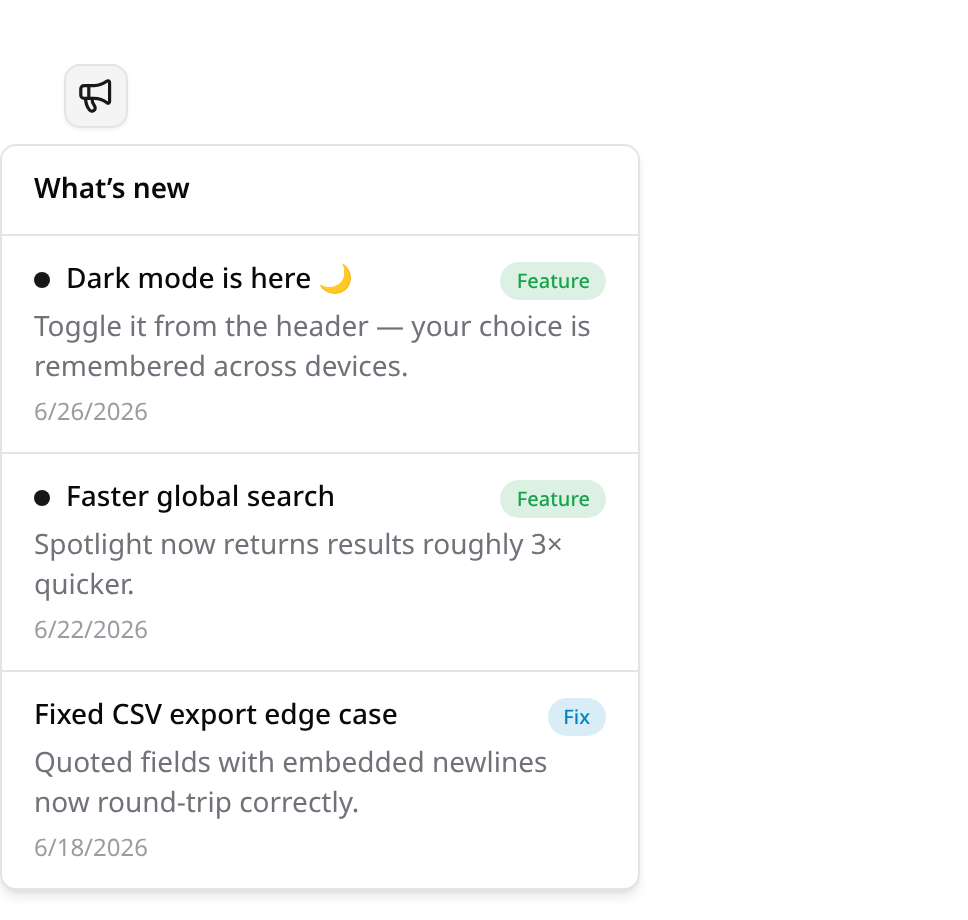
Kinetix Announcements is a "What's new" feed with a per-user unread badge. Publish product updates (features, fixes, news); each user sees a count of entries published since they last opened the feed, which clears when they read it.
Installation
php artisan vendor:publish --tag=kinetix-announcements-migrations
php artisan migrate'announcements' => [
'enabled' => env('KINETIX_ANNOUNCEMENTS_ENABLED', true),
],Publishing from the app
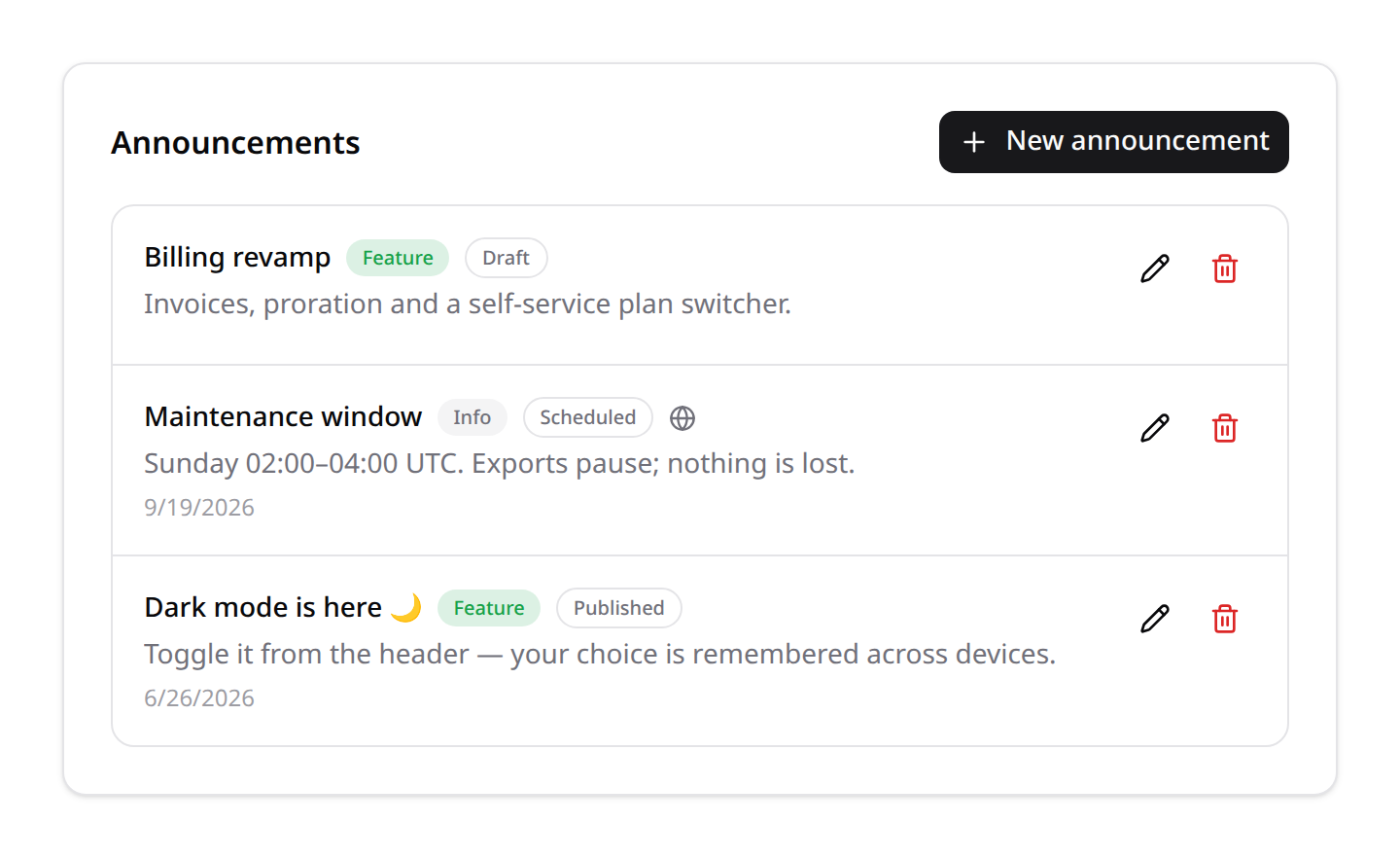
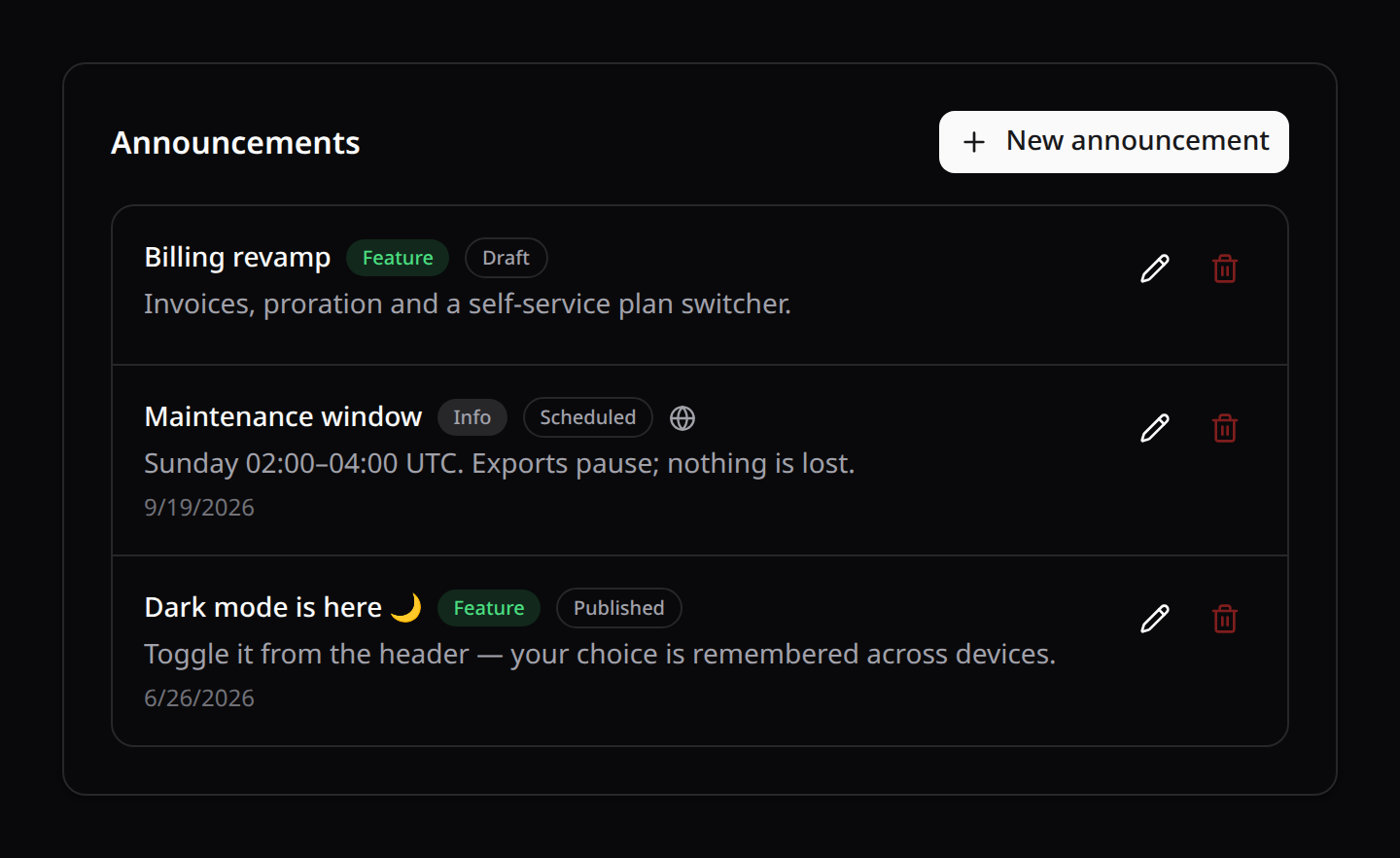
Announcements used to be publish-from-code only, which made every "heads up, maintenance on Sunday" a deploy. <KinetixAnnouncementManager> is the authoring side: write, schedule, edit and delete, from a page in your app.
<script setup lang="ts">
import KinetixAnnouncementManager from '@/components/kinetix/KinetixAnnouncementManager.vue';
</script>

<template>
    <KinetixAnnouncementManager />
</template>
Authoring is gated by the manageKinetixAnnouncements ability, which defaults to local only — so nobody publishes to production by accident before you've decided who may. Define it in AppServiceProvider:
Gate::define('manageKinetixAnnouncements', fn ($user) => $user->isAdmin());The form also sets whether readers may close the entry (on by default) and an optional button: a label plus an app path (/docs/…) or an https:// link. The server accepts nothing else, so a javascript: URL can't get in.
An entry with no publish date is a draft and a future date schedules it; neither reaches a reader's feed until its moment arrives. The list shows drafts and scheduled entries — the reader endpoints never do.
With teams on, a platform-wide entry (team_id NULL) is read-only inside a team: it belongs to every tenant, so editing it from one team would rewrite the message for all of them. Edit those outside a team scope, or from code.
Publishing from code
Publish entries from a seeder, a deploy step, a command — anywhere:
use Happones\Kinetix\Announcements\KinetixAnnouncements;

KinetixAnnouncements::publish(
    'Dark mode is here 🌙',
    'Toggle it from the header — your choice is remembered across devices.',
    'feature',                       // 'info' (default) | 'feature' | 'fix'
);

// Schedule one for later:
KinetixAnnouncements::publish('Maintenance window', '…', 'info', now()->addDay());

// …and let it go when it stops being news:
KinetixAnnouncements::publish(
    'Maintenance window',
    'Sunday 02:00–04:00 UTC.',
    'info',
    now(),
    now()->addWeek(),                // expires_at
);
A notice can carry a button, and one readers mustn't close can say so:
KinetixAnnouncements::publishGlobally(
    __('notices.rotate_keys_title'),
    __('notices.rotate_keys_body'),
    'fix',
    dismissible: false,                  // no close button in the banner
    actionLabel: __('notices.rotate_now'),
    actionUrl: '/settings/tokens',       // an app path or an http(s) link
);
Only entries with a past published_at are shown; a null value is a draft. expires_at is the other end: once it passes, the entry leaves every feed, banner and unread count on its own. null (the default) never expires — which is right for "v2.0 is here", and wrong for "maintenance on Sunday".
The feed returns the 20 most recent entries; ?limit= overrides it up to 50, and announcements.feed_limit changes the default. There is no cursor: a "what's new" feed is the last handful of entries, not an archive — and with expires_at doing its job, old news stops accumulating in the first place.
Markdown bodies
A body is Markdown: bold, italics, links, lists and code all render, in the banner and the "What's new" popover. The server renders it to safe HTML (raw HTML in the body is stripped, and javascript: / data: links are dropped), and a single line break stays a line break, so a body written as plain text reads exactly as before. The authoring form says so under the message field.
KinetixAnnouncements::publish(
    __('news.exports_title'),
    __('news.exports_body'), // "Exports are **3× faster**. See [the guide](/docs/export)."
    'feature',
);
Turn it off to show bodies exactly as typed:
'announcements' => [
    'markdown' => env('KINETIX_ANNOUNCEMENTS_MARKDOWN', true),
],
Levels
A level picks the entry's color and icon. The defaults are info (neutral), feature (success, sparkles) and fix (info, wrench); add your own in config, and the authoring form offers them:
'announcements' => [
    'levels' => [
        'info'        => ['color' => 'gray', 'icon' => 'info'],
        'feature'     => ['color' => 'success', 'icon' => 'sparkles'],
        'fix'         => ['color' => 'info', 'icon' => 'wrench'],
        'maintenance' => ['color' => 'warning', 'icon' => 'wrench'],
    ],
],
color is a status color (success, danger, warning, info, primary, gray) and icon any icon name Kinetix resolves (see Icons). Label a level in your lang file as kinetix.announcements_level_{slug}; without one the slug shows. An entry published from code with a level the config doesn't list reads as neutral.
Multi-tenant
With kinetix.teams on, an announcement belongs to the team it was published from, and a NULL team is platform-wide — shown in every team's feed. A user's feed is their team's entries plus the global ones; another team's are never visible.
// Scoped to the team the request is serving.
KinetixAnnouncements::publish('New export format', '…');

// Platform-wide — every tenant sees it. This is what a deploy step or seeder
// wants, and what `publish()` falls back to anyway when there is no team
// context (no request, no currentTeam).
KinetixAnnouncements::publishGlobally('v2.0 is here 🎉', '…', 'feature');
Upgrading an existing install:
php artisan vendor:publish --tag=kinetix-announcements-migrations --force
php artisan migrate
The same publish brings the display columns (dismissible, action_label, action_url); existing entries stay closable and get no button.
Additive and idempotent — existing entries keep team_id NULL, so they stay platform-wide and every feed keeps showing them. The same publish brings the per-team read state, the banner's dismissals table and the feed index; nothing re-appears as unread after the upgrade.
The component
Mount the "What's new" trigger in your app header:
<script setup lang="ts">
import KinetixAnnouncements from '@/components/kinetix/KinetixAnnouncements.vue';
</script>

<template>
    <KinetixAnnouncements />
</template>
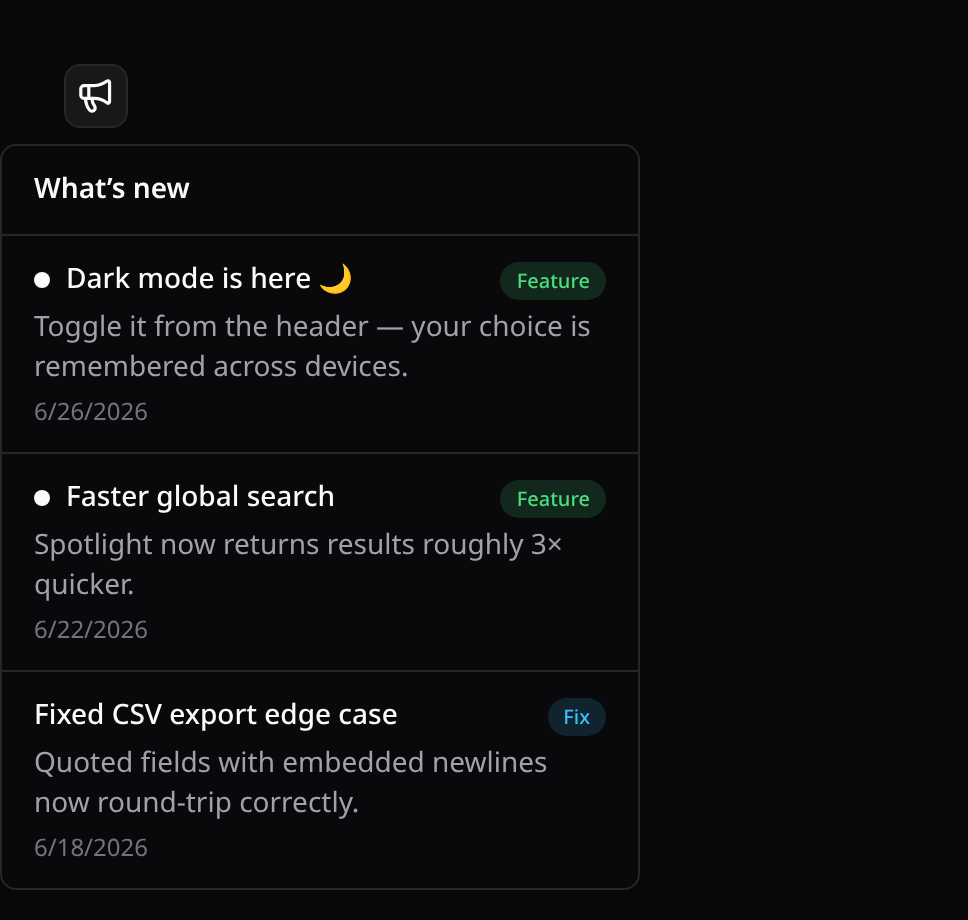
It shows a megaphone icon with an unread badge; opening the popover lists the published feed (new entries get a dot + the badge clears by marking the feed seen). useKinetixAnnouncements() exposes { announcements, unread, loading, load, markSeen } for a custom UI. Strings are localized (announcements_*, 7 locales).
The banner
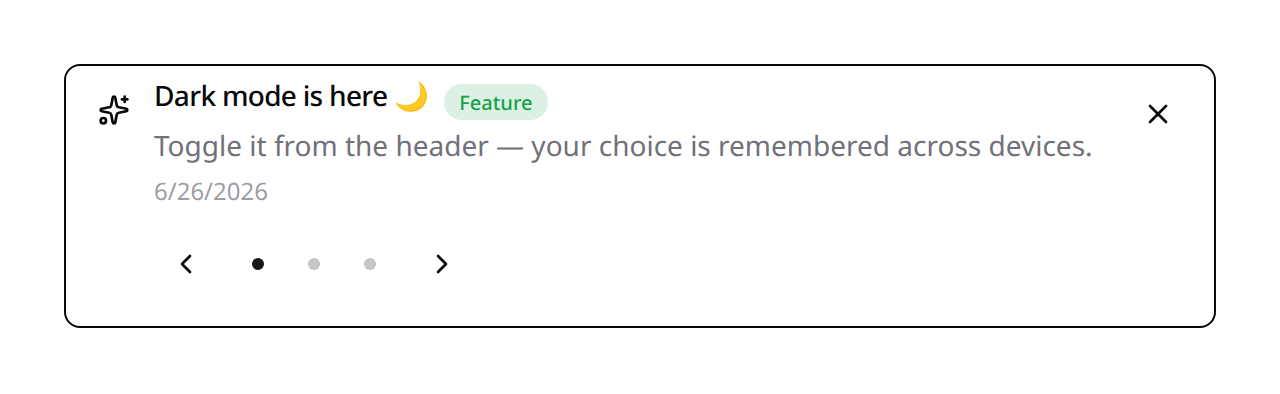
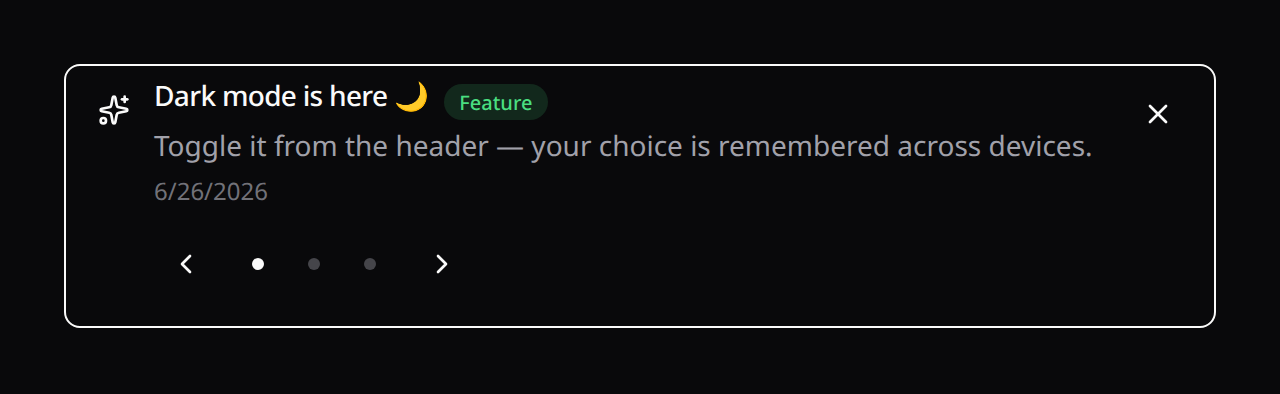
The popover waits to be opened — fine for a changelog, useless for something the user has to read. <KinetixAnnouncementBanner> puts the message inside the page instead: one entry at a time, rotating through the rest when there is more than one.
<script setup lang="ts">
import KinetixAnnouncementBanner from '@/components/kinetix/KinetixAnnouncementBanner.vue';
</script>

<template>
    <!-- Everything is optional: these are the defaults. -->
    <KinetixAnnouncementBanner :autoplay="8000" dismissible />

    <!-- Only what matters, no rotation clock: -->
    <KinetixAnnouncementBanner :levels="['feature', 'fix']" :autoplay="0" />
</template>| Prop | Default | What it does |
|---|---|---|
limit | config | How many entries rotate; unset = banner_limit (3) |
levels | all | Restrict to these levels |
autoplay | 8000 | Rotation interval in ms; 0 turns auto-rotation off |
dismissible | true | Show the close button |
dismissMode | permanent | How long a close lasts (see Closing) |
dismissDuration | — | ms until a session/device close lapses |
dontShowAgain | false | Add a "Don't show again" link (closes for good) |
position | inline | inline or fixed-top (see below) |
fixedWidthClass | max-w-3xl | Width of the pinned bar |
variant | plain | soft, outline or accent color the surface by level |
transition | per position | Enter/leave preset; slide-down pinned, fade inline |
slideTransition | fade | How one entry gives way to the next |
indicators | auto | dots, counter ("2 / 7") or auto (see below) |
class | — | Merged onto the alert surface |
On a phone
The banner takes its width from the page, never from its controls, so it fits any column without pushing the page sideways. A rotating banner shows one dot per entry — each a 24px target, the WCAG minimum — next to the arrows; once the controls have less than 25rem of room (a phone, a narrow sidebar), auto swaps the dots for a "2 / 7" counter. The arrows, the pause button and the screen-reader position ("2 of 7") stay. indicators="dots" keeps the dots at every width (they wrap onto a second line instead of overflowing), and indicators="counter" always shows the counter.
<KinetixAnnouncementBanner indicators="counter" />A long word, URL or button label wraps too.
Pinned to the top
position="fixed-top" pins the banner to the top of the viewport instead of leaving it in the page flow — for the announcement everyone has to see, whatever page they're on. Mount it once in your layout:
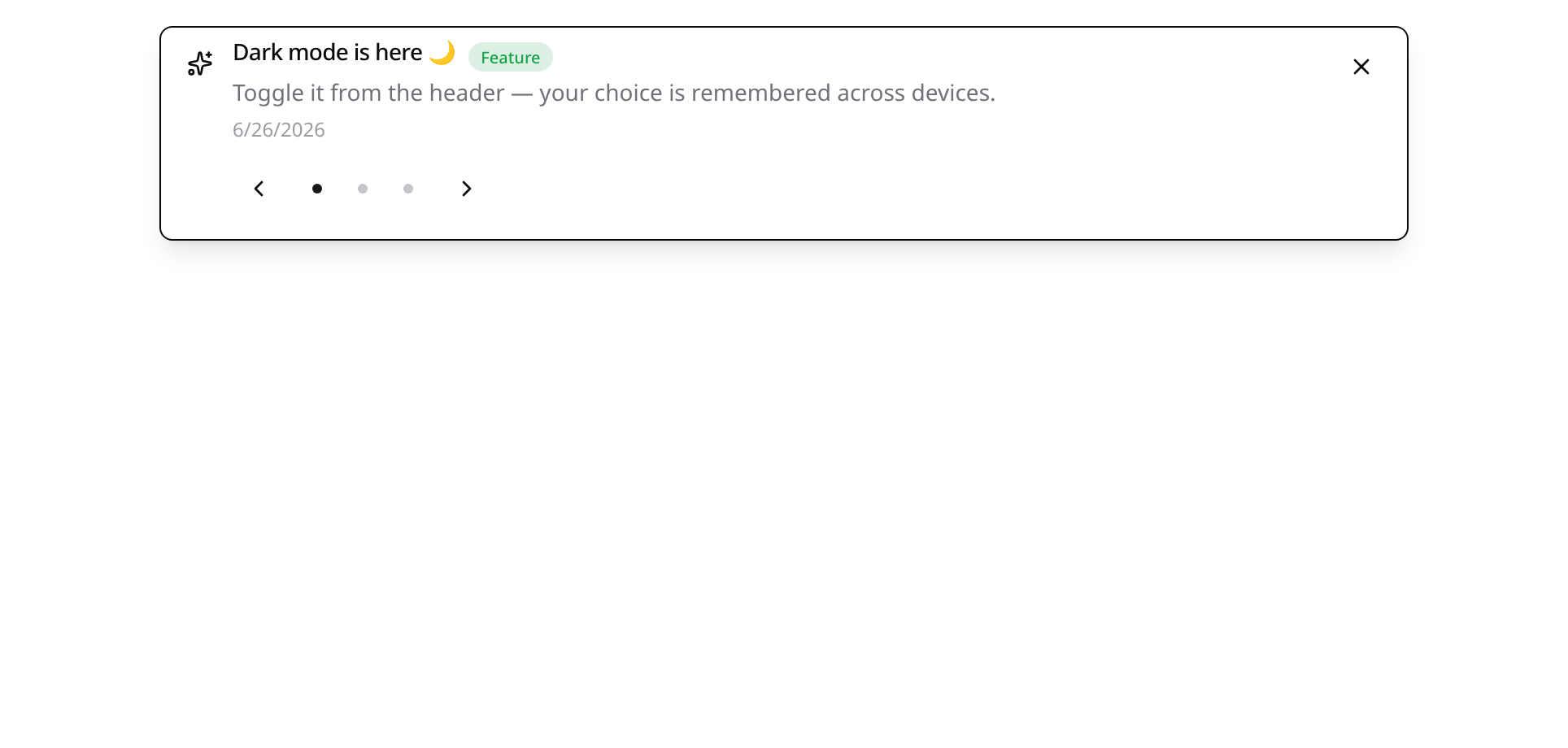
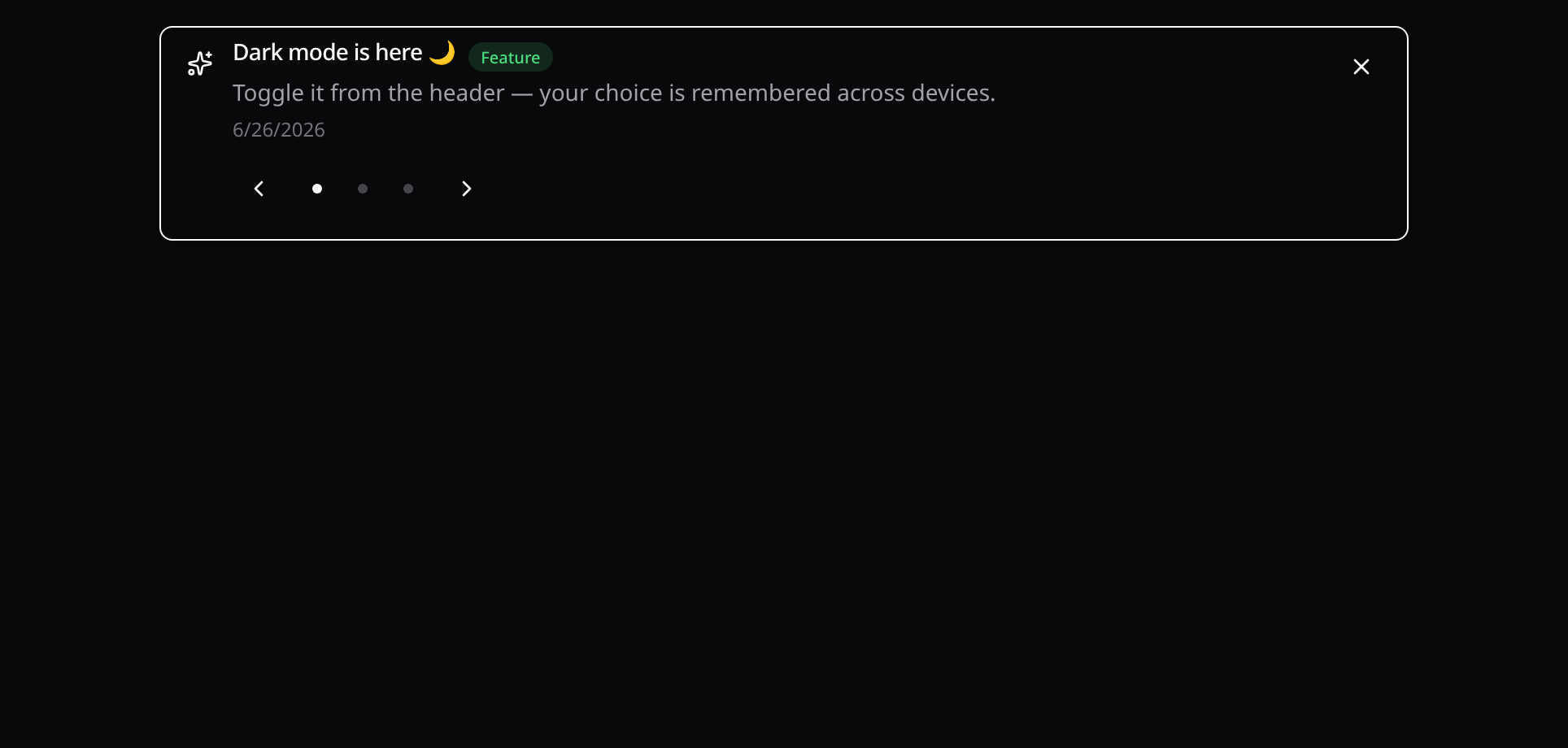
<KinetixAnnouncementBanner position="fixed-top" :levels="['info']" />It sits above the page and below Kinetix's own overlays, so a modal or a dropdown still covers it. Because a pinned bar hides whatever is under it, the component publishes its measured height (it changes as entries wrap) as --kinetix-announcement-banner-height on <html> — reserve the space in your layout and get it back the moment the banner is dismissed:
.app-shell {
    padding-top: var(--kinetix-announcement-banner-height, 0px);
}
Level colors and buttons
variant="soft" (or outline, accent) colors the banner with each entry's level, the same surfaces as <KinetixAlert>. The default plain keeps the neutral surface. A pinned bar stays opaque under a tinted surface. There is no solid banner: the carousel's dots and arrows are drawn for a light surface.
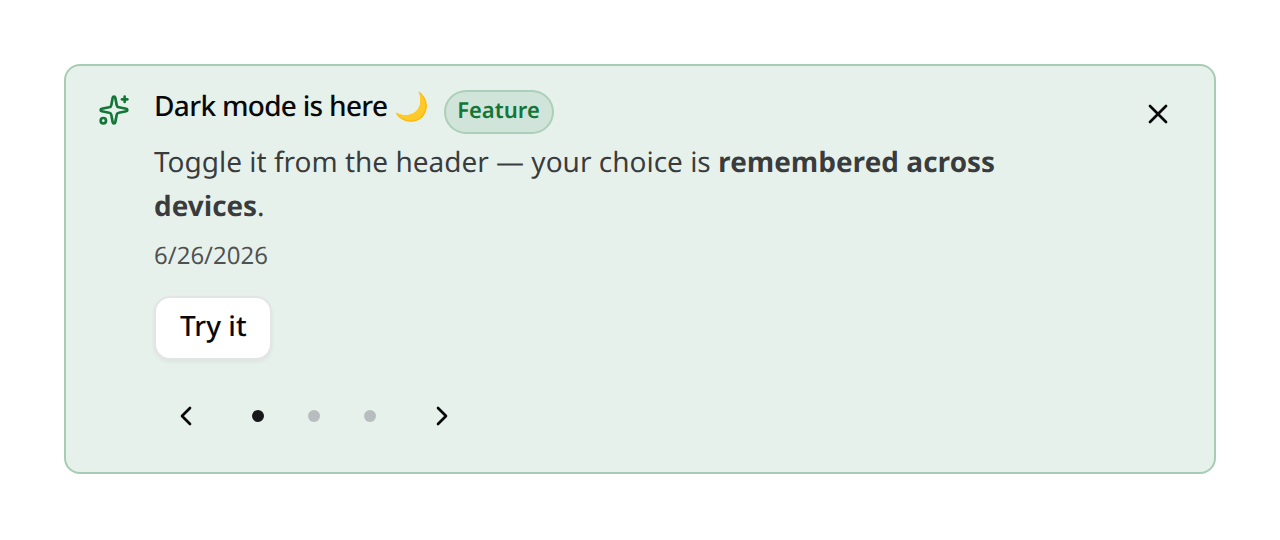
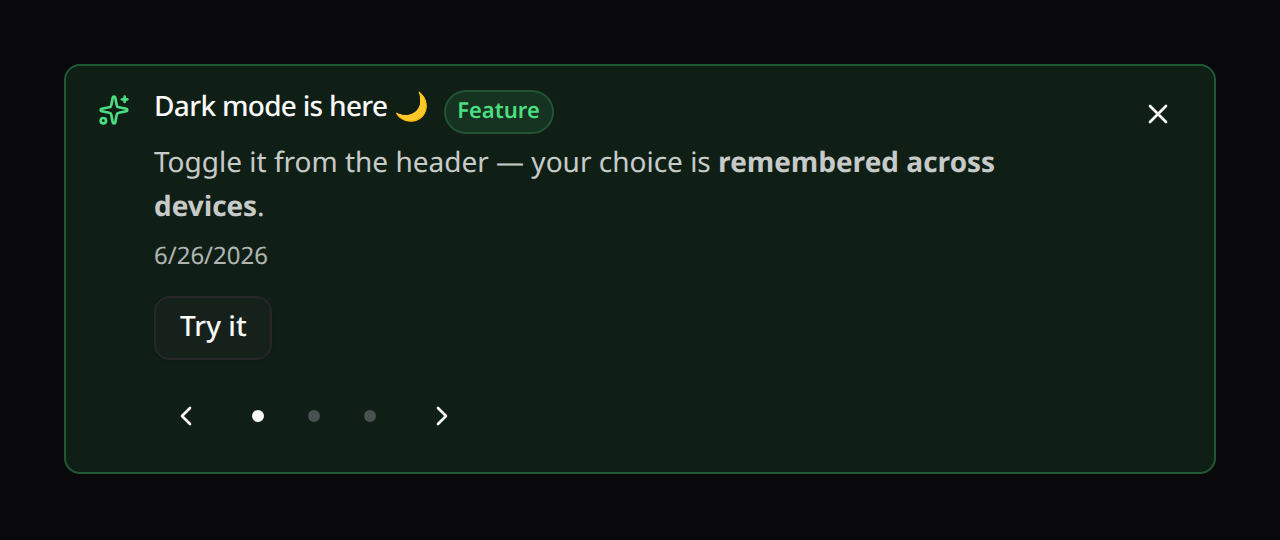
<KinetixAnnouncementBanner position="fixed-top" variant="soft" />An entry with an action shows it as a button under the message, in the banner and in the "What's new" popover. An entry marked not closable shows no close button and no "Don't show again" link.
Closing
Closing is per announcement, unlike the popover's single "I read the feed" timestamp: it hides that entry and leaves the unread badge alone. By default it lasts, for that user on every device. dismissMode makes it shorter:
dismissMode | The entry stays closed |
|---|---|
permanent (default) | For the account, on every device (server) |
device | In this browser, across tabs and restarts |
session | For this browser tab |
hide | Until the banner mounts again (next page) |
A device or session close takes dismissDuration (ms) to come back on its own. A "maintenance tonight" entry can be hidden for an hour without being gone for good.
dontShowAgain lets the user pick: the ✕ hides the entry for now, and a Don't show again link closes it for good.
<KinetixAnnouncementBanner dismiss-mode="session" dont-show-again />The banner renders from the page payload, and Inertia keeps that payload in the browser history, so pressing Back used to bring a closed entry back with the page it was on. The tab now remembers every close and filters any payload through it.
Motion and keyboard
Rotation pauses on hover and on keyboard focus, has an explicit pause button, and is turned off entirely under reduced motion: the OS setting, the user's Reduce motion preference, or kinetix.motion = 'reduced'. Those users still get the arrows and dots. Left/right arrow keys move between entries. The enter/leave and slide-change animations are presets (Alerts → Animations); none turns either off.
When the close button had focus, focus stays on the banner while other entries remain, so the next one is read out. After the last one it moves to the next control on the page. Each close is announced to screen readers.
useKinetixAnnouncementBanner({ limit, levels }) exposes { announcements, loading, load, dismiss } if you'd rather build your own. dismiss(entry, mode = 'permanent', duration = null) takes the same modes.
The default limit comes from config when the component doesn't pass one — set it there rather than on the component. The page payload carries banner_limit entries, so a banner that follows it renders without a request; a limit prop that disagrees with it has to fetch on every mount:
'announcements' => [
    'enabled'      => env('KINETIX_ANNOUNCEMENTS_ENABLED', true),
    'banner_limit' => env('KINETIX_ANNOUNCEMENTS_BANNER_LIMIT', 3),
],
What it costs to mount
Both components used to fetch on mount, so a header that's re-created on every page (an Inertia layout that isn't persistent) meant one request per navigation, for a feed that changes maybe weekly.
Kinetix now ships the unread count and the banner feed on every Inertia response as kinetix_announcements:
- The header trigger renders its badge straight from the payload and fetches the list only when the popover is opened — once, not on every open. A header nobody clicks costs zero requests.
- The banner renders from the payload too, unless you narrow it with
levelsor alimitthat differs fromannouncements.banner_limit— then only the server can answer, so it fetches.
'announcements' => [
    'share' => env('KINETIX_ANNOUNCEMENTS_SHARE', true),
],
Turn share off and the payload is null; both components fall back to fetching for themselves, exactly as before. That's the trade: a couple of indexed queries per Inertia response, or a round-trip per component mount.
How "unread" works
Each user has a last-seen timestamp per team, plus one for the platform-wide entries. An announcement is new to them when its published_at is later than the timestamp of the pool it belongs to (everything is new until they first open the feed). Opening the popover updates both, so:
- reading team A's feed never clears team B's badge — the two teams track their own state;
- the platform-wide entries are read once, not once per team.
Dismissing a banner is separate and per announcement: it hides that entry from that user's banner without touching the unread count.
Endpoints
Registered under your Kinetix prefix ({current_team}/_kinetix/announcements with teams on). The feed is scoped to the active team plus the platform-wide entries:
| Method | Route | Name | Gated by |
|---|---|---|---|
GET | {prefix}/announcements | kinetix.announcements.index | auth |
GET | {prefix}/announcements/banner | kinetix.announcements.banner | auth |
POST | {prefix}/announcements/seen | kinetix.announcements.seen | auth |
POST | {prefix}/announcements/{id}/dismiss | kinetix.announcements.dismiss | auth |
GET | {prefix}/announcements/manage | kinetix.announcements.manage | manageKinetixAnnouncements |
POST | {prefix}/announcements | kinetix.announcements.store | manageKinetixAnnouncements |
PUT | {prefix}/announcements/{id} | kinetix.announcements.update | manageKinetixAnnouncements |
DELETE | {prefix}/announcements/{id} | kinetix.announcements.destroy | manageKinetixAnnouncements |
Every reader entry carries bodyHtml (the rendered Markdown, or null when markdown is off) next to the raw body.
index returns the published feed (each with an isNew flag) plus the unread count; banner returns the published entries the user hasn't dismissed (?limit=, ?levels=feature,fix); seen marks the feed read; dismiss hides one entry. An id from another tenant is a 404 — dismiss resolves through the same team-scoped query the feed uses.
manage returns the authoring list (drafts and scheduled entries included, each with a status and isGlobal) plus teamScoped, the configured levels and whether bodies are markdown; store/update take title, body, level, a nullable published_at and expires_at, and the optional dismissible, action_label and action_url. Deleting an announcement also deletes its dismissals.