

Kinetix Tables
Kinetix provides a powerful, Eloquent-driven, and highly interactive Tables system. Using a fluent PHP builder API, you configure columns, filters, and actions, serialize the configuration and data to JSON, and render a responsive, features-rich grid using Vue 3, Inertia.js 3, and TypeScript.
Key Features
- Fluent Schema Definitions: Define columns, filters, and row-level actions with chaining methods.
- Eager Loaded Relationships: Safe dot-notation (e.g.
author.name) displays relationship values without N+1 queries — Kinetix derives thewith()from the columns you declared, so it needs no configuration and can't drift from what is rendered. - Dynamic Inline Editing: Editable columns (Selects, Toggles, Text Inputs, Checkboxes) automatically perform background XHR updates to the database.
- Security Signatures: Eloquent model namespaces are securely encrypted on serialization, preventing client-side database class tampering.
- Client-Side Column visibility: Built-in column toggling lets users hide and show columns locally in the browser.
- Interactive Headers: Header triggers automate debounced searching, column visibility, active filters, and sorting.
- Stat cards: Optional KPI cards above the table (counts, sums, averages, with conditions) that fold into a single extra query no matter how many you declare. See Stat cards.
Basic Usage
1. Build the Table on the Backend
In your controller, define the Table query, register the columns/filters/actions, and pass the configuration to your Inertia page:
use Happones\Kinetix\Tables\Table;
use Happones\Kinetix\Tables\Columns\TextColumn;
use Happones\Kinetix\Tables\Columns\IconColumn;
use Happones\Kinetix\Tables\Columns\ToggleColumn;
use Happones\Kinetix\Tables\Filters\SelectFilter;
use Happones\Kinetix\Actions\Action;
use App\Models\Post;

public function index()
{
    // `with('author')` is optional — the table eager-loads the relations behind
    // its dot-notation columns automatically. Pass your own for anything else.
    $table = Table::make(Post::query())
        ->heading('Blog Posts')
        ->description('Manage your application articles.')
        ->striped()
        ->stickyActions() // optional: pin the actions column while scrolling horizontally
        ->columns([
            TextColumn::make('title')
                ->searchable()
                ->sortable(),

            TextColumn::make('author.name')
                ->label('Author'),

            TextColumn::make('status')
                ->badge()
                ->badgeColor(fn ($state) => match ($state) {
                    'published' => 'success',
                    'draft' => 'gray',
                    default => 'warning',
                }),

            ToggleColumn::make('is_featured')
                ->label('Featured'),
        ])
        ->filters([
            SelectFilter::make('status')
                ->options([
                    'draft' => 'Draft',
                    'published' => 'Published',
                ]),
        ])
        ->recordActions([
            Action::make('edit')
                ->icon('edit')
                ->url(fn ($record) => route('posts.edit', $record)),
        ]);

    return inertia('Posts/Index', [
        'postsTable' => $table->toArray(),
    ]);
}
2. Render the Table in Vue 3
Import KinetixTable and bind the serialized table prop:
<script setup lang="ts">
import KinetixTable from '@/components/kinetix/KinetixTable.vue';
import type { KinetixTableData } from '@/types/kinetix';

defineProps<{
    postsTable: KinetixTableData;
}>();
</script>

<template>
    <div class="py-12 max-w-7xl mx-auto px-4">
        <KinetixTable :table="postsTable" />
    </div>
</template>
Wide tables & min-w-0
KinetixTable scrolls a too-wide table inside its own card (an overflow-x-auto container), and the card carries min-w-0 max-w-full so it can shrink to the available width. But a flex ancestor won't let it: a flex item defaults to min-width: auto and refuses to shrink below its content, so a wide table makes the whole column grow and the page overflows the viewport instead of scrolling locally.
The fix is min-w-0 on the flex chain between your layout and the table. The scaffolded page already applies it (flex … min-w-0 …); if you render <KinetixTable> inside your own layout, add min-w-0 to the flex content column (a common starter-kit gotcha where the <main>/content flex item is missing it):
<div class="flex min-w-0 flex-1 flex-col">
    <KinetixTable :table="postsTable" />
</div>
Laravel starter kit? Its SidebarInset.vue / AppContent.vue content wrappers ship without min-w-0 — see the exact one-line patch for each in Starter kit → Wide tables & the min-w-0 layout fix.
Rendering Modes: Server-driven vs Client-side
By default Kinetix Tables are server-driven: search, sort, filtering and pagination run at the database level, and each interaction is an Inertia partial reload. This scales to large datasets and keeps state in the URL (shareable/back-button friendly).
For small, fully-loadable datasets, opt into client-side mode with ->clientSide(). The full (capped) result set is shipped once and a TanStack Table engine handles search / sort / pagination entirely in the browser — no round-trip per interaction:
Table::make(Team::query())
    ->columns([
        TextColumn::make('name')->searchable()->sortable(),
        TextColumn::make('members_count')->sortable(),
    ])
    ->clientSide();          // ship all rows; browser does the rest

Table::make(Country::query())->clientSide(max: 300);   // lower the safety cap (default 500)
The same PHP Table API drives both modes — you only add ->clientSide(). The frontend <KinetixTable> component is unchanged; it lazy-loads the TanStack-backed renderer only when a table is client-side, so the dependency is code-split off the server-driven path.
Install the optional peer
Client-side mode needs @tanstack/vue-table in your app (npm install @tanstack/vue-table, or php artisan kinetix:install --tanstack). It's an optional peer dependency — server-driven tables never load it.
When to use which:
| Server-driven (default) | Client-side (->clientSide()) | |
|---|---|---|
| Dataset size | Any (DB-paginated) | Small (≤ the cap, default 500 rows) |
| Search / sort / paginate | Database, per interaction | In-browser, instant |
| Interactive filters, saved views, polling, reorder, bulk actions | ✅ | — (use server mode) |
| Sort accuracy | Exact (DB-level) | On the displayed value (formatted); for exact numeric/date ordering keep server mode |
Client-side mode covers search, sort, pagination, column visibility, row actions and row clicks. For heavy interactive filtering or very large data, stay server-driven.
Presenting Rows Through an API Resource
An app that already shapes its models with Laravel API resources can show a table through the same resource:
use App\Http\Resources\PostResource;

Table::make(Post::query())
    ->apiResource(PostResource::class)
    ->columns([
        TextColumn::make('title')->searchable()->sortable(),
        TextColumn::make('author.name'),     // PostResource's `author` key
        TextColumn::make('published_label'), // a key the resource computes
    ]);
Each column reads its value from the array the resource returns, resolved as a JSON response would resolve it: nested resources and collections through their own toArray(), and whenLoaded() / when() values dropped when they don't apply. Dates and enums stay objects, so date and badge formatting still work.
- The resource decides what the table shows. A key it doesn't return is an empty cell. The column never reads the model's own attribute, so what the resource leaves out (a secret, an internal flag) stays out.
- The table still works on the model. It queries, searches, sorts, filters and paginates the model. Record actions,
visible()/authorize()closures, policies, bulk actions and inline edits all get the model, as without a resource. - Search and sort run in the database. Keep
searchable()on columns named after a real attribute, and sort a key the resource computes withsortable(using: fn (Builder $query, string $direction) => …). - Relations a dot column names are eager-loaded (
author.nameloadsauthor), sowhenLoaded('author')in the resource has it. Add others withwith([...]). - A
state()closure gets the model, not the resource's array.
A resource whose constructor needs more than the model is built by a closure:
->apiResource(fn (Post $post) => new PostResource($post, app()->getLocale()))A list your controller fetches
When the controller already builds the list — its own query, policies and pagination — the table can render the collection it returns:
// PostsTable extends Table: its columns, filters and actions in
// buildColumns() / buildFilters() / buildRecordActions().

public function index(Request $request, Team $team)
{
    $table = PostsTable::make(Post::class);

    // Your query, with the search, sort, filters and page the user picked.
    $posts = $table->paginate($table->applyTo(
        Post::query()->whereBelongsTo($team)->with('author'),
    ));

    return Inertia::render('Posts/Index', [
        'table' => PostsTable::fromResource(PostResource::collection($posts))
            ->scopedBy(Post::query()->whereBelongsTo($team))
            ->toArray(),
    ]);
}- The table runs no query for the rows. Each row is presented through its own resource, and the paginator inside the collection drives the pager (length-aware, simple or cursor). A plain collection has no pager.
- The user's choices reach your controller as request parameters (under the table's
queryPrefix).applyTo($query)applies the search, sort and filters the way the table would;paginate($query)pages with its size and page parameter. Or read them and do it your way. - Summaries and stat cards aren't computed: they need the table's query.
- Kinetix's write endpoints need
scopedBy($query): inline edits, reorder, server-side bulk actions, row form actions and record modals resolve the records they touch through it (its=constraints, orwriteScope()). Without it, a table that uses one of them throws when it renders, rather than let them reach any record of the model. Actions pointing at your own routes need nothing. - An empty collection names no model:
Table::fromResource($posts, Post::class).
Column Builders Reference
All column classes inherit from Column and reside in the Happones\Kinetix\Tables\Columns namespace.
Shared Column Methods
make(string $name): Instantiates a column. The name can use dot-notation for relationship fields (e.g.user.profile.phone).label(string $label): Customizes the display label in the header. Wrap it in__()to keep it translatable —->label(__('posts.fields.title'))(see Localizing labels). Omit it and Kinetix auto-humanizes the column name.searchable(bool $condition = true): Enables search queries against this column.sortable(bool $condition = true, ?Closure $using = null): Enables active header sorting. The sort key is allowlisted against the defined sortable columns, so an arbitrary query-string value can never reach the query. Three modes:- Plain column (
TextColumn::make('name')->sortable()) →ORDER BY name. - Relationship column (
TextColumn::make('author.name')->sortable()) → sorts by the related column via a correlated subquery (no join, no row duplication). SupportsBelongsToandHasOne. - Custom resolver for anything else (multi-column, computed,
HasManyaggregates):phpTextColumn::make('full_name')->sortable( using: fn (Builder $query, string $direction) => $query ->orderBy('last_name', $direction) ->orderBy('first_name', $direction), );
- Plain column (
visible(bool|Closure)/hidden(bool|Closure)/can(string $permission)/authorize(...): Gate the whole column: header, every cell value and, for an editable column, its write access. A column has no per-row pass, so a closure runs once with no record (->visible(fn () => auth()->user()->isAdmin())); one typed for a record (fn (Post $record)) can't run without it and hides the column.alignment(string $alignment): Sets horizontal alignment (left,center,right).toggleable(bool $isToggleable = true, bool $isToggledHiddenByDefault = false): Allows users to hide/show the column.copyable(bool $condition = true): Makes the cell's value click-to-copy. The value itself is the trigger: hovering highlights it, shows a copy icon and a Copy tooltip, and clicking (or Enter when focused) copies it to the clipboard and confirms with a check icon, a Copied! tooltip and a screen-reader announcement. The trigger is a button, so on a clickable row a click on the value copies instead of opening the record, and a click anywhere else on the row still opens it. Linked (url()) andhtml()values keep their own clicks and get a small copy button beside them instead;html()copies the visible text, never the markup. On touch screens the copy icon is always shown. Works onTextColumn(plain and badge: the pills are the trigger and every item is copied, comma-separated) and onColorColumn.tooltip(string $tooltip): Static hover tooltip (title attribute) — column caveats, units, definitions. Per-record dynamic text belongs indescription().formatStateUsing(Closure $callback): Formats the value dynamically on the backend before serialization.state(Closure|mixed $state): Overrides how the raw cell value is resolved — a Closure (fn ($record) => …) or a constant — instead of reading the attribute named after the column.formatStateUsing()still runs afterwards (alias:getStateUsing()):phpTextColumn::make('total')->state(fn (Order $o) => $o->subtotal + $o->tax);
1. TextColumn
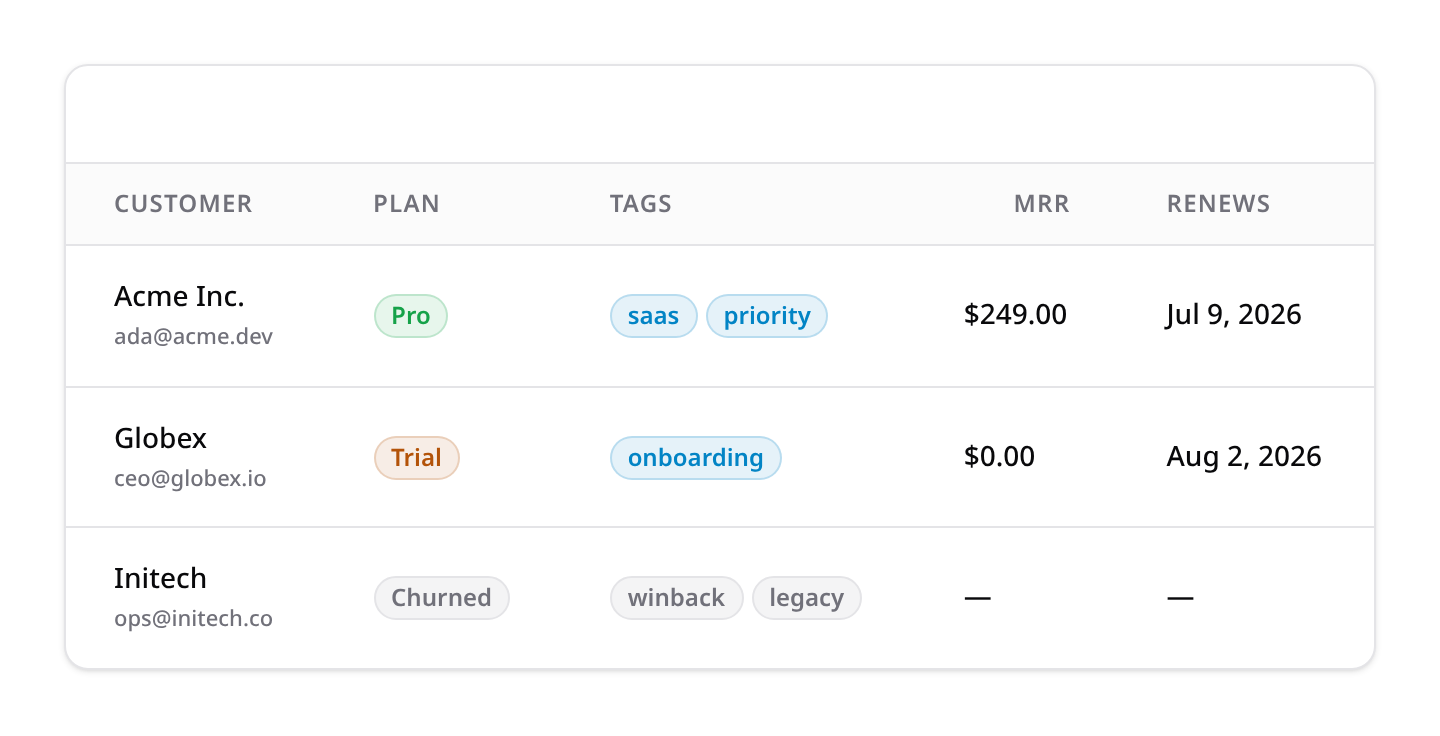
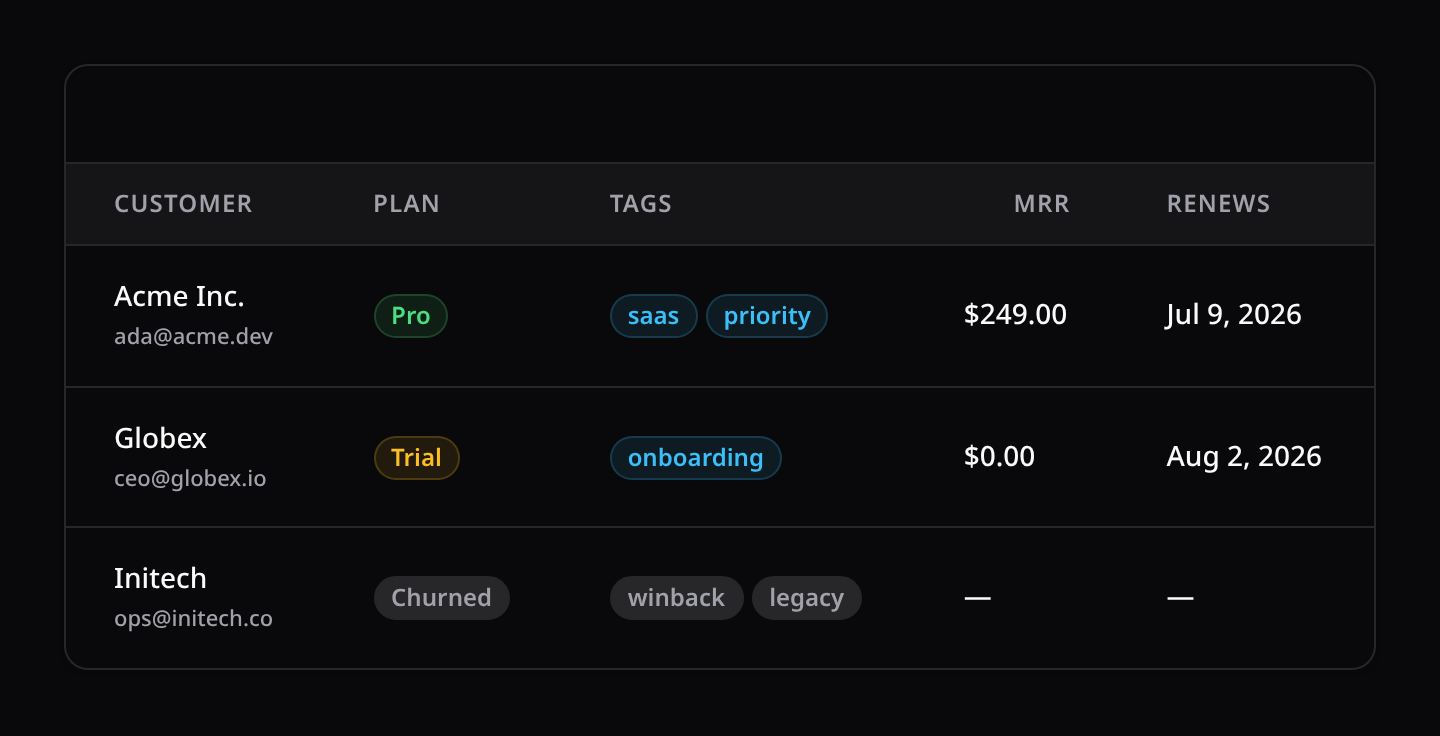
Displays text strings with additional formatting structures:
badge(): Wraps the value in a rounded badge.badgeColor(string|Closure $color): Sets status colors (success,danger,warning,info,gray).date(?string $format = null): Formats carbon/datetime values. With no argument the output is localized to the application locale via CarbonisoFormat(), using the token fromconfig('kinetix.formats.date')(defaultll— "Jul 9, 2026" inen, "9 de jul. de 2026" ines). Passing a format keeps the plain, non-localized PHPformat()behaviour (->date('d/m/Y')).dateTime(?string $format = null): Same semantics, defaulting toconfig('kinetix.formats.datetime')(defaultlll, includes the time).isoDate(?string $format = null)/isoDateTime(?string $format = null): Format with explicit Carbon isoFormat tokens, localized (->isoDate('LL')→ "9 de julio de 2026" ines).locale(string $locale): Override the formatting locale for this column (defaults toapp()->getLocale()).money(string $currency = 'USD', int $divideBy = 1, ?string $locale = null): Formats as localized currency via intl ($1,234.50inen,1.234,50 €inde).$divideByconverts minor units (100for cents); the locale resolves from the argument, then the column->locale(), then the app locale.limit(int $limit): Truncates text.description(string|Closure $description, string $position = 'below'): Displays secondary description lines.separator(string $separator = ', '): Glue for array states (aTagsInput/CheckboxList/multi-Selectattribute, a JSON cast) — plain text implodes with it. A->badge()column ignores the glue and renders one pill per item instead (arrays never leak raw JSON into the cell either way).numeric(int $decimals = 0, ?string $locale = null): Localized decimal formatting via intl (1,234.50inen,1.234,50inde) — the read-only counterpart ofNumberField/Slidervalues. Locale resolves likemoney().html(bool $condition = true): Render the value as HTML (aRichEditorattribute). The value is trusted as-is — sanitize user-generated content server-side. Combined withlimit(), tags are stripped BEFORE truncating so the cut never breaks markup mid-tag.url(string|Closure $url, bool $openUrlInNewTab = false): Turns the cell value into a link, per record (->url(fn (Post $p) => route('posts.show', $p))). UnlikeTable::recordUrl()(the whole row), this links just this column.openUrlInNewTab()also exists standalone.wrap(bool $condition = true): Lets long values wrap onto multiple lines instead of the table's single-line nowrap default.
Rating recipe — no dedicated column needed:
TextColumn::make('score')->formatStateUsing(fn ($v) => str_repeat('★', (int) $v) . str_repeat('☆', 5 - (int) $v)).
2. IconColumn
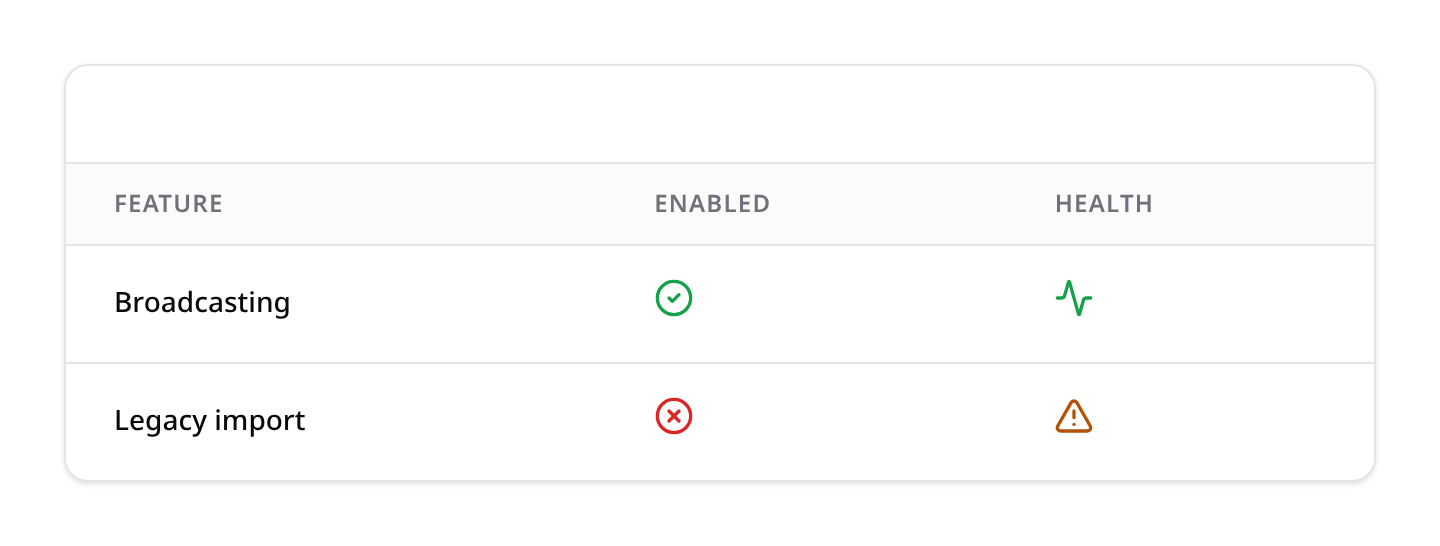
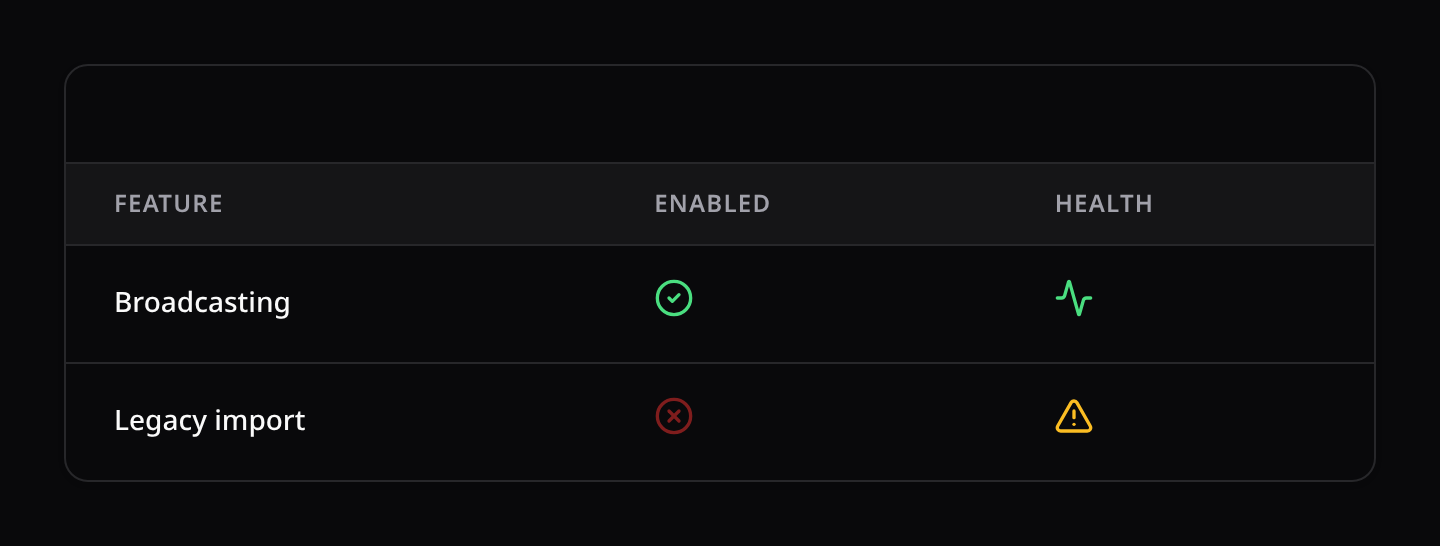
Displays an icon based on value states:
boolean(): Helper to automatically show checkmark circles fortrueand cross circles forfalse.trueIcon()/falseIcon()/trueColor()/falseColor(): Customize the boolean pair (->boolean()->trueIcon('shield-check')->falseColor('gray')).options(array $options): Maps icon names to conditional statements or values. Any name from the shared Kinetix icon map works — plus anything you registered yourself (see Icons).colors(array $colors): Maps color labels to statements or values.size(int $size): Icon size in pixels (default 20).
3. ImageColumn
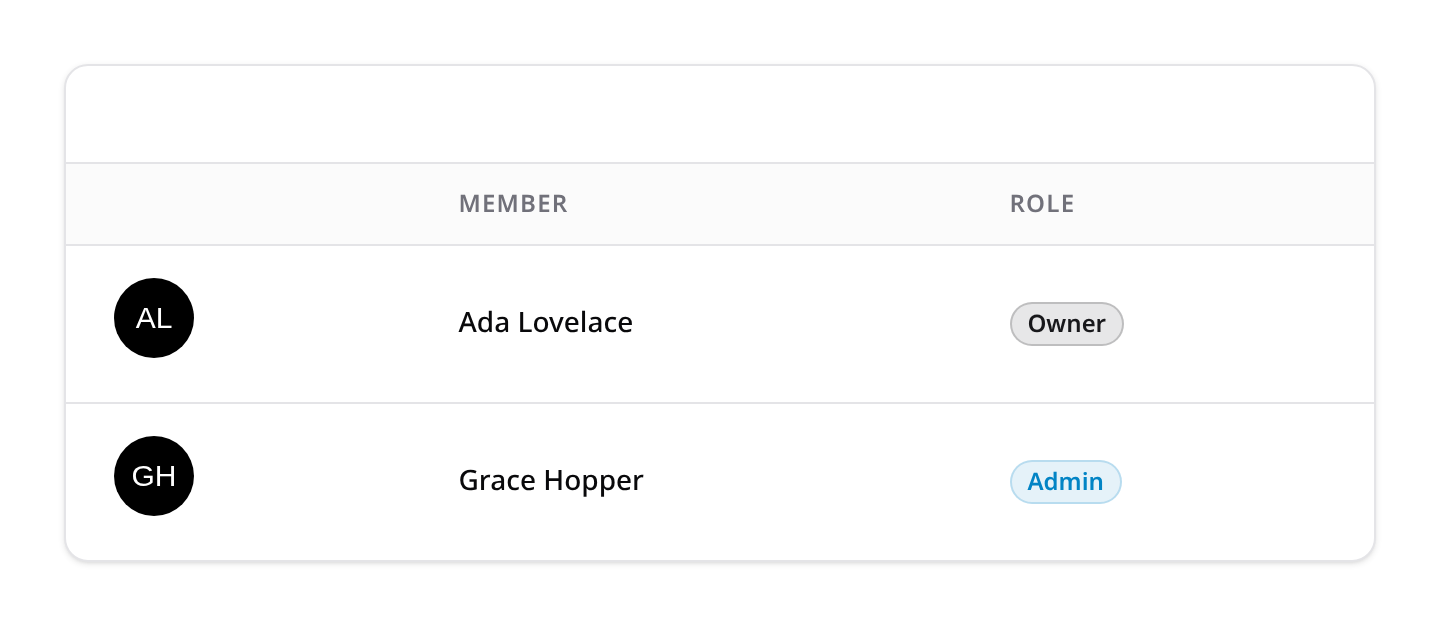
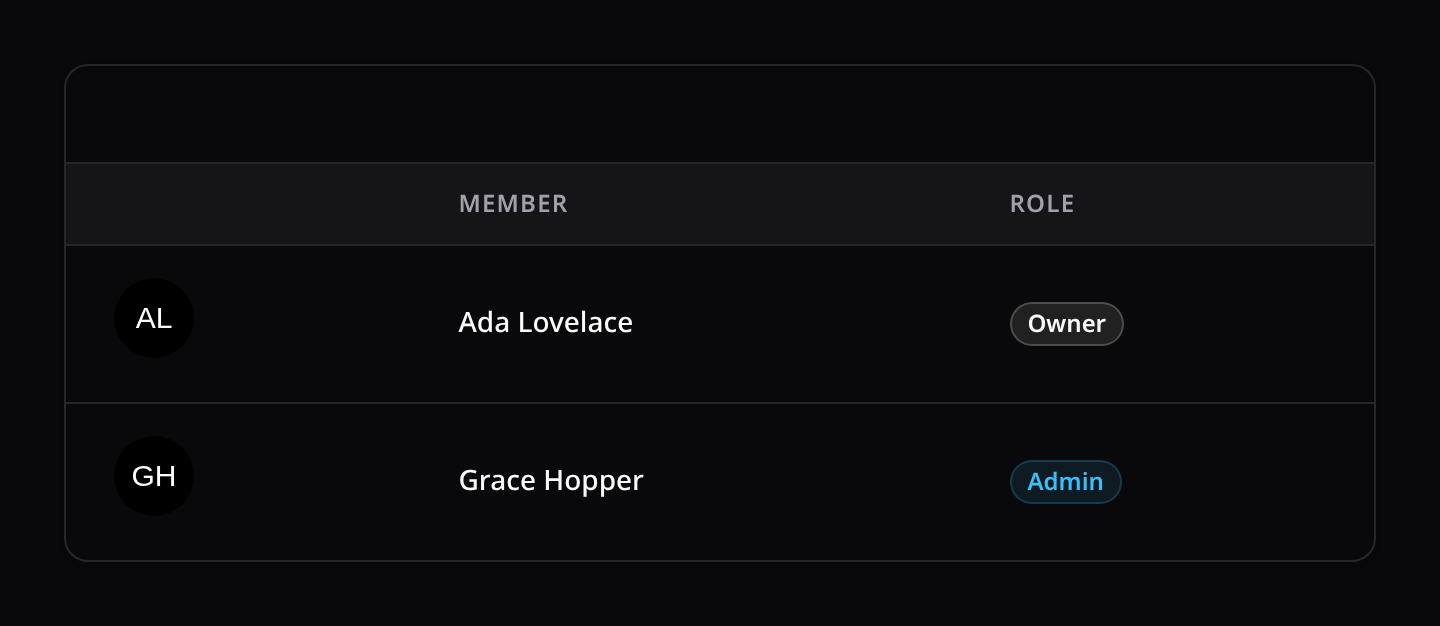
Displays image thumbnail previews:
circular(): Renders image as a circle.square(): Renders image as rounded square (default).size(int|string $size): Dimensions in pixels (defaults to 40px).defaultImageUrl(string|Closure $url): Fallback URL if state is null.disk(string $disk): Resolve stored paths through a specific disk (e.g.'s3'). Defaults to the globalkinetix.filesystem.disk(public). Stored paths become public URLs viaStorage::disk($disk)->url(); values that are already absolute (http(s)://,//,/…,data:) pass through untouched.preview(): Makes the thumbnail clickable to open a zoomable lightbox. Requires<KinetixFilePreview />mounted once in the layout (see Actions → File actions).
4. ColorColumn
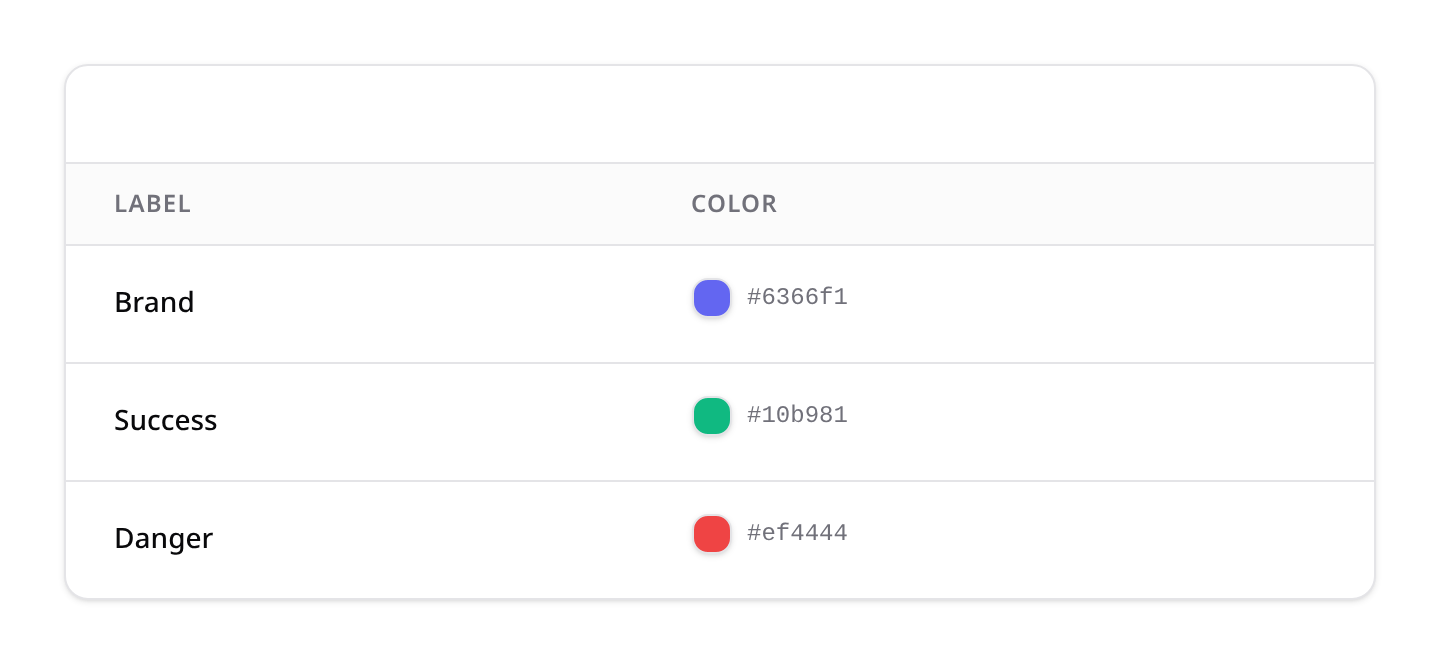
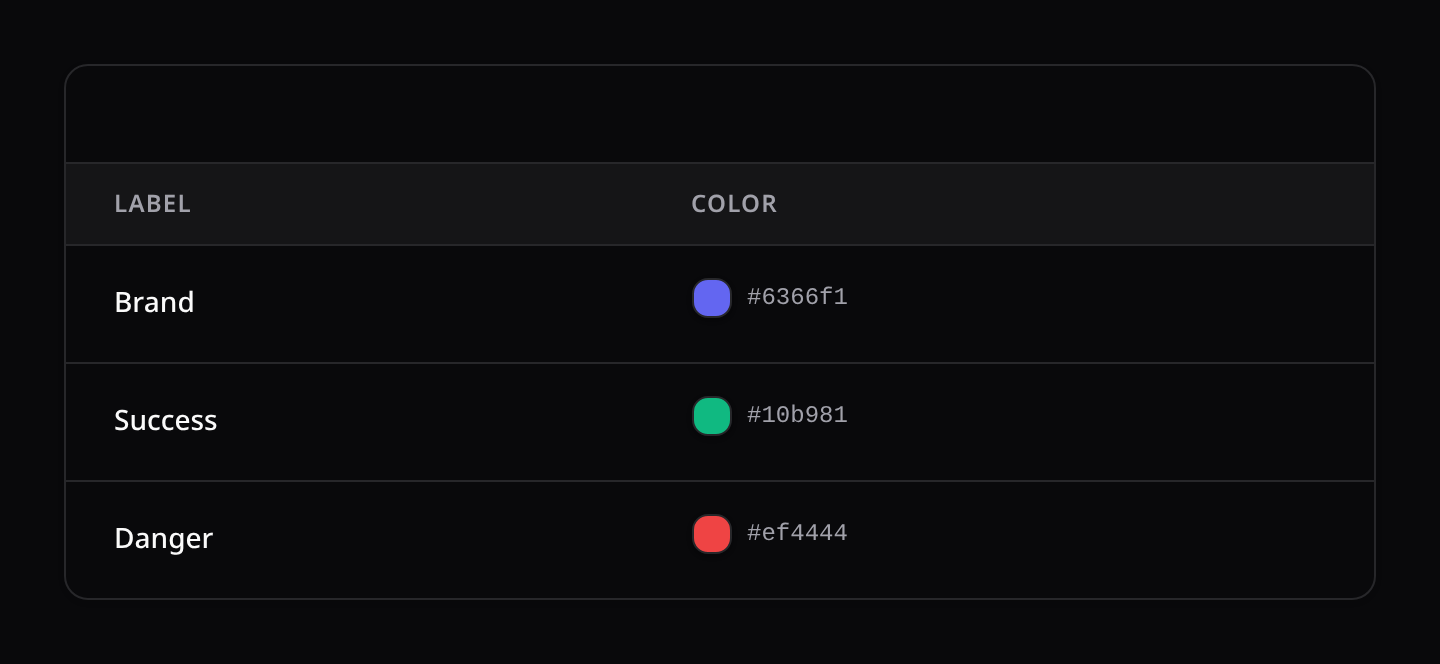
Displays visual color swatch blocks:
copyable(): The swatch and its hex code become a click-to-copy trigger (same behaviour as the sharedcopyable()above).
5. SelectColumn (Editable)
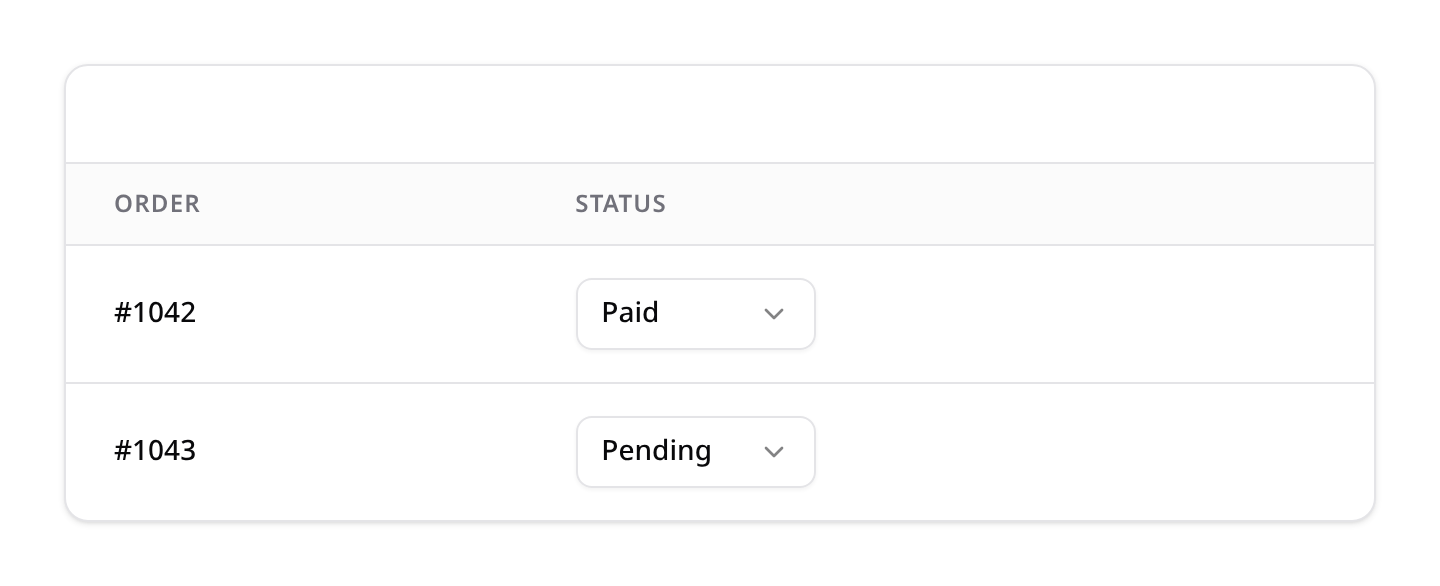
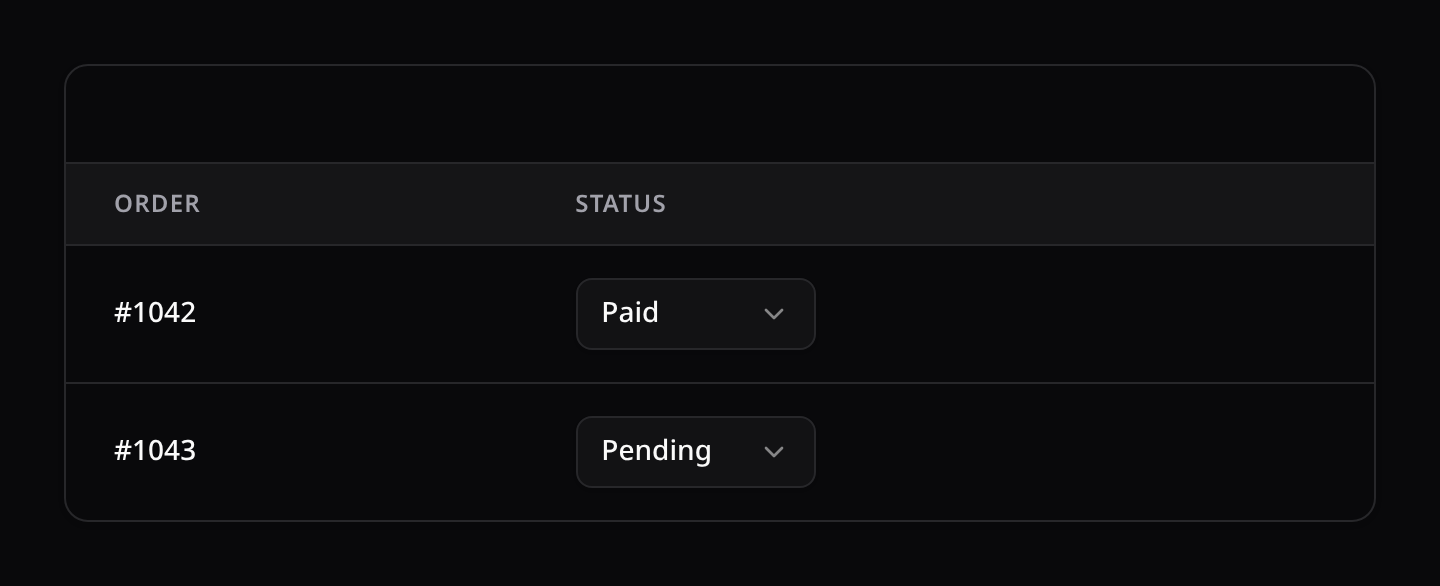
Renders a dropdown selector in the cell:
options(array|Closure $options): Array of key-value option values.
6. ToggleColumn (Editable)
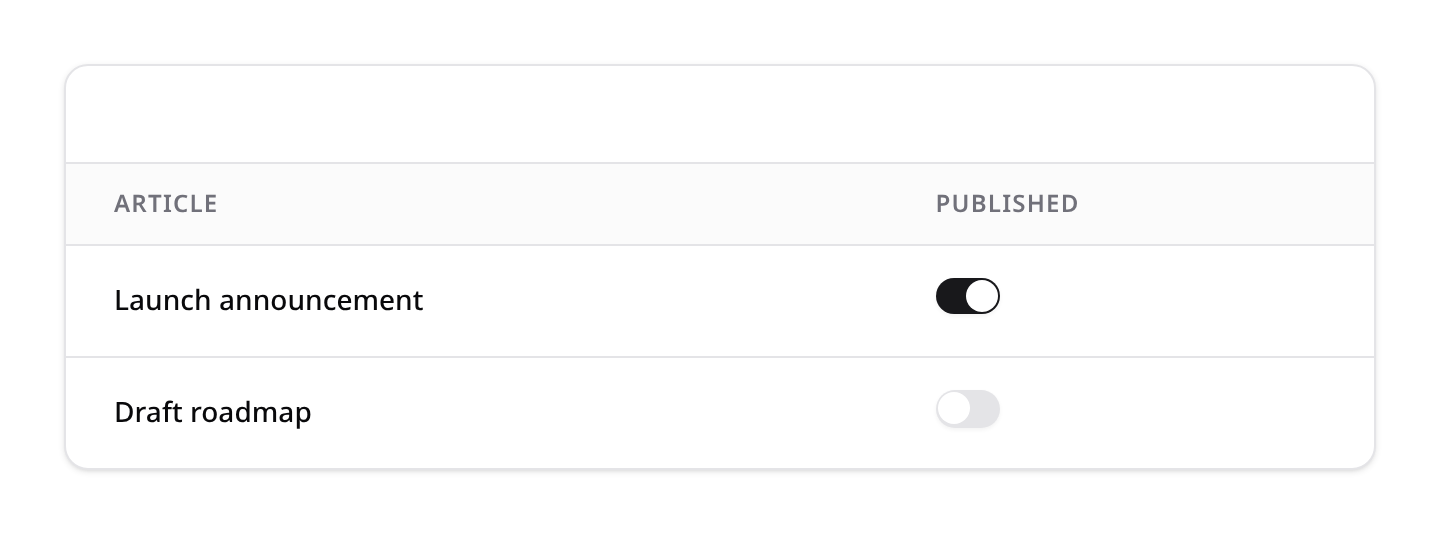
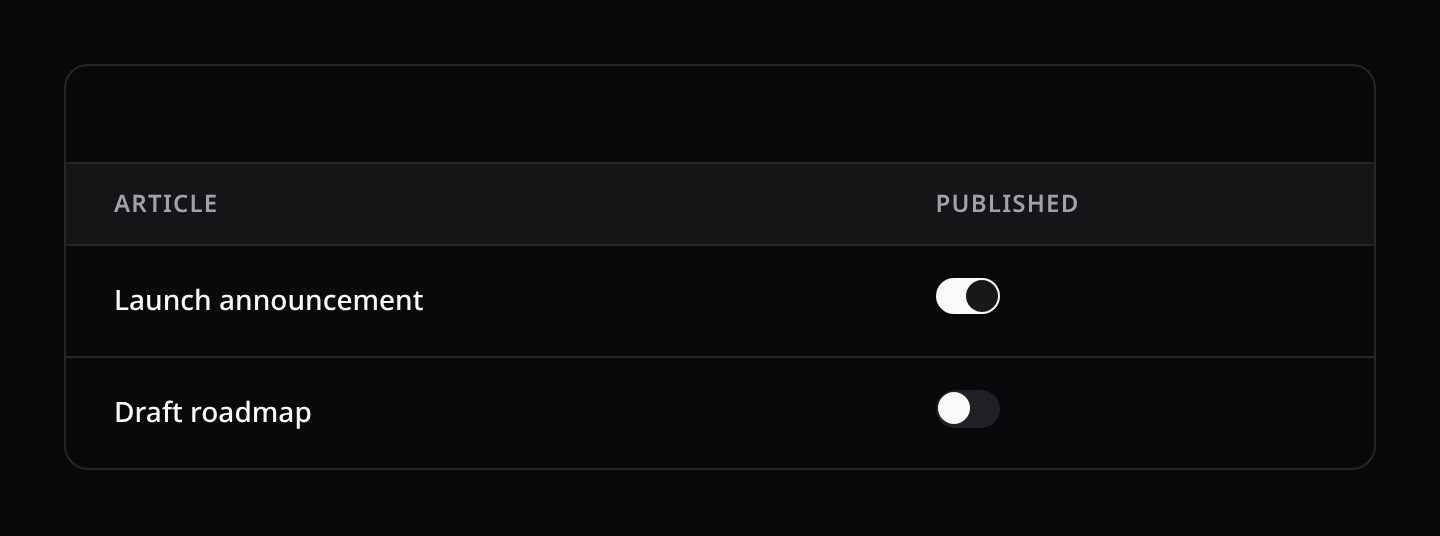
Renders a switch button inside the cell to edit boolean properties instantly.
7. TextInputColumn (Editable)
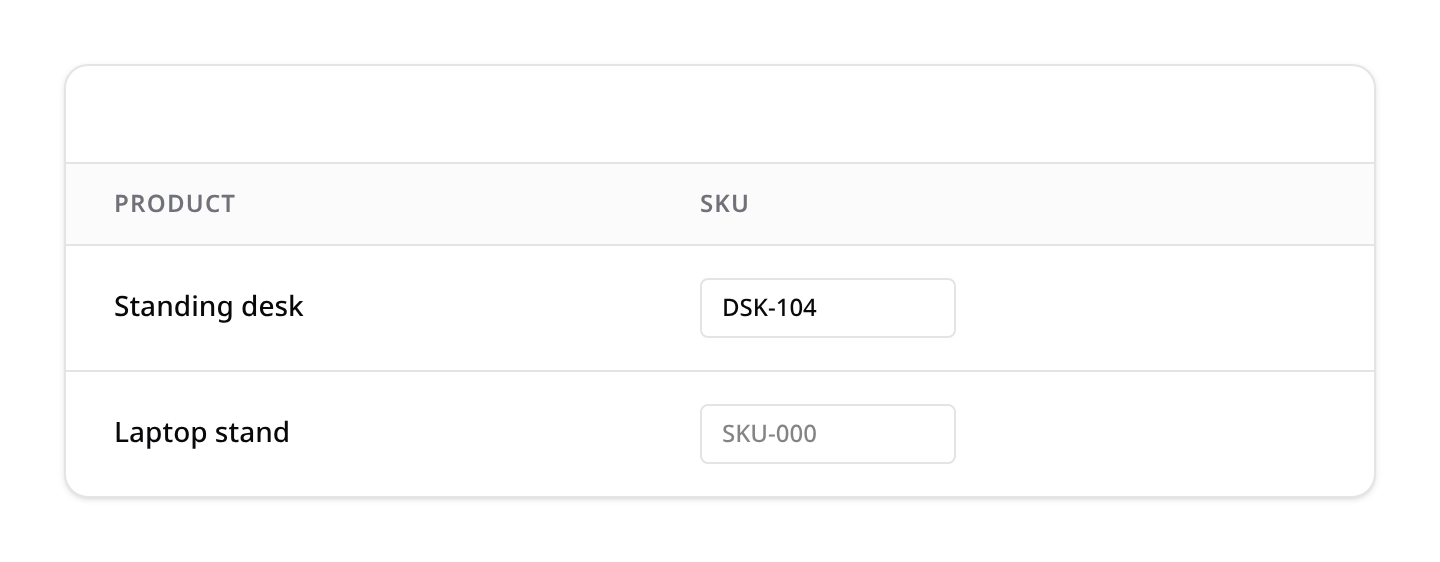
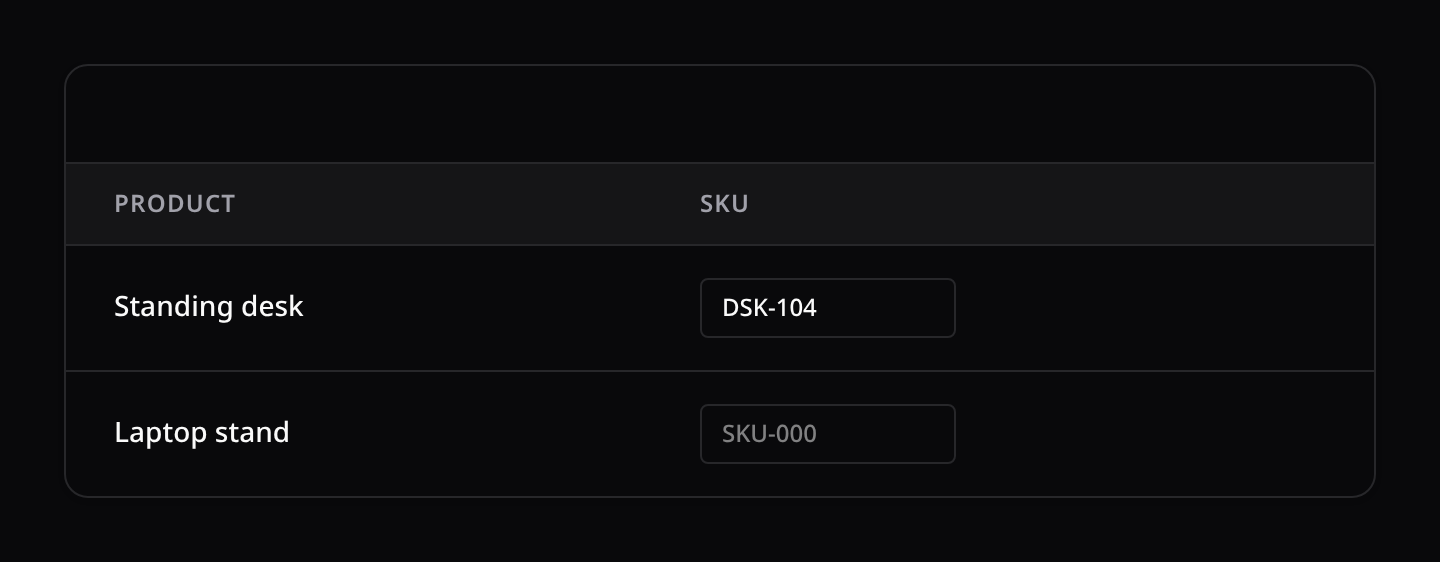
Renders an inline text box:
type(string $type): Input field type (text, number, email, date).placeholder(string $placeholder): Default placeholder.
8. CheckboxColumn (Editable)
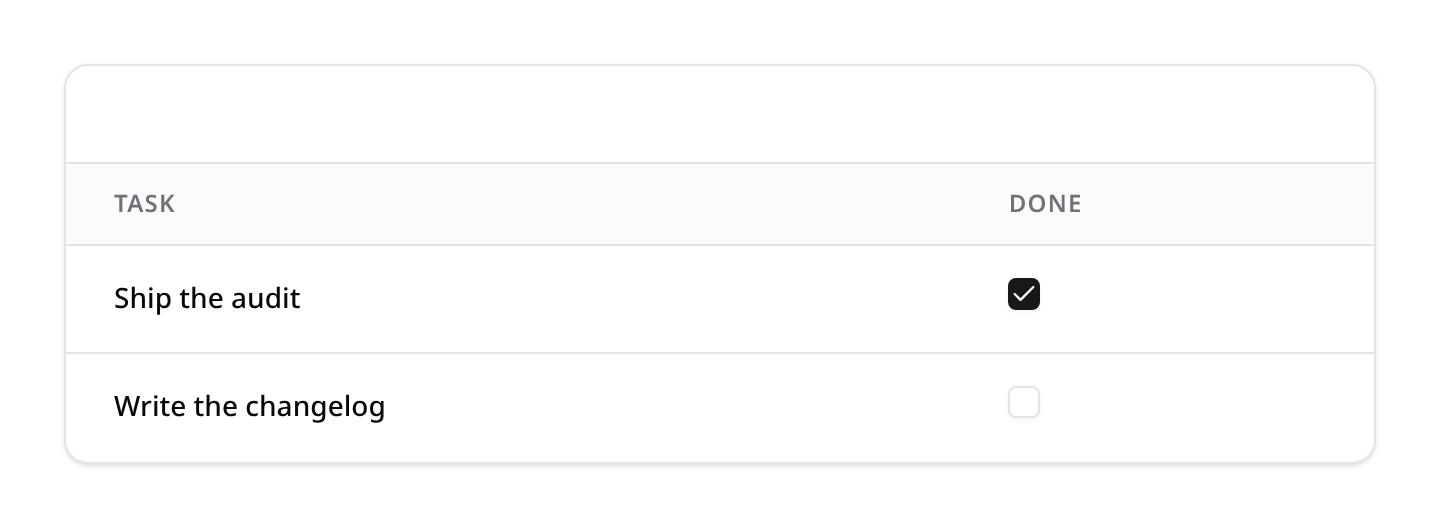
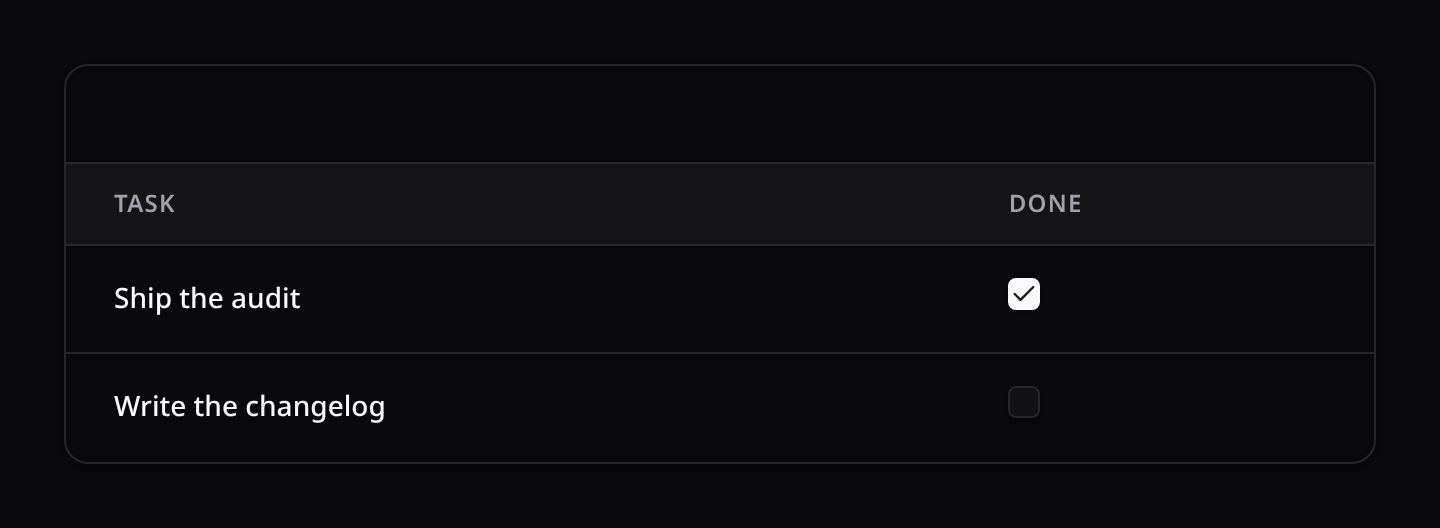
Renders a standard checkbox toggle inside the cell.
9. NumberInputColumn (Editable)
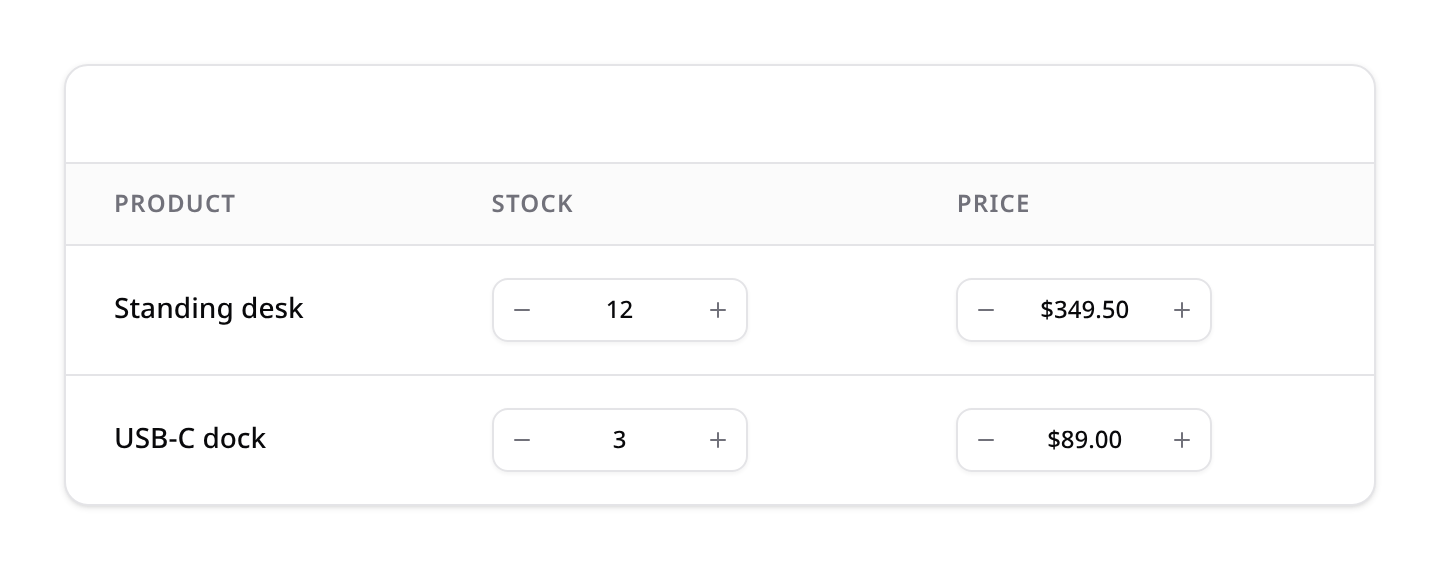
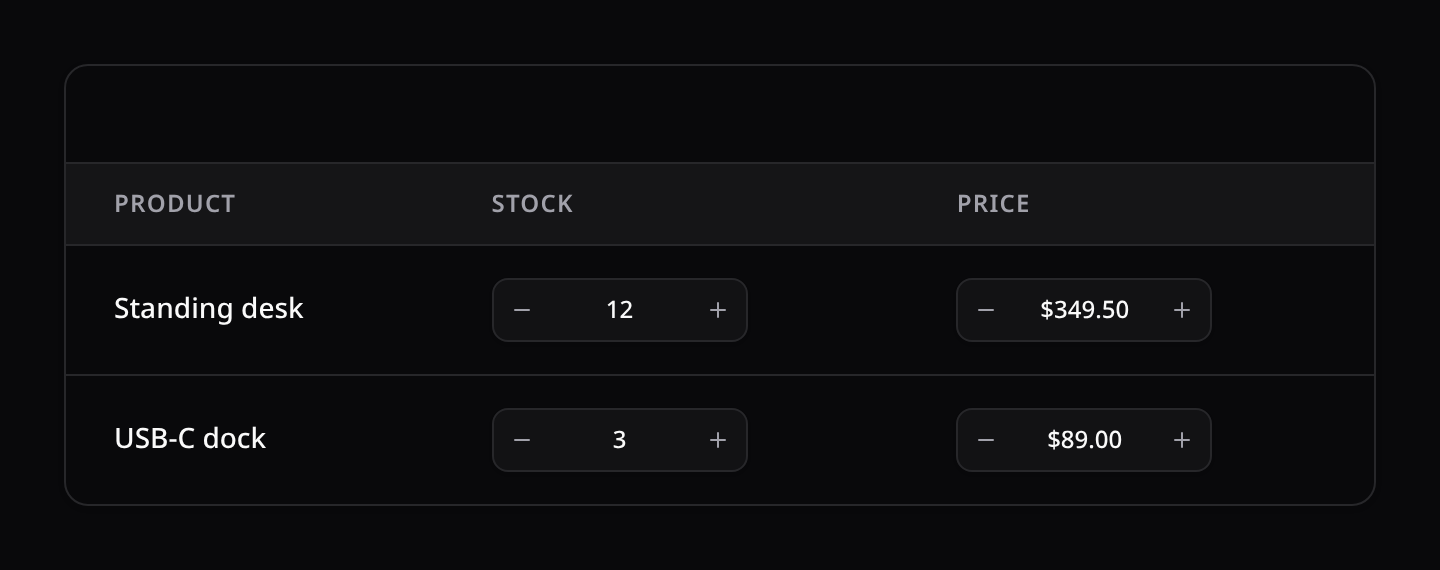
Renders an inline numeric input with increment/decrement steppers (Reka UI NumberField). Supports min() / max() / step(), decimals(), and the percent() / currency() formats — mirroring the NumberField form field. Edits save through the same cell-update endpoint.
use Happones\Kinetix\Tables\Columns\NumberInputColumn;

NumberInputColumn::make('stock')->min(0)->step(1);
NumberInputColumn::make('price')->currency('USD');
10. ProgressColumn
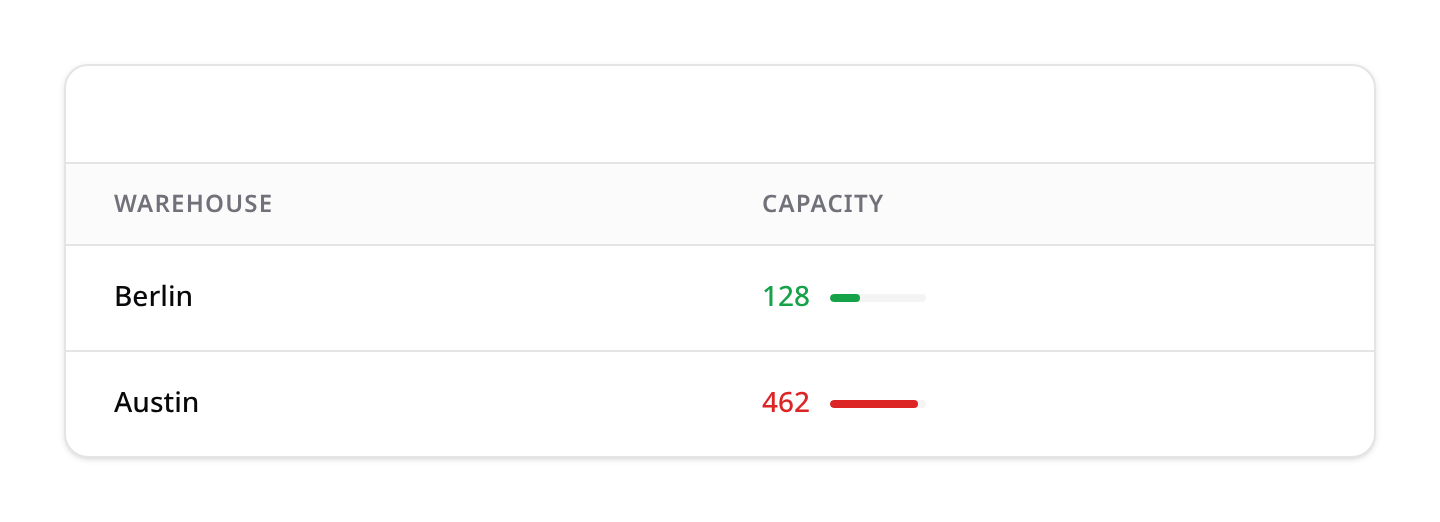
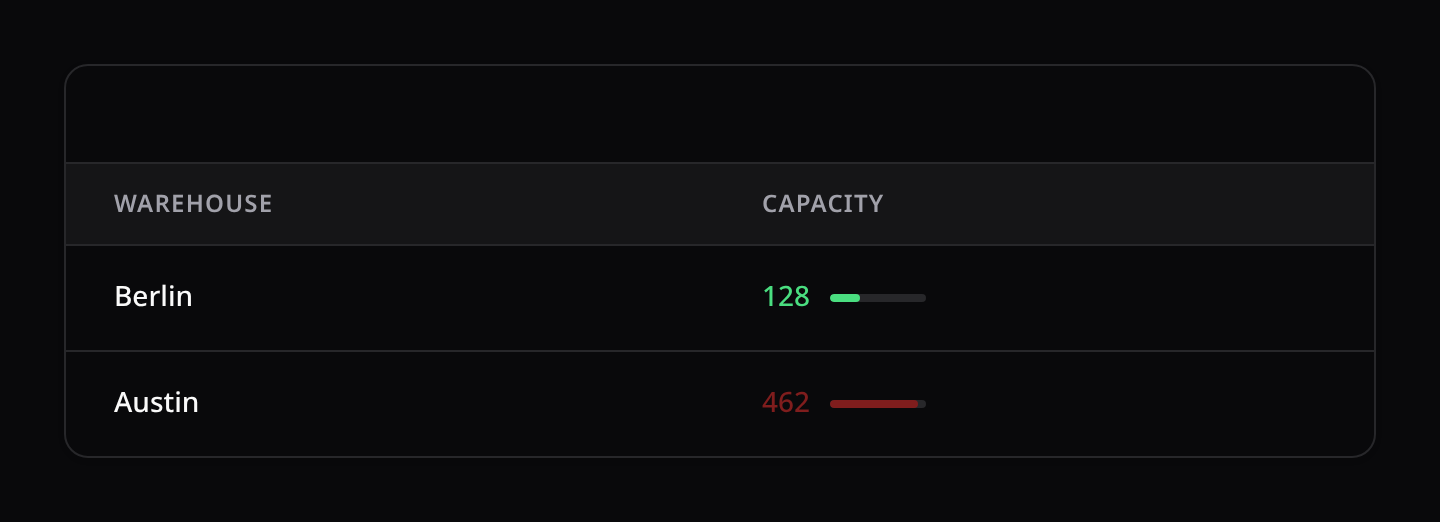
Displays numeric/quantity values with a supporting progress bar. Very useful for stock tracking, capacities, goals, etc.:
progress(int|float|string|Closure $progress): Defines the progress percentage (0 to 100). Can be a number, a string representing another column name, or a closure.maxValue(int|float|string|Closure $maxValue): Dynamically computes percentage if no explicit progress is specified (($value / $maxValue) * 100).color(string|Closure $color): Status color for the text and bar (success,danger,warning,info,primary,gray).
use Happones\Kinetix\Tables\Columns\ProgressColumn;

// Stock tracking with warning threshold
ProgressColumn::make('quantity')
    ->maxValue(fn ($record) => $record->min_stock * 5)
    ->color(fn ($value, $record) => $value < $record->min_stock ? 'danger' : 'success');
11. ViewColumn
Renders a column using a custom Vue component registered in your host application:
view(string $componentName): Set the name of the globally or locally registered Vue component.props(array|Closure $props): Key-value pairs or a closure that returns props to pass to the Vue component for the row.
use Happones\Kinetix\Tables\Columns\ViewColumn;

ViewColumn::make('avatar')
    ->view('UserAvatarCell')
    ->props(fn ($record) => [
        'size' => 48,
        'borderColor' => $record->active ? 'green' : 'gray',
    ]);
Custom Vue components receive the following default props:
record: The fullKinetixTableRecordobject representing the row.value: The resolved state/value of the column for the row.- Any extra props evaluated from
props(...)are bound viav-bind.
Custom Cell Slots (Frontend Overrides)
If you are rendering the <KinetixTable> component on a custom page and need page-level ad-hoc overrides, you can use Vue's scoped slots. KinetixTable dynamically generates slots for each column in the format cell-{column_name}:
<KinetixTable :table="table">
    <template #cell-status="{ record, value }">
        <span class="px-2 py-1 text-xs rounded-full bg-blue-100 text-blue-800">
            {{ value }} (ID: {{ record.id }})
        </span>
    </template>
</KinetixTable>
Rows are memoized: selecting a row or polling re-renders only the rows that changed. A cell slot may read your page's own state, which the table can't track, so with any cell-* slot every row re-renders as before.
Table Filters Reference
All filters reside in the Happones\Kinetix\Tables\Filters namespace.
1. Filter
Renders as a checkbox.
label(string $label): Custom display label (defaults to the TitleCase headline of the filter name). Available on all filters.query(Closure $callback): Closure modifying the query builder:fn (Builder $query, $value) => $query->where(...).default(mixed $value): Default active state.
2. SelectFilter
Renders as a dropdown select.
options(array|Closure|string $options): Dropdown option pairs, a closure, or an Enum class (auto-mapped to value→label).attribute(string $attribute): Maps query parameters directly to database columns. If omitted, defaults to the filter name.relationship(string $name, string $titleColumn, ?Closure $modifyQueryUsing = null): Options come from the related model (key => title column) and the filter applieswhereHason the relation's key. Inherited byMultiSelectFilter, and mirrored bySelect::relationship()on the form side. The eager options are capped bykinetix.forms.relationship_options_limit(200), with a warning when truncated:phpFor large related tables preferSelectFilter::make('author')->relationship('author', 'name'); SelectFilter::make('author')->relationship('author', 'name', fn ($q) => $q->where('active', true));searchUsing()(options load lazily instead of all at once).searchable(): Renders the select dropdown as a searchable combobox.searchUsing(string $model, string $labelColumn = 'name', array $searchColumns = ['name'], string $valueColumn = 'id'): Dynamically queries the model's database table when searching. The selection is securely query-guarded via tokens.
3. MultiSelectFilter
Renders as a checkbox list; matches any selected value via whereIn. Extends SelectFilter (supports all the same options, including Enum classes, relationship(), searchable(), and searchUsing()). When searchable or remote-searching, a search input is rendered at the top of the checkbox list to query options.
use Happones\Kinetix\Tables\Filters\MultiSelectFilter;

MultiSelectFilter::make('status')->options(PostStatus::class);

// Remote search multi-select filter
MultiSelectFilter::make('user_ids')
    ->searchUsing(User::class, 'name', ['name', 'email']);

// A "Select all" checkbox over the options
MultiSelectFilter::make('status')->options(PostStatus::class)->bulkToggleable();
->bulkToggleable() adds a Select all checkbox above the options, with a count (2/5), as on the form's CheckboxList: it checks every option in view or clears them, shows a dash when only some are checked, and with a search acts on the options the search left, keeping the rest of the selection.
4. TernaryFilter
A tri-state dropdown (All / true / false) for boolean columns.
use Happones\Kinetix\Tables\Filters\TernaryFilter;

TernaryFilter::make('is_active')
    ->trueLabel('Active')
    ->falseLabel('Inactive');

// Custom queries per branch (e.g. for nullable columns):
TernaryFilter::make('email_verified')
    ->queries(
        true: fn ($q) => $q->whereNotNull('email_verified_at'),
        false: fn ($q) => $q->whereNull('email_verified_at'),
);| Method | Description |
|---|---|
attribute(string) | Column to filter (defaults to the filter name) |
trueLabel(string) / falseLabel(string) | Option labels (default Yes / No) |
queries(Closure $true, Closure $false) | Custom query per selection |
Date filters use the shadcn calendar by default.
DateFilter,DateTimeFilterandDateRangeFilterall render a Reka UI calendar popover out of the box. Call->native()on any of them to fall back to plain native<input>controls. They requirereka-uiand@internationalized/datein the host app (already present for shadcn-vue users; declared as optional peer dependencies).
5. DateRangeFilter
A from / to range; filters whereDate >= from and <= to. Either bound is optional. Renders KinetixRangeCalendar.vue (Reka UI RangeCalendar) by default.
use Happones\Kinetix\Tables\Filters\DateRangeFilter;

DateRangeFilter::make('created_at');                       // shadcn range calendar
DateRangeFilter::make('published')->attribute('published_at');

DateRangeFilter::make('created_at')->native();             // native from/to inputs
DateRangeFilter::make('created_at')->months(2)->locale('es');| Method | Description |
|---|---|
->native(bool = true) | Use two native date inputs instead of the calendar |
->calendar(bool = true) | Explicitly use the calendar variant (the default) |
->months(int) | Number of month grids shown side by side |
->locale(string) | BCP-47 locale for weekday/month names, e.g. 'es', 'fr' — defaults to the application locale (app()->getLocale(), es_MX → es-MX) |
->weekdayFormat(string) | Weekday header labels: 'narrow' (default), 'short', 'long' |
->fixedWeeks(bool = true) | Always render 6 week rows for a constant calendar height |
->minValue(string) | Earliest selectable date ('Y-m-d'); earlier dates are disabled |
->maxValue(string) | Latest selectable date ('Y-m-d'); later dates are disabled |
6. NumberRangeFilter
Two number inputs (min / max); filters >= min and <= max. Either bound is optional.
use Happones\Kinetix\Tables\Filters\NumberRangeFilter;

NumberRangeFilter::make('price');
7. DateFilter
A single date. Defaults to matching that exact day (whereDate =); configurable. Renders KinetixDatePicker (shadcn calendar) by default; ->native() for a native input. ->locale(), ->minValue(), ->maxValue() configure the calendar.
use Happones\Kinetix\Tables\Filters\DateFilter;

DateFilter::make('published_at');                  // shadcn calendar
DateFilter::make('published_at')->operator('>=');  // on or after
DateFilter::make('published_at')->native();        // native date input
8. DateTimeFilter
A single date + time. Defaults to "on or after" (>=); configurable via operator(). Renders KinetixDateTimePicker (calendar + scrollable hour/minute columns) by default; ->native() for a native datetime-local. ->minuteStep() sets the minute granularity and ->twelveHour() adds an AM/PM column.
use Happones\Kinetix\Tables\Filters\DateTimeFilter;

DateTimeFilter::make('starts_at')->minuteStep(15);
DateTimeFilter::make('ends_at')->operator('<=')->twelveHour();
DateTimeFilter::make('ends_at')->native();MonthFilter, YearFilter & WeekFilter
Filter a date column by month, year, or ISO week. Each renders the matching shadcn picker by default (->native() for the browser-native input) and accepts ->attribute(), ->minValue(), ->maxValue() (and ->locale() for month/week).
use Happones\Kinetix\Tables\Filters\{MonthFilter, YearFilter, WeekFilter};

MonthFilter::make('created_at');                       // value "2026-06"
YearFilter::make('created_at')->minValue('2020');      // value "2026"
WeekFilter::make('created_at')->native(); // value "2026-W25"MonthFilter→whereYear+whereMonth.YearFilter→whereYear.WeekFilter→ matches rows whose date falls in that ISO week (Mon–Sun).
AddressFilter
Free-text address search. Renders a single text input and matches the term with OR LIKE across the columns you pass to ->columns() (defaults to the filter name). Pair it with the AddressPicker form field.
use Happones\Kinetix\Tables\Filters\AddressFilter;

AddressFilter::make('address')->columns(['city', 'state', 'postal_code', 'country']);
9. TrashedFilter
Soft-delete scope filter for SoftDeletes models. Blank = active records only (default), With deleted = withTrashed(), Only deleted = onlyTrashed().
use Happones\Kinetix\Tables\Filters\TrashedFilter;

Table::make(User::query())->filters([TrashedFilter::make()]);
Pair it with RestoreAction / ForceDeleteAction record actions (see Actions), which only appear on trashed rows.
Range and multi-select filters submit structured values (
{from,to},{min,max}, or an array). Each table namespaces its own filter query-string params (seequeryPrefix), so multiple filtered tables coexist on one page.
In-Table Record Actions
Add row-level action buttons at the end of each table line:
$table->recordActions([
    Action::make('edit')->icon('edit')->url(fn ($record) => "/posts/{$record->id}/edit"),
    Action::make('delete')->icon('delete')->color('danger')->dispatch('delete-record'),
]);
Header / toolbar & footer actions
Table-level actions (not tied to a row) live in two slots:
// Top toolbar (next to search/filters). `headerActions()` is an alias.
$table->toolbarActions([
    Action::make('create')->label('New post')->icon('plus')->url('/posts/create'),
    Action::make('import')->label('Import')->icon('upload')->dispatch('open-importer'),
    Action::make('export')->label('Export')->icon('download')
        ->inertiaVisit(route('posts.export')),
]);

// A bar below the table, next to pagination (e.g. "Export all").
$table->footerActions([
    Action::make('export-all')->label('Export all')->icon('download')
        ->inertiaVisit(route('posts.export')),
]);
Where do Import / Export go? As header/toolbar actions (they act on the whole, filtered table). Export = an action that hits your export route (which dispatches ExportProcessor). Import = an action that opens your <KinetixImporter> (e.g. ->dispatch('open-importer') toggling its visibility), since the importer is a standalone preview component.
Supporting both whole-table and selected-rows: place the same Action in toolbarActions/footerActions and in bulkActions. The toolbar/footer copy runs against the whole table; the bulk copy automatically receives the selected ids (see below). One Export action → "export all" + "export selected".
Bulk Actions
bulkActions([ ... ]) enables row selection. A select-all + per-row checkbox column appears, and when rows are selected a bulk action bar shows the action buttons plus a selected count and a clear button.
$table->bulkActions([
    Action::make('delete')->label('Delete selected')->icon('trash')->color('danger')
        ->requiresConfirmation('Delete the selected records?')
        ->inertiaVisit(route('posts.bulk-destroy'), ['method' => 'delete']),

    Action::make('export')->label('Export')->icon('download')
        ->dispatch('export-selected'),
]);
The selected record ids are sent automatically:
inertiaVisitactions receive them asidsin the request payload ($request->input('ids')).dispatchactions receive them in the event detail:e.detail.ids.
Destructive bulk actions support requiresConfirmation() (a confirmation modal gates them), and they respect authorize() / visible() like any action — e.g. ->authorize('deleteAny', Post::class). A plain bulk action only decides whether the button shows: the route it posts to must still scope and authorize the ids itself. To have Kinetix do that, use a BulkAction.
Server-side bulk actions (BulkAction)
A BulkAction runs its work on Kinetix's own signed endpoint instead of a route you secure by hand. Put the behaviour in handle():
use Happones\Kinetix\Actions\BulkAction;
use Illuminate\Support\Collection;

class ArchivePosts extends BulkAction
{
    public function handle(Collection $records): void
    {
        $records->each->archive();
    }
}

$table->bulkActions([
    ArchivePosts::make()->label('Archive')->icon('archive')->authorize('archive'),
]);
The endpoint resolves the selected ids through the table's own query (ids outside it are dropped), authorizes every record, then calls handle() inside a transaction:
->authorize('ability')is checked against each record (Gate::allows('archive', $post)). Without one, the table'swriteAbility()applies, orupdatewhen the model has a policy. An ability with an explicit subject (->authorize('deleteAny', Post::class)) is checked against it, and each record still passes that write ability too. One denied record fails the whole batch.- A
visible()/hidden()orauthorize()closure that takes the record —fn (Post $record),fn (?Post $record)orfn ($record = null)— limits the action to the records it allowed on the pages the user saw. A selection kept across pages carries each page's answer, so a row picked on page one still runs from page two. One that takes no record (fn () => …) decides whether the action exists for this user at all. - Settings you chain on the table reach
handle()(ArchivePosts::make()->reason('spam')). The endpoint's instance gets back every property your subclass declares that the table's instance changed. Models travel as identifiers and are fetched again. A closure set by a setter, or an unsaved model, can't travel, so Kinetix throws when the table renders instead of silently dropping it. See Actions → FormAction.
Two server-side actions with the same name on one table are a configuration error (Kinetix throws), since the endpoint finds them by name.
Exporting selected rows: see the full recipe — one Export action shared between the toolbar (export all) and bulk (export selected ids) — in Import / Export → Recipe: export from a table.
Summaries
Render a summary row in the table footer with the results of calculations (sum, average, count, range) over the full filtered dataset. Add one or more summarizers to a column with summarize():
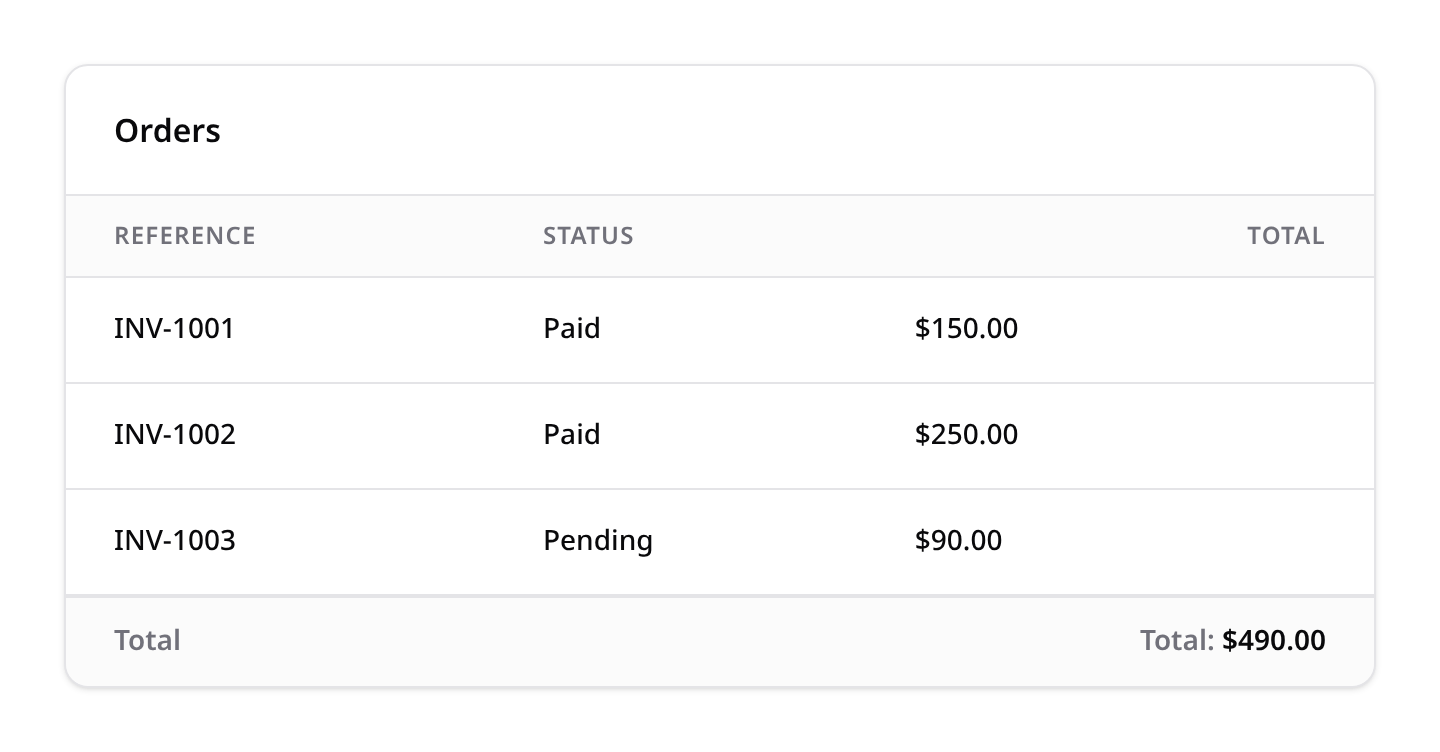
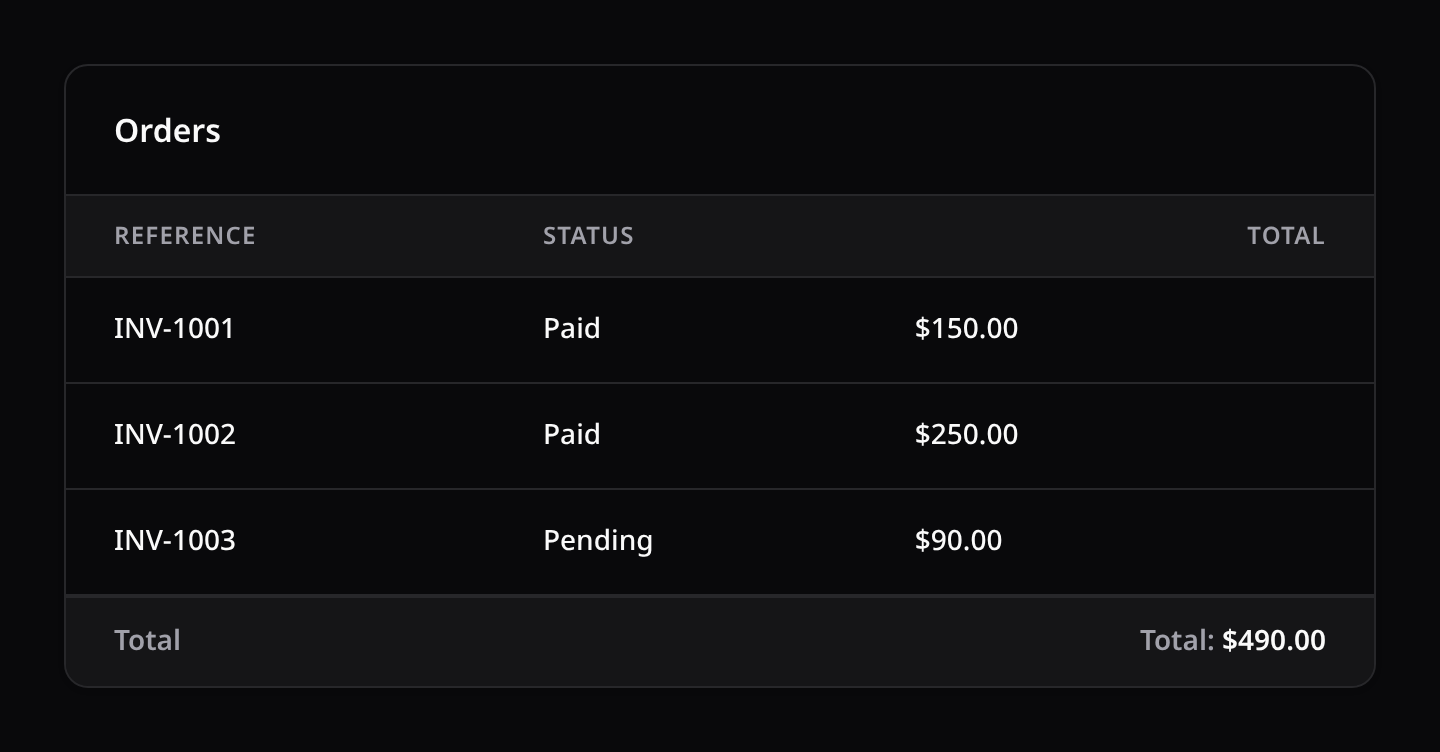
use Happones\Kinetix\Tables\Columns\TextColumn;
use Happones\Kinetix\Tables\Columns\Summarizers\Average;
use Happones\Kinetix\Tables\Columns\Summarizers\Range;
use Happones\Kinetix\Tables\Columns\Summarizers\Sum;

TextColumn::make('price')->summarize(Sum::make()->money('EUR'));

TextColumn::make('rating')->summarize([
    Average::make()->label('Avg')->numeric(decimalPlaces: 1),
    Range::make(),
]);
Available summarizers
| Summarizer | Result |
|---|---|
Sum | Total of all values |
Average | Mean of all values |
Count | Number of rows (scope with ->query()) |
Range | min – max (->minimalTextualDifference(), ->minimalDateTimeDifference(), ->excludeNull(false), ->limit(n)) |
Summarizer | Custom — Summarizer::make()->using(fn (Builder $q) => $q->min('last_name')) |
Shared methods
label(), query(fn ($q) => …) (scope the dataset), prefix() / suffix(), numeric(decimalPlaces, locale), money(currency, divideBy, locale), and hidden() / visible() (each receives the query builder). Set a global number locale with config('kinetix.tables.number_locale').
// Count only published rows:
IconColumn::make('is_published')
    ->summarize(Count::make()->query(fn ($q) => $q->where('is_published', true)));

// Prices stored in cents:
TextColumn::make('price')->summarize(Sum::make()->money('USD', divideBy: 100));
One scan, not one per summarizer
Every plain aggregate is folded into a single query, across all columns:
Table::make(Order::query())->columns([
    TextColumn::make('amount')->summarize([Sum::make(), Average::make(), Range::make()]),
    TextColumn::make('id')->summarize(Count::make()),
]);-- one scan of the filtered set, not five
select sum("amount"), avg("amount"), min("amount"), max("amount"), count(*) from "orders" where …Two things opt a summarizer out of the shared query, because both change the dataset it measures:
->query(fn ($q) => …)— a narrower scope;->using(fn ($q) => …)— a fully custom value.
Those keep their own query, so the cost is 1 + (however many of those you declared). Everything else is free once the first scan is paid for.
Including summaries in exports
ExportColumn has the same summarize() method. When any export column declares a summarizer, Kinetix appends a totals row to the CSV/XLSX after the data:
class OrdersExporter extends Exporter
{
    public static function getColumns(): array
    {
        return [
            ExportColumn::make('reference'),
            ExportColumn::make('total')->summarize(Sum::make()->label('Total')),
        ];
    }
}
The summary is computed over the exported query (so a bulk export of selected rows totals exactly those rows). Exporter::hasSummary() reports whether a row will be written; set protected bool $withSummary = false; on the exporter to suppress it.
Stat cards (stats())
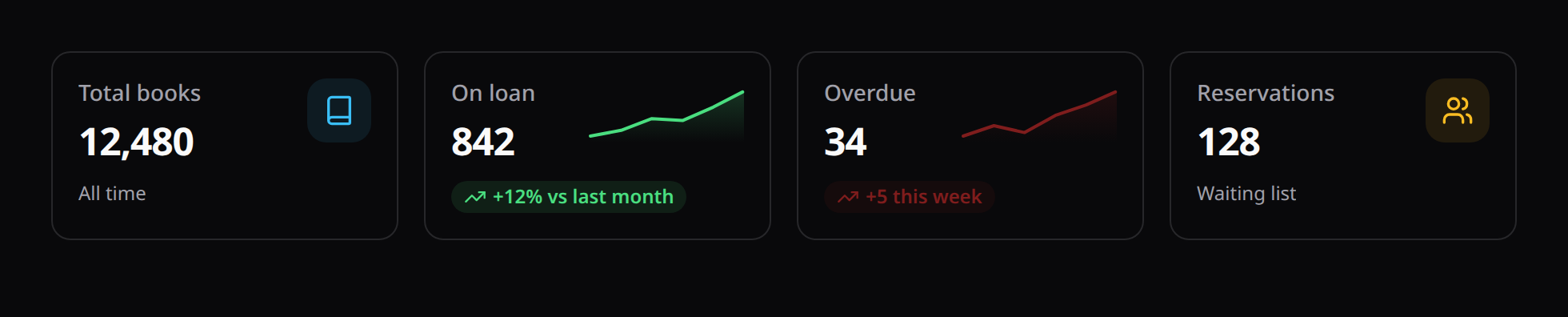
KPI cards above the table — counts, sums and averages over the same dataset the table lists. Optional: a table without stats() renders and queries exactly as before.
use Happones\Kinetix\Tables\Table;
use Happones\Kinetix\Tables\TableStat;

Table::make(Book::query())
    ->stats([
        TableStat::make('Total books')->count()->icon('book'),

        TableStat::make('On loan')
            ->count()
            ->where('status', 'loan')
            ->icon('bookmark')
            ->color('warning'),

        TableStat::make('Overdue')
            ->count()
            ->where('due_at', '<', now())
            ->icon('chart-bar')
            ->color('danger')
            ->url('/books?filters[overdue]=1'),

        TableStat::make('Inventory value')
            ->sum('price')
            ->money('USD')
            ->color('success'),
    ])
    ->columns([...]);
This works identically on a Resource — Resource::table() receives the same Table, so declare the cards there:
public static function table(Table $table): Table
{
    return $table
        ->stats([TableStat::make('Total')->count()])
        ->columns([...]);
}
One query, however many cards
Each card's condition compiles into a conditional aggregate inside a single shared query:
select count(*)                                            as kinetix_stat_0,
       sum(case when "status" = ? then 1 else 0 end)        as kinetix_stat_1,
       sum(case when "due_at" < ? then 1 else 0 end)        as kinetix_stat_2,
       sum("price")                                         as kinetix_stat_3
from "books" where ...
So two cards and twelve cards both cost +1 query. This is the reason the feature exists instead of stacking Summarizer::query() scopes on a column — each of those runs its own query, so cards would cost +1 query each, precisely on the large tables where a scan is expensive. A test asserts the batching holds.
Aggregates
| Method | Aggregate |
|---|---|
count() | count(*) — the default |
sum('column') | sum(column) |
avg('column') | avg(column) |
min('column') / max('column') | min / max |
Conditions
where(), whereNull() and whereNotNull() narrow a single card without affecting the others. They chain as AND:
TableStat::make('Big overdue loans')
    ->count()
    ->where('status', 'loan')
    ->where('copies', '>=', 10)
    ->whereNotNull('due_at');
Values travel as bindings, and the operator is checked against an allowlist (=, !=, <>, >, >=, <, <=, like, not like) — an unsupported one throws rather than reaching the SQL.
Filters
By default a card reflects the table's active filters and search, like the footer summaries: filter the list to "on loan" and the cards describe that subset. They always cover the whole filtered set, never just the current page.
For a KPI that should stay put while the user filters, call ignoreFilters():
TableStat::make('Books in catalogue')->count()->ignoreFilters(),Cards that ignore filters share one aggregate query with each other, so mixing both kinds costs two queries total, not one per card.
Presentation
| Method | Effect |
|---|---|
icon('book') | Lucide icon in the card's badge |
color('success') | Badge colour: primary, info, success, warning, danger, gray |
description('This month') | Secondary line under the value |
descriptionIcon('trending-up') | Lucide icon beside the description |
descriptionColor('danger') | Renders the description as a colored trend chip (same palette as color()) |
chart([3, 5, 4, 8]) | Sparkline on the card, tinted by descriptionColor (falls back to color); shown when no icon is set |
url('/books?…') | Makes the whole card an Inertia link |
numeric(2) / money('USD', divideBy: 100) | Value formatting (same helpers as summarizers) |
prefix() / suffix() | Wrap the formatted value |
Sparkline values are developer-provided — a trend series can't be folded into the card's single-row aggregate query, so fetch it yourself (and cache it) if the trend must be live:
TableStat::make('On loan')
    ->count()->where('status', 'loan')
    ->description('+12% vs last month')
    ->descriptionIcon('trending-up')
    ->descriptionColor('success')
    ->chart([610, 640, 700, 690, 760, 842]),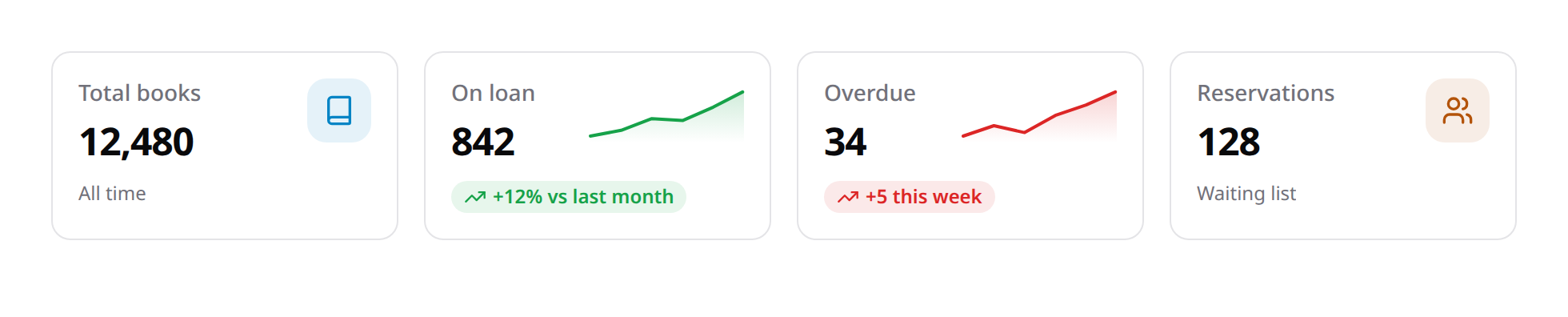
Visibility and authorization
visible(), hidden() and can() behave as they do on columns — and a card the user may not see is never computed: its aggregate is left out of the query entirely rather than being fetched and discarded.
TableStat::make('Revenue')->sum('total')->money('USD')->can('viewRevenue'),The escape hatch
using() takes the query and returns the value, for anything a single-pass aggregate can't express. It cannot be batched, so it costs one query of its own — deliberately explicit:
TableStat::make('Distinct authors')
    ->using(fn (Builder $query) => $query->distinct()->count('author_id')),
Cards from a different model
stats() aggregates the table's own dataset. For a KPI over another model (an "Active members" card above a books table), render a StatsOverviewWidget beside the table instead — it isn't bound to the table's query, and you can cache it.
Deferring the aggregates (deferStats())
On a large table the stat cards and footer summaries run their COUNT/SUM/AVG over the whole filtered set — a cost paid before the first byte reaches the browser. ->deferStats() moves it off the first paint: the table renders immediately (with a skeleton where the cards go), then fetches the aggregates from a signed endpoint once mounted, reflecting the active search/filters.
public static function table(Table $table): Table
{
    return $table
        ->recordModals(static::class)   // makes the table reconstructible
        ->deferStats()
        ->stats([TableStat::make('Total')->count()])
        ->columns([...]);
}
Deferral needs a reconstructible table: one backed by a resource through recordModals(Resource::class), so the endpoint can rebuild it server-side to recompute the totals. A full-page scaffold that doesn't use record modals has to call recordModals() for this. The endpoint rebuilds the table exactly as Resource::table() builds it, so the page's table must be built that way too: if the page narrows the base query or adds stats, filters or summarizers on top, the rebuild would describe other rows. Such a table computes its aggregates inline instead, as does a plain Table::make(...) with no resource, where deferStats() is a no-op. The endpoint is bound to the user/team/expiry and re-applies the table's own scope and column gating, so no row or column the user couldn't see leaks through its totals.
Table Configuration
Table-level methods control refresh, pagination, and row behavior:
poll(string $interval): Refreshes the table on an interval (e.g.->poll('10s')). Backed by Inertia'susePoll— a partial reload that preserves scroll and table state (search/filters/sort/page). Accepts'10s','5000ms', etc.reorderable(string $column = 'sort_order'): Enables drag-and-drop row reordering (a grip-handle column appears). The new order is persisted to the given integer column via a signed, token-guardedtables/reorderendpoint, and rows default to that order. See Reordering rows.paginated(bool|array $options): Toggles pagination or sets the page-size options. Passfalseto disable pagination (the full result set is rendered), or an array of integers to override the selectable per-page options (default[5, 10, 25, 50]).simplePaginated(bool $simple = true): Paginate without counting the result set. See Large tables.cursorPaginated(bool $cursor = true): Seek-based pagination — noOFFSET, constant cost at any depth. See Deep pagination.defaultPaginationPageOption(int $perPage): Sets the initial page size (default10).recordUrl(?Closure $callback, bool $shouldOpenInNewTab = false),openRecordUrlInNewTab(),recordAction(string|Closure|null $action),clickableRows(bool $condition = true): What a click on the row does. Left alone, a row opens its record through its ownview/editaction. See Clickable rows.toolbarLayout(string $layout): Toolbar arrangement. The default'auto'adapts to the table's own width (container queries): narrow tables stack heading → full-width search → a wrapping row of controls (views / actions / filters / columns), wide tables put everything on one row with the controls right-aligned. Pass'inline'or'stacked'to pin one arrangement at every width.
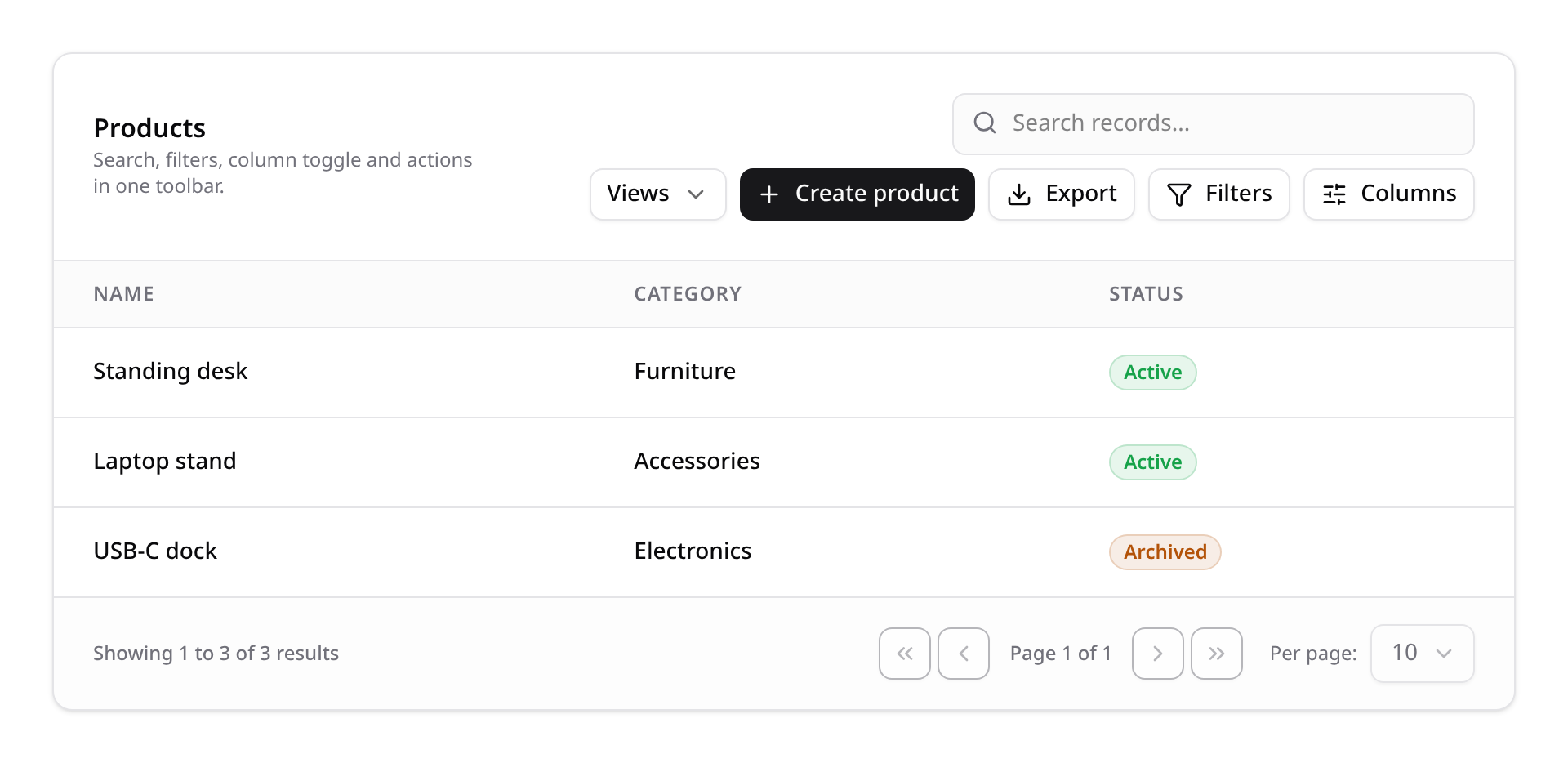
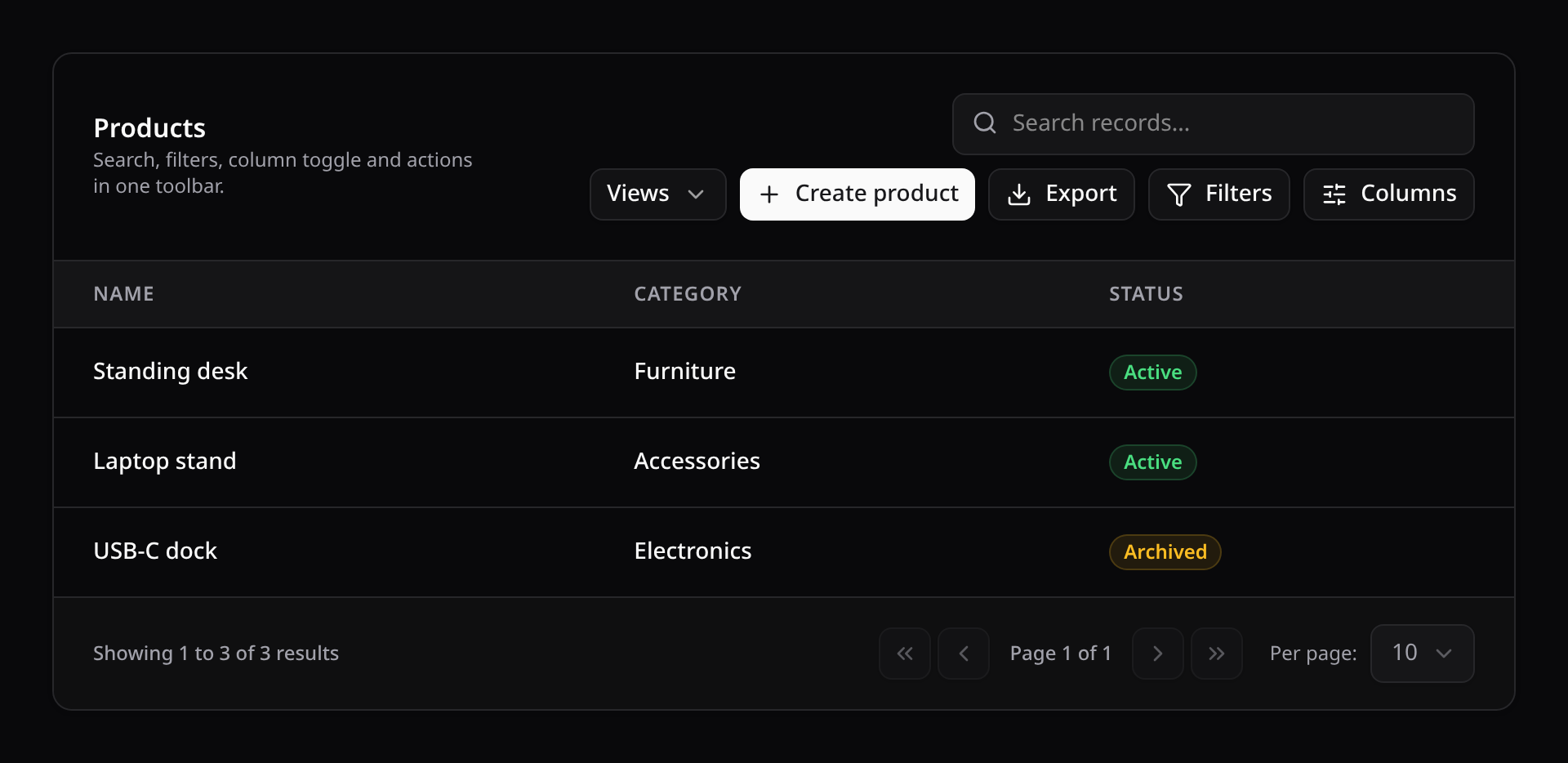
recordModals(string $resource, ?string $source = null, ?string $width = null): Host create/edit/view modals inside the table itself, driven by the resource'sform()andinfolist(). Paired with actions flagged->modal('create'|'edit'|'view'|'delete'), a page becomes just<KinetixTable :table>. Edits fetch a fresh record from the server by default; passsource: 'row'(or setkinetix.tables.record_source) to prefill from the loaded row.widthsizes the create/edit modal (sm…7xl,2xlby default). See Resources → Simple Resource.
Eager loading relations — with()
Dot-notation columns (author.name) are eager-loaded automatically: Kinetix derives the with() from the columns you declared, so a relation column never lazy-loads once per row. That inference can only see relations named in a column, though. A computed column that reaches into a relation inside its closure hides the relation from the scanner:
TextColumn::make('byline')
    ->state(fn (Post $post) => $post->author->name); // `author` is invisible here
Nothing in the column name says author, so the derived eager-load misses it and the table lazy-loads the author once per row — the N+1 the feature exists to avoid. Declare those relations explicitly with with():
Table::make(Post::query())
    ->columns([
        TextColumn::make('title'),
        TextColumn::make('byline')->state(fn (Post $post) => $post->author->name),
    ])
->with(['author']);- Values are plain Eloquent
with()keys and merge on top of the column-derived set — restating a relation already inferred from a column is a harmless no-op (Eloquent de-dupes). - Calls accumulate:
->with(['author'])->with(['tags'])loads both. - Only string keys are accepted here; this is a whitelist, not a place for constrained loads. For a constrained base query, eager-load on the builder you pass in:
Table::make(Post::with(['posts' => fn ($q) => $q->latest()])).
Clickable rows
Clicking anywhere on a row opens its record, the way an admin list is expected to behave. Out of the box the target is inferred from the row's own record actions: the view action when the row has one, otherwise edit. A routed action (ViewAction::make()->route('posts.show') or ->url(...)) makes the row navigate; a modal action (ViewAction::make()->modal('view')) makes the row open that same modal. Only an action that actually renders for the record counts — a row its user may not view falls through to edit, and a row with neither is inert (no pointer cursor, nothing on click). Grouped actions inside an ActionGroup "⋯" dropdown are found too.
Everything nested in the row keeps its own behaviour and never doubles as a row click: the "⋯" actions menu and its items, inline editors, the selection checkbox, the reorder handle, links. Rows are keyboard-reachable (Tab to the row, Enter to open) and Ctrl/Cmd+click opens a URL in a new tab.
// An explicit URL per record — wins over the inferred target
Table::make(Post::query())
    ->recordUrl(fn (Post $post) => route('posts.show', $post));

// … opened in a new tab (also applies to an inferred URL)
Table::make(Post::query())
    ->recordUrl(fn (Post $post) => route('posts.show', $post), shouldOpenInNewTab: true);
Table::make(Post::query())->openRecordUrlInNewTab();

// Run a specific row action instead — by name, or resolved per record
Table::make(Post::query())->recordAction('view');
Table::make(Post::query())
    ->recordAction(fn (Post $post): ?string => $post->isDraft() ? 'edit' : 'view');

// Switch it off
Table::make(Post::query())->clickableRows(false); // this table: rows are inert
Table::make(Post::query())->recordUrl(null);      // no navigation (a modal view/edit may still open)
Table::make(Post::query())->recordAction(null); // no action (a routed view/edit may still navigate)- The URL always takes precedence over the action when a row resolves both.
recordAction()only fires an action the row renders — an unauthorized or hidden name is dropped server-side, so the row is not clickable for that user.- Turn the default off app-wide with the
kinetix.tables.clickable_rowsconfig (KINETIX_TABLES_CLICKABLE_ROWS=false); a table opts back in with->clickableRows(). ExplicitrecordUrl()/recordAction()are honored only when the table is clickable.
Empty state
When the table has no rows it renders a plain "No records found" line by default. Configure a real empty state — icon, heading, description and CTA actions — and the table renders the shared <KinetixEmptyState> card instead:
Table::make(Widget::query())
    ->columns([...])
    ->emptyStateIcon('package')
    ->emptyStateHeading(__('widgets.empty.heading'))
    ->emptyStateDescription(__('widgets.empty.description'))
    ->emptyStateActions([
        CreateAction::make()->modal('create'),   // opens the same create modal
]);- Empty-state actions behave exactly like toolbar actions: modal actions open their modals, routed/request actions run as usual, and unauthorized actions are dropped server-side like on every other surface. They have no record, so they're judged the way the toolbar's are (an ability against the model class), and a
FormActionamong them runs through the same endpoint. - Inside a relation manager the empty state works unchanged (a
$readOnlymanager strips its actions too).
Table::make(Post::query())
    ->poll('10s')
    ->paginated([10, 25, 100])
    ->defaultPaginationPageOption(25)
    ->recordUrl(fn ($record) => route('posts.edit', $record));

// Disable pagination entirely
Table::make(Post::query())->paginated(false);
Large tables — simplePaginated()
A normal paginate() runs a COUNT(*) over the filtered query on every page load, just to know the total. On a table with hundreds of thousands of rows — or one whose filters are expensive — that count dominates the request, and it runs again on every search keystroke, filter change and page step.
Table::make(AuditEntry::query())->simplePaginated();Simple mode fetches one extra row instead, to learn whether a next page exists. What you give up is what the count paid for:
paginated() | simplePaginated() | |
|---|---|---|
| Query per page | rows + COUNT(*) | rows only (+1 row) |
| Footer label | Showing 11–20 of 4,231 | Showing 11–20 |
| Page indicator | Page 2 of 424 | Page 2 |
| First / last jump | ✅ | ✅ prev/next only |
The payload reflects this: pagination.total and pagination.lastPage are null, and pagination.hasMore is the signal for whether a next page exists. Custom footers must read hasMore rather than comparing against lastPage.
Summaries add exactly one scan
Column summarizers aggregate over the filtered set, so a table with both simplePaginated() and ->summarize() still pays for one scan — every plain aggregate (sum, average, count, range) across every column is folded into a single query. A summarizer with its own query() scope or a using() callback has a different dataset, so it keeps its own query; the count you pay is 1 + (scoped summarizers). Drop the summaries entirely if the goal is a page with no scan at all.
Deep pagination — cursorPaginated()
simplePaginated() removes the count, but OFFSET remains: LIMIT 10 OFFSET 50000 makes the database walk and throw away 50,000 rows, so page 5,000 is thousands of times slower than page 1. A cursor seeks instead — WHERE (sort, id) > (last values) — which uses the sort's index and costs the same at any depth.
Table::make(AuditEntry::query())->cursorPaginated();paginated() | simplePaginated() | cursorPaginated() | |
|---|---|---|---|
COUNT(*) per page | ✅ | — | — |
| Cost at page 5,000 | walks 50k rows | walks 50k rows | same as page 1 |
| Navigation | any page | prev / next | prev / next |
| URL | ?page=2 | ?page=2 | ?cursor=eyJpZCI6… |
The trap it avoids: skipped rows
A cursor is built from the ORDER BY columns. Sort by something non-unique — status, a date, a name — and on a tie the next page resumes after that value, stepping over the rest of the tied group. Nothing errors; rows simply never appear. In a 6-row fixture sorted by a 2-value column, walking every page returns 4 rows.
Kinetix appends the primary key to the sort, making the ordering total, so the walk is complete. You don't have to do anything — but if you build cursor queries by hand elsewhere, add the tiebreaker yourself.
Sorts a cursor can't express
A relation column (author.name) sorts through a correlated subquery, and a custom sortable(using: …) resolver can order by anything. Neither has a value the cursor can encode. Rather than paginate wrongly, the table falls back to simplePaginated() for that request — the footer switches to page-based prev/next and everything keeps working.
Payload
currentPage, total, lastPage, from and to are all null; navigation runs off nextCursor / prevCursor, with onFirstPage and hasMore as the enable/disable signals. A custom footer must branch on pagination.currentPage === null to detect cursor mode.
Shared links point at a position, not a page
?cursor=… encodes the last row of the previous page under the ordering in effect when it was issued. Change the sort or the filters and that position is meaningless — Kinetix drops the cursor automatically whenever search, sort, filters or page size change, restarting from the first page.
Reordering rows
Call reorderable() to let users drag rows into a new order. A grip handle is added to each row; while dragging, the in-flight row travels through the list as a translucent live preview of its landing position, and on drop Kinetix persists the new order to an integer column (sort_order by default) — the table defaults to ordering by it. A cancelled drag (Esc, or released outside the table) reverts the preview without persisting anything.
On touch screens, drag a row by its grip: the drag starts as soon as your finger moves, with the same live preview, and the page scrolls when you hold near its top or bottom edge. Swiping anywhere else on the row still scrolls. Letting go outside the table puts the row back. On touch screens the grip is a bigger target. Keyboard users focus the grip and press ↑ / ↓. Each move is announced, and a burst of key presses is saved as one request.
Table::make(Section::query())->reorderable(); // persists to `sort_order`
Table::make(Section::query())->reorderable('position'); // custom column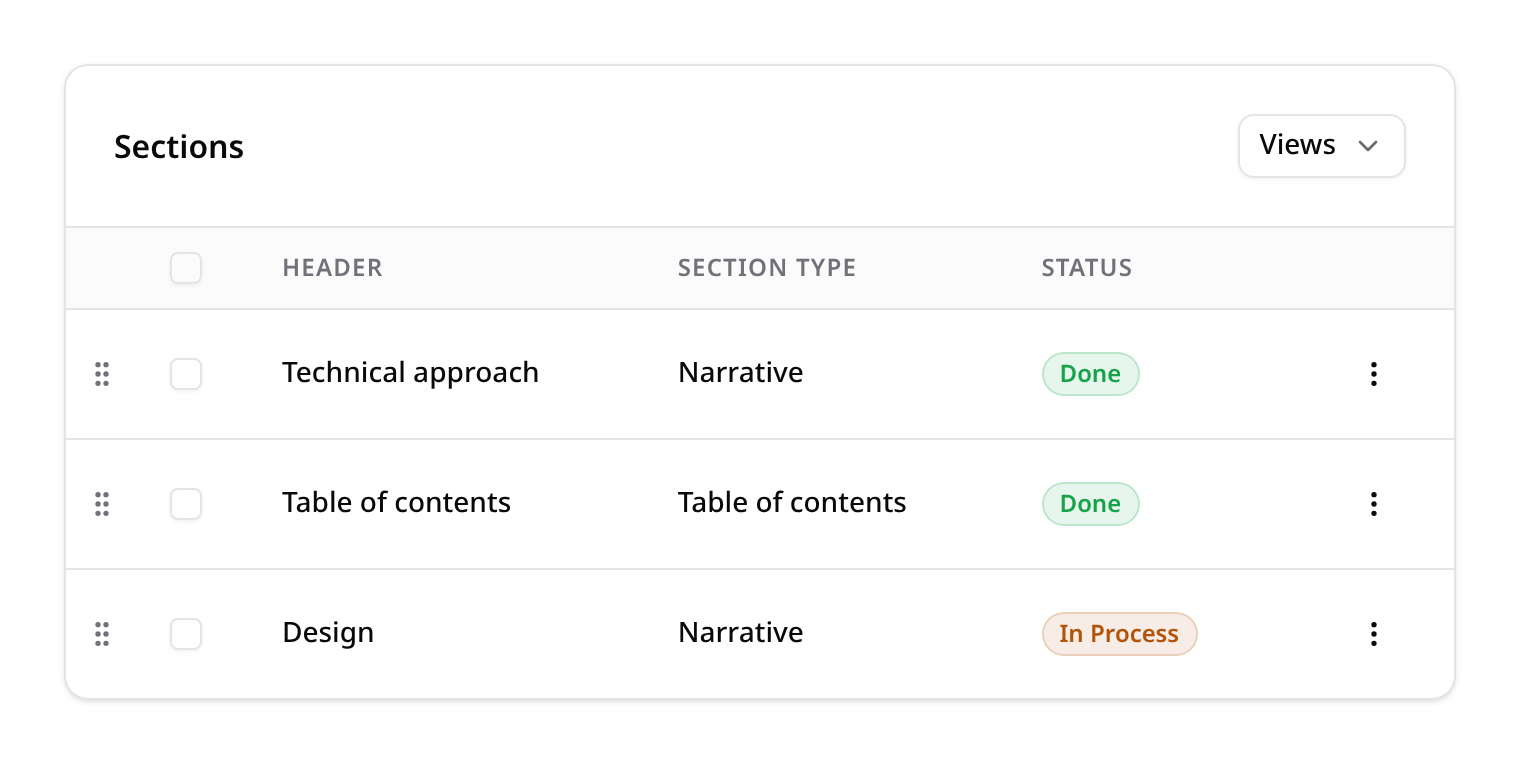
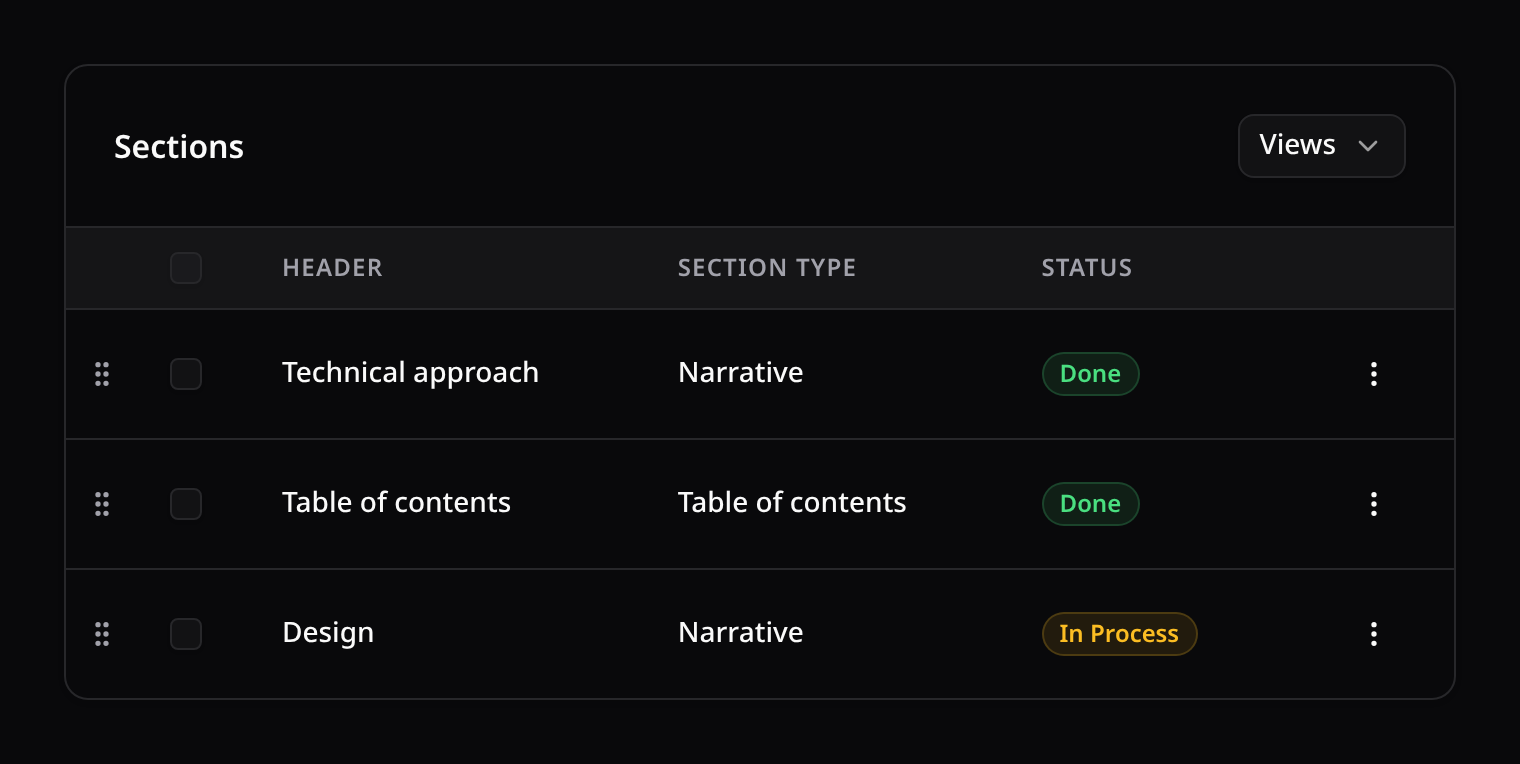
Persistence goes through a signed tables/reorder endpoint: the reorder column is baked into the same encrypted token as the table's model, so a request can only reorder a table that explicitly opted in via reorderable() — the column can't be forged from the client (the same guard as inline cell edits).
Pages, filters and search
A drag only sees the rows on screen: one page, a filtered view or a search result. Those rows trade the positions they already hold — dragging on page two reorders page two and leaves page one, page three and every filtered-out row exactly where they were. Rows that keep their position aren't saved, so they fire no model events.
- Sorted by a column? The drag handle is hidden while a column sort is active (and while a group is), because the rows aren't shown in their saved order. Clear the sort to reorder.
- Ties. Rows that share a position are shown in key order, so a page never repeats or skips a row. A row off screen sharing a position with a dragged one (a list numbered per group) keeps it.
- Write checks. Only rows whose position changes are written, and each must pass the table's write check (
writeAbility(), or the policy'supdate). A row the user can't edit doesn't block a drag that leaves it in place. - A column with no positions yet (all
0,nulls, repeats among the dragged rows) has nothing to trade. The first drag numbers the whole list1..nin the order it was shown, with the dragged rows in their new order. A list longer thankinetix.tables.reorder_max(default 1000) is refused with a message rather than rewritten. After that, each drag trades. "The whole list" is the table's write scope: when the table's query narrows it with something other thanwhere(column, value)(whereIn,whereHas, a join), declarewriteScope([...])so the numbering stays inside it. - Refused? The rows go back to the last order that was saved, with the server's message.
Give new rows a position when you create them (for example the current maximum plus one) so the list stays numbered:
protected static function booted(): void
{
    static::creating(function (Section $section): void {
        $section->sort_order ??= (int) static::query()->max('sort_order') + 1;
    });
}
How the write endpoints are guarded
Inline cell edits (ToggleColumn, TextInputColumn, SelectColumn) and reordering both post to Kinetix-owned endpoints that trust only the table's signed descriptor. That descriptor is defended on four axes:
| Axis | What it stops |
|---|---|
| Scoping | The record is resolved through the table's own constraints, so a tampered recordId outside the table is a 404, not a write. |
| Authorization | The model's policy decides — update, or the ability from writeAbility(). |
| Binding | The descriptor records the user it was minted for, so a token lifted from an admin's page (with a wider editable-column allowlist) is useless to anyone else. With kinetix.teams on it also records the team it was minted in, so it can't be replayed under another team's {current_team} endpoints (where the same user may hold a wider role). |
| Freshness | Descriptors expire after kinetix.tables.token_ttl minutes (default 1440). |
The same user/team/expiry binding guards every descriptor Kinetix hands the browser, not just table writes: kanban and calendar moves, record modals, relation managers, searchable selects and select filters, uploads, table repeaters, and the import/export/report launch tokens. A token that predates the binding, or has expired, is refused and the page must be reloaded.
Scoping is automatic for the common case: Kinetix reads the base query's simple where clauses when it mints the descriptor, so Table::make(Post::where('team_id', $id)) is already bounded. Declare it explicitly when the constraints can't be introspected — a global scope, a nested closure, a join:
Table::make($this->postsQuery())
    ->writeScope(['team_id' => $request->user()->currentTeam->getKey()])
    ->writeAbility('publish') // optional: require something narrower than `update`
    ->columns([ToggleColumn::make('is_published')]);
Without a policy, scoping is the only boundary
When the model has no policy, Kinetix enforces nothing here — the host owns access, exactly as with record actions and kanban moves. In a multi-tenant app that means the scope (captured or declared) is what keeps one tenant out of another's rows, so make sure your base query actually carries it.
Grouping rows
Group the current dataset's rows under collapsible headers by a column — an attribute, or a dot-notation path into an eager-loaded relation — with ->groups([...]) and ->defaultGroup(...).
use Happones\Kinetix\Tables\Group;
use Happones\Kinetix\Tables\Table;

Table::make(Task::query())
    ->columns([
        TextColumn::make('title'),
        TextColumn::make('status'),
    ])
    ->groups([
        Group::make('status')->label('Status')->collapsible(),
        Group::make('team.name')->label('Team'),      // relation path
        'created_at',                                  // bare string = Group::make()
    ])
    ->defaultGroup('status');                          // active on load
How it works
- The server resolves the active group for the request (the
?group=query param when it names a registered group, otherwisedefaultGroup()), orders the active group's column first so same-group rows come out contiguous, and demotes any user sort to order rows within each bucket. - Each row is tagged server-side with its
groupKeyandgroupLabel, read off the already-loaded record (viadata_get, dot-notation supported) — a relation group column reuses the table's eager-loading, so grouping never adds a query per row (no N+1). KinetixTableslices the contiguous rows into sections and renders one header per group (label + row count). Collapsible groups fold/unfold client-side; the collapsed state is local (survives polling, resets on a full reload). The count is the rows of that group on the current page.- Values are bucketed by what they are: an enum by its value, under its
getLabel()when it has one; a boolean as yes/no; a null value under one "none" header. A relation group loads its relation once even when no column shows it. - A group column the query can't order (a nested relation path, a
HasMany) is gathered after fetching, within the page, so each group still gets one header. An aggregate alias (withCount('tasks')→tasks_count) orders like a column. - Drag reorder is off while a group is active: a row can't leave its group.
Group API
| Method | Description |
|---|---|
Group::make(string $column) | Group by $column (attribute or relation.attribute). The column is also the group's stable identity. |
->label(string $label) | Human-readable label for the group picker. Defaults to a headline of the column. |
->collapsible(bool $condition = true) | Allow the frontend to collapse/expand this group's rows. |
->getTitleFromRecord(Closure $fn) | Override the header title: fn ($record, $value) => …. |
->getKeyFromRecord(Closure $fn) | Override the stable bucket key: fn ($record, $value) => …. Pair with getTitleFromRecord() when the title isn't 1:1 with the key. |
->date(string $format = 'Y-m-d') | Shortcut: bucket a datetime column by calendar day (key and title are the formatted date). |
// Group tasks by the day they were created.
Group::make('created_at')->date();

// Custom title derived from the record.
Group::make('status')
    ->getTitleFromRecord(fn ($record, $value) => ucfirst((string) $value));
Table methods
->groups(array $groups)— register the groups offered (each aGroupor a bare column string). The set is an allowlist: a?group=param can only activate a column that appears here.->defaultGroup(Group|string|null $group)— pre-select the active group. A string is developer config, so it auto-registers ifgroups()didn't list it; passingnullleaves the table ungrouped.
Security
Grouping never trusts raw client input: the request's ?group= param is matched against the registered-groups allowlist before it can reach orderBy, and group keys/titles are computed from already-loaded record values — never from a client-supplied class name or column.
Client-side mode
Grouping is a server-driven feature. In clientSide() (TanStack) mode the table renders ungrouped — group the data server-side (the default mode) when you need collapsible group headers.
Defining a Table as a Class
As an alternative to the inline fluent builder, you can subclass Table and override the build*() hooks. This keeps controllers thin and makes table definitions reusable.
use Happones\Kinetix\Tables\Table;
use Happones\Kinetix\Tables\Columns\TextColumn;
use Happones\Kinetix\Tables\Filters\SelectFilter;
use Happones\Kinetix\Actions\Action;

class PostsTable extends Table
{
    protected function buildColumns(): array
    {
        return [
            TextColumn::make('title')->searchable()->sortable(),
            TextColumn::make('author.name')->label('Author'),
        ];
    }

    protected function buildFilters(): array
    {
        return [
            SelectFilter::make('status')->options(['draft' => 'Draft', 'published' => 'Published']),
        ];
    }

    protected function buildRecordActions(): array
    {
        return [
            Action::make('edit')->icon('edit')->url(fn ($record) => route('posts.edit', $record)),
        ];
    }
}
Available hooks: buildColumns(), buildFilters(), buildRecordActions(), buildToolbarActions(), buildBulkActions(), and buildFooterActions(). They are invoked in the constructor, so instantiate the class with the query as usual.
Render it in one call with the static render() helper, which instantiates the table and returns the serialized array:
return inertia('Posts/Index', [
    'postsTable' => PostsTable::render(Post::with('author')),
]);
Fluent configuration still applies on top of the hooks (e.g. PostsTable::make($query)->poll('10s')->toArray()).
Known Limitations
Confirmed in the current Table query resolver:
- Searchable dot-notation is single-level. A searchable column like
author.nameis split on the first.only and resolved with a singlewhereHas('author', fn ($q) => $q->where('name', 'like', ...)). Deeper paths (e.g.author.team.name) are not expanded into nestedwhereHascalls. - Relationship-column sorting is single-level. A sortable
author.namecolumn sorts via a correlated subquery on the related table (BelongsTo/HasOne), with the sort key allowlisted against the defined columns. Deeper paths (author.team.name) and other relation types are not resolved — use a custom->sortable(using: ...)resolver for those.
Security
Editable columns update database values instantly by sending XHR requests. To ensure security:
- When serializing, the table builder generates an encrypted representation of the target Eloquent model class (
Crypt::encryptString). - Cell update requests submit this encrypted token along with the record ID, column name, and new value.
- The backend updates endpoint decrypts the model class, confirms its validity, verifies record existence, and updates the record safely.
Validating the value. Every edit is validated server-side against rules sealed into the same token: what the column type allows (a Select's options, a Number's bounds, a Toggle's boolean) plus any ->rules([...]) you add. A Select whose options all filter out for the current user accepts no value at all.
TextInputColumn::make('email')->rules(['email', 'unique:users']);- The value is validated under the column's own name, so
unique:usersandexists:rolescheck that column, and messages name the field. - A
uniquerule ignores the row being edited (saving a cell unchanged doesn't collide with itself); this applies toRule::unique()objects too. - Rules travel inside the token, so they must be strings or serializable rule objects. A closure (or a rule holding one, like
Rule::unique()->where(fn …)) throws when you declare it, naming the column. - A refused edit shows the server's message as a toast and puts the stored value back in the cell. A refused reorder puts the rows back in their saved order.
Spatie Laravel Data & TypeScript Integration
Kinetix uses Spatie Laravel Data under the hood to ensure full data integrity and allow developers to automatically export all table and notification DTOs as TypeScript type definitions.
Auto-Generating TypeScript Types
To generate TypeScript types for Kinetix in your frontend:
Install Spatie's TypeScript transformer in your main application:
bashvendor/bin/sail composer require spatie/laravel-typescript-transformerAdd Kinetix Data classes to the search path in your
config/typescript-transformer.php:php'searching_paths' => [ app_path(), base_path('vendor/happones/kinetix/src/Data'), ],Run the compiler:
bashvendor/bin/sail artisan typescript:transformThis will generate types like
TableData,TableRowData,ColumnData, etc. directly inside your frontend types (e.g.,resources/js/types/generated.d.ts).
Multi-Tenancy / Teams Support
If your application scopes its routes under a tenant or team slug (e.g., {current_team}/posts), Kinetix can automatically adapt its routing and closure parameters.
Enabling Teams
To enable teams, set the teams parameter to true in your config/kinetix.php:
'teams' => true,When enabled:
- Kinetix automatically prefixes its internal API endpoints (e.g., cell updates, notification actions) under the active
{current_team}/. - Actions that evaluate closure URLs (like
fn ($record) => route('posts.edit', $record)) will automatically inherit the active team parameter in their route parameters using URL defaults, avoidingMissing required parameter: current_teamerrors.
The table does not scope your rows — you do
Routing and data isolation are separate layers. Table::make($query) renders whatever query you hand it: Kinetix has no idea which column holds your tenant, so a filter here would either guess or silently do nothing. The scoping seam is Resource::getEloquentQuery(), which the index page and the in-table modal endpoint both read — scope it once and modal CRUD is tenant-safe too:
public static function getEloquentQuery(): Builder
{
    return Post::where('team_id', KinetixTeams::currentTeamKey());
}
Use KinetixTeams::currentTeamKey() rather than $user->currentTeam: it reads the {current_team} segment (so a page served for team B never reads team A's rows) and verifies the user belongs to that team. kinetix:make-resource scaffolds exactly this when teams are on.
Search is applied inside a grouped where(), so its OR terms can never escape your tenant filter and widen the result set.
Enum Support & Contracts
When working with model attributes cast to Enums, Kinetix can automatically resolve their display labels, colors, icons, and select options using contracts (interfaces) and concerns (traits).
Mapped Contracts
Implement the following contracts inside your Enums to provide metadata:
Happones\Kinetix\Support\Contracts\HasLabel: Defines the human-friendly label for the enum.Happones\Kinetix\Support\Contracts\HasColor: Defines the theme color status (primary,success,warning,danger,gray) for badges and icons.Happones\Kinetix\Support\Contracts\HasIcon: Defines the Lucide icon name for icon columns.
Duck-typed resolution
Implementing the Kinetix contracts is optional: any enum exposing public getLabel(): ?string, getColor(): ?string, or getIcon(): ?string methods resolves exactly the same way. Enums written against equivalent third-party label contracts therefore work in Kinetix unchanged — no rewrite needed. Enums without any of these methods still render: backed enums fall back to their value, pure enums to their case name.
Example Enum Definition
namespace App\Enums;

use Happones\Kinetix\Support\Contracts\HasLabel;
use Happones\Kinetix\Support\Contracts\HasColor;
use Happones\Kinetix\Support\Contracts\HasIcon;
use Happones\Kinetix\Support\Concerns\HasLabelOptions;

enum PostStatus: string implements HasLabel, HasColor, HasIcon
{
    use HasLabelOptions;

    case Draft = 'draft';
    case Published = 'published';
    case Archived = 'archived';

    public function getLabel(): ?string
    {
        return match ($this) {
            self::Draft => 'Borrador',
            self::Published => 'Publicado',
            self::Archived => 'Archivado',
        };
    }

    public function getColor(): ?string
    {
        return match ($this) {
            self::Draft => 'gray',
            self::Published => 'success',
            self::Archived => 'danger',
        };
    }

    public function getIcon(): ?string
    {
        return match ($this) {
            self::Draft => 'edit-3',
            self::Published => 'check-circle-2',
            self::Archived => 'x-circle',
        };
    }
}
Column & Filter Integration
- TextColumn: Automatically renders the value of
getLabel()if the Enum implementsHasLabel.- If
badge()is enabled, it automatically uses the color returned bygetColor()as the badge color if the Enum implementsHasColor.
- If
- IconColumn: Automatically resolves the icon from
getIcon()and the color fromgetColor()if the Enum implementsHasIconandHasColor. - ColorColumn: Automatically resolves the color value from
getColor()if the Enum implementsHasColor. - SelectColumn & SelectFilter: You can pass the Enum class directly to
options(). It will automatically build the option list mapping values to labels:php// Dropdown options automatically generated from PostStatus Enum cases SelectColumn::make('status')->options(PostStatus::class) SelectFilter::make('status')->options(PostStatus::class)
Reusable Concern: HasLabelOptions
Include use Happones\Kinetix\Support\Concerns\HasLabelOptions; inside your Enum to get a static helper method to generate option arrays:
$options = PostStatus::options();
// Returns: ['draft' => 'Borrador', 'published' => 'Publicado', 'archived' => 'Archivado']
The same contracts drive Select/Radio form fields (Forms → Enums & HasLabel), Infolist entries, and export columns — define the enum once and every surface renders it consistently.