

Channels
Kinetix Channels lets each team link the lines it talks to its customers on — WhatsApp numbers and Telegram bots — from one drop-in screen, and hands your app every message that reaches them. Kinetix owns the line records, their team scoping, their webhooks and the linking UI; your app decides what to do with the messages (an inbox, a bot, a flow).
- WhatsApp: through an Evolution API server. The line is linked by scanning a QR code from WhatsApp → Linked devices, or by typing a pairing code on the phone.
- Telegram: a bot. The team creates it with BotFather and pastes its token; Kinetix checks it, names the line after the bot and registers its webhook.
Installation
WhatsApp lines need the Evolution API client. Telegram lines need nothing extra.
composer require happones/laravel-evolution-client   # only for WhatsApp
php artisan vendor:publish --tag=kinetix-channels-migrations
php artisan migrate'channels' => [
'enabled' => env('KINETIX_CHANNELS_ENABLED', false),
'teams' => env('KINETIX_CHANNELS_TEAMS'), // null = inherit kinetix.teams
'limit' => null, // lines per team (see below)
// The public URL providers call — a tunnel in development. Telegram only
// calls HTTPS URLs.
'webhook_url' => env('KINETIX_CHANNELS_WEBHOOK_URL'),
// The country preselected for a pairing code's number (ISO, e.g. 'MX');
// null = the browser's region.
'phone_country' => env('KINETIX_CHANNELS_PHONE_COUNTRY'),
'providers' => [
'whatsapp' => [
'enabled' => env('KINETIX_CHANNELS_WHATSAPP', true),
'base_url' => env('KINETIX_CHANNELS_EVOLUTION_URL'), // null = evolution.base_url
'api_key' => env('KINETIX_CHANNELS_EVOLUTION_KEY'), // null = evolution.api_key
'qr_ttl' => 30,
],
'telegram' => [
'enabled' => env('KINETIX_CHANNELS_TELEGRAM', true),
'api_url' => env('KINETIX_CHANNELS_TELEGRAM_API', 'https://api.telegram.org'),
],
],
],Turn a provider off with 'enabled' => false and it disappears from the picker. The copy follows: with only WhatsApp on, the manager, the add dialog and the bot editor talk about WhatsApp numbers and never mention Telegram (and the other way around).
1. The line manager
Mount <KinetixChannelManager> where teams manage their lines, behind the channels.manage ability:
<script setup lang="ts">
import KinetixChannelManager from '@/components/kinetix/KinetixChannelManager.vue';
</script>

<template>
    <KinetixChannelManager @linked="onLinked" />
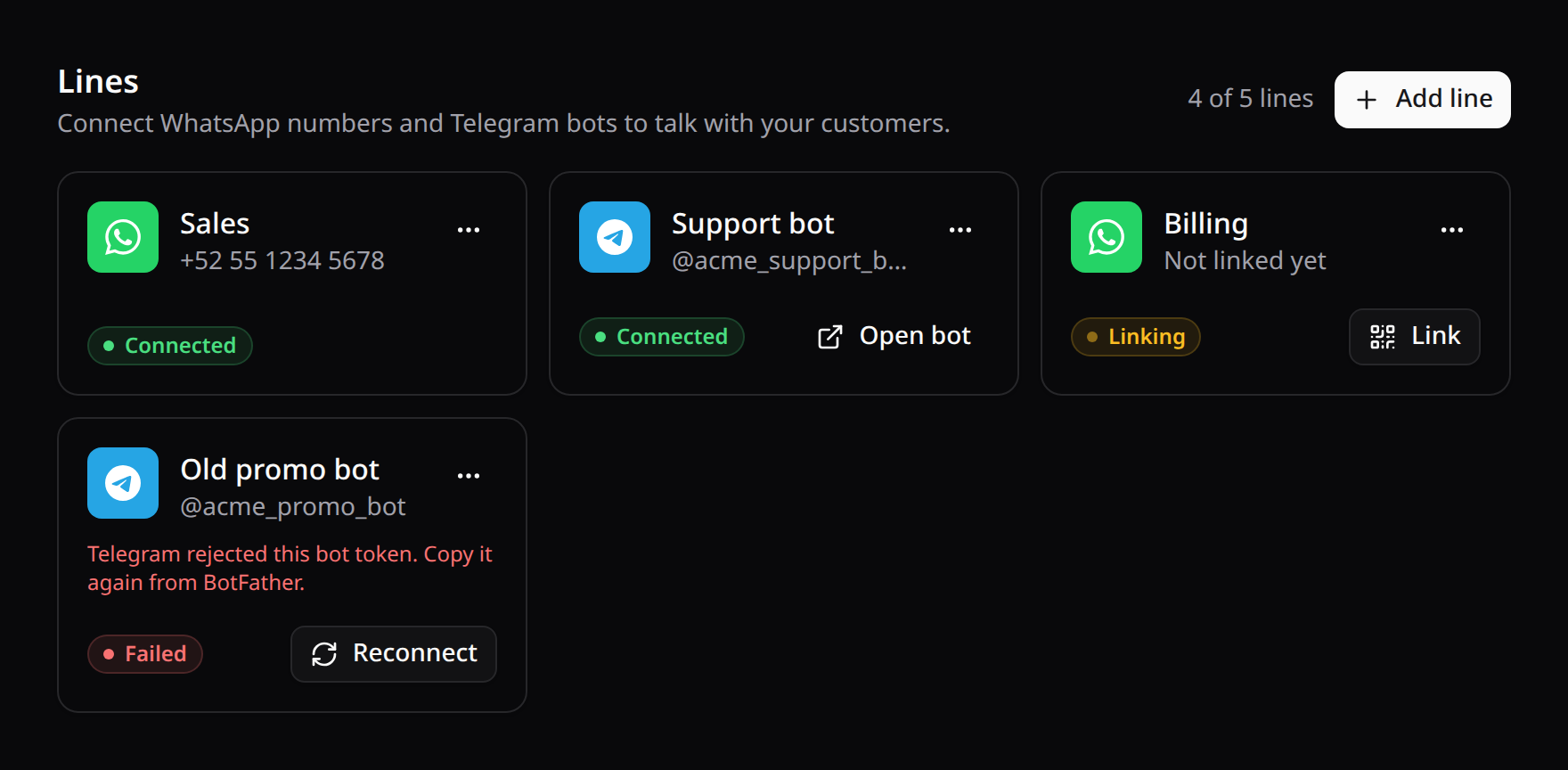
</template>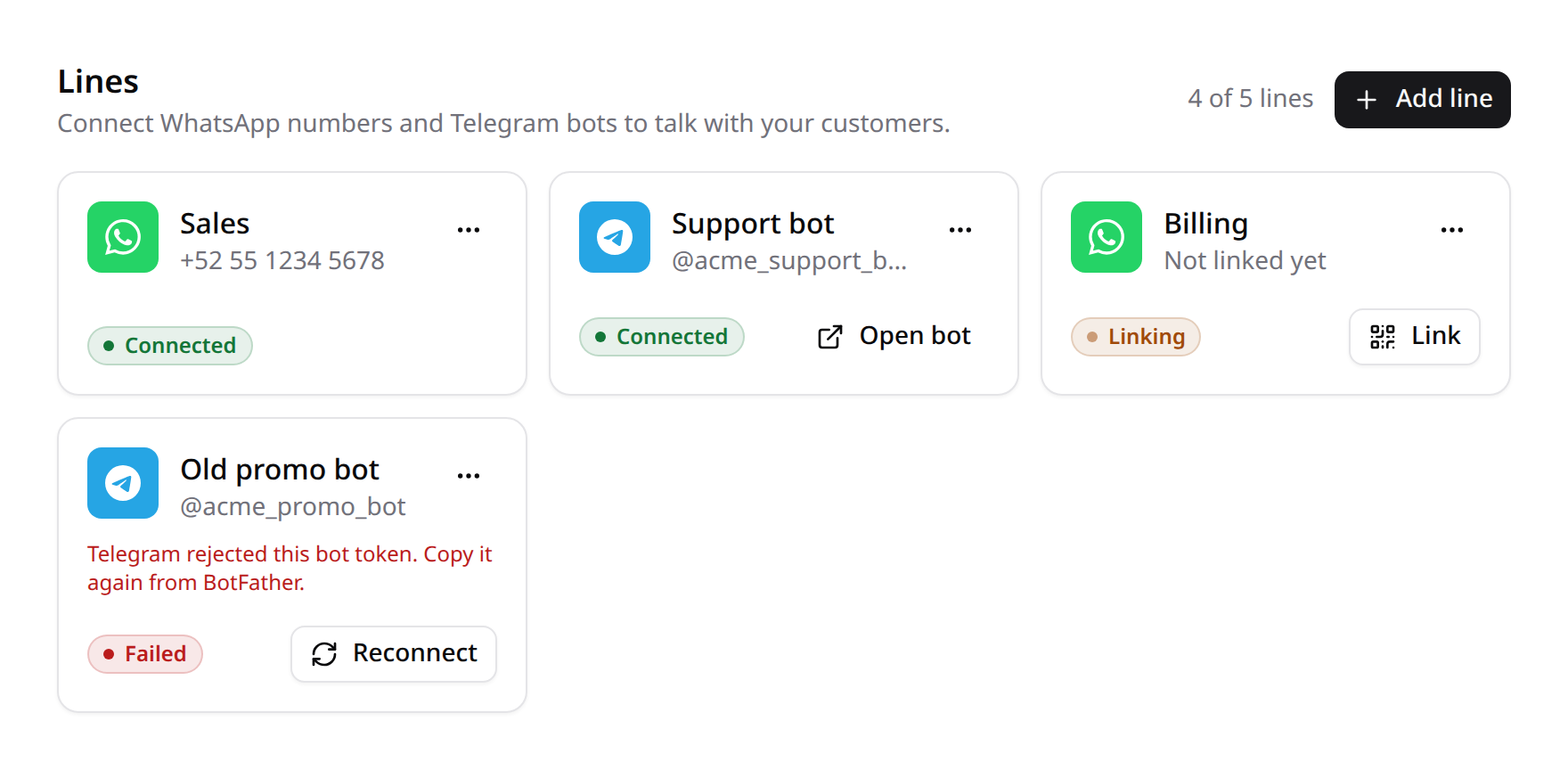
A team adds a line by choosing its provider and naming it:
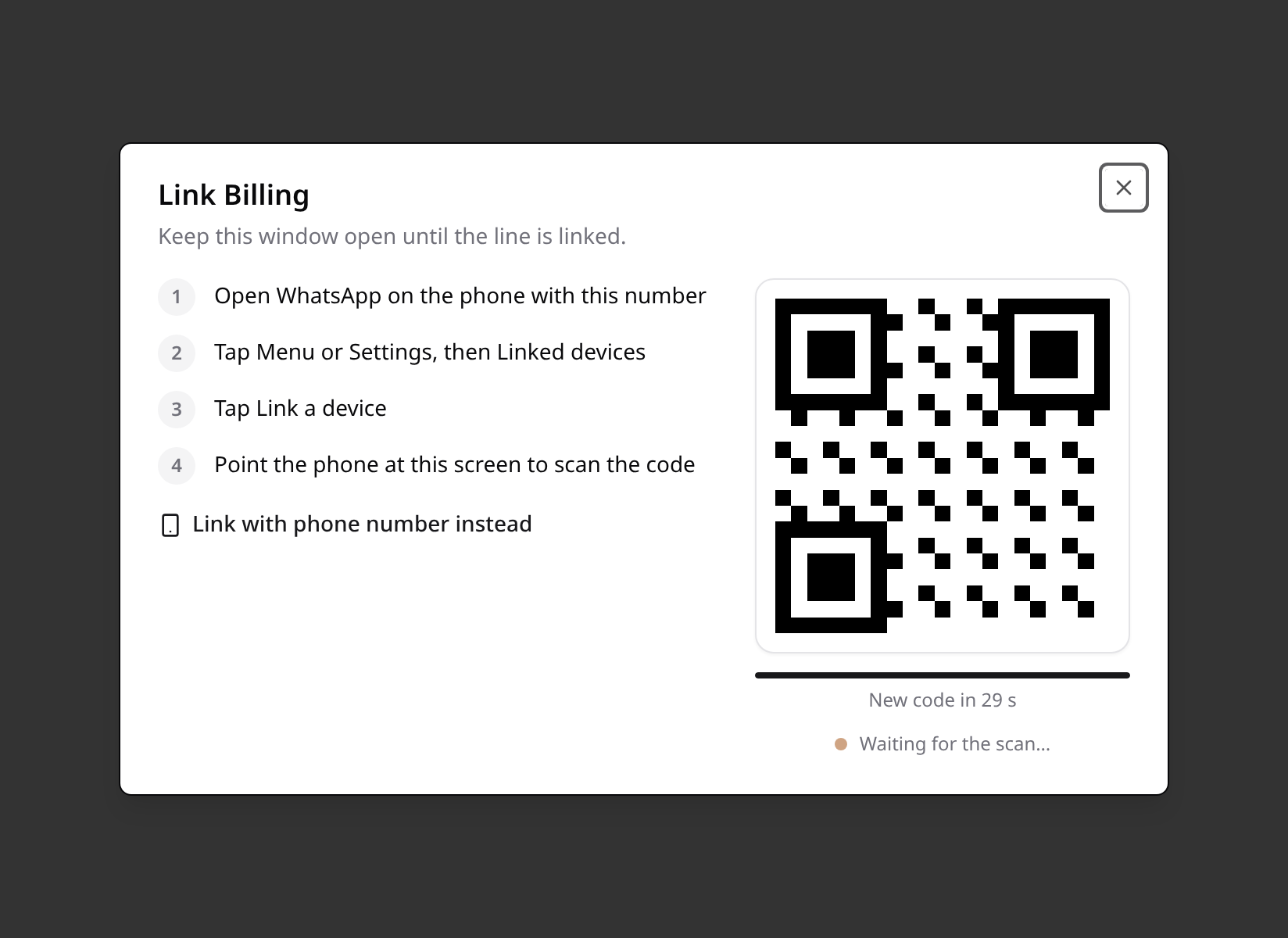
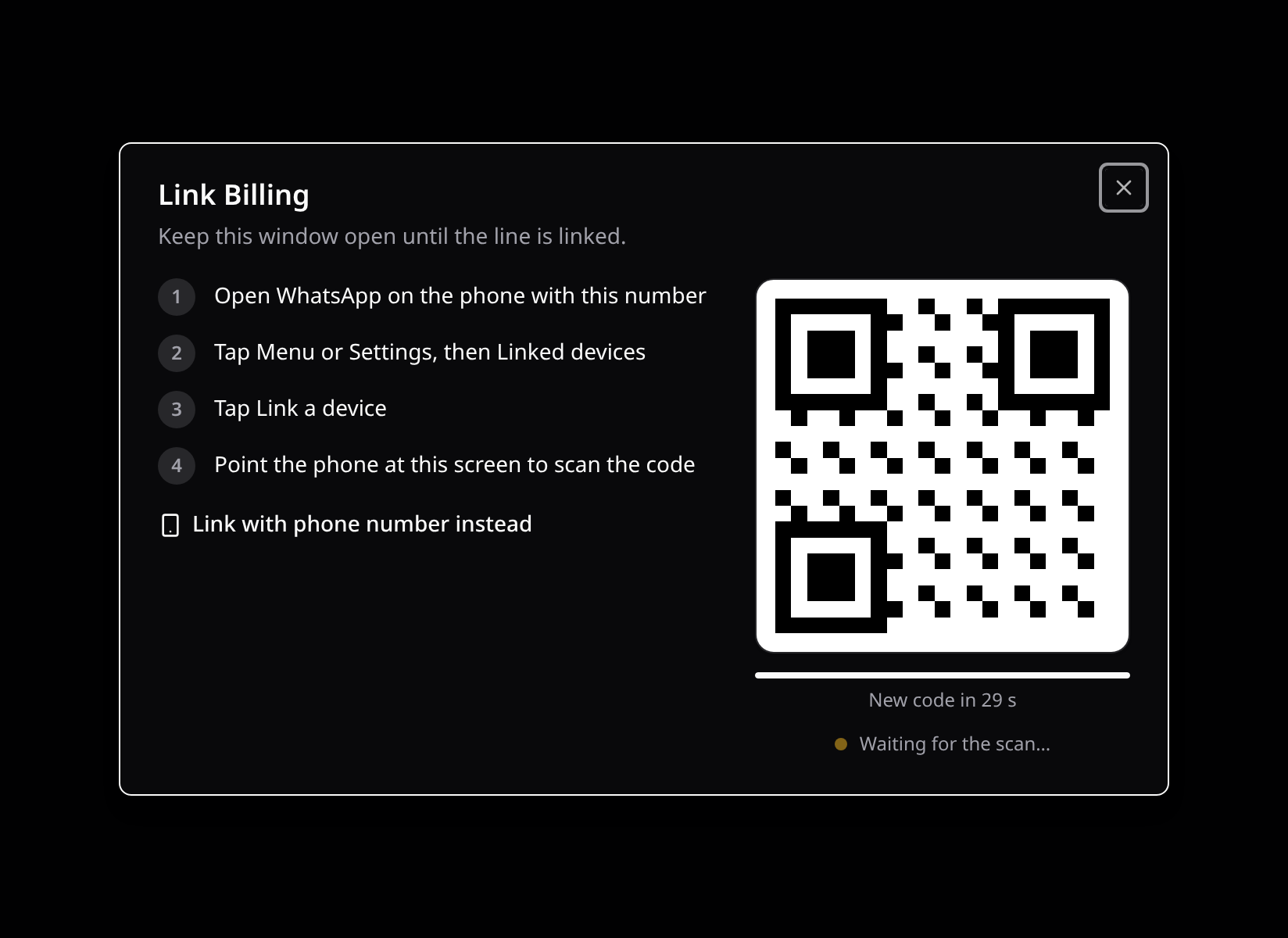
- A WhatsApp line opens straight on its first QR. The code refreshes itself before it expires (a few times, then it waits for a click), and the dialog follows the line's status until WhatsApp reports it linked. On a phone it starts on the pairing code instead: the phone showing the QR can't scan itself. The number for the code is typed with a country picker, so it always goes out with its country code.
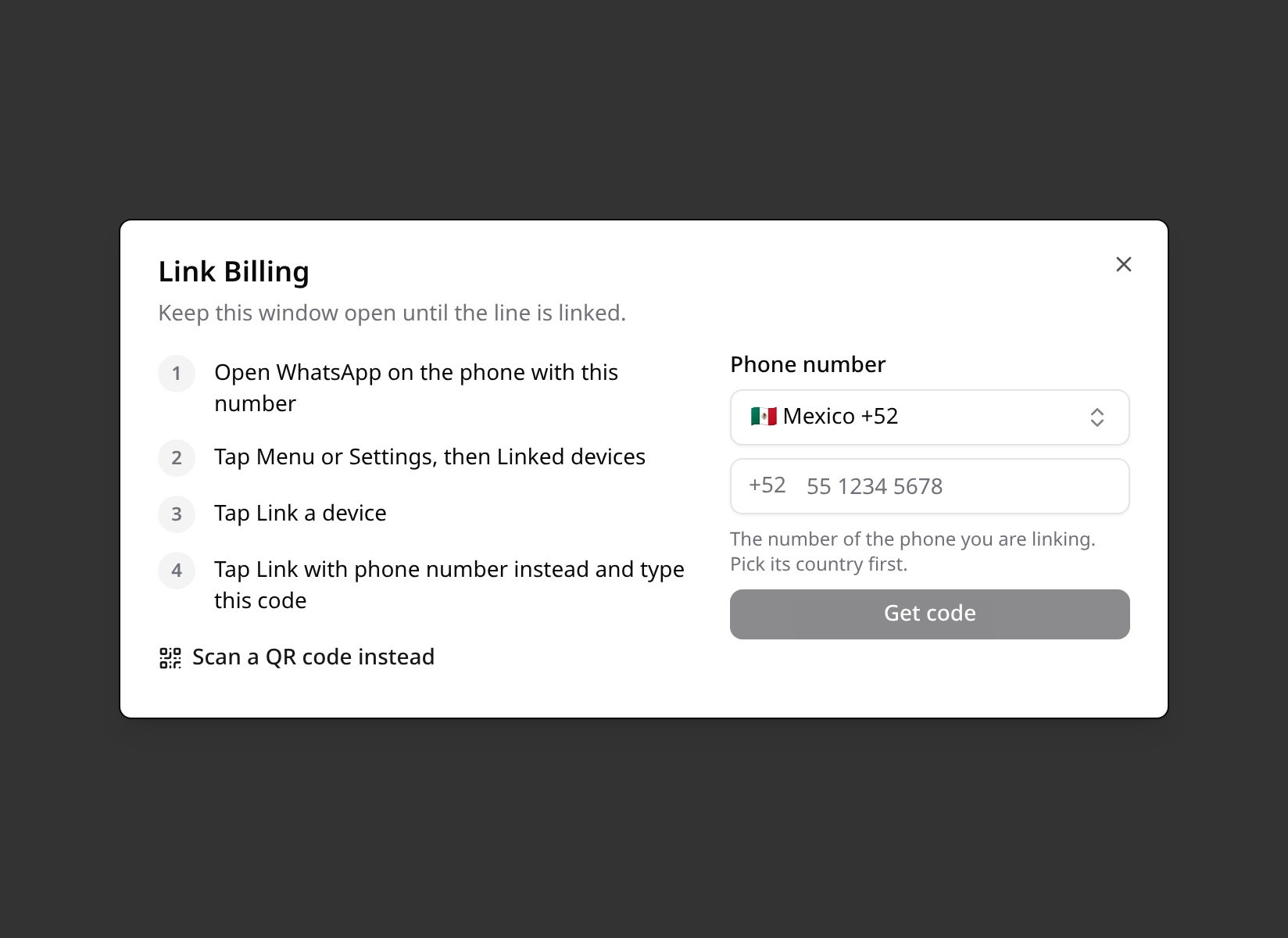
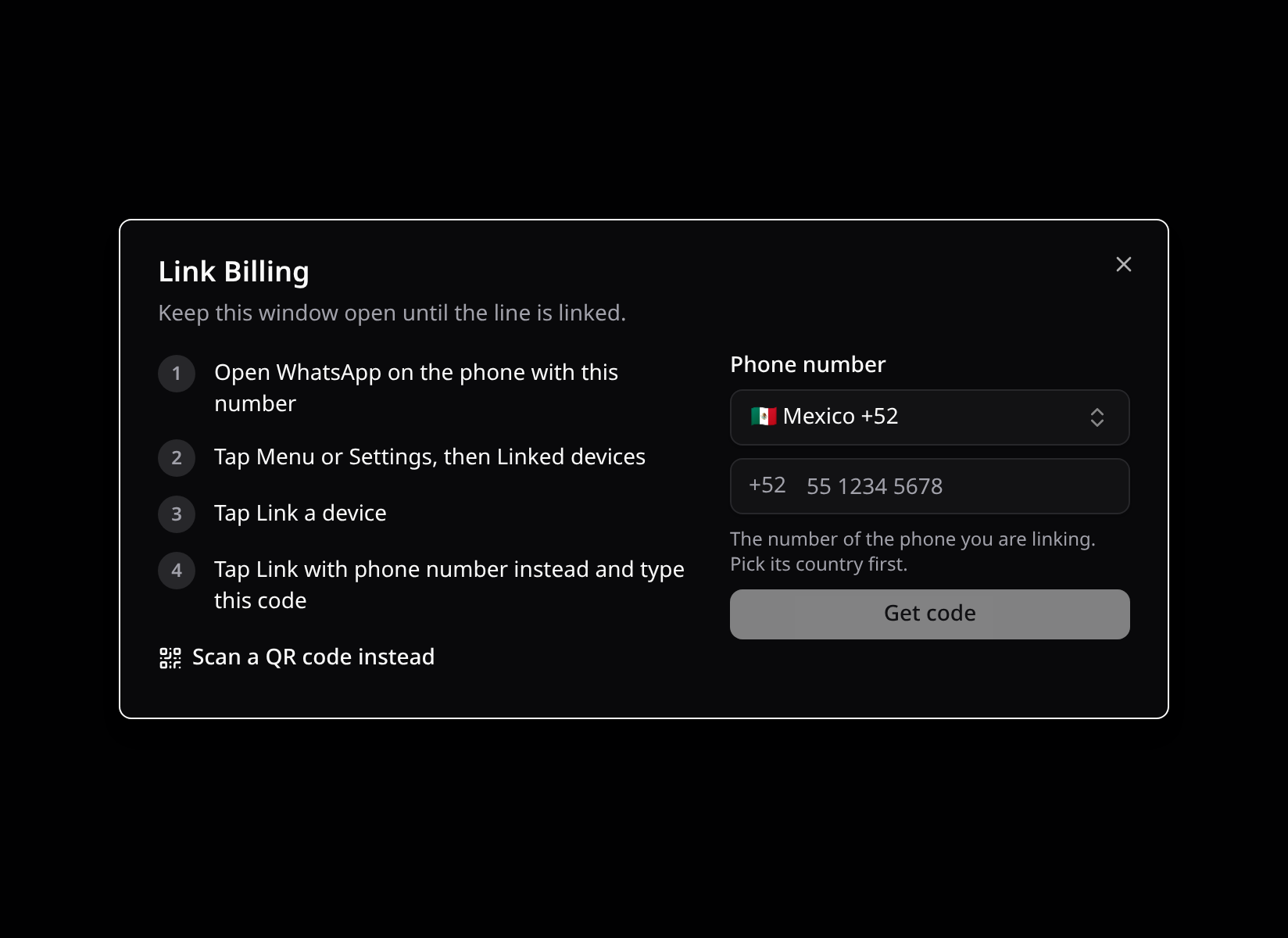
- A Telegram line asks for the bot token. A rejected token shows under the field; an accepted one connects at once.
Each card shows the line's number or username and where it stands — Not linked, Linking, Connected or Failed (with the provider's reason). Its menu sends a test message, restarts the session, unlinks, renames and deletes the line. Deleting also removes it from the provider.
@linked fires when a line finishes linking, for example to move an onboarding step forward. hide-header drops the built-in heading when the page has its own.
Build your own UI on useKinetixChannels(). It exposes channels, providers, load, create, link, status, disconnect, restart, test, rename, remove and listen. <KinetixChannelLinker> and <KinetixChannelCard> work on their own too.
2. Receiving messages
Every message that reaches a line fires ChannelMessageReceived, with the same shape for every provider:
use Happones\Kinetix\Channels\Events\ChannelMessageReceived;
use Happones\Kinetix\Channels\KinetixChannels;

Event::listen(function (ChannelMessageReceived $event): void {
    $message = $event->message;

    // $message->from        what sendText() takes to reply: a phone number, a chat id
    // $message->fromName    "Ada"
    // $message->text        the text or caption, null for media without one
    // $message->type        text, image, video, audio, document, sticker, location, contact, other
    // $message->isGroup     a group chat
    // $message->externalId  the provider's message id
    // $message->raw         the provider's payload, for anything else

    if ($message->text === '/start') {
        KinetixChannels::sendText($event->channel, $message->from, 'Welcome!');
    }
});
The line's own outgoing messages don't fire it. Do heavy work in a queued listener: providers expect the webhook to answer quickly.
Two more events follow a line's life:
| Event | When |
|---|---|
ChannelStatusChanged | It connected, disconnected or failed (from and to). |
ChannelQrUpdated | The provider issued a new QR for a line being linked. |
3. Webhooks
Each line has its own webhook URL, POST {route_prefix}/channels/webhook/{public_id}, registered with the provider when the line is created. It runs outside the web middleware, with no session and no CSRF, and is authenticated by the line's own secret:
- WhatsApp: Evolution sends it in the
X-Kinetix-Channel-Secretheader. - Telegram: it is the webhook's
secret_token, sent back inX-Telegram-Bot-Api-Secret-Token.
A call with an unknown line or a wrong secret gets the same 401.
The providers must reach that URL. In development, point webhook_url at a tunnel (ngrok, Expose). Linking still works without webhooks: while the linker is open, its status endpoint asks the provider directly, at most every check_interval seconds.
Lines nobody watches catch up through kinetix:channels:sync, which checks every linked or linking line against its provider. Schedule it:
Schedule::command('kinetix:channels:sync')->everyFiveMinutes();4. Live updates
The linker polls, so it works in any app. With Laravel Echo configured, turn on broadcasting and status and QR changes land at once:
'channels' => [
    'broadcast' => env('KINETIX_CHANNELS_BROADCAST', true),
],
Lines broadcast channel.updated on the private channel kinetix.channels.{team} (or kinetix.channels without teams). Kinetix authorizes it for members of the team who can channels.manage.
5. Lines per plan
limit caps how many lines a team may have. Set a number, or a callable array that receives the team key, for a plan's allowance:
'limit' => [App\Billing\Plans::class, 'lines'],public static function lines(int|string|null $teamKey): ?int
{
return Team::find($teamKey)?->plan?->lines; // null = no limit
}The manager shows 2 of 3 lines and disables Add line at the limit; the server refuses past it too.
6. Sending from your code
use Happones\Kinetix\Channels\Channel;
use Happones\Kinetix\Channels\KinetixChannels;

$line = Channel::query()->where('team_id', $team->id)->where('provider', 'whatsapp')->first();

KinetixChannels::sendText($line, '+5215512345678', 'Your order shipped.');
A refused send throws ChannelException, with a message fit to show.
7. The inbox
Turn on the Inbox and every message that reaches a line lands in a team conversation. The team answers with files, replies and internal notes, and the line manager gains an Agents action per line. WhatsApp lines also report delivery and read receipts (ChannelMessageStatusUpdated).
Lines added before receipts existed get them after a Restart, which points their webhook at Kinetix again with today's events.
8. A bot behind the line (WhatsApp)
Some apps build their bots in Flows. Others only need the team to link its number, while a bot of their own answers behind the scenes. For those, the Evolution server can run one of its integrations on every new WhatsApp line: Evolution Bot, Typebot, OpenAI, Dify, Flowise, n8n or EvoAI. The team never sees it. Its line looks and links like any other.
// config/kinetix.php → channels.providers.whatsapp
'bot' => [
    'integration' => 'evolutionBot',
    'bot'         => ['apiUrl' => env('SUPPORT_BOT_URL'), 'apiKey' => env('SUPPORT_BOT_KEY')],
    'settings'    => ['expire' => 30], // the integration's defaults for the line
],
To give a bot only to some teams or plans, point bot at a callable array. It receives the line being set up and returns a WhatsAppBot, or null for none:
'bot' => [App\Channels\LineBots::class, 'for'],use Happones\Kinetix\Channels\Channel;
use Happones\Kinetix\Channels\Evolution\WhatsAppBot;
public static function for(Channel $line): ?WhatsAppBot
{
return match (Team::find($line->team_id)?->plan) {
'pro' => WhatsAppBot::openai(config('services.openai.key'), options: ['systemMessages' => ['You answer for Acme.']]),
'basic' => WhatsAppBot::evolutionBot('https://bots.acme.test/whatsapp', apiKey: config('services.bots.key')),
default => null,
};
}| Constructor | Integration |
|---|---|
WhatsAppBot::evolutionBot($apiUrl, $apiKey) | Posts each message to your endpoint and sends its answer. |
WhatsAppBot::typebot($url, $typebot) | A Typebot flow. |
WhatsAppBot::openai($apiKey, $botType) | OpenAI. The key is stored on the server as credentials first. |
WhatsAppBot::dify($apiUrl, $apiKey, $botType) | A Dify app. |
WhatsAppBot::flowise($apiUrl, $apiKey) | A Flowise chatflow. |
WhatsAppBot::n8n($webhookUrl, $user, $password) | An n8n workflow. |
WhatsAppBot::evoai($agentUrl, $apiKey) | An EvoAI agent. |
WhatsAppBot::make($integration, $payload) | Any integration, with its payload as Evolution documents it. |
Every constructor takes the integration's other fields as $options. The bot answers every message (triggerType: all) unless you set a trigger, and it steps back in a chat once someone writes from the line, through the inbox or the phone (stopBotFromMe). ->withSettings([...]) sets the integration's defaults for the line.
Lines already set up take a bot, or drop it, from your code:
KinetixChannels::attachBot($line, WhatsAppBot::typebot('https://typebot.io', 'sales')); // replaces the one it had
KinetixChannels::detachBot($line);- A line with such a bot is left to it: Flows don't start there on their own. Its conversations still reach the inbox.
- What the bot sends shows in the inbox thread, signed with its name.
->named('Asistente')sets the name; otherwise it's Bot. The integration never shows. - If the bot can't be created, the line isn't created either. The team sees that the line couldn't be set up; the reason goes to your log.
- Your own
EvolutionGatewayruns bots once it also implementsEvolutionBotGateway.
9. Another provider
A provider is a ChannelDriver: how its lines link (linkMethods()), how they're set up (provision()), linked, checked, unlinked, restarted and removed, how they send, and how their webhook is verified and read. Register one in a service provider:
use Happones\Kinetix\Channels\KinetixChannels;

KinetixChannels::extend('sms', App\Channels\SmsDriver::class);
The manager offers it at once. Add channel_provider_sms to your translations for its name.
A driver can do more by implementing any of these optional interfaces:
| Interface | What it adds |
|---|---|
SendsMessages | send(Channel, OutgoingMessage): ?string — files and replies, returning the provider's id. |
DownloadsMedia | downloadMedia(Channel, $mediaRef) — the file of an inbound message. |
ReportsHandle | handle(Channel) — the line's number or username, for a line linked by polling. |
Fill InboundMessage::$replyTo and $mediaRef, and WebhookResult::$statuses (the provider's id → sent, delivered, read or failed), and the inbox follows along.
To talk to Evolution through your own client, bind Happones\Kinetix\Channels\Evolution\EvolutionGateway. The same seam makes WhatsApp lines testable without a server.
Security notes
- A line's credentials (a bot token, an instance token) are stored encrypted and never sent to the browser. The webhook secret never leaves the server either.
- Every management endpoint checks
channels.manageand only finds lines of the current team. - Telegram bots are the sanctioned way in. Kinetix doesn't log into personal Telegram accounts.