

Kinetix Infolists Complete Reference
Kinetix Infolists is a schema-driven, DTO-powered system for rendering read-only record details. It is the display-only twin of Kinetix Forms: you describe what to show in PHP — entries, layouts, formatting, visibility — and the configuration is serialized into a structured JSON DTO that is consumed natively by Vue 3 components.
Use an infolist on a resource's "View" page, inside a detail drawer, or anywhere you need to present a record without editing it.
1. Core Architecture & Concept
Unlike forms, infolists carry no client-side state, validation, or hydration lifecycle. Each entry resolves its display value on the server during serialization, so the frontend only renders pre-computed, already-formatted data. This keeps the Vue layer stateless, fast, and free of memory leaks (no watchers or two-way bindings are created).
Key Principles
- Server-side state resolution — Every entry's value (and its formatting) is computed in PHP via
getState(). The frontend never recomputes it. - Stateless rendering —
KinetixInfolistEntries.vueholds no reactive state beyond a transient "copied" flag, eliminating leak-prone watchers. - Tailwind JIT compliance — Column spans map to inline
grid-columnstyles and colors map to a static class table, never to dynamically interpolated Tailwind class names. - Shared contracts — Entries honour the same
HasLabel,HasColor, andHasIconenum contracts used by Tables, so a single Enum drives badges, icons, and colors everywhere.
2. Building an Infolist
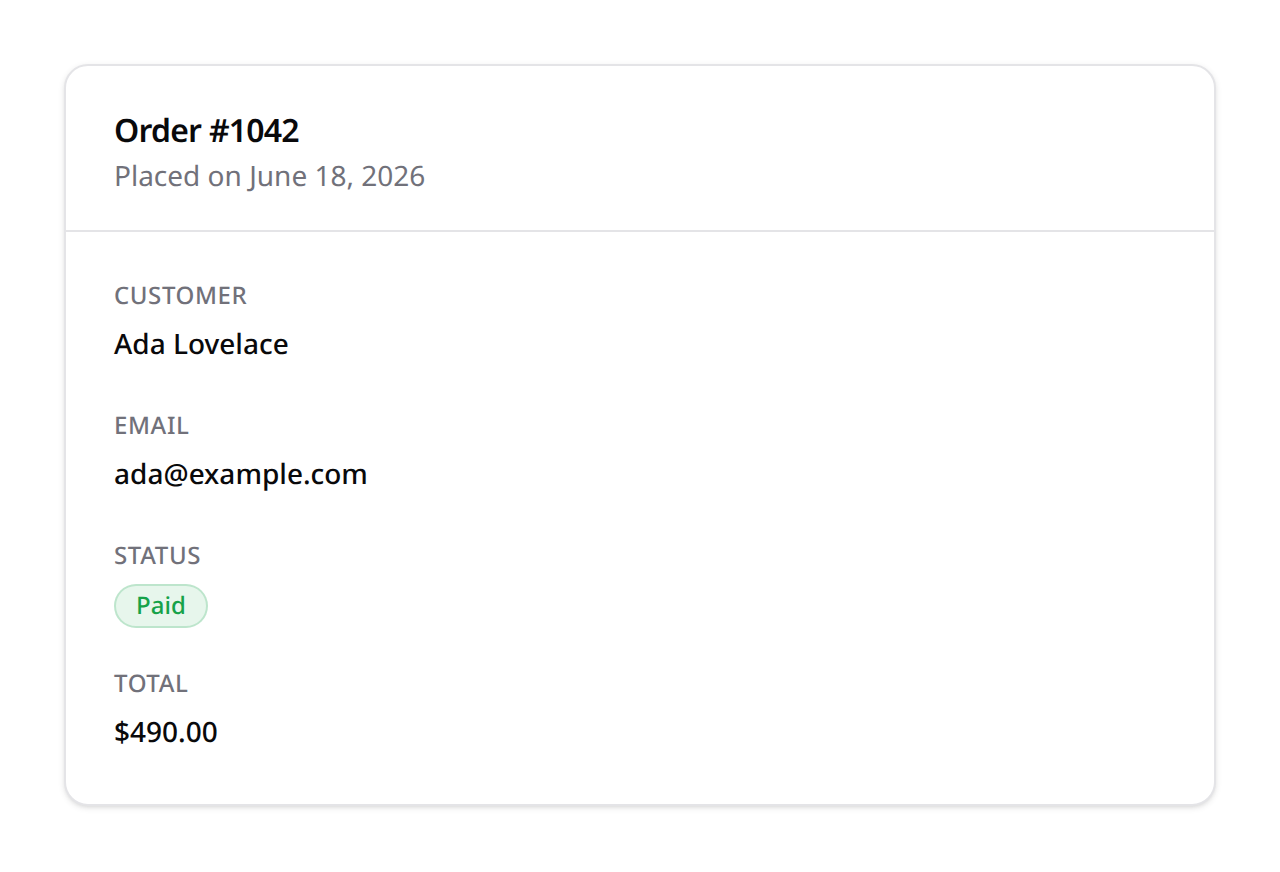
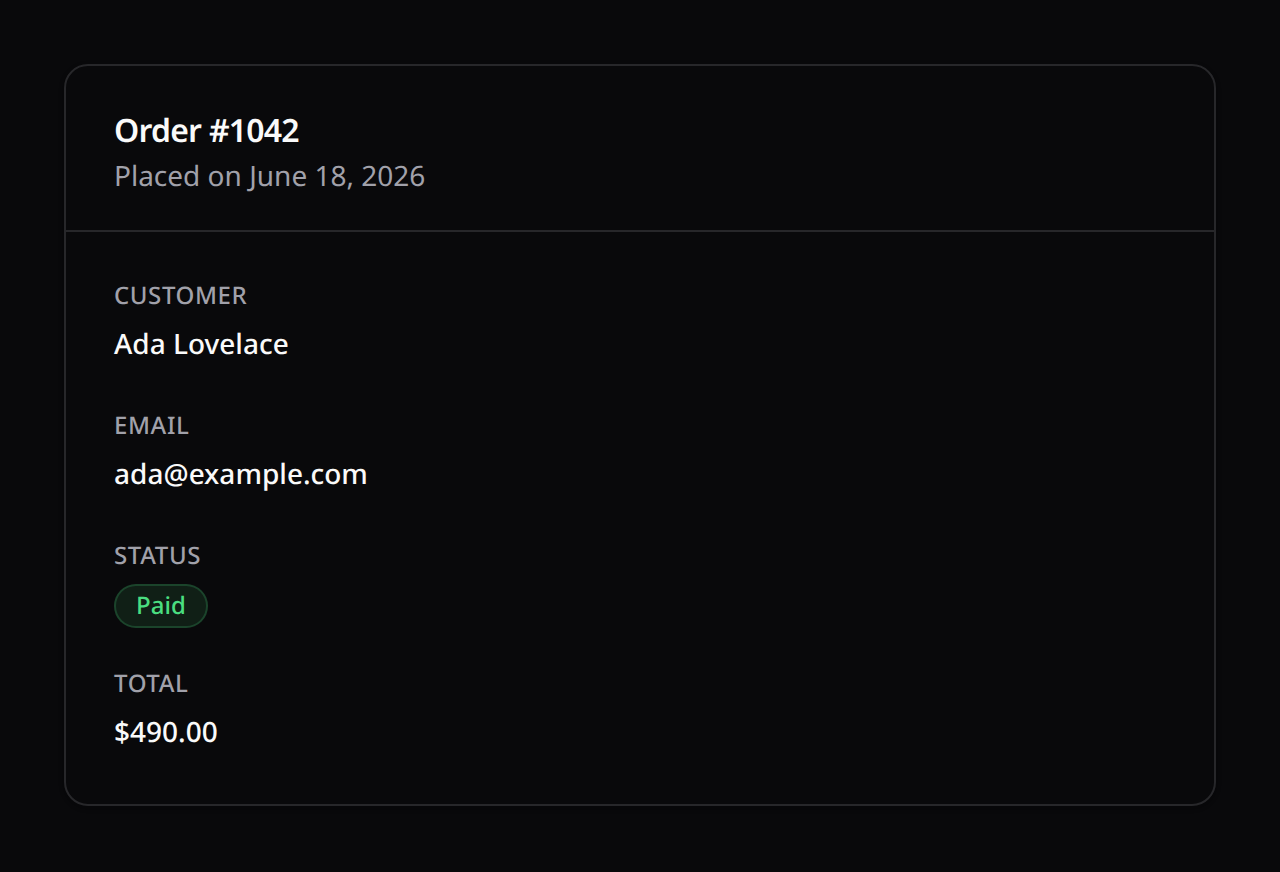
use Happones\Kinetix\Infolists\Infolist;
use Happones\Kinetix\Infolists\Components\Section;
use Happones\Kinetix\Infolists\Components\Grid;
use Happones\Kinetix\Infolists\Components\TextEntry;
use Happones\Kinetix\Infolists\Components\IconEntry;

$infolist = Infolist::make($user)
    ->schema([
        Section::make('Account')
            ->description('Read-only account details.')
            ->icon('user')
            ->columns(12)
            ->schema([
                TextEntry::make('name')->columnSpan(6),
                TextEntry::make('email')
                    ->icon('mail')
                    ->copyable()
                    ->columnSpan(6),
                IconEntry::make('is_active')->boolean()->columnSpan(4),
                TextEntry::make('created_at')->dateTime()->columnSpan(8),
            ]),
    ]);

// Serialize for Inertia
return inertia('Users/Show', [
    'infolist' => $infolist->toArray(),
]);
Builder methods
The Infolist instance exposes a small set of chainable setters:
| Method | Description |
|---|---|
->record(?Model) | Bind the model whose state the entries resolve against |
->columns(int|array) | Top-level grid columns (default 1) — see the responsive note below |
->operation(string) | The operation context (default 'view'), matched by entry ->visibleOn() / ->hiddenOn() |
Responsive by default
Infolist grids follow the same responsive system as forms: an int means "this many columns from lg up, one below", so a columns(12) section stacks on narrow layouts and spreads on wide ones. Every columns() (Infolist, Section, Fieldset, Grid, Tab) and every columnSpan() also accepts a breakpoint map (['default' => 1, 'sm' => 2, 'xl' => 3]), and breakpoints measure the infolist's own width via container queries — a record panel in a drawer collapses even on a wide viewport. Spans clamp to the columns available at each size.
An entry without columnSpan() takes one cell in a container narrower than 12 columns — Tab::make('Profile')->columns(2) puts two entries per row. On the default 12-column grid it keeps the full row, and columnSpan(6) and friends lay it out.
One-line rendering
// Build + bind a record + serialize in a single call
$payload = UserInfolist::render($user);
Reusable Infolist classes
Extend Infolist and declare the schema in buildSchema() so it can be reused across controllers:
use Happones\Kinetix\Infolists\Infolist;

class UserInfolist extends Infolist
{
    protected function buildSchema(): array
    {
        return [
            Section::make('Account')->schema([
                TextEntry::make('name'),
                TextEntry::make('email')->copyable(),
            ]),
        ];
    }
}

// Usage
$payload = UserInfolist::render($user);
3. State Resolution Lifecycle
getRawState()
Resolves the value via dot-notation data_get($record, $name) — supporting relationship attributes like company.name — or via a custom ->state(fn ($record) => ...) callback. If the value is null/empty, the configured ->default() is applied.
formatStateUsing()
A closure to transform the raw value for display. Receives (mixed $state, ?Model $record):
TextEntry::make('full_name')
    ->state(fn ($record) => "{$record->first} {$record->last}");

TextEntry::make('status')
    ->formatStateUsing(fn ($state) => ucfirst($state));
Enum resolution
Backed enums resolve to their value, pure enums to their name, and enums implementing HasLabel resolve to getLabel() — automatically.
4. Entry Types
All entries share these base methods (defined on Entry):
| Method | Description |
|---|---|
::make(string $name) | Create an entry bound to a model attribute (dot-notation supported) |
->label(string|Closure) | Override the auto-generated label |
->placeholder(string|Closure) | Text shown when the state is empty (defaults to —) |
->default(mixed) | Fallback value when the attribute is null/empty |
->state(Closure) | Resolve the value with a custom callback |
->formatStateUsing(Closure) | Transform the value before display |
->icon(string|Closure) | Leading icon (Lucide name) |
->color(string|Closure) | primary · success · warning · danger · info · gray |
->url(string|Closure, bool $newTab = false) | Render the value as a link |
->columnSpan(int|string) | Grid span ('full' or a column count) |
->visible() / ->hidden() | Boolean or Closure visibility |
->visibleOn() / ->hiddenOn() | Restrict by operation |
->authorize(string|Closure|bool, mixed $subject = null) | Gate-based visibility (see §6) |
->extraAttributes(array) | Arbitrary attributes passed to the wrapper |
TextEntry
The default entry for scalar values.
TextEntry::make('title');
TextEntry::make('email')->copyable()->icon('mail');
TextEntry::make('status')->badge()->color(fn ($state) => $state === 'active' ? 'success' : 'gray');
TextEntry::make('published_at')->dateTime();          // localized (app locale)
TextEntry::make('created_at')->date('d/m/Y');
TextEntry::make('price')->money('USD');               // $1,234.50 USD
TextEntry::make('bio')->limit(120);                   // truncate long strings
TextEntry::make('role')->inlineLabel(); // label + value on one row| Method | Description |
|---|---|
->badge(bool = true) | Render the value as a colored badge |
->copyable(bool = true) | Make the value click-to-copy: the value itself (or the badge pill) is the trigger, with a Copy → Copied! tooltip and a screen-reader announcement. A url() value stays a link and gets a copy button beside it |
->date(?string $format = null) | Format a date value — no argument = localized to the app locale via config('kinetix.formats.date') (isoFormat ll); a format string = plain PHP format() |
->dateTime(?string $format = null) | Format a datetime value — same semantics, token config('kinetix.formats.datetime') (lll) |
->isoDate(?string $format = null) / ->isoDateTime(?string $format = null) | Explicit localized isoFormat tokens |
->locale(string $locale) | Override the formatting locale for this entry |
->money(string $currency = 'USD', int $divideBy = 1, ?string $locale = null) | Format as localized currency via intl ($1,234.50 en / 1.234,50 € de); $divideBy converts minor units |
->limit(int) | Truncate long strings with an ellipsis |
->inlineLabel(bool = true) | Place the label and value side by side |
IconEntry
Renders an icon driven by the state — ideal for booleans and statuses.
IconEntry::make('is_verified')->boolean();   // check-circle/success or x-circle/danger

IconEntry::make('status')
    ->options([
        'heroicon-draft'     => 'draft',
        'heroicon-published' => 'published',
    ])
    ->colors([
        'warning' => 'draft',
        'success' => 'published',
]);| Method | Description |
|---|---|
->boolean() | Map truthy → check-circle/success, falsy → x-circle/danger |
->options(array $map) | Map icon => value|Closure |
->colors(array $map) | Map color => value|Closure |
->size(int|string) | Icon size in pixels (default 24) |
ImageEntry
ImageEntry::make('avatar')
    ->circular()
    ->size(80)
->defaultImageUrl(fn ($record) => "https://ui-avatars.com/api/?name={$record->name}");| Method | Description |
|---|---|
->circular() / ->square() | Image shape |
->size(int|string) | Width/height in pixels (default 96) |
->defaultImageUrl(string|Closure) | Fallback when the attribute is empty |
->disk(string) | Storage disk used to resolve stored paths to URLs |
Stored paths are resolved to public URLs automatically via Storage::disk()->url(). The disk defaults to the global kinetix.filesystem.disk config (falling back to public); ->disk('s3') overrides it per entry. Absolute values — http(s)://, protocol-relative //, root-relative /…, and data: URIs — pass through untouched.
ImageEntry::make('avatar')->disk('s3')->circular();ColorEntry
ColorEntry::make('brand_color')->copyable(); // swatch + hex value| Method | Description |
|---|---|
->copyable(bool = true) | Make the swatch and its hex value a click-to-copy trigger (copies the hex value) |
5. Layout Components
Layouts group entries and never resolve a value of their own. They honour the same visibility methods as entries.
Section
A titled card container.
Section::make('Billing')
    ->description('Invoicing & payment details.')
    ->icon('credit-card')
    ->columns(12)
    ->columnSpan('full')
    ->schema([
        TextEntry::make('plan')->columnSpan(6),
        TextEntry::make('renews_at')->date()->columnSpan(6),
]);| Method | Description |
|---|---|
::make(string|Closure $heading) | Create a section with a heading |
->description(string|Closure) | Sub-heading text |
->icon(string|Closure) | Heading icon |
->columns(int) | Inner grid columns (default 12) |
->schema(array) | Child components |
->actions(array) | Header actions rendered in the section's top-right corner |
Section header actions
A section can carry its own Actions next to its heading. Each action is resolved against the record and auth-filtered (unauthorized actions are dropped), exactly like table actions:
use Happones\Kinetix\Actions\EditAction;

Section::make('Account')
    ->actions([
        EditAction::make()->url(fn ($record) => route('users.edit', $record)),
    ])
    ->schema([
        TextEntry::make('name'),
        TextEntry::make('email')->copyable(),
    ]);
Grid
A column wrapper without card chrome.
Grid::make(12)->schema([
    TextEntry::make('width')->columnSpan(6),
    TextEntry::make('height')->columnSpan(6),
]);
Fieldset
A labelled, bordered group (<fieldset> + legend) — lighter than a Section card.
Fieldset::make('Billing')
    ->columns(12)
    ->schema([
        TextEntry::make('plan')->columnSpan(6),
        TextEntry::make('renews_at')->date()->columnSpan(6),
]);| Method | Description |
|---|---|
::make(string|Closure $label) | Group label (rendered as the legend) |
->columns(int) | Inner grid columns (default 12) |
->schema(array) | Child components |
Tabs
Groups entries into switchable tabs. Each Tab has its own label, optional icon, columns, and schema. The active tab is tracked client-side per Tabs instance (no shared state, no leaks); hidden tabs are stripped during serialization.
use Happones\Kinetix\Infolists\Components\Tabs;
use Happones\Kinetix\Infolists\Components\Tab;

Tabs::make()
    ->tabs([
        Tab::make('Profile')
            ->icon('user')
            ->columns(12)
            ->schema([
                TextEntry::make('name')->columnSpan(6),
                TextEntry::make('email')->columnSpan(6),
            ]),

        Tab::make('Activity')
            ->schema([
                TextEntry::make('last_login_at')->dateTime(),
            ]),
    ]);
Tabs method | Description |
|---|---|
::make(?string $label = null) | Optional accessible label for the tab group |
->tabs(array) / ->schema(array) | The Tab components |
Tab method | Description |
|---|---|
::make(string|Closure $label) | Tab label |
->icon(string|Closure) | Tab icon (Lucide name) |
->columns(int) | Inner grid columns for the tab body (default 12) |
->schema(array) | Child components shown when the tab is active |
6. Conditional Visibility
TextEntry::make('internal_notes')
    ->visible(fn ($record) => auth()->user()->isAdmin());

TextEntry::make('deleted_at')
    ->visibleOn('view')
    ->hidden(fn ($record) => $record->deleted_at === null);
Hidden entries are dropped during serialization, so they never reach the client.
Authorization (Gate/Policy)
Entries also support the same ->authorize() shorthand as Actions and Form fields — a Gate-based alternative to a visible() closure. An entry that fails its check is omitted from the serialized payload entirely.
// Laravel policy ability — checked against the record via Gate::allows($ability, $record):
TextEntry::make('salary')->authorize('viewFinancials');

// Explicit subject, or any custom logic:
TextEntry::make('ssn')->authorize(fn ($record) => auth()->user()->isHr());
Without an explicit subject, a record-dependent ability defers to visible when no record is present yet, exactly like Action::authorize().
7. Frontend Integration
After publishing the components (php artisan vendor:publish --tag=kinetix-components), render the serialized infolist:
<script setup lang="ts">
import KinetixInfolist from '@/components/kinetix/KinetixInfolist.vue';
import type { KinetixInfolistData } from '@/types/kinetix';

defineProps<{ infolist: KinetixInfolistData }>();
</script>

<template>
    <KinetixInfolist :infolist="infolist" />
</template>| Component | Responsibility |
|---|---|
KinetixInfolist.vue | Root wrapper; lays out top-level columns |
KinetixInfolistEntries.vue | Recursive renderer for sections, grids, and every entry type |
8. Resource Integration
Resource exposes an infolist() hook alongside form() and table():
use Happones\Kinetix\Infolists\Infolist;
use Happones\Kinetix\Infolists\Components\TextEntry;

class UserResource extends Resource
{
    protected static ?string $model = User::class;

    public static function infolist(Infolist $infolist): Infolist
    {
        return $infolist->schema([
            TextEntry::make('name'),
            TextEntry::make('email')->copyable(),
            TextEntry::make('created_at')->dateTime(),
        ]);
    }
}// In the resource's "Show" controller action
$infolist = UserResource::infolist(Infolist::make($user));
return inertia('Users/Show', ['infolist' => $infolist->toArray()]);8b. Recipe: a record "Show" page with tabs + actions
A polished detail page: the record's data organized in tabs, plus Edit / Delete actions in a page header. Entries themselves are read-only (no per-row actions), so page-level actions live in a KinetixPageHeader (or Action::toArrayMany()) next to the infolist — wire them to your routes. A Section can also carry its own header actions via Section::make(...)->actions([...]).
1. The infolist with tabs:
use Happones\Kinetix\Infolists\Infolist;
use Happones\Kinetix\Infolists\Components\{Tabs, Tab, Section, TextEntry};

$infolist = Infolist::make($user)->schema([
    Tabs::make()->tabs([
        Tab::make('Profile')->icon('user')->columns(2)->schema([
            TextEntry::make('name'),
            TextEntry::make('email')->copyable(),
            TextEntry::make('status')->badge()
                ->color(fn ($s) => $s === 'active' ? 'success' : 'gray'),
            TextEntry::make('created_at')->dateTime(),
        ]),
        Tab::make('Billing')->icon('credit-card')->schema([
            Section::make('Plan')->schema([
                TextEntry::make('plan.name')->label('Current plan'),
                TextEntry::make('plan.price')->money('USD'),
            ]),
        ]),
    ]),
]);
2. Page actions (header) — built server-side and passed to the page:
use Happones\Kinetix\Actions\{EditAction, DeleteAction};

return inertia('Users/Show', [
    'infolist' => $infolist->toArray(),
    'actions'  => \Happones\Kinetix\Actions\Action::toArrayMany([
        EditAction::make()->url(fn () => route('users.edit', $user)),
        DeleteAction::make()->inertiaVisit(route('users.destroy', $user), ['method' => 'delete']),
    ], $user),
]);
3. The Vue page pairs a header (actions) with the infolist:
<script setup lang="ts">
import KinetixPageHeader from '@/components/kinetix/KinetixPageHeader.vue';
import KinetixInfolist from '@/components/kinetix/KinetixInfolist.vue';

defineProps<{ infolist: any; actions: any[] }>();
</script>

<template>
  <KinetixPageHeader heading="User details" :actions="actions" />
  <KinetixInfolist :infolist="infolist" />
</template>
The Tabs/Section layouts render as a tabbed card with sections inside; EditAction/DeleteAction respect authorize() (drop when unauthorized) and route binding, exactly like in tables.
9. TypeScript Types
Serialized infolists map to generated TypeScript interfaces (KinetixInfolistData, KinetixInfolistEntry) in resources/js/types/kinetix.ts, kept in sync via Spatie's Laravel TypeScript Transformer.