

Kinetix Resources Complete Reference
Kinetix Resources provide a powerful, class-based CRUD builder system for Laravel applications, fully rendered by Vue + Inertia on the frontend.
Resources map Eloquent database models to cohesive administration panels by grouping corresponding Tables, Forms, Routes, Controllers, and Vue Views under unified classes.
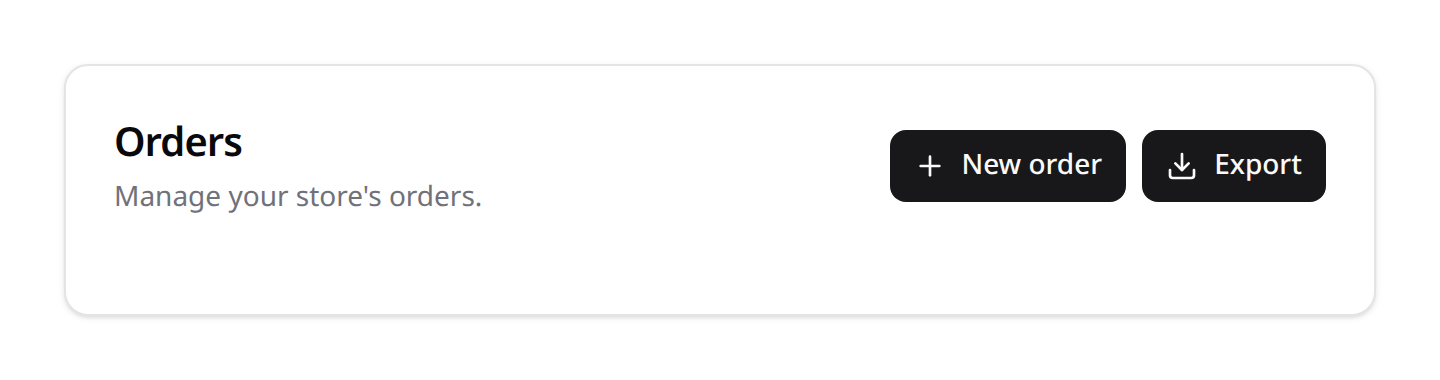
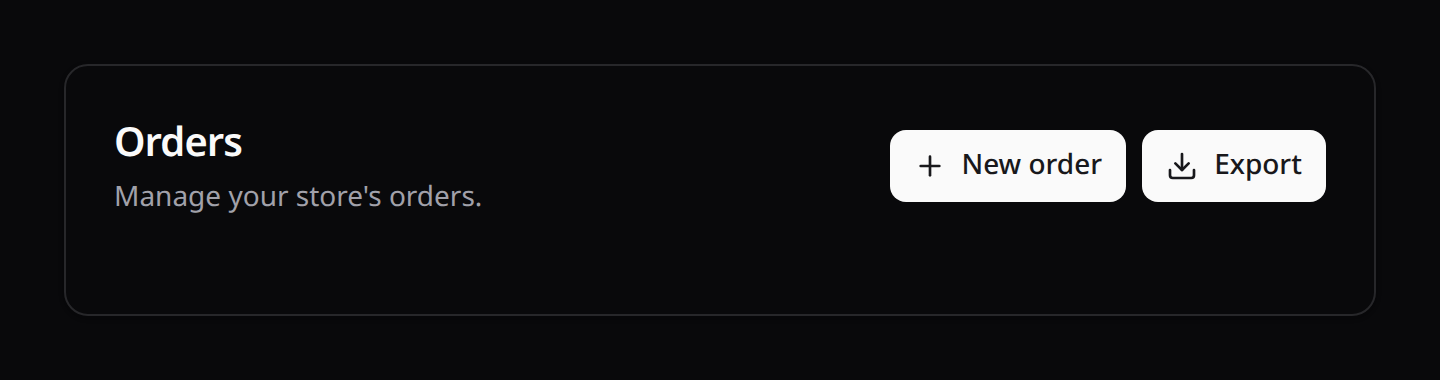
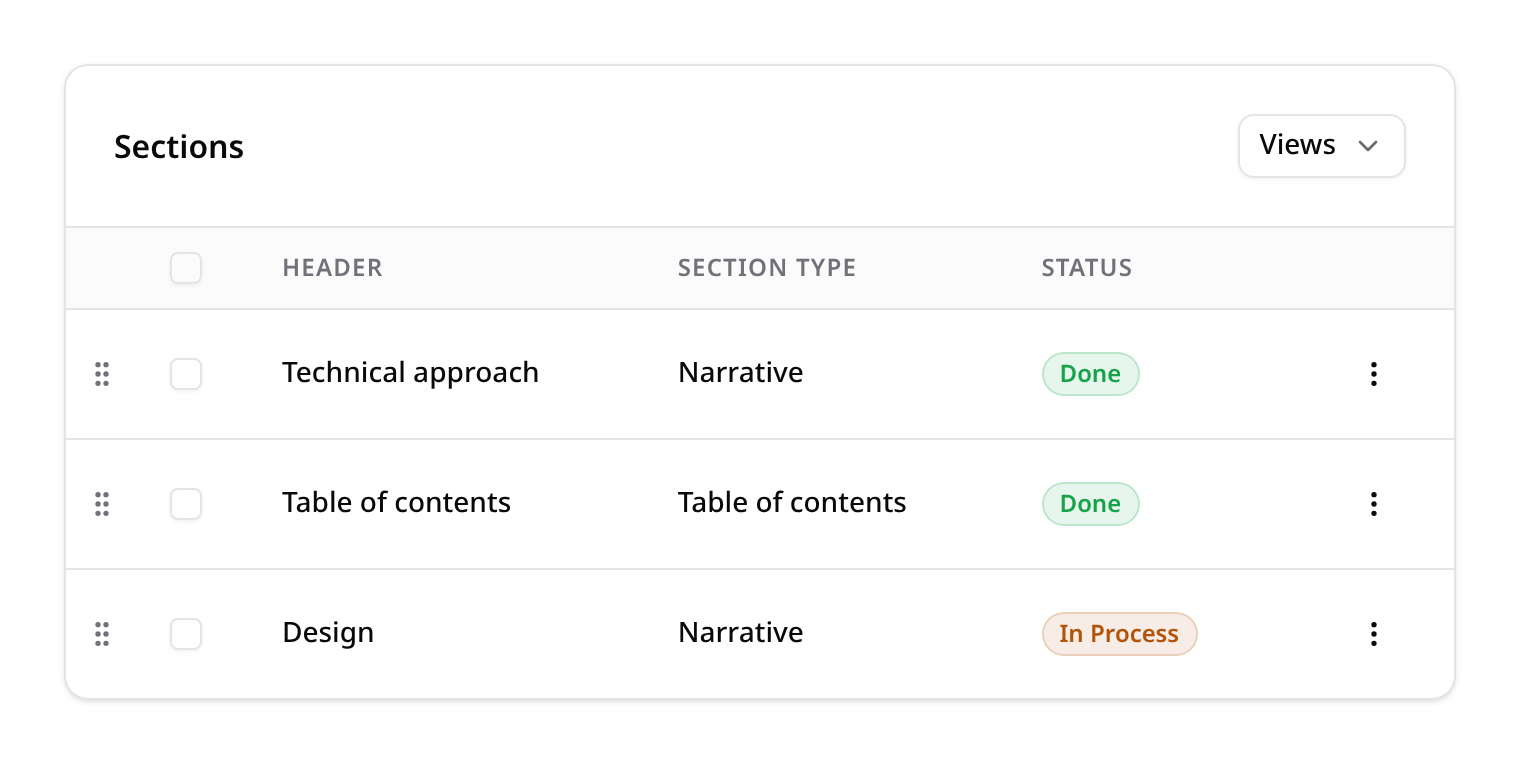
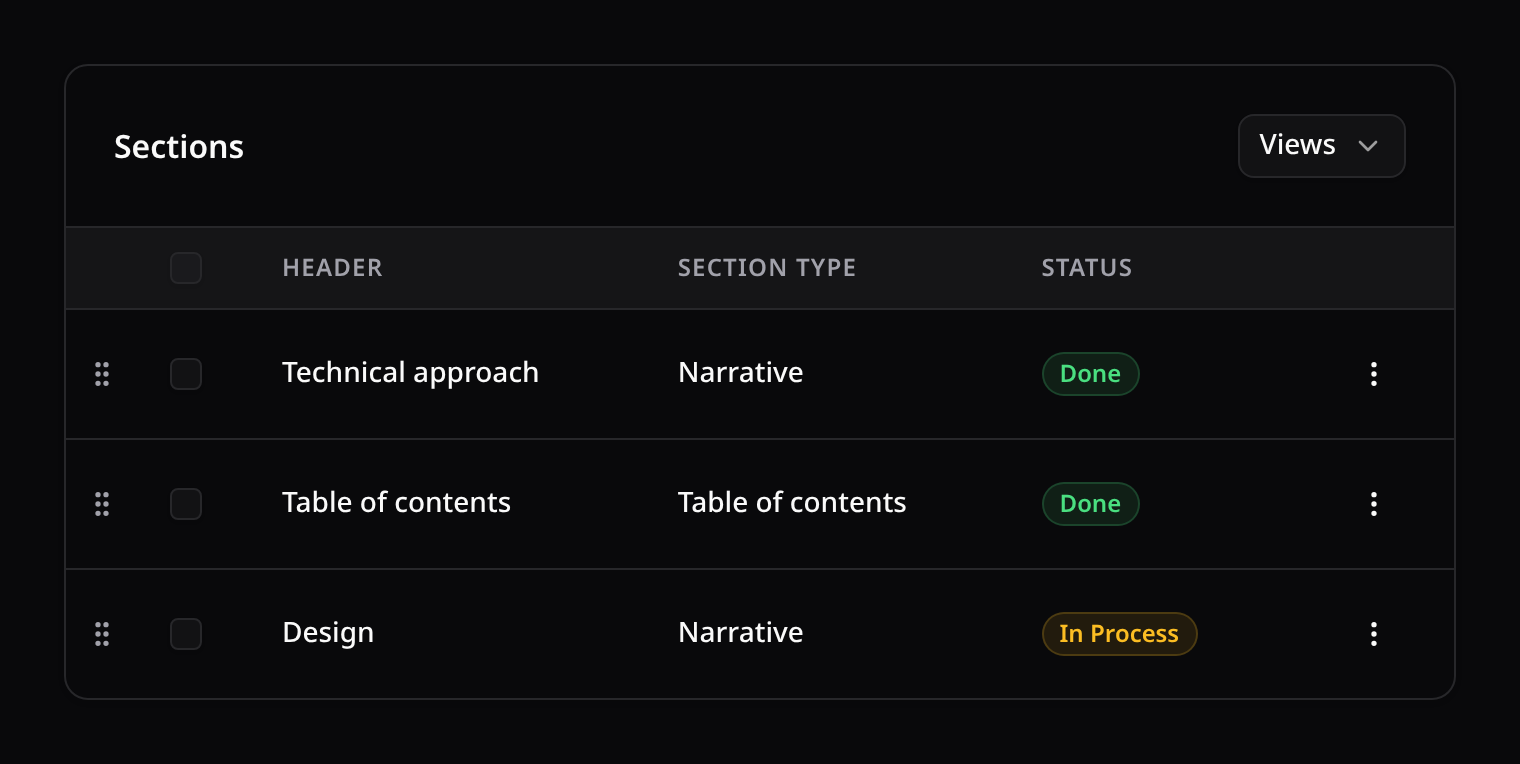
A generated resource index page combines a page header (title + actions) with a table (sortable, filterable, with row actions and optional reordering):
1. Class-Based Forms & Tables
Rather than defining long builder chains inline inside your controllers, Kinetix supports class-based abstractions for forms and tables. This keeps controllers clean and allows schemas to be reused across different views, models, and commands.
1. Custom Form Class (buildSchema())
To define a standalone form, extend the base Form class and implement the buildSchema() method.
namespace App\Kinetix\Forms;

use Happones\Kinetix\Forms\Form;
use Happones\Kinetix\Forms\Components\TextInput;
use Happones\Kinetix\Forms\Components\Textarea;

class PostForm extends Form
{
    protected function buildSchema(): array
    {
        return [
            TextInput::make('title')
                ->required()
                ->maxLength(150),

            Textarea::make('content')
                ->rows(5)
                ->required(),
        ];
    }
}
Inline Controller Rendering (render())
To serialize this form and pass it to an Inertia page, call the static render() helper:
public function edit(Post $post)
{
    return inertia('Posts/Edit', [
        'form' => PostForm::render($post), // Instantiates, hydrates, and serializes to JSON DTO
    ]);
}
2. Custom Table Class (buildColumns())
To define a standalone table, extend the base Table class and override the builder hooks:
namespace App\Kinetix\Tables;

use Happones\Kinetix\Tables\Table;
use Happones\Kinetix\Tables\Columns\TextColumn;
use Happones\Kinetix\Tables\Columns\ToggleColumn;
use Happones\Kinetix\Actions\Action;

class PostTable extends Table
{
    protected function buildColumns(): array
    {
        return [
            TextColumn::make('title')->searchable()->sortable(),
            ToggleColumn::make('is_published')->label('Published'),
        ];
    }

    protected function buildRecordActions(): array
    {
        return [
            Action::make('edit')->url(fn ($record) => route('posts.edit', $record)),
        ];
    }
}
Inline Controller Rendering (render())
public function index()
{
    return inertia('Posts/Index', [
        'table' => PostTable::render(Post::query()), // Resolves searches/filters and outputs JSON DTO
    ]);
}
2. The Resource Class (Happones\Kinetix\Resources\Resource)
A Resource class brings your custom forms and tables together under a single schema configuration mapping to an Eloquent model.
namespace App\Kinetix\Resources;

use App\Models\Post;
use Happones\Kinetix\Resources\Resource;
use Happones\Kinetix\Tables\Table;
use Happones\Kinetix\Tables\Columns\TextColumn;
use Happones\Kinetix\Forms\Form;
use Happones\Kinetix\Forms\Components\TextInput;
use Happones\Kinetix\Infolists\Infolist;
use Happones\Kinetix\Infolists\Components\TextEntry;
use App\Kinetix\RelationManagers\CommentsRelationManager;
use Happones\Kinetix\Permissions\PermissionRegistry;

class PostResource extends Resource
{
    // 1. Associate Eloquent Model
    protected static ?string $model = Post::class;

    // 2. Navigation metadata
    protected static ?string $navigationIcon = 'document-text';
    protected static ?string $navigationLabel = 'Articles';
    protected static int $navigationSort = 1;

    // 3. Register Listing Table Schema
    public static function table(Table $table): Table
    {
        return $table
            ->columns([
                TextColumn::make('title')->searchable()->sortable(),
            ]);
    }

    // 4. Register Create/Edit Form Schema
    public static function form(Form $form): Form
    {
        return $form
            ->schema([
                TextInput::make('title')->required(),
            ]);
    }

    // 5. Register Infolist Schema (Optional)
    // Used for read-only detailed views of a record.
    public static function infolist(Infolist $infolist): Infolist
    {
        return $infolist
            ->schema([
                TextEntry::make('title'),
                TextEntry::make('content'),
            ]);
    }

    // 6. Register Relation Managers (Optional)
    // Renders related tables/forms on the edit/show page.
    public static function relationManagers(): array
    {
        return [
            CommentsRelationManager::class,
        ];
    }

    // 7. Register Permissions (Optional)
    // Returns permission feature name to register CRUD permissions.
    public static function permissionFeature(): ?string
    {
        return 'posts';
    }
}
Navigation metadata
Three static properties drive the sidebar entry, each exposed through a getter:
| Property | Getter | Default |
|---|---|---|
$navigationIcon | getNavigationIcon(): ?string | 'cube' |
$navigationLabel | getNavigationLabel(): string | auto-derived (see below) |
$navigationSort | getNavigationSort(): int | 0 |
When $navigationLabel is left null, getNavigationLabel() derives the label from the model's class basename, pluralized and humanized (e.g. BlogPost::class → Blog Posts). Set $navigationLabel to override it.
Custom permissions (registerPermissions())
permissionFeature() is the simple path: returning a feature name registers a standard CRUD ability set. For abilities beyond CRUD, override registerPermissions(PermissionRegistry $registry) directly. The default implementation registers a CRUD feature when permissionFeature() is set and does nothing otherwise:
use Happones\Kinetix\Permissions\PermissionRegistry;

public static function registerPermissions(PermissionRegistry $registry): void
{
    $registry->feature('posts')->crud();
    // ...plus any custom abilities your resource needs.
}
3. The Resource Command (kinetix:make-resource)
Kinetix provides an interactive generator command to automatically scaffold resource configurations, controllers, and Vue 3 frontend pages.
php artisan kinetix:make-resource {ModelName} [options]Options List
| Option | Description |
|---|---|
--simple | Creates a single-page resource whose table hosts create/edit/view/delete modals (Kinetix-owned CRUD) — the page is just <KinetixTable :table>. See §4.2. |
--reorderable | Adds ->reorderable('sort_order') to the generated table (drag handles + persisted order). Ensure the model's table has an integer sort_order column. |
--soft-deletes | Wires a TrashedFilter on the table (deleted rows hidden by default, revealable per filter), RestoreAction/ForceDeleteAction per row (visible only on trashed records), and the restore/force-delete controller endpoints. |
--generate | Reflects database table column data types to automatically populate the resource's Form, Table and Infolist schemas. Server-owned columns (team_id, sort_order), the model's $hidden attributes, and secret-shaped columns (password, *_token, *_secret) are excluded. |
--team | Team-aware scaffold: routes nested under the {current_team} segment, and the resource's getEloquentQuery() / mutateFormDataBeforeSave() scope reads/writes to the current team, stamp team_id on create, and strip it on edit. Auto-enabled when kinetix.teams is true. Adjust the team_id column/scope to your schema. |
--force | Overwrite existing scaffold files. Without it, files that already exist are skipped with a warning. |
Teams scope. Kinetix's own endpoints (inline edits, imports, uploads, exports) already prefix with
{current_team}whenkinetix.teamsis on. Your resource's routes and query scoping are not automatic — use--teamso the resource'sgetEloquentQuery()filters by the current team and the routes nest under the team segment. The prefix alone only namespaces URLs; row isolation lives in the query.
Authorization. The generated controller enforces the model policy on every endpoint (
viewAny/create/view/update/delete/restore/forceDelete) using the same policy-if-exists contract as the built-in Kinetix surfaces: with a policy registered the ability is enforced; without one every check is skipped — create it right after scaffolding (php artisan make:policy {Model}Policy --model={Model}) and register the routes inside yourauthmiddleware group. The generated resource also overridespermissionFeature(), so its CRUD abilities appear in the role matrix automatically (sync withphp artisan kinetix:permissions:sync).
Example CLI Executions
# Scaffold multi-page CRUD for the Product model, reading the database table
php artisan kinetix:make-resource Product --generate

# Scaffold simple single-page modal CRUD with soft deletes
php artisan kinetix:make-resource Client --simple --soft-deletes --generate

# Team-aware resource (scopes queries + routes to the current team)
php artisan kinetix:make-resource Project --team --generate
Generating a Relation Manager (kinetix:make-relation-manager)
Relation managers (registered via relationManagers(), see §2) have their own generator:
php artisan kinetix:make-relation-manager {name} [options]| Argument / Option | Description |
|---|---|
name | The relation manager class name (e.g. PostsRelationManager) |
--relationship= | The parent relationship method name (defaults to items) |
--attach | BelongsToMany: add AttachAction (toolbar) + DetachAction (row) alongside the default Create |
--associate | HasMany/MorphMany: add AssociateAction (toolbar) + DissociateAction (row) alongside the default Create |
--force | Overwrite the class if it already exists |
The stub always ships the default header: CreateAction opening the create modal, plus grouped Edit/Delete row actions — --attach / --associate compose the transfer actions with it rather than replacing it.
The generated class extends RelationManager, sets $relationship and $visibleOn (['edit', 'view']), and stubs a table() method:
php artisan kinetix:make-relation-manager CommentsRelationManager --relationship=comments4. Multi-Page vs. Simple Layouts
1. Multi-Page Resource (Default)
Generates separate views for listing, creating, editing and viewing records. Recommended for large models with many fields. The index table gets per-row View / Edit / Delete actions, and the Show page pairs the resource's infolist() with a header carrying Edit / Delete actions (top-right) for quick redirects.
Generated Directory File Tree
├── app/
│   ├── Http/Controllers/Kinetix/
│   │   └── ProductController.php       <-- index/create/store/show/edit/update/destroy
│   └── Kinetix/Resources/
│       └── ProductResource.php         <-- table() + form() + infolist()
└── resources/js/pages/Kinetix/Products/
    ├── Index.vue                       <-- Listing Grid Table
    ├── Create.vue                      <-- Form container for creation
    ├── Edit.vue                        <-- Form container for updates
    └── Show.vue                        <-- Read-only infolist + header actions
Lifecycle hooks (side-effects without touching the controller)
A resource exposes static lifecycle hooks so you can run side-effects — dispatch an event, write an audit row, create related records, guard a delete — without editing the generated controller. They fire on every write path: the generated full-page controller (a forceDelete is a delete too), the in-table modal endpoint (Table::recordModals()), and the create/edit/delete modals of a relation manager whose $relatedResource is this resource. A hook defined once applies everywhere. (restore runs no hook.)
Every hook runs inside the same database transaction as the write, so throwing from one aborts (or rolls back) the operation — a failed side-effect never leaves a half-written record.
use Illuminate\Database\Eloquent\Model;

class OrderResource extends Resource
{
    // --- mutate submitted data before it is written ---

    // Runs on every write (create + edit); see getEloquentQuery/team scoping.
    public static function mutateFormDataBeforeSave(array $data, string $operation, ?Model $record = null): array
    {
        return $data;
    }

    // Create-only, applied after mutateFormDataBeforeSave().
    public static function mutateFormDataBeforeCreate(array $data): array
    {
        $data['reference'] = 'ORD-'.strtoupper(Str::random(8));

        return $data;
    }

    // Edit-only, applied after mutateFormDataBeforeSave().
    public static function mutateFormDataBeforeUpdate(array $data, Model $record): array
    {
        return $data;
    }

    // --- react after the write (inside the transaction) ---

    public static function afterCreate(Model $record): void
    {
        OrderPlaced::dispatch($record);
    }

    public static function afterUpdate(Model $record): void
    {
        //
    }

    // Fires on BOTH create and update, after the operation-specific hook above.
    public static function afterSave(Model $record): void
    {
        $record->customer->recalculateTotals();
    }

    // --- bracket the delete (inside the transaction) ---

    public static function beforeDelete(Model $record): void
    {
        // Throw here to veto the deletion.
        abort_if($record->isLocked(), 422, 'Locked orders cannot be deleted.');
    }

    public static function afterDelete(Model $record): void
    {
        $record->invoices()->delete();
    }
}
Firing order per operation:
| Operation | Hooks, in order |
|---|---|
| create | mutateFormDataBeforeSave('create') → mutateFormDataBeforeCreate → write → afterCreate → afterSave |
| update | mutateFormDataBeforeSave('edit') → mutateFormDataBeforeUpdate → write → afterUpdate → afterSave |
| delete | beforeDelete → delete → afterDelete |
All hooks default to a no-op (the mutate* variants return $data unchanged), so overriding is entirely opt-in and existing resources are unaffected.
Post-save redirect (configurable)
Where the user lands after create/save is delegated to the resource, so you can change it without touching the controller:
use Illuminate\Database\Eloquent\Model;

class ProductResource extends Resource
{
    // After creating (default: the index).
    public static function getRedirectUrlAfterCreate(Model $record): string
    {
        return static::resolveHref('edit', $record); // go straight to editing
    }

    // After saving an edit (default: stay on the edit page).
    public static function getRedirectUrlAfterSave(Model $record): string
    {
        return static::resolveHref('index'); // go back to the list instead
    }
}
resolveHref('index' | 'edit' | 'show', $record) builds the URL (team params auto-filled). Delete always returns to the index.
Operation URLs (Resource::getUrl())
The same resolver is public as getUrl(operation, ?record), and it is how the generated controller hands ready-made URLs to the Vue pages (storeUrl, updateUrl, cancelUrl). It fills the record's route key and the {current_team} segment when the route expects one, so the pages work unchanged in team-scoped apps — no client-side team handling needed:
ProductResource::getUrl('index');            // /products (or /acme/products)
ProductResource::getUrl('store');            // POST target for create
ProductResource::getUrl('update', $record);  // PUT target for edit
When the named route isn't registered, getUrl() falls back to the current URL (same behavior as breadcrumbs).
2. Simple Resource (--simple)
Generates a single index page whose table hosts every interaction: create (toolbar), and per-row view, edit and delete — all as modals inside KinetixTable. Ideal for lightweight models (tags, categories, statuses).
The page is just the table:
<script setup lang="ts">
import KinetixTable from '@/components/kinetix/KinetixTable.vue';
import type { KinetixTableData } from '@/types/kinetix';

defineProps<{ table: KinetixTableData }>();
</script>

<template>
  <div class="flex h-full min-w-0 flex-1 flex-col gap-4 overflow-x-auto rounded-xl p-4">
    <KinetixTable :table="table" />
  </div>
</template>
Everything is driven by the serialized table, and the modal wiring lives on the resource's table() (single source of truth) — you opt in with ->recordModals(static::class) and mark actions with ->modal(...):
// app/Kinetix/Resources/ClientResource.php
public static function table(Table $table): Table
{
    return $table
        ->columns([...])
        ->recordModals(static::class)   // host the modals in the table
        ->reorderable()                 // optional: drag-to-reorder
        ->toolbarActions([
            CreateAction::make()->modal('create'),
        ])
        ->recordActions([
            // Grouped into a shadcn-style "⋯" dropdown (the scaffold default).
            ActionGroup::make([
                ViewAction::make()->modal('view'),   // read-only infolist modal
                EditAction::make()->modal('edit'),
                DeleteAction::make()->modal('delete'),
            ]),
        ]);
}
The controller is then just a thin index page:
public function index()
{
    return inertia('Kinetix/Clients/Index', [
        'table' => ClientResource::table(Table::make(ClientResource::getEloquentQuery()))->toArray(),
    ]);
}
How CRUD runs (Kinetix-owned). Create/edit/view/delete never leave the page: KinetixTable opens a KinetixForm (create/edit) or KinetixInfolist (view) modal, and persists through a signed Kinetix record endpoint (_kinetix/tables/record). No per-action controller methods or routes are generated — only the index route is needed. The endpoint is guarded by an encrypted { model, resource } token and, when the model has a policy, the matching ability (view / create / update / delete). Validation flows through the resource's own form(), so errors surface in the modal and the table reloads with fresh data on save.
Long forms stay usable. The record modal is bounded to the viewport: the schema scrolls in the body while the title and the Cancel / Save actions stay pinned, so a form with many fields never pushes its own buttons out of reach. See Forms → Section cards.
Fresh record on edit. Opening the edit modal fetches a fresh copy of the record from the server by default, so a change made since the table loaded is never silently overwritten. Switch to the already-loaded row (no round-trip) globally with the kinetix.tables.record_source config (server | row) or per table:
->recordModals(ClientResource::class, source: 'row')Modal width. The create/edit modal is 2xl wide; pass a wider (or narrower) Tailwind step for a form that needs the room — sm … 7xl. The view modal keeps its 3xl unless the width you pick is wider:
->recordModals(ClientResource::class, width: '3xl')Form grids measure the form's width, not the viewport's, so ->columns(12) (an int: that many columns from lg, 1024px, up) stays a single column in any modal narrower than that. Inside a modal name the breakpoint: ->columns(['default' => 1, 'sm' => 12]) lays out from 640px.
View modal. The View action renders the resource's infolist() (server- resolved, read-only). --generate scaffolds an infolist() for you; remove the method (or the ViewAction) to drop the View button.
Row click. Clicking a row opens the View modal — or the Edit modal when the table has no View action the user may run. Full-page resources get the same inference: their rows visit the show (else edit) route. Disable it per table with ->clickableRows(false), or app-wide with kinetix.tables.clickable_rows; the "⋯" actions menu keeps working either way. See Tables → Clickable rows.
Cancel / close. The form modal's Cancel button (and the backdrop / × button) closes the modal and discards its state; the next open rebuilds the form from the blueprint (create) or a fresh server fetch (edit), and any validation errors left over from a previous submit are cleared — a reopened modal always starts pristine. Closing is blocked while a submit is in flight.
Teams. Nothing extra is needed: the record endpoint is registered under the {current_team} segment when kinetix.teams is on, the frontend reads the team-scoped prefix from the shared kinetix_config.route_prefix prop, and the --team scaffold scopes the resource's getEloquentQuery() / mutateFormDataBeforeSave() so lookups and writes stay inside the current team.
Generated Directory File Tree
├── app/
│   ├── Http/Controllers/Kinetix/
│   │   └── ClientController.php        <-- index() only (CRUD is Kinetix-owned)
│   └── Kinetix/Resources/
│       └── ClientResource.php          <-- table() + form() + infolist()
└── resources/js/pages/Kinetix/Clients/
    └── Index.vue                       <-- just <KinetixTable :table>
5. End-to-End Generated Code Walkthrough
Here is what Kinetix scaffolds when running:
php artisan kinetix:make-resource Article --generate1. The Scaffolded Resource (app/Kinetix/Resources/ArticleResource.php)
namespace App\Kinetix\Resources;

use App\Models\Article;
use Happones\Kinetix\Actions\ActionGroup;
use Happones\Kinetix\Actions\CreateAction;
use Happones\Kinetix\Actions\DeleteAction;
use Happones\Kinetix\Actions\EditAction;
use Happones\Kinetix\Actions\ViewAction;
use Happones\Kinetix\Resources\Resource;
use Happones\Kinetix\Tables\Table;
use Happones\Kinetix\Tables\Columns\TextColumn;
use Happones\Kinetix\Tables\Columns\ToggleColumn;
use Happones\Kinetix\Forms\Form;
use Happones\Kinetix\Forms\Components\TextInput;
use Happones\Kinetix\Forms\Components\Toggle;
use Happones\Kinetix\Infolists\Infolist;
use Happones\Kinetix\Infolists\Components\TextEntry;
use Happones\Kinetix\Infolists\Components\IconEntry;

class ArticleResource extends Resource
{
    protected static ?string $model = Article::class;

    public static function table(Table $table): Table
    {
        return $table
            ->columns([
                TextColumn::make('title')->searchable()->sortable(),
                TextColumn::make('slug')->sortable(),
                ToggleColumn::make('is_published')->label('Published'),
            ])
            // Actions live here (single source of truth), grouped into a
            // shadcn-style "⋯" dropdown. ->route() resolves the named route per
            // record and auto-hides if it isn't registered.
            ->recordActions([
                ActionGroup::make([
                    ViewAction::make()->route('articles.show'),
                    EditAction::make()->route('articles.edit'),
                    DeleteAction::make()->route('articles.destroy', method: 'delete'),
                ]),
            ])
            ->toolbarActions([
                CreateAction::make()->route('articles.create'),
            ]);
    }

    public static function form(Form $form): Form
    {
        return $form
            ->schema([
                TextInput::make('title')->required(),
                TextInput::make('slug')->required(),
                Toggle::make('is_published')->default(false),
            ]);
    }

    public static function infolist(Infolist $infolist): Infolist
    {
        return $infolist
            ->schema([
                TextEntry::make('title'),
                TextEntry::make('slug'),
                IconEntry::make('is_published')->boolean(),
            ]);
    }
}
2. The Scaffolded Controller (app/Http/Controllers/Kinetix/ArticleController.php)
Thin: the index just renders the resource's table; create/edit/show render pages; store/update redirect via the resource's configurable helpers.
namespace App\Http\Controllers\Kinetix;

use App\Http\Controllers\Controller;
use App\Kinetix\Resources\ArticleResource;
use App\Models\Article;
use Happones\Kinetix\Actions\Action;
use Happones\Kinetix\Actions\DeleteAction;
use Happones\Kinetix\Actions\EditAction;
use Happones\Kinetix\Forms\Form;
use Happones\Kinetix\Infolists\Infolist;
use Happones\Kinetix\Tables\Table;
use Illuminate\Http\Request;

class ArticleController extends Controller
{
    public function index()
    {
        return inertia('Kinetix/Articles/Index', [
            'table' => ArticleResource::table(Table::make(ArticleResource::getEloquentQuery()))->toArray(),
        ]);
    }

    public function create()
    {
        $form = ArticleResource::form(Form::make(new Article()))->fill();

        // URLs are resolved server-side (getUrl() fills `{current_team}` and
        // route keys), so the page never rebuilds routes itself.
        return inertia('Kinetix/Articles/Create', [
            'form' => $form->toArray(),
            'storeUrl' => ArticleResource::getUrl('store'),
            'cancelUrl' => ArticleResource::getUrl('index'),
        ]);
    }

    public function store(Request $request)
    {
        $form = ArticleResource::form(Form::make(new Article()));
        $form->validate($request->all());

        $record = Article::create($form->getState($request->all()));

        return redirect(ArticleResource::getRedirectUrlAfterCreate($record))
            ->with('message', 'Record created successfully.');
    }

    public function show(Article $record)
    {
        return inertia('Kinetix/Articles/Show', [
            'infolist' => ArticleResource::infolist(Infolist::make($record))->toArray(),
            'actions' => Action::toArrayMany([
                EditAction::make()->route('articles.edit'),
                DeleteAction::make()->route('articles.destroy', method: 'delete'),
            ], $record),
        ]);
    }

    public function edit(Article $record)
    {
        $form = ArticleResource::form(Form::make($record))->fill($record);

        return inertia('Kinetix/Articles/Edit', [
            'form' => $form->toArray(),
            'updateUrl' => ArticleResource::getUrl('update', $record),
            'cancelUrl' => ArticleResource::getUrl('index'),
        ]);
    }

    public function update(Request $request, Article $record)
    {
        $form = ArticleResource::form(Form::make($record));
        $form->validate($request->all());

        $record->update($form->getState($request->all()));

        return redirect(ArticleResource::getRedirectUrlAfterSave($record))
            ->with('message', 'Record updated successfully.');
    }

    public function destroy(Article $record)
    {
        $record->delete();

        return redirect()->route('articles.index')->with('message', 'Record deleted successfully.');
    }
}
3. The Scaffolded Listing page (resources/js/pages/Kinetix/Articles/Index.vue)
Just the table — the New button and the row View/Edit/Delete actions all come from the resource's table() (they self-hide until their routes are registered):
<script setup lang="ts">
import KinetixTable from '@/components/kinetix/KinetixTable.vue';
import type { KinetixTableData } from '@/types/kinetix';

defineProps<{
  table: KinetixTableData;
}>();
</script>

<template>
  <div class="flex h-full min-w-0 flex-1 flex-col gap-4 overflow-x-auto rounded-xl p-4">
    <KinetixTable :table="table" />
  </div>
</template>
4. The Scaffolded Creation page (resources/js/pages/Kinetix/Articles/Create.vue)
<script setup lang="ts">
import { router } from '@inertiajs/vue3';
import KinetixForm from '@/components/kinetix/KinetixForm.vue';

// `storeUrl` / `cancelUrl` are resolved server-side (Resource::getUrl()), so
// team-scoped routes ({current_team}) work with no client-side team handling.
const props = defineProps<{
  form: any;
  storeUrl: string;
  cancelUrl: string;
}>();

const handleSubmit = (values: Record<string, any>) => {
  router.post(props.storeUrl, values, {
    preserveScroll: true,
  });
};

const handleCancel = () => {
  router.get(props.cancelUrl);
};
</script>

<template>
  <div class="flex h-full min-w-0 flex-1 flex-col gap-4 overflow-x-auto rounded-xl p-4">
    <div>
      <h1 class="text-2xl font-bold tracking-tight text-neutral-900 dark:text-white">Create Article</h1>
      <p class="text-sm text-neutral-500">Add a new record to the database.</p>
    </div>

    <div class="bg-white dark:bg-neutral-950 border dark:border-neutral-800 rounded-xl shadow-sm p-6">
      <KinetixForm :form="form" @submit="handleSubmit">
        <template #default>
          <div class="flex justify-end gap-3 mt-6">
            <button
              type="button"
              @click="handleCancel"
              class="px-4 py-2 text-sm font-semibold rounded-lg border border-neutral-300 dark:border-neutral-700 hover:bg-neutral-100 dark:hover:bg-neutral-800 transition-colors"
            >
              Cancel
            </button>

            <button
              type="submit"
              class="px-4 py-2 text-sm font-semibold rounded-lg bg-indigo-600 hover:bg-indigo-500 text-white transition-colors"
            >
              Create Record
            </button>
          </div>
        </template>
      </KinetixForm>
    </div>
  </div>
</template>
5. The Scaffolded Edit page (resources/js/pages/Kinetix/Articles/Edit.vue)
<script setup lang="ts">
import { router } from '@inertiajs/vue3';
import KinetixForm from '@/components/kinetix/KinetixForm.vue';

// `updateUrl` / `cancelUrl` are resolved server-side (Resource::getUrl()), so
// team-scoped routes ({current_team}) work with no client-side team handling.
const props = defineProps<{
  form: any;
  updateUrl: string;
  cancelUrl: string;
}>();

const handleSubmit = (values: Record<string, any>) => {
  router.put(props.updateUrl, values, {
    preserveScroll: true,
  });
};

const handleCancel = () => {
  router.get(props.cancelUrl);
};
</script>

<template>
  <div class="flex h-full min-w-0 flex-1 flex-col gap-4 overflow-x-auto rounded-xl p-4">
    <div>
      <h1 class="text-2xl font-bold tracking-tight text-neutral-900 dark:text-white">Edit Article</h1>
      <p class="text-sm text-neutral-500">Modify the active record details.</p>
    </div>

    <div class="bg-white dark:bg-neutral-950 border dark:border-neutral-800 rounded-xl shadow-sm p-6">
      <KinetixForm :form="form" @submit="handleSubmit">
        <template #default>
          <div class="flex justify-end gap-3 mt-6">
            <button
              type="button"
              @click="handleCancel"
              class="px-4 py-2 text-sm font-semibold rounded-lg border border-neutral-300 dark:border-neutral-700 hover:bg-neutral-100 dark:hover:bg-neutral-800 transition-colors"
            >
              Cancel
            </button>

            <button
              type="submit"
              class="px-4 py-2 text-sm font-semibold rounded-lg bg-indigo-600 hover:bg-indigo-500 text-white transition-colors"
            >
              Save Changes
            </button>
          </div>
        </template>
      </KinetixForm>
    </div>
  </div>
</template>
6. Route Registration (routes/web.php)
To hook up your generated resource controller to the application, register its routes in your routes/web.php file.
1. Standard Resource Routing
For a typical multi-page or simple resource, map the routes using Route::resource():
use App\Http\Controllers\Kinetix\ArticleController;

Route::resource('articles', ArticleController::class);
Simple resources need only the index route. Because a
--simpleresource's CRUD is Kinetix-owned (handled by the in-table modals + the record endpoint), register just its listing route:phpRoute::get('clients', [ClientController::class, 'index'])->name('clients.index');
Soft Deletes Routing
If your resource supports soft deletes, register the restore and force-delete helper endpoints manually:
Route::resource('articles', ArticleController::class);
Route::post('articles/{id}/restore', [ArticleController::class, 'restore'])->name('articles.restore');
Route::delete('articles/{id}/force-delete', [ArticleController::class, 'forceDelete'])->name('articles.force-delete');
2. Team-Scoped Resource Routing
If you used the --team option to create a team-scoped resource, nest the routes inside a {current_team} prefix/middleware block so that team segmentation functions correctly:
use App\Http\Controllers\Kinetix\ArticleController;

Route::prefix('{current_team}')->group(function () {
    Route::resource('articles', ArticleController::class);

    // Soft Deletes (if enabled)
    Route::post('articles/{id}/restore', [ArticleController::class, 'restore'])->name('articles.restore');
    Route::delete('articles/{id}/force-delete', [ArticleController::class, 'forceDelete'])->name('articles.force-delete');
});
No frontend change is needed for the team segment: the generated pages submit and cancel through server-resolved props (storeUrl / updateUrl / cancelUrl, built with Resource::getUrl()), and row/toolbar actions declared with ->route() auto-fill current_team per record.
Controller signatures under the team prefix. Every record route inside
Route::prefix('{current_team}')carries two required parameters, and Laravel injects them positionally — the record methods must accept the team segment first (--teamscaffolds this):phppublic function show(string $current_team, string $record) { /* … */ } public function update(Request $request, string $current_team, string $record) { /* … */ }With a single
$recordargument the{current_team}value lands in$recordandfindOrFail()404s on every detail page.
7. View / Show page (read-only detail)
Full (multi-page) resources scaffold a show page automatically — a show() controller method, a per-row ViewAction, and a Show.vue pairing the resource's infolist() with a header (KinetixPageHeader) that carries Edit / Delete actions. Remove the infolist() method (and the ViewAction) to drop it. Simple (--simple) resources render the same infolist in the in-table View modal instead.
The section below is the manual recipe for a custom show page (e.g. adding relation managers, tabs, or a bespoke layout):
Define the schema on the resource via the
infolist()hook (see §2) — the read-only twin ofform().Add a
show()controller method that renders the infolist (plus any relation managers scoped to theviewpage) to an Inertia page:phpuse App\Kinetix\Resources\ArticleResource; use Happones\Kinetix\Infolists\Infolist; use Happones\Kinetix\Actions\{EditAction, DeleteAction, Action}; public function show(Article $article) { return inertia('Kinetix/Articles/Show', [ 'infolist' => ArticleResource::infolist(Infolist::make($article))->toArray(), 'relations' => collect(ArticleResource::relationManagersFor('view')) ->map(fn ($rm) => $rm::make($article)->toArray()), 'actions' => Action::toArrayMany([ EditAction::make()->url(fn () => route('articles.edit', $article)), DeleteAction::make()->inertiaVisit(route('articles.destroy', $article), ['method' => 'delete']), ], $article), ]); }Register the route —
Route::resource(...)already mapsshow, so no extra route is needed once the controller method exists (or addRoute::get('articles/{article}', [ArticleController::class, 'show'])->name('articles.show')).Link to it from the table with a
ViewAction(default abilityview, eye icon):phpViewAction::make()->url(fn ($record) => route('articles.show', $record)),Build the Vue page pairing
KinetixPageHeader(theactions) withKinetixInfolist(andKinetixRelationManagerper relation).
For the full page recipe — tabs, sections, and the Vue component — see the Infolists "Show page" recipe.