

Membership & Provisioning
Most starter kits assume a consumer / self-serve model: anyone registers, gets their own personal team, becomes its owner, and grows it by emailing peer invitations that the recipient self-accepts.
Many real projects need the opposite — an admin-provisioned / directory model: an organization admin adds people, those people do not own anything and cannot create their own team; they only activate their account by setting a password. Registration is closed; the only way in is provisioning.
Kinetix Membership provides that second model as a drop-in alternative to the starter kit's InviteMemberModal / TeamInvitation flow, and it composes cleanly with the Kinetix Roles & Permissions module.
Read this first — where the endpoints live
The module registers its own endpoints and <KinetixMemberList> calls them itself. With teams on they live under:
{current_team}/{kinetix.route_prefix}/members/... → e.g. /acme/_kinetix/membersDo not register your own {current_team}/members controller expecting the component to hit it — it never will. You register only the Inertia page route. Run php artisan kinetix:routes members to see the resolved URIs, methods and middleware.
1. Two onboarding models
| Aspect | Starter-kit Invitation (self-serve) | Kinetix Provisioning (admin-controlled) |
|---|---|---|
| Who initiates | Anyone with invitation:create | An admin with members.provision |
| Account creation | Recipient self-registers | Admin pre-registers email + role |
| Activation | Recipient accepts an invite link | Member sets a password via signed link |
| Personal team | Auto-created on register (is_personal=true, Owner) | None — member joins the org team only |
| Role source | Fixed pivot enum (Owner/Admin/Member) | Dynamic Kinetix role (spatie), from a curated allow-list |
| Public registration | Open (Features::registration()) | Closed |
| Mental model | "Invite a collaborator" | "Add an employee to the directory" |
They are not competing implementations of the same idea — they are different onboarding philosophies, which is why this is a substitute component, not a new option on the same button.
2. Installation
Publish the provisions migration and run it:
php artisan vendor:publish --tag=kinetix-membership-migrations
php artisan migrate
Enable the module in config/kinetix.php:
'membership' => [
    // Enable the provisioning module (opt-in)
    'enabled'           => env('KINETIX_MEMBERSHIP_ENABLED', false),

    // Scope provisioning to the active team: true/false wins, null (default)
    // inherits the global `kinetix.teams` switch. Keep it in agreement with
    // `permissions.teams` — provisions and the roles they assign should live
    // in the same tenancy model (kinetix:doctor warns when they disagree).
    'teams'             => env('KINETIX_MEMBERSHIP_TEAMS'),

    // The host's User model, created on activation
    'user_model'        => env('KINETIX_MEMBERSHIP_USER_MODEL', 'App\\Models\\User'),

    // Roles an admin is allowed to assign while provisioning. Anything outside
    // this list is rejected server-side — this is how you guarantee
    // "I add members but they never become admin". A static array, a
    // [Class, 'method'] pair, or an invokable class-string (see "Dynamic
    // allow-list" below for the recommended DB-backed resolver).
    'assignable_roles'  => ['editor', 'viewer'],

    // Hours an activation link stays valid
    'activation_expiry' => env('KINETIX_MEMBERSHIP_ACTIVATION_HOURS', 72),

    // Inertia page rendered for the set-password screen
    'activation_view'   => env('KINETIX_MEMBERSHIP_ACTIVATION_VIEW', 'Kinetix/MemberActivation'),

    // Where to send a member after a successful activation
    'redirect_after'    => env('KINETIX_MEMBERSHIP_REDIRECT', '/'),

    // Optional callables to (de)attach the activated user to the host's own team
    // pivot — Kinetix never touches it directly.
    // Signature: fn ($user, MemberProvision $provision) => void
    'attach_member'     => null,
    'detach_member'     => null,
],
Authorization for the management endpoints flows through Laravel's
Gateexactly likeroles.manage. With the Roles & Permissions module enabled, just grant themembers.*abilities to a role. Without it, define those gates yourself.
attach_member is required in a teams app
Kinetix assigns the Kinetix role and never touches your teams pivot — the host owns that row. So with team scoping on and attach_member left at null, activation succeeds, the member gets their role… and belongs to no team, which in a team-routed app means they can't reach a single page. Kinetix logs a warning at boot when it detects that combination:
Kinetix: membership team scoping is on but `kinetix.membership.attach_member`
is null — activated members will NOT be linked to any team.
Point it at a callable array — see step 3 and the callback forms below:
'attach_member' => [\App\Kinetix\SyncProvisionedMember::class, 'attach'],Mail prerequisites
The activation link travels by email (MemberActivationNotification, an on-demand mail notification), so provisioning silently depends on two things the module can't set up for you:
- A working mailer — the usual
MAIL_*env block. In local dev, point it at Mailpit/log to see the links. - A running queue worker. The notification
implements ShouldQueue: withQUEUE_CONNECTION=database(the starter-kit default) and no worker running, no email is ever sent — while the admin sees a perfectly successful "Invitation sent" toast. If you don't run workers, setQUEUE_CONNECTION=sync.
The email subject/body use the kinetix.member_activation_* translation keys (all locales), so brand or reword it by overriding those keys in your published lang files. For a fully custom email, extend Happones\Kinetix\Membership\MemberActivationNotification and rebind it in the container.
2.1 Callback options (config:cache-safe)
Four options here take a callback: attach_member, detach_member, assignable_roles, and (in Permissions) owner_bypass. Never write them as a closure. A closure in a config file makes the config uncacheable, so the app cannot be deployed with config:cache:
Your configuration files could not be serialized because the value at
"kinetix.membership.attach_member" is non-serializable.
Kinetix accepts two serializable forms instead, both resolved through the container (an instance method gets a container-resolved instance, so you can inject dependencies):
// 1. A callable array — [class-string, method]. The recommended form.
'attach_member'     => [\App\Kinetix\SyncProvisionedMember::class, 'attach'],
'detach_member'     => [\App\Kinetix\SyncProvisionedMember::class, 'detach'],

// 2. An invokable class-string, when the class does one thing.
'assignable_roles' => \App\Kinetix\AssignableRoles::class, // __invoke($teamId): arraynamespace App\Kinetix;
use App\Models\Team;
use Happones\Kinetix\Membership\MemberProvision;
use Illuminate\Database\Eloquent\Model;
class SyncProvisionedMember
{
public function attach(Model $user, MemberProvision $provision): void
{
if ($provision->team_id !== null) {
Team::find($provision->team_id)?->users()->attach($user->getKey());
}
}
public function detach(?Model $user, MemberProvision $provision): void
{
if ($user !== null && $provision->team_id !== null) {
Team::find($provision->team_id)?->users()->detach($user->getKey());
}
}
}A closure still works in development (and is fine in a service provider that assigns config at runtime), but the callable array is the only form that survives config:cache — so it is what the guides use.
Dynamic allow-list
A config array covers a fixed catalog. If your teams create their own roles in the Roles UI, point assignable_roles at the built-in resolver — the invite picker then offers exactly what the Roles screen shows, the current team's roles PLUS global (team-NULL) ones, minus the protected roles:
'assignable_roles' => \Happones\Kinetix\Permissions\AssignableRoles::class,To withhold more names (e.g. keep admin promotion out of the invite flow), wrap it in your own invokable:
namespace App\Kinetix;

use Happones\Kinetix\Permissions\AssignableRoles as KinetixAssignableRoles;

class AssignableRoles
{
    public function __invoke(int|string|null $teamId): array
    {
        return KinetixAssignableRoles::names($teamId, except: ['admin']);
    }
}
Rolling your own query? Don't drop the global roles
A hand-written where('team_id', $teamId) silently excludes team_id IS NULL — which is exactly where KinetixRolesSeeder's admin/editor/viewer presets live (seeded from the console = no team = global). The result is a role that's fully manageable in the Roles UI and invisible in the invite picker. The correct scope is the one AssignableRoles::query() gives you:
->where(fn ($q) => $q->whereNull('team_id')->orWhere('team_id', $teamId))The callback is resolved on every request that lists or validates roles, so a role created a second ago is immediately assignable — and it is still enforced twice (provision + activation), the security boundary is unchanged. At activation the callback receives the provision's team, since the signed activation URL carries no {current_team} segment.
A list of role names is still just a list
An array is read as a callback only when it is a [class-string, method] pair, so ['editor', 'viewer'] keeps meaning exactly what it looks like.
2.5 Provisioning modes (members with no email address)
Plenty of businesses employ people who simply do not have an email address — so there is nowhere to send an activation link. Two config axes cover that, and both default to exactly the behavior above.
'membership' => [
    // 'activation' (default) | 'direct'
    'provisioning' => env('KINETIX_MEMBERSHIP_PROVISIONING', 'activation'),
    // 'mail' (default) | 'manual'
    'delivery'     => env('KINETIX_MEMBERSHIP_DELIVERY', 'mail'),
    // 'email' (default) | 'username' | 'phone'
    'identifier'   => env('KINETIX_MEMBERSHIP_IDENTIFIER', 'email'),
],php artisan vendor:publish --tag=kinetix-membership-migrations
php artisan migrateactivation (default) | direct | |
|---|---|---|
When the User exists | after they set their own password | immediately |
| What they receive | a signed activation link | a temporary password |
Provision status after store() | pending | active |
| Needs a delivery channel | yes, unless delivery: manual | no |
delivery: manual sends nothing and hands the credential back to the admin once, to pass on in person. It applies to both modes: an activation link in activation, a temporary password in direct.
Sending the link by SMS
'delivery'                => 'sms',
'identifier'              => 'phone',
'sms_channel'             => 'vonage',                 // the channel YOU registered
'activation_notification' => \App\Notifications\SmsActivation::class,
Kinetix deliberately does not pick an SMS provider. Vonage, Twilio and the local gateways each register their own notification channel and their own message object, they are mutually incompatible, and which one is right is a business decision about coverage and price in your country — in Mexico, for instance, almost nobody uses Vonage.
So Kinetix routes over whatever channel you name and ships the message text; your provider's message object is a few lines:
use Happones\Kinetix\Membership\MemberActivationNotification;

class SmsActivation extends MemberActivationNotification
{
    public function toVonage(object $notifiable): VonageMessage
    {
        return (new VonageMessage)->content($this->smsContent());
    }
}
smsContent() is the translated one-liner (kinetix.member_activation_sms), kept short on purpose: a signed URL is already long, and every character before it pushes the message towards a second, billable segment. If your links are close to the limit, put a short-link service in front of $this->activationUrl.
A link that can't be sent is never silently dropped
Laravel resolves toVonage() by name at send time, so a missing method throws inside a queued job — where nobody sees it and the member never gets their link. Kinetix checks the method exists before sending, and falls back to handing the link to the admin. Same for a member with no phone number on file. kinetix:doctor reports both, because the config would otherwise claim something is being texted when nothing is.
The trade direct makes
The default exists so that no password-less accounts pile up — nobody has an account until they prove they wanted one. direct gives that up: the account exists from the moment an admin creates it, whether or not the person ever signs in. That is the price of working with no delivery channel, and it is the right price to pay when the alternative is not being able to onboard your staff at all. Revoking still runs detach_member and removes the role.
The credential is shown exactly once
// POST /_kinetix/members  →  201
{
  "id": 12, "identifier": "juan.perez", "status": "active", "role": "editor",
  "credential": { "type": "password", "value": "Xk7...", "expiresAt": "..." }
}
It is hashed on the way into the user record, so there is no reading it back — only issuing a new one, which the dedicated endpoint does:
POST {prefix}/members/{provision}/credentialThat endpoint always regenerates; the previous credential stops working. It sits behind its own members.credentials ability, because handing someone a credential means being able to become that person — a bigger privilege than adding them to the directory. Every issue is written to the Activity log with who did it; the credential itself never is.
direct needs the Credentials module
The forced first-login change that makes a temporary password safe lives in Credentials. With credentials.enabled off, the password an admin chose keeps working forever — Kinetix logs a warning at boot and kinetix:doctor reports it.
Identifiers other than email
membership.identifier must be one of credentials.identity.fields, or a member could be provisioned under something nobody can then sign in with; Kinetix falls back to email rather than let that happen. Values are normalized through the same resolver the login uses, so a phone typed 55 1234 5678 and +52 55 1234 5678 cannot become two provisions. See Credentials §5.
The API and the shipped components use identifier for display — whichever field carries it — while email, username and phone travel alongside it. <KinetixMemberProvisioner> takes an identifier-type prop mirroring the server setting, so the field gets the right label and keyboard.
3. Lifecycle: provision → activate
The module uses pre-registration + activation: the admin stores the email and role as a pending provision; no User is created until the person activates. This avoids orphaned, password-less accounts.
State of a single provision:
4. Data model
A lightweight pending-provision table (kinetix_member_provisions); the User is only created on activation. It carries no foreign-key constraints because the host's teams/users schema is unknown to the package.
| Column | Notes |
|---|---|
team_id | Nullable — the module works without teams |
email | Unique per team (unique(team_id, email)) |
name | Collected at activation |
role | A Kinetix role name |
invited_by | The provisioning admin |
user_id | Set on activation |
status | pending · active · revoked |
expires_at / activated_at | Activation window + completion |
The activation token is not stored. The link is a Laravel
temporarySignedRoute, so validity is the signature plus the provision'spending, unexpired status — single-use without a bespoke token column.
5. Backend surface
The module registers a members feature with the permission registry, so its abilities show up in the permission matrix and kinetix:permissions:sync:
members.viewAny— View membersmembers.provision— Add / invite membersmembers.update— Change a member's rolemembers.revoke— Remove members
Endpoints (mounted under the Kinetix route prefix — the same pattern as the permission routes). {prefix} is {current_team}/_kinetix with teams on, _kinetix without; php artisan kinetix:routes members prints the resolved URIs:
| Method | Endpoint | Ability | Description |
|---|---|---|---|
GET | {prefix}/members | members.viewAny | List provisions + the assignable-role allow-list |
POST | {prefix}/members | members.provision | Provision an email + role |
POST | {prefix}/members/{provision}/resend | members.provision | Re-send the activation link |
PUT | {prefix}/members/{provision} | members.update | Change a member's role |
DELETE | {prefix}/members/{provision} | members.revoke | Revoke a member |
GET | /members/activate/{provision} | — (signed) | Public set-password page |
POST | /members/activate/{provision} | — (signed) | Complete activation |
The allow-list check is the security boundary for your requirement: even a user who can members.provision cannot escalate someone to admin if admin is not in membership.assignable_roles. It is re-checked at activation time too, in case config changed between provisioning and the click.
Revoking from code
Outside the members screen (an admin panel, a console command, a job), revoke with KinetixMembership::revoke(). It does what the DELETE endpoint does: the member's role in the provision's team goes, your detach_member callback runs, and the provision is kept as revoked for the audit trail. It checks no ability, so gate it yourself. Revoking a revoked member changes nothing.
use Happones\Kinetix\Membership\KinetixMembership;

KinetixMembership::revoke($provision);
6. Adapting the starter kit
To switch a starter-kit app from the invitation model to this one, four changes are needed:
- Skip personal-team creation. In
app/Actions/Fortify/CreateNewUser.phpthe starter kit callsCreateTeam::handle(..., isPersonal: true). Gate that behind a config flag (or remove it) so provisioned members don't get a personal team. - Close public registration. Drop
Features::registration()fromconfig/fortify.php; the only entry point becomes the activation link. - Attach members to your team — mandatory with teams on, or activated members belong to nothing. Point
membership.attach_memberat a callback that writes your team pivot; Kinetix assigns the Kinetix role, the host owns the membership row. Use the callable-array form soconfig:cachekeeps working (see §2.1 for the class):php'attach_member' => [\App\Kinetix\SyncProvisionedMember::class, 'attach'], - Swap the UI. Replace
InviteMemberModalwith<KinetixMemberList>.
7. Frontend (Vue / Inertia)
All components publish like the rest of Kinetix and read the same reactive kinetix_permissions prop, so you gate them with the same {feature}.{ability} keys. The role dropdown only ever offers roles in the server-enforced allow-list (with the AssignableRoles resolver: the team's roles plus global ones, minus protected roles).
7.1 Members directory
<KinetixMemberList> is the drop-in screen: it embeds the provisioning form and lists members (pending / active / revoked) with search, per-row pending states, a confirm dialog on Remove, and role change / resend / revoke. Revoked rows show the role as read-only history — re-provision to bring someone back (the server rejects role changes and resends on revoked provisions with a 422).
Register only the Inertia page route (the data flows through the built-in endpoints, exactly like the roles pages):
// routes/web.php — plain:
Route::middleware(['auth'])->get('members', fn () => inertia('Members/Index'))
    ->name('members.index');

// or team-routed:
Route::middleware(['auth'])->get('{current_team}/members', fn () => inertia('Members/Index'))
->name('members.index');<!-- resources/js/pages/Members/Index.vue -->
<script setup lang="ts">
import { useKinetixCan } from "@/composables/useKinetixCan";
import KinetixMemberList from "@/components/kinetix/KinetixMemberList.vue";
const { can } = useKinetixCan();
</script>
<template>
<KinetixMemberList v-if="can('members.provision')" />
</template>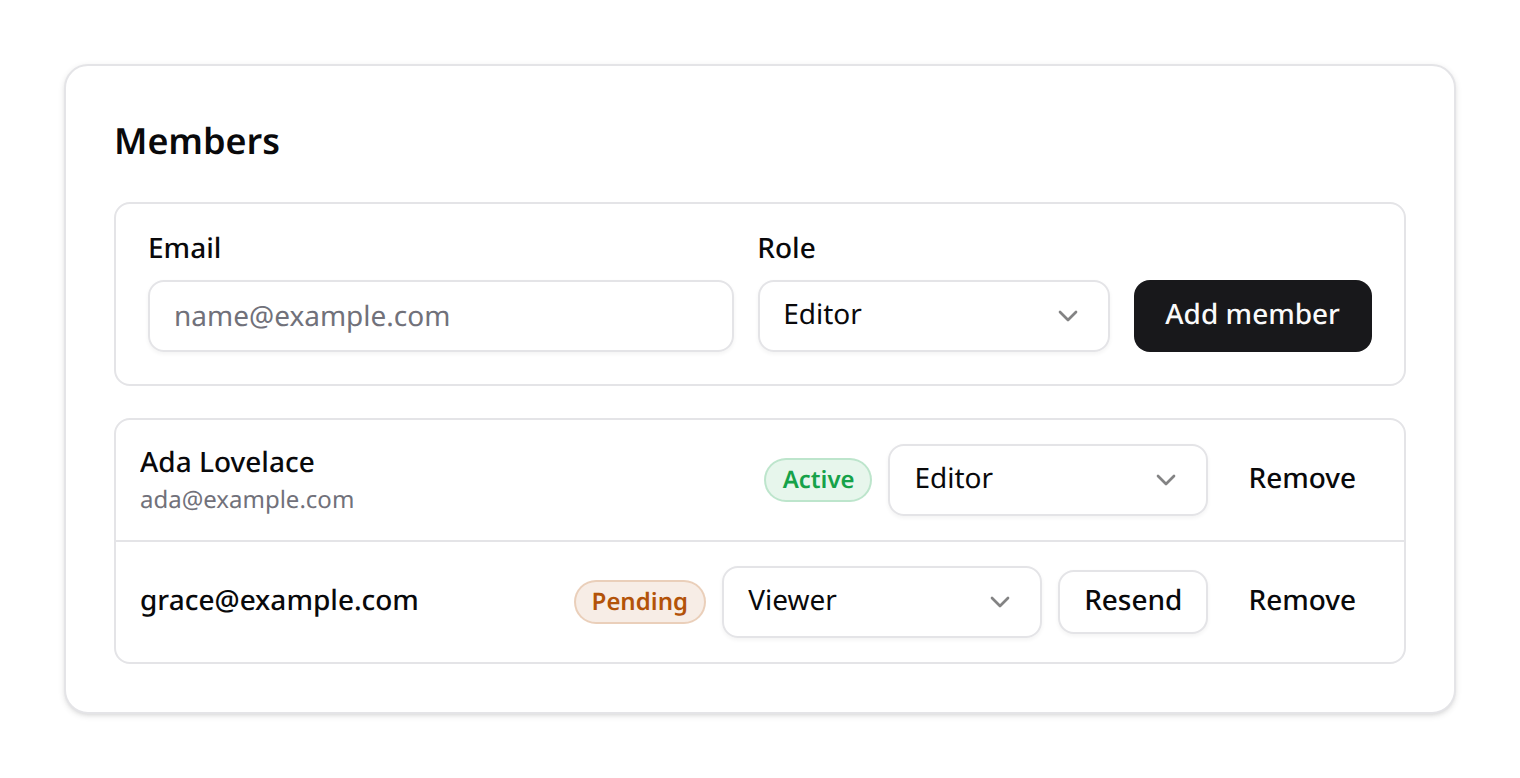
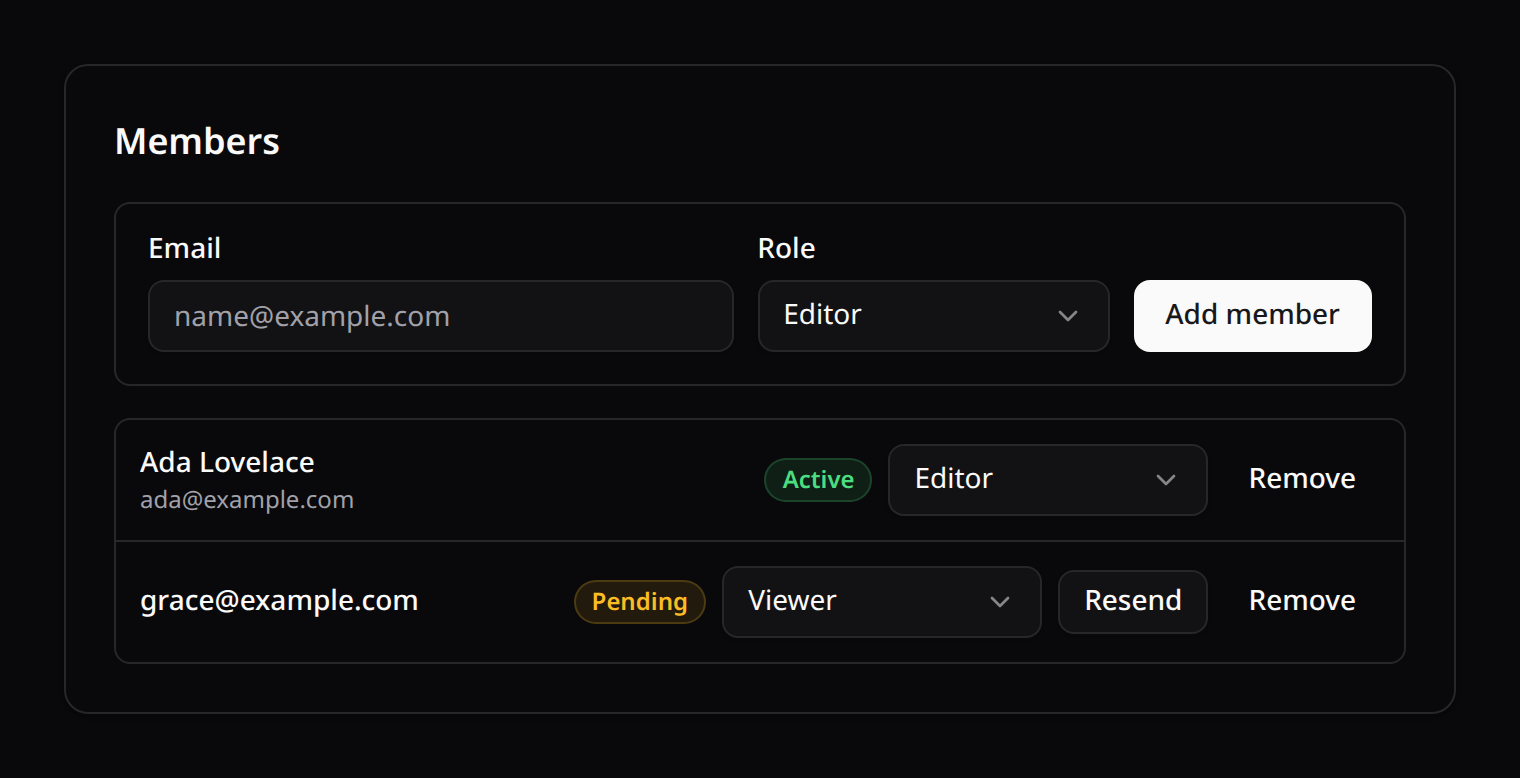
Need a custom layout? Compose the presentational <KinetixMemberProvisioner :assignable-roles="..." @submit="..."> form with the useKinetixMembers() composable (load, provision, resend, updateRole, revoke, plus the reactive provisions / assignableRoles).
7.2 Activation page
<KinetixMemberActivation> is the public set-password screen. Create the page file at resources/js/pages/Kinetix/MemberActivation.vue (that's what the default membership.activation_view resolves to — or change the config to any page you already have), forwarding the props the controller passes — identifier (the email, username or phone the member is known by), email, team (the name of the business they are joining, null without teams) and the signed action URL:
<script setup lang="ts">
import KinetixMemberActivation from "@/components/kinetix/KinetixMemberActivation.vue";

defineProps<{
  identifier?: string | null;
  email?: string | null;
  team?: string | null;
  action: string;
}>();
</script>

<template>
  <KinetixMemberActivation
    :identifier="identifier"
    :email="email"
    :team="team"
    :action="action"
  />
</template>
The page says who is inviting them ("You were invited to join Acme Coffee") — a set-password form that names no business reads like any phishing page.
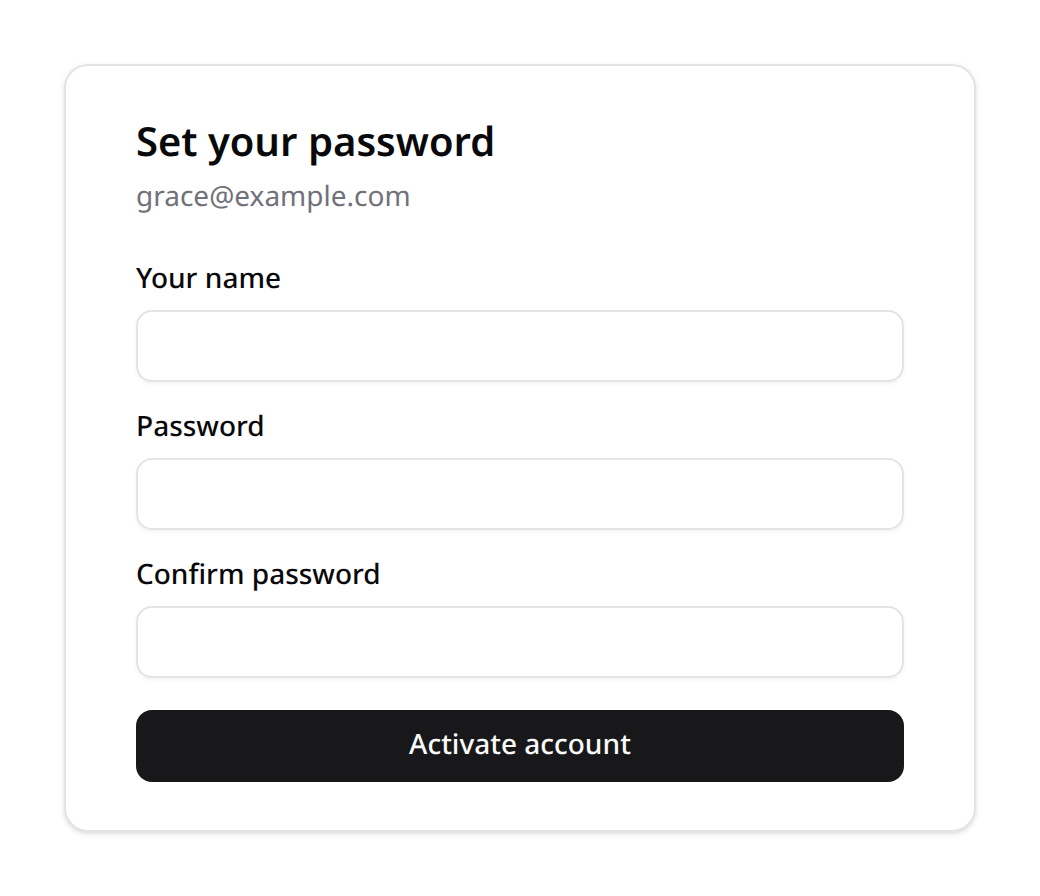
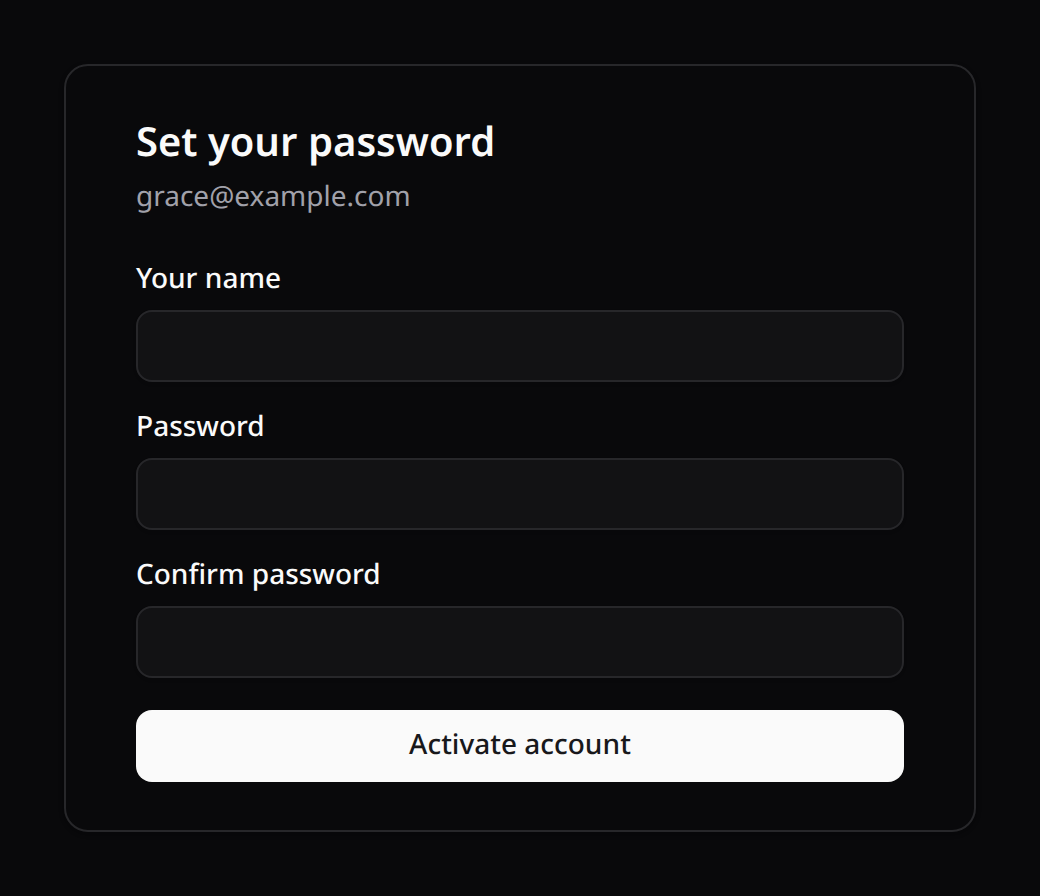
Email is fixed (it came from the provision); the member only sets a name and password, and the form posts back to the signed action URL.
8. How it composes with Roles & Permissions
The two modules are independent but complementary:
- Teams answer where — the tenancy boundary a member belongs to.
- Roles/Permissions answer what — the abilities a member has.
- Provisioning sits at the intersection — a single action that adds a user to a team and assigns a Kinetix role, with the assignable set policed by config.
You can adopt either module alone:
- Permissions without provisioning — keep the starter kit's invitations, but resolve abilities through Kinetix roles instead of the pivot enum.
- Provisioning without permissions — provision members and gate the endpoints with your own
members.*gates; you lose the dynamic role matrix but the onboarding flow stands on its own.
Assigning a role to a user who already exists
Kinetix ships no UI for "give this existing user a role" outside the members list — if you keep the starter kit's invitation flow, assign the role yourself where the user joins the team. With teams active, pin spatie's team id first: assignRole() stamps whatever the registrar currently holds, and in a listener/job that's undefined:
use Spatie\Permission\PermissionRegistrar;

$registrar = app(PermissionRegistrar::class);
$previous  = $registrar->getPermissionsTeamId();
$registrar->setPermissionsTeamId($team->getKey());

try {
    $user->assignRole('editor');   // resolves team + global roles by name
} finally {
    $registrar->setPermissionsTeamId($previous);
}
(That try/finally is exactly what the built-in provisioning endpoints do internally on activation, role change and revoke.)
Used together, you get the full B2B story: a closed directory where admins add people and hand them exactly the capabilities you allow — never owner, never admin, never a stray personal team.
9. Security considerations
- Signed, expiring, single-use activation links (Laravel signed URLs); never a plain incrementing id — validity is the signature plus the
pendingstatus. - Don't leak existence — provisioning re-uses
updateOrCreate, so a repeat on a known email looks the same as a fresh one. - Rate-limit the activation and resend endpoints in your app — the route names are
kinetix.membership.activate.show/kinetix.membership.activate(public, signed) andkinetix.membership.resend; e.g. aRateLimiter::for()keyed by IP applied via->middleware('throttle:...')in a route group that wraps them, or globally withkinetix.middleware. - State machine is enforced — a revoked provision rejects role changes and resends (422; re-provision deliberately instead), and resend on an active member is a 422 too (an activation link for an existing user would try to create a duplicate).
- The allow-list is enforced twice — at provision time and again at activation, so a later config change can't be exploited by an old link.
- Audit who provisioned/revoked whom (
invited_by, timestamps) — this is a privileged, organization-shaping action.