

PDF Templates
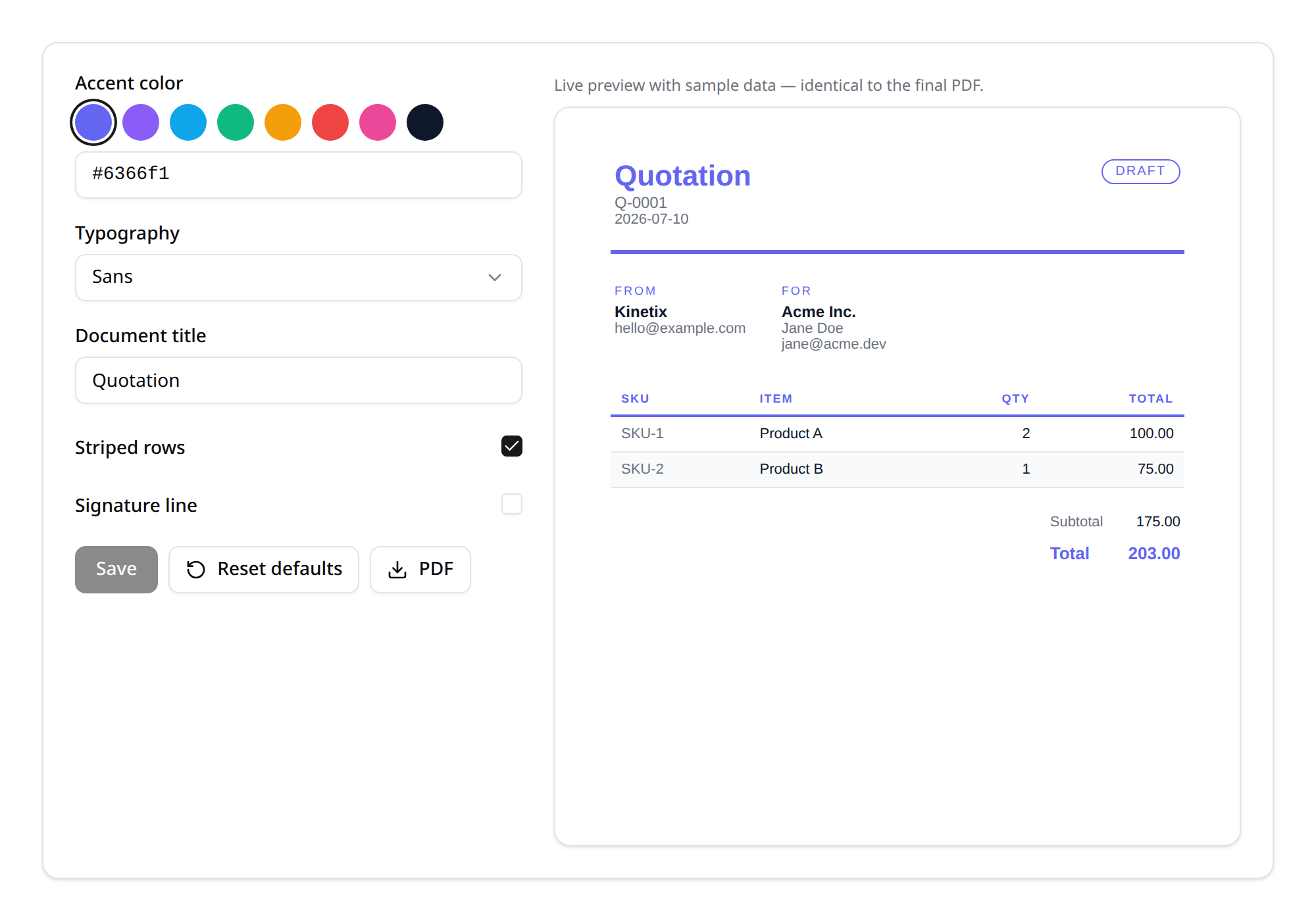
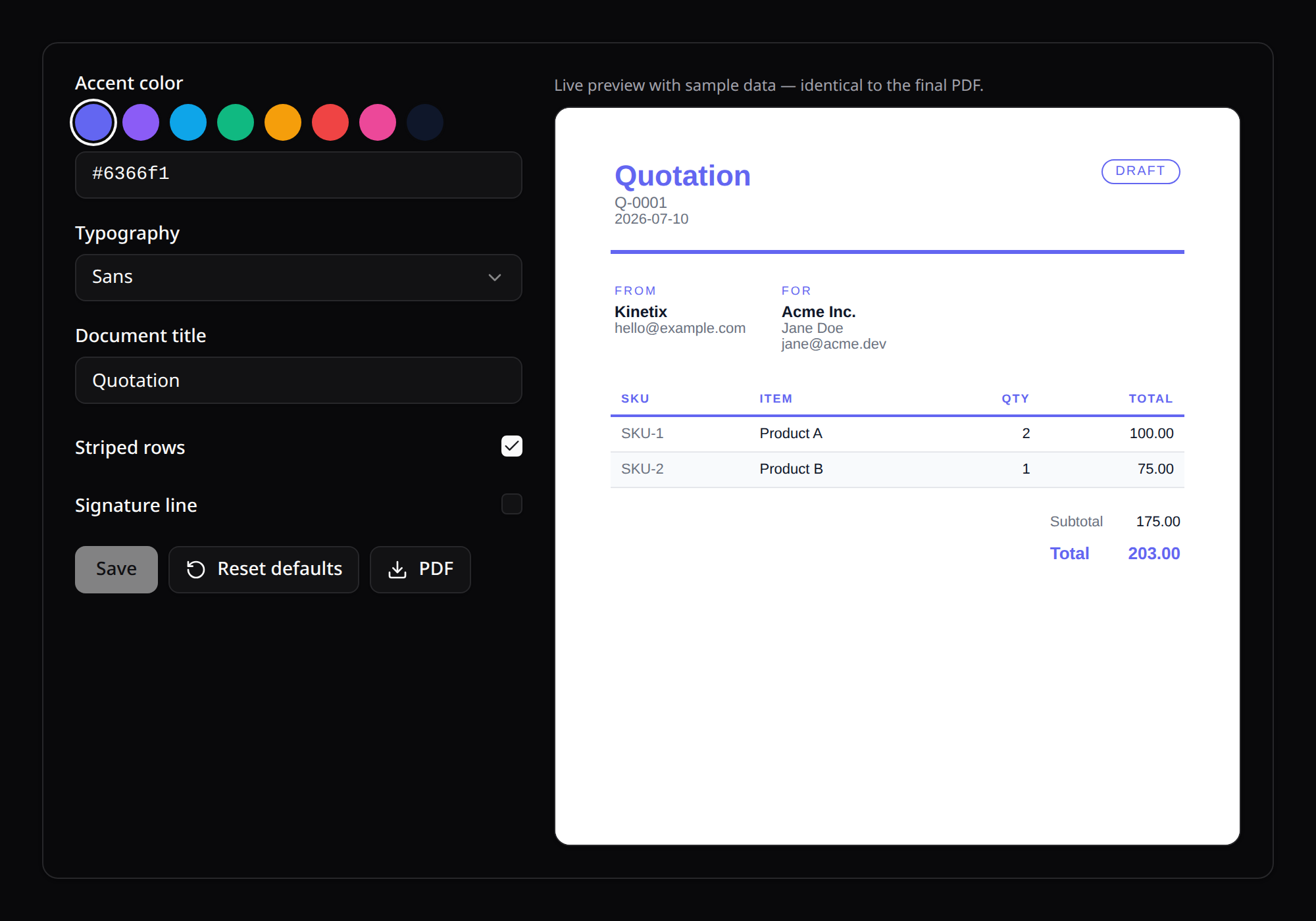
Configurable PDF document formats — the Mailable of PDFs. Declare a template class, register it, and mount one component to get a full configurator: per-field controls, a live preview that reflects unsaved changes, persisted settings (per team when team scoping is on) and one-click PDF download. Perfect for quotes, invoices, receipts, reports — the documents every SaaS ends up customizing.
1. Setup
// config/kinetix.php
'pdf' => [
    'enabled' => true,
    'driver'  => 'auto',   // auto | spatie | barryvdh | dompdf
    'teams'   => null,     // null = inherit kinetix.teams
],php artisan vendor:publish --tag=kinetix-pdf-migrations
php artisan migrateInstall at least one PDF engine (the auto driver picks the first available, in this order):
| Driver | Package | Notes |
|---|---|---|
spatie | spatie/laravel-pdf | Chromium (Browsershot) — best CSS fidelity |
barryvdh | barryvdh/laravel-dompdf | Popular dompdf wrapper |
dompdf | dompdf/dompdf | Used directly — no wrapper needed (same engine as Kinetix PDF exports) |
The configurator endpoints are gated by viewKinetixPdf (local-only by default — define the gate in production).
2. Declaring a template
Subclass PdfTemplate and register it in a service provider — the defaults already give you a polished, generic document (header, parties, line items, totals, footer):
use Happones\Kinetix\Pdf\PdfTemplate;

class QuotePdf extends PdfTemplate
{
    public static string $key = 'quote';

    public function label(): string
    {
        return 'Quotation';
    }

    public function logo(): ?string
    {
        return asset('images/logo.png');
    }

    /** Realistic example data for the live preview. */
    public function sampleData(): array
    {
        return [
            'number'  => 'Q-0001',
            'date'    => now()->toDateString(),
            'status'  => 'Sent',
            'from'    => ['name' => 'Your Co.', 'lines' => ['billing@your.co']],
            'to'      => ['name' => 'Acme Inc.', 'lines' => ['Jane Doe']],
            'items'   => [
                ['sku' => 'SKU-1', 'name' => 'Product A', 'qty' => 2, 'price' => '50.00', 'total' => '100.00'],
            ],
            'summary' => [
                ['label' => 'Subtotal', 'value' => '100.00'],
                ['label' => 'Total', 'value' => '116.00'],
            ],
            'notes'   => null,
        ];
    }
}// Provider boot()
use Happones\Kinetix\Pdf\KinetixPdf;
KinetixPdf::register(QuotePdf::class);Configurable fields
The default fields() exposes the standard knobs (accent/text colors, typography, title, logo, status, SKU column, striped rows, footer, signature). Override it to add or remove controls — each PdfField renders as the right control in the configurator:
use Happones\Kinetix\Pdf\PdfField;

public function fields(): array
{
    return [
        PdfField::color('accent')->label('Brand color')->default('#0ea5e9')
            ->palette(['#0ea5e9', '#10b981', '#f59e0b']),
        PdfField::select('font', ['sans' => 'Sans', 'serif' => 'Serif']),
        PdfField::text('doc_title')->default('Quotation')->maxLength(60),
        PdfField::toggle('striped')->default(true),
        PdfField::number('copies')->label('Copies')->default(1),
    ];
}| Field | Control |
|---|---|
PdfField::color() | Swatch palette + hex input |
PdfField::text() | Text input (maxLength(), help() as placeholder) |
PdfField::select() | Dropdown (value => label) |
PdfField::toggle() | Checkbox |
PdfField::number() | Number input |
Custom layouts
Two escape hatches, from light to full control:
Override
html(array $settings, array $data): string— build the HTML in PHP (the built-inDocumentBuilderis the reference: inline CSS, table layout, dompdf-safe).Point
view()at a Blade view — it receivessettings,dataandtemplate:phppublic function view(): ?string { return 'pdf.quote'; }
3. The configurator component
<script setup lang="ts">
import KinetixPdfTemplate from '@/components/kinetix/KinetixPdfTemplate.vue';
</script>

<template>
    <KinetixPdfTemplate template="quote" />
</template>- Controls are generated from the declared fields; changes debounce into the iframe preview as query overrides, so what you see is always the current (possibly unsaved) state.
- Save persists per template — and per team when team scoping is on.
- Reset defaults restores the declared field defaults.
- PDF downloads the sample document with the current settings.
4. Generating real documents
4.1 Preparing your model — ProvidesPdfData
Your Eloquent models don't know about PDFs out of the box. Teach them by implementing the ProvidesPdfData contract — one toPdfData() method that maps the record onto the template's data shape:
use Happones\Kinetix\Pdf\Contracts\ProvidesPdfData;

class Quote extends Model implements ProvidesPdfData
{
    /** @return array<string, mixed> */
    public function toPdfData(): array
    {
        return [
            'number'  => $this->number,
            'date'    => $this->created_at->toDateString(),
            'status'  => $this->status->getLabel(),
            'from'    => ['name' => config('app.name'), 'lines' => [config('mail.from.address')]],
            'to'      => ['name' => $this->customer->name, 'lines' => [$this->customer->email]],
            'items'   => $this->items->map(fn ($item) => [
                'sku'   => $item->sku,
                'name'  => $item->name,
                'qty'   => $item->qty,
                'price' => number_format($item->price, 2),
                'total' => number_format($item->total, 2),
            ])->all(),
            'summary' => [
                ['label' => 'Subtotal', 'value' => number_format($this->subtotal, 2)],
                ['label' => 'Total', 'value' => number_format($this->total, 2)],
            ],
            'notes' => $this->notes,
        ];
    }
}
The interface is optional (hybrid detection, like Kinetix's other contracts): any object exposing a
toPdfData(): arraymethod is accepted the same way. Objects without it throw a clearInvalidArgumentException.
4.2 Rendering
At runtime (a controller, a queued job, an email attachment) pass the model — or a plain array — and the stored configurator settings apply automatically:
use Happones\Kinetix\Pdf\KinetixPdf;

$html = KinetixPdf::render('quote', $quote); // HTML string
$pdf  = KinetixPdf::pdf('quote', $quote);    // PDF binary

return response($pdf, 200, [
    'Content-Type'        => 'application/pdf',
    'Content-Disposition' => 'attachment; filename="quote-'.$quote->number.'.pdf"',
]);
4.3 The data shape
The data array (what toPdfData() returns) for the built-in document:
[
    'number'  => 'Q-0001',
    'date'    => '2026-07-10',
    'status'  => 'Sent',                                   // hidden when show_status is off
    'from'    => ['name' => '…', 'lines' => ['…']],
    'to'      => ['name' => '…', 'lines' => ['…']],
    'items'   => [['sku', 'name', 'qty', 'price', 'total']],
    'summary' => [['label' => 'Total', 'value' => '…']],   // last row is emphasized
    'notes'   => '…',
]
5. Endpoints
Registered under the Kinetix prefix (team-aware), all gated by viewKinetixPdf:
| Method | Route | Purpose |
|---|---|---|
GET | {prefix}/pdf-templates | Registered templates (key + label) |
GET | {prefix}/pdf-templates/{key} | Descriptor: fields + settings + defaults |
PATCH | {prefix}/pdf-templates/{key} | Persist settings (declared fields only) |
GET | {prefix}/pdf-templates/{key}/preview | HTML preview (query overrides) |
GET | {prefix}/pdf-templates/{key}/download | Sample PDF (query overrides) |
Only declared fields are ever read from a request — unknown keys can't reach the store or the renderer.